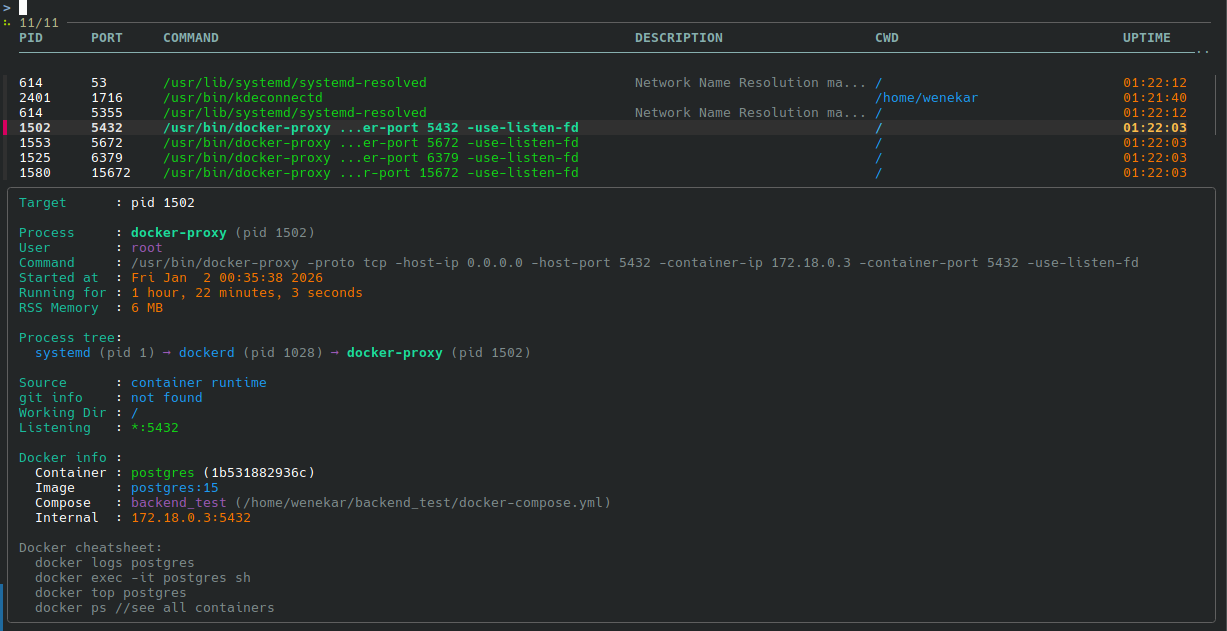
一个适用于 Linux 和 macOS 的可移植进程检查工具。立即获取任何运行进程的详细信息!
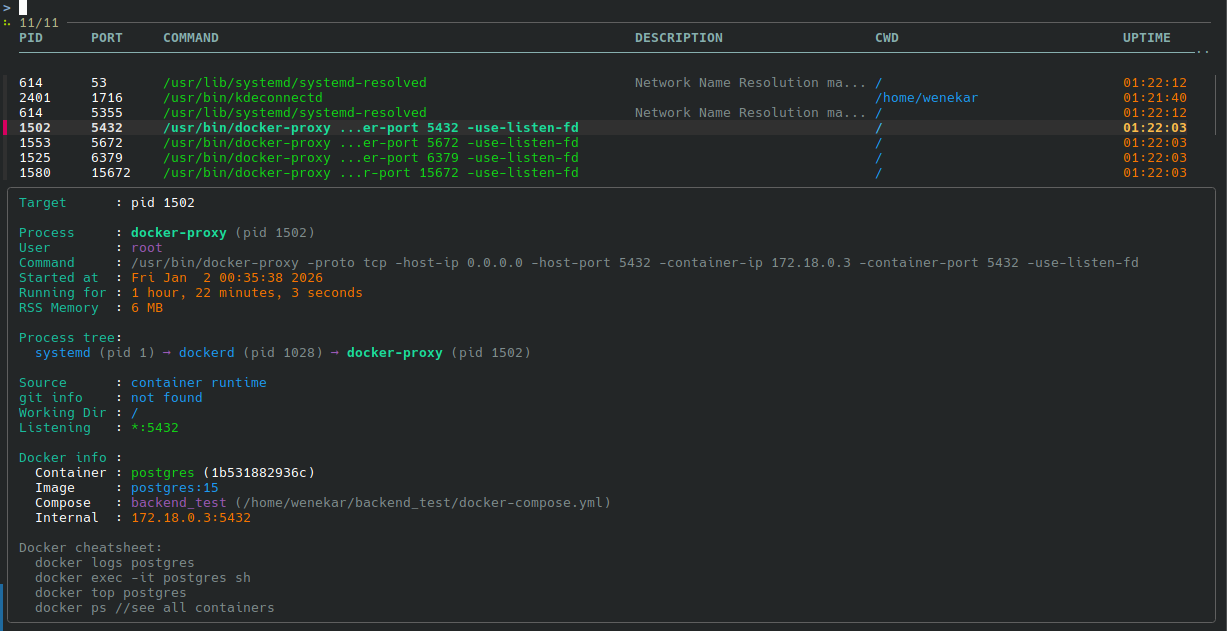
另见 procinfo_minimal.sh —— procinfo 的纯 sh 实现。
curl -fsSL https://raw.githubusercontent.com/wenekar/procinfo/main/procinfo.sh -o procinfo
chmod +x procinfo
sudo mv procinfo /usr/local/bin/
或者直接复制脚本。它是一个 bash 脚本,除标准 Unix 工具(ps、lsof、pgrep)外无任何依赖。或者更好的是,复制它的部分内容,组合起来,制作一个满足你特定需求的脚本!
procinfo nginx 匹配 Nginx、NGINX 等。fzf 相当棒!注意,这不是 top 的替代品,它旨在用于查看开放端口,而不是所有进程。procinfo:
可选依赖:
procinfo_minimal:
# 交互式 TUI 模式(需要 fzf)
procinfo --tui

# 按进程名称
procinfo nginx

# 按端口
procinfo --port 3306

# 按 PID
procinfo --pid 1234

# 单行输出
procinfo --short nginx

# JSON 输出(需要 jq)
procinfo --json nginx
Target      : godot

Process     : godot.linuxbsd. (pid 234167)
User        : wenekar
Command     : ./bin/godot.linuxbsd.editor.x86_64 --verbose
Started at  : Wed Dec 31 19:12:10 2025
Running for : 1 minute, 6 seconds
RSS Memory  : 330 MB

Process tree:
  systemd (pid 1) → systemd (pid 1141) → konsole (pid 1725) → fish (pid 233851) → godot.linuxbsd. (pid 234167)

Source      : interactive fish shell
git info    : godot (fix-libdecor-ssd-fallback) - [email protected]:wenekar/godot.git
Working Dir : /mnt/Sandisk480/GitHub/godot
Open files  : /memfd:kwin-xkb-keymap-shared
              /memfd:wayland-cursor
当检查绑定到 Docker 容器的端口时:
Target      : port 6379

Process     : docker-proxy (pid 31782)
User        : root
Command     : /usr/bin/docker-proxy -proto tcp -host-ip 0.0.0.0 -host-port 6379 -container-ip 172.18.0.2 -container-port 6379 -use-listen-fd
Started at  : Wed Dec 31 01:45:01 2025
Running for : 17 hours, 28 minutes, 39 seconds
RSS Memory  : 6 MB

Process tree:
  systemd (pid 1) → dockerd (pid 25817) → docker-proxy (pid 31782)

Source      : container runtime
git info    : not found
Working Dir : /
Listening   : *:6379

Docker info :
  Container : redis (463ab2f88502)
  Image     : redis
  Compose   : backend_test (/home/wenekar/backend_test/docker-compose.yml)
  Internal  : 172.18.0.2:6379

Docker cheatsheet:
  docker logs redis
  docker exec -it redis sh
  docker top redis
  docker ps //see all containers
| 选项 | 描述 |
|---|---|
-p, --port <port> | 查找监听指定端口的进程 |
-P, --pid <pid> | 检查指定 PID |
-a, --all-ports | 列出所有监听端口 |
-t, --tui | 交互式 TUI 模式(需要 fzf) |
-s, --short | 单行输出(仅进程链) |
-j, --json | JSON 输出(需要 jq) |
-d, --description | 等待进程描述(在 macOS 上较慢) |
--no-color | 禁用彩色输出 |
-h, --help | 显示帮助 |
-v, --version | 显示版本 |
我在 TikTok 上看到了一个名为 witr 的项目的广告,该 TikTok 视频链接。
然后我心想,目标用户是谁?那个二进制文件是为谁准备的?这不就是 ps -p 的一个 bash 包装吗?
由此诞生了 procinfo,结果发现,我 就是那个目标用户。另见 issue 32。
MIT