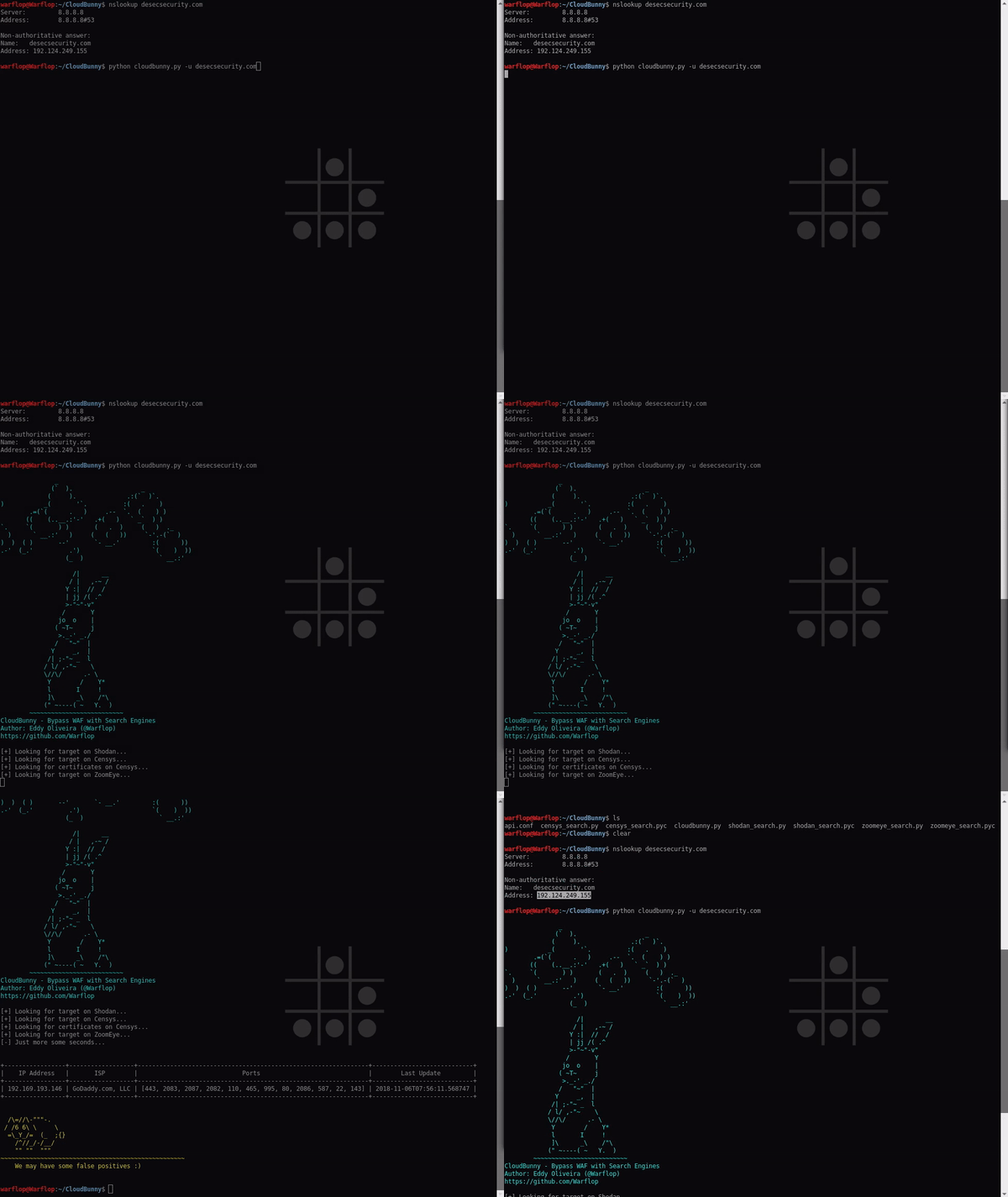
CloudBunny 是一款用于捕获使用 WAF 作为代理或防护的原始服务器的工具。
你可以在此处了解更多关于该工具的信息:https://tinyurl.com/y8p48wb3
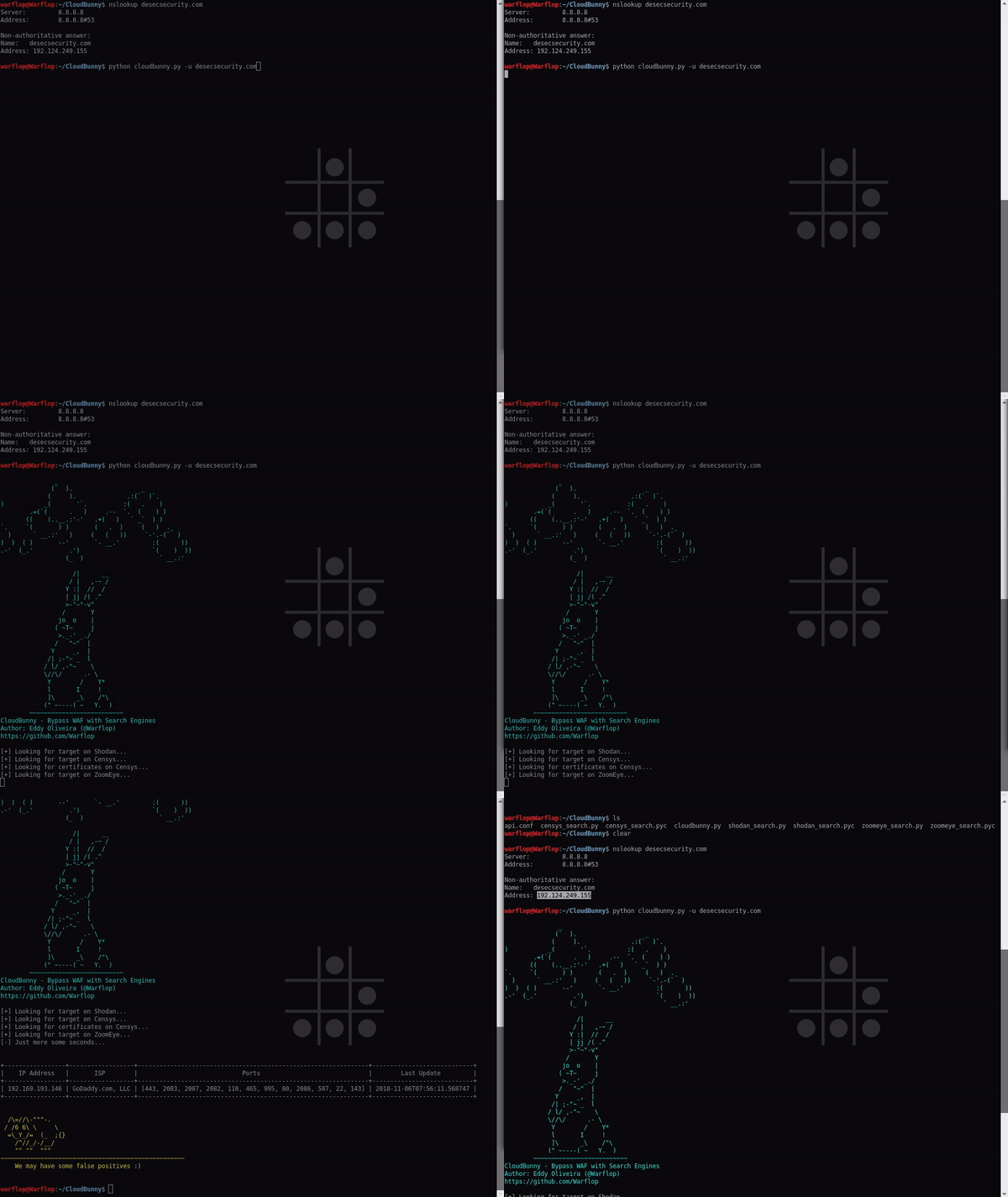
本工具使用了三个搜索引擎来搜索域名信息:Shodan、Censys 和 ZoomEye。要使用这些工具,你需要 API 密钥,可以在以下链接获取:
Shodan - https://account.shodan.io/
Censys - https://censys.io/account/api
ZoomEye - https://www.zoomeye.org/profile
注意:在 ZoomEye 中,你需要输入登录名和密码,它会生成一个动态的 API 密钥,我已经为你处理好了这一步。只需输入你的登录名和密码。
之后,你需要将凭据放入 api.conf 文件中。
安装依赖:
$ pip3 install -r requirements.txt
默认情况下,该工具会在所有搜索引擎上搜索(你可以通过参数进行设置),但你需要像上面提到的那样提供凭据。在加载凭据并安装依赖后,执行:
$ python3 cloudbunny.py -u securityattack.com.br
查看帮助区域:
$ python3 cloudbunny.py -h
将 securityattack.com.br 替换为你选择的域名。
$ python3 cloudbunny.py -u site_example.com.br

	            /|      __
	           / |   ,-~ /
	          Y :|  //  /
	          | jj /( .^
	          >-"~"-v"
	         /       Y
	        jo  o    |
	       ( ~T~     j
	        >._-' _./
	       /   "~"  |
	      Y     _,  |
	     /| ;-"~ _  l
	    / l/ ,-"~    \
	    \//\/      .- \
	     Y        /    Y*
	     l       I     !
	     ]\      _\    /"\
	    (" ~----( ~   Y.  )
	~~~~~~~~~~~~~~~~~~~~~~~~~~
CloudBunny - 通过搜索引擎绕过 WAF
作者:Eddy Oliveira (@Warflop)
https://github.com/Warflop

[+] 正在 Shodan 上查找目标...
[+] 正在 Censys 上查找目标...
[+] 正在 Censys 上查找证书...
[+] 正在 ZoomEye 上查找目标...
[-] 请稍等几秒...


+---------------+------------+-----------+----------------------------+
|   IP 地址     |   ISP      |   端口    |         最后更新时间       |
+---------------+------------+-----------+----------------------------+
|  55.14.232.4  | Amazon.com | [80, 443] | 2018-11-02T16:02:51.074543 |
| 54.222.146.40 | Amazon.com |    [80]   | 2018-11-02T10:16:38.166829 |
| 18.235.52.237 | Amazon.com | [443, 80] | 2018-11-08T01:22:11.323980 |
| 54.237.93.127 | Amazon.com | [443, 80] | 2018-11-05T15:54:40.248599 |
| 53.222.94.157 | Amazon.com | [443, 80] | 2018-11-06T08:46:03.377082 |
+---------------+------------+-----------+----------------------------+
    可能会存在一些误报 :)