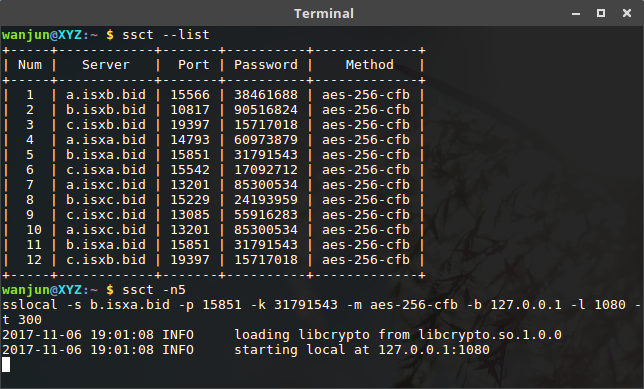
ssct是封装了 shadowsocks 更易用的代理工具。
直接在终端执行ssct,ssct会自动从 ishadowsocks 获取服务器信息并自动连接。
首先获取可用的服务器信息
ssct --list
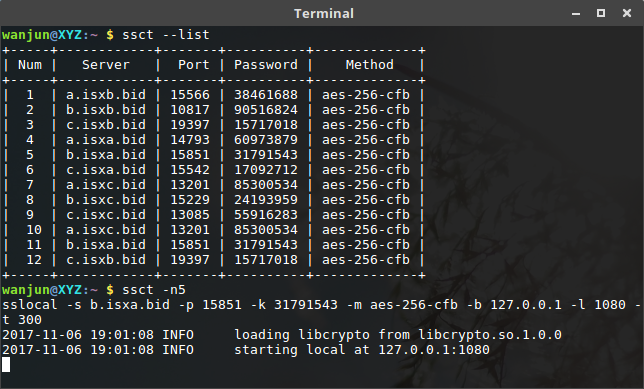
然后连接指定服务器
ssct -n 5
另外,也可连接其它已知服务器
ssct -s <server_addr> -p <server_port> -l <local_port> -k <password> -m <method>
1 安装必选模块
pip3 install shadowsocks
pip3 install requests
2 安装可选模块
pip3 install prettytable
Note: prettytable模块不是必须,但会使--list显示结果更友好。
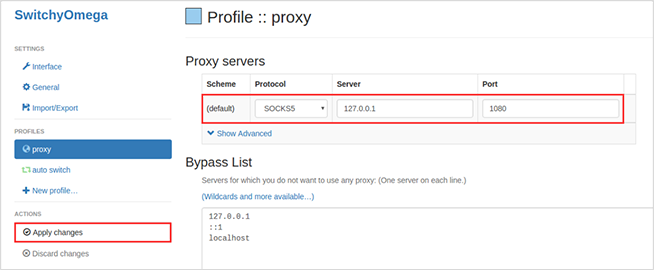
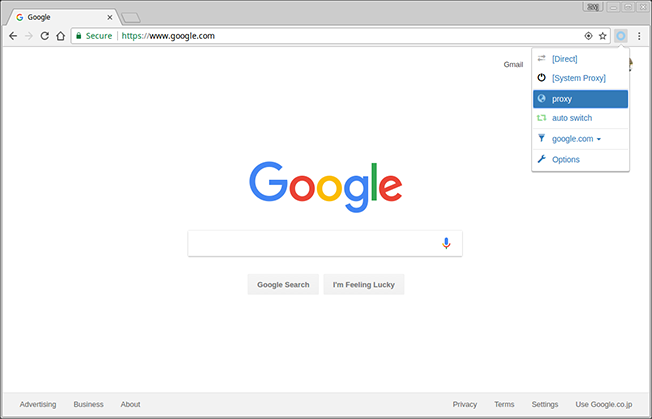
ssct自动连接。
optional arguments:
  -h, --help         show this help message and exit

ssct options:
  -n <num>           connect server number
  --list             list all ss servers
  --version          show program's version number and exit

shadowsocks options:
  -c <config>        path to config file
  -s <addr>          server address, auto crawl online
  -p <port>          server port, auto crawl online
  -b <addr>          local binding address [default: 127.0.0.1]
  -l <port>          local port [default: 1080]
  -k <password>      password, auto crawl online
  -m <method>        encryption method, auto crawl online
  -t <timeout>       timeout in seconds [default: 300]
  --fast-open        use TCP_FASTOPEN, requires Linux 3.7+
  -d <daemon>        daemon mode, one of start, stop and restart
  --pid-file <file>  pid file for daemon mode
  --log-file <file>  log file for daemon mode
  --user <user>      username to run as
  -v, -vv            verbose mode
  -q, -qq            quiet mode, only show warnings/errors
如不使用参数,ssct会自动获取并连接可用服务器。
无任何版权限制,随意使用。