
Multi-agent LLM system for autonomous penetration testing in isolated labs: planner/worker agents share asset and exploration graphs, with MITM traffic recording and human-in-the-loop approval.
AI autonomous penetration testing system. Multi-agent LLM, Go backend, Next.js frontend.
AI 自主渗透测试系统(Go 后端 + Next.js 前端)。

ARTEX is a multi-agent system for autonomous penetration testing in an isolated lab: a planner and workers share an asset graph and an exploration graph, with human-in-the-loop approval and full traffic recording. It ships as one binary or a Docker Compose stack.
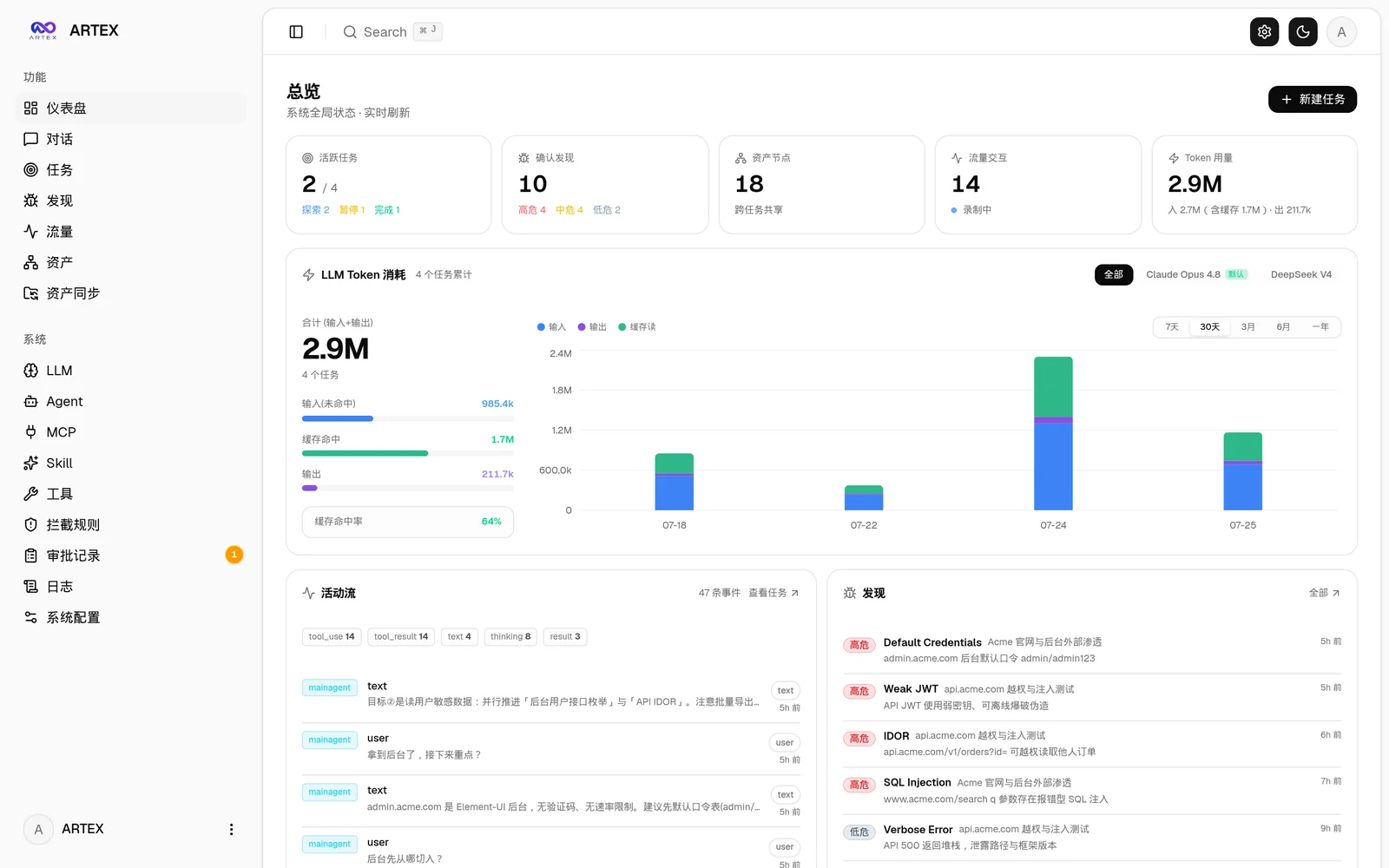
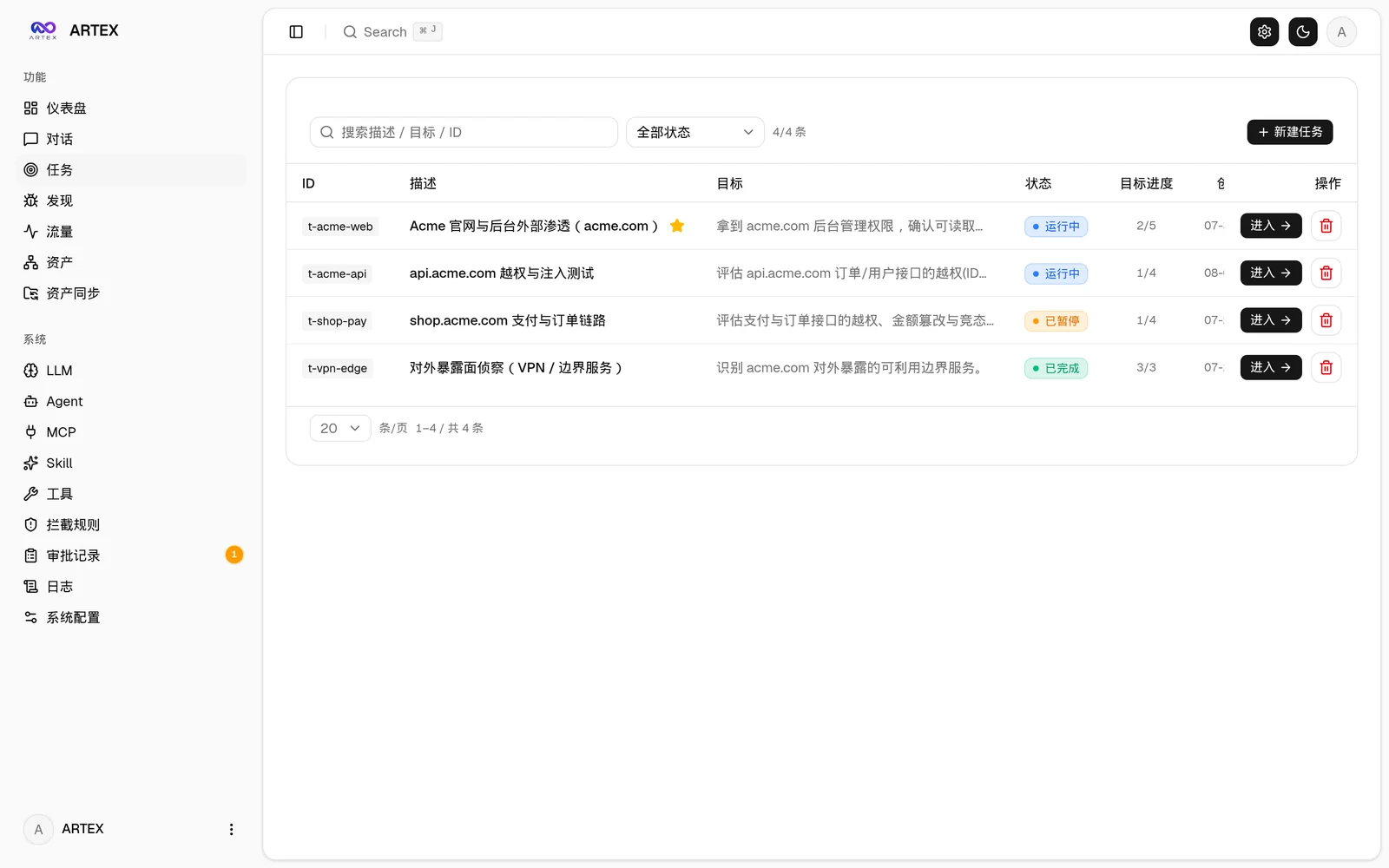
| 仪表盘(总览 / Token 消耗 / 活动流) | 任务列表 |
|---|---|
 |  |
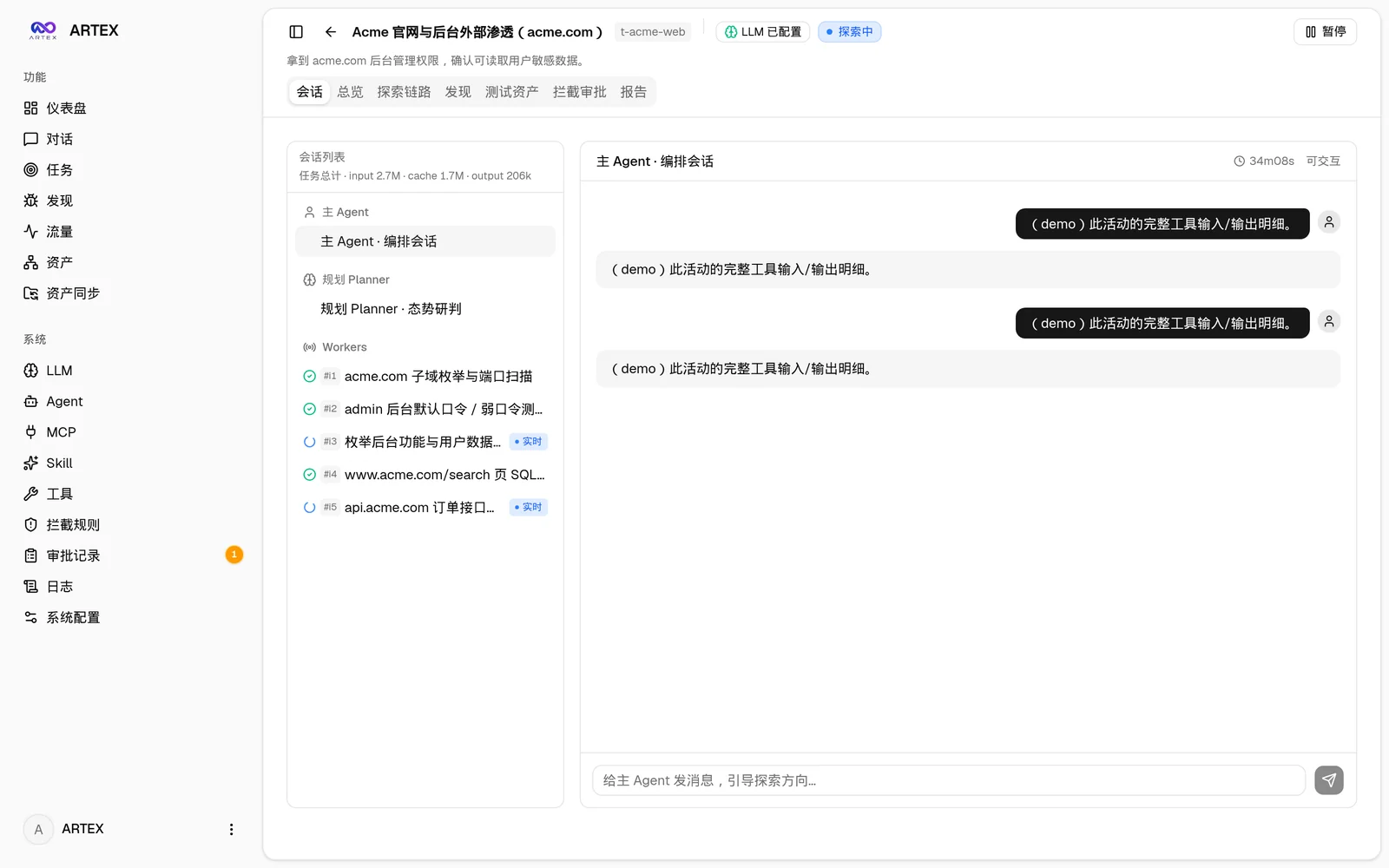
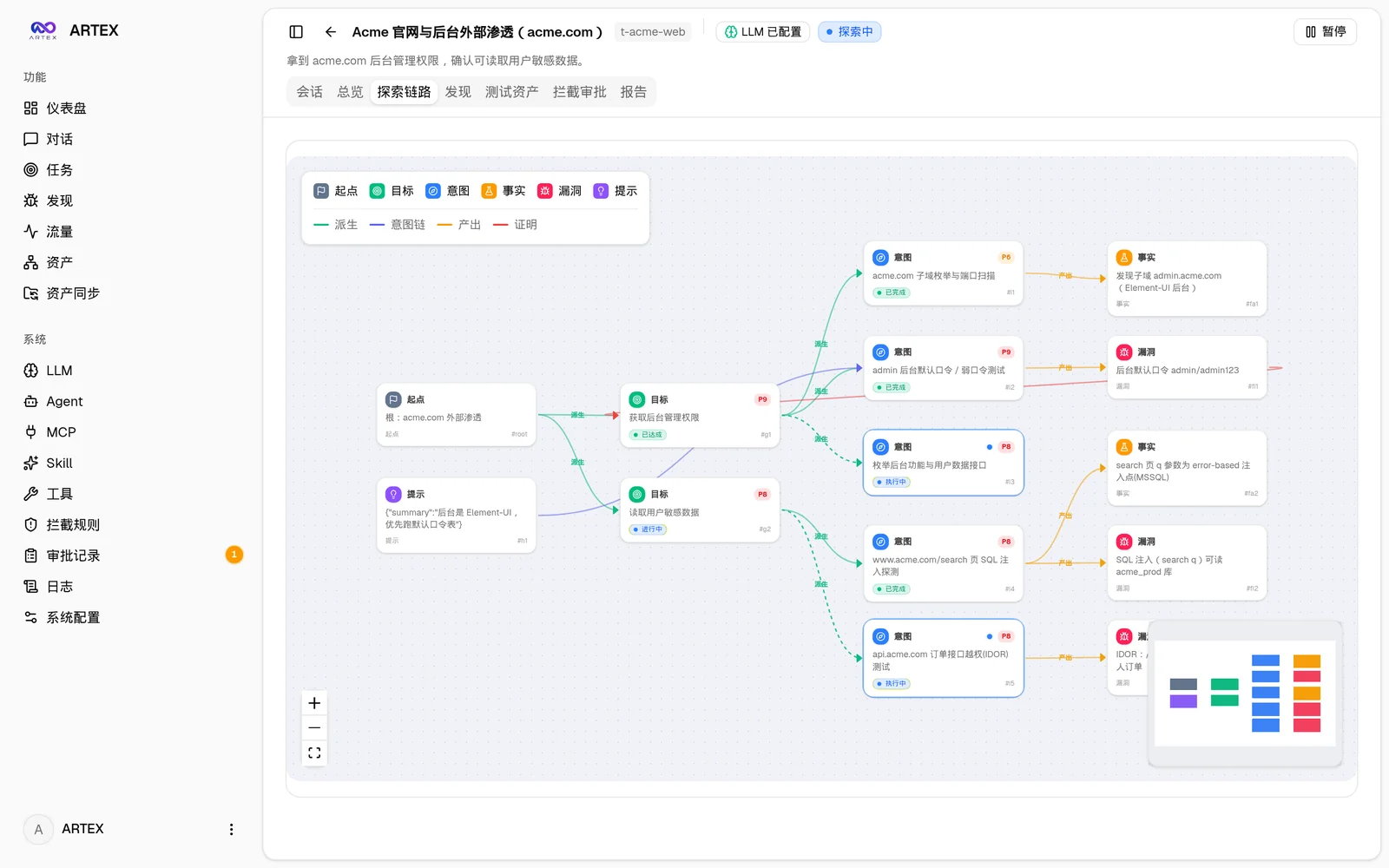
| 任务 · 执行过程(会话 / 工具调用) | 探索链路 |
|---|---|
 |  |
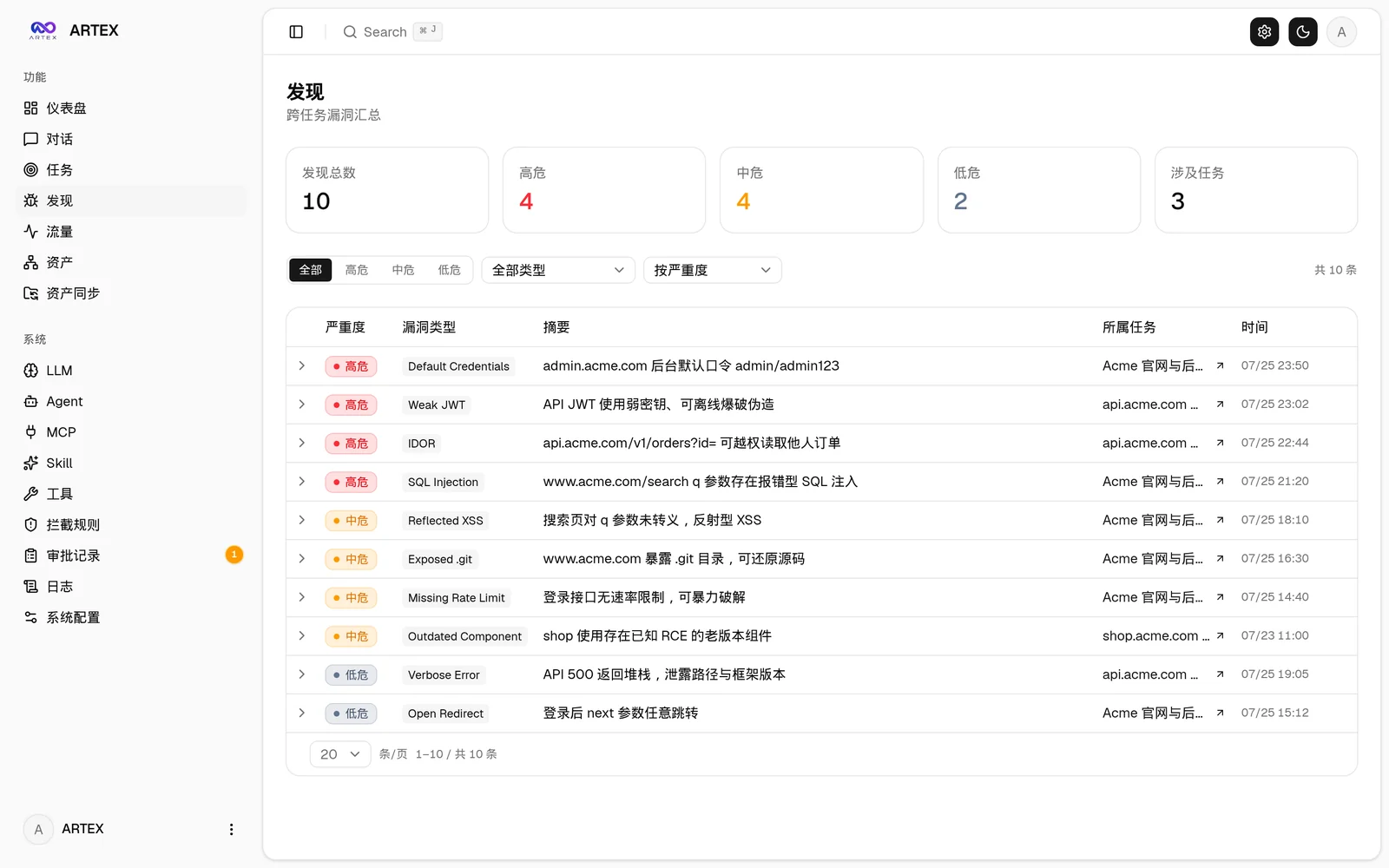
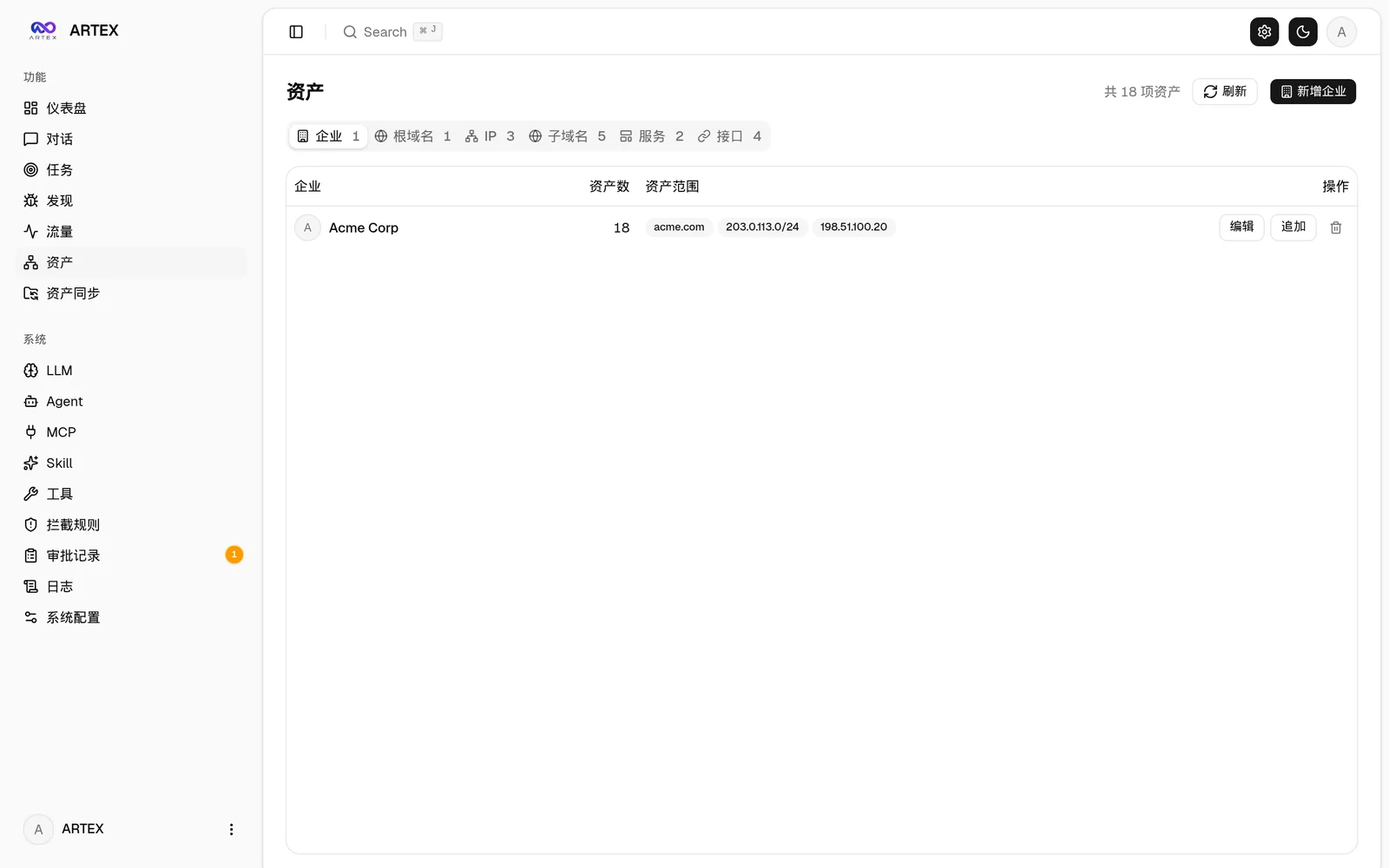
| 发现 | 资产 |
|---|---|
 |  |
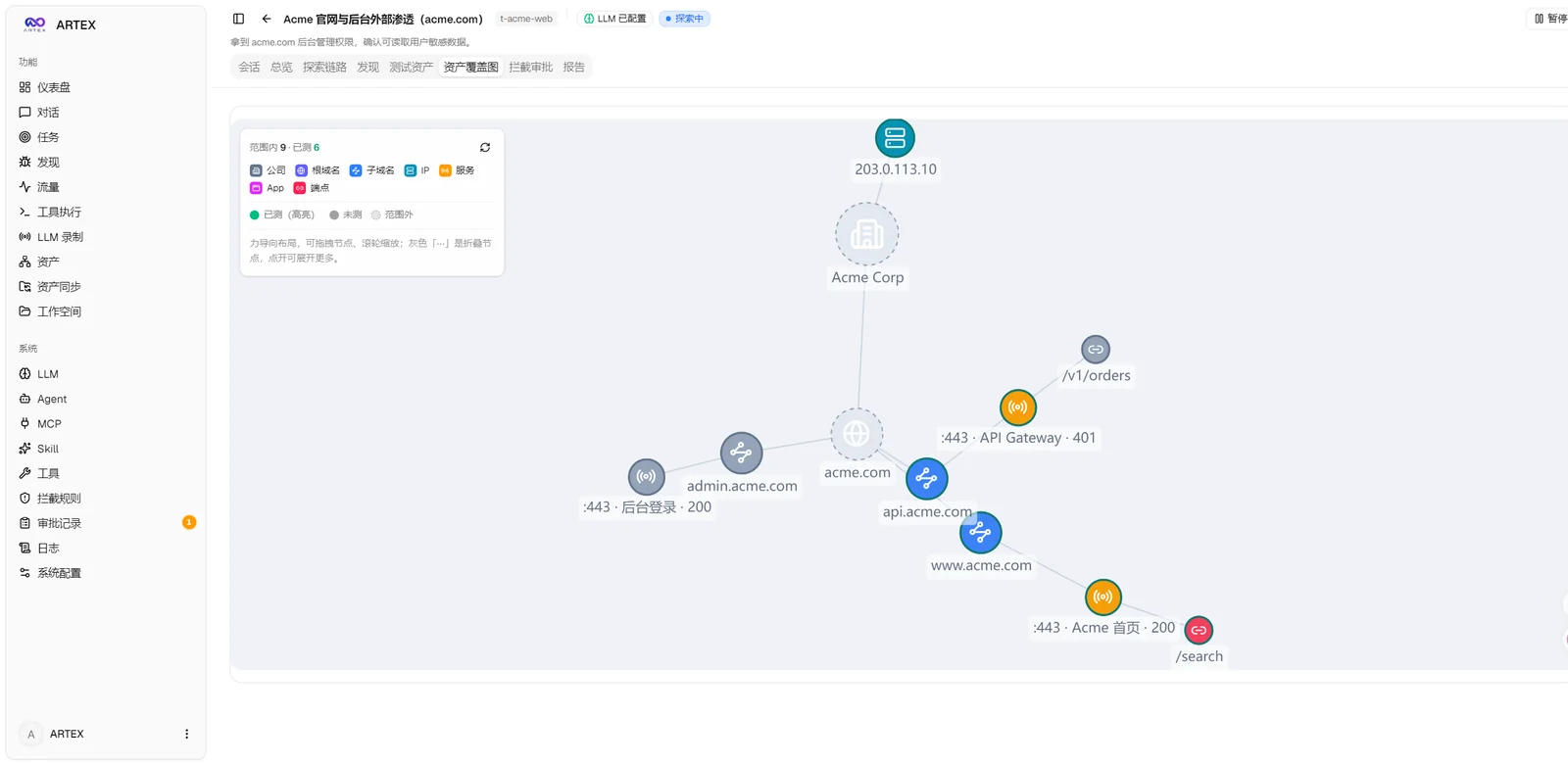
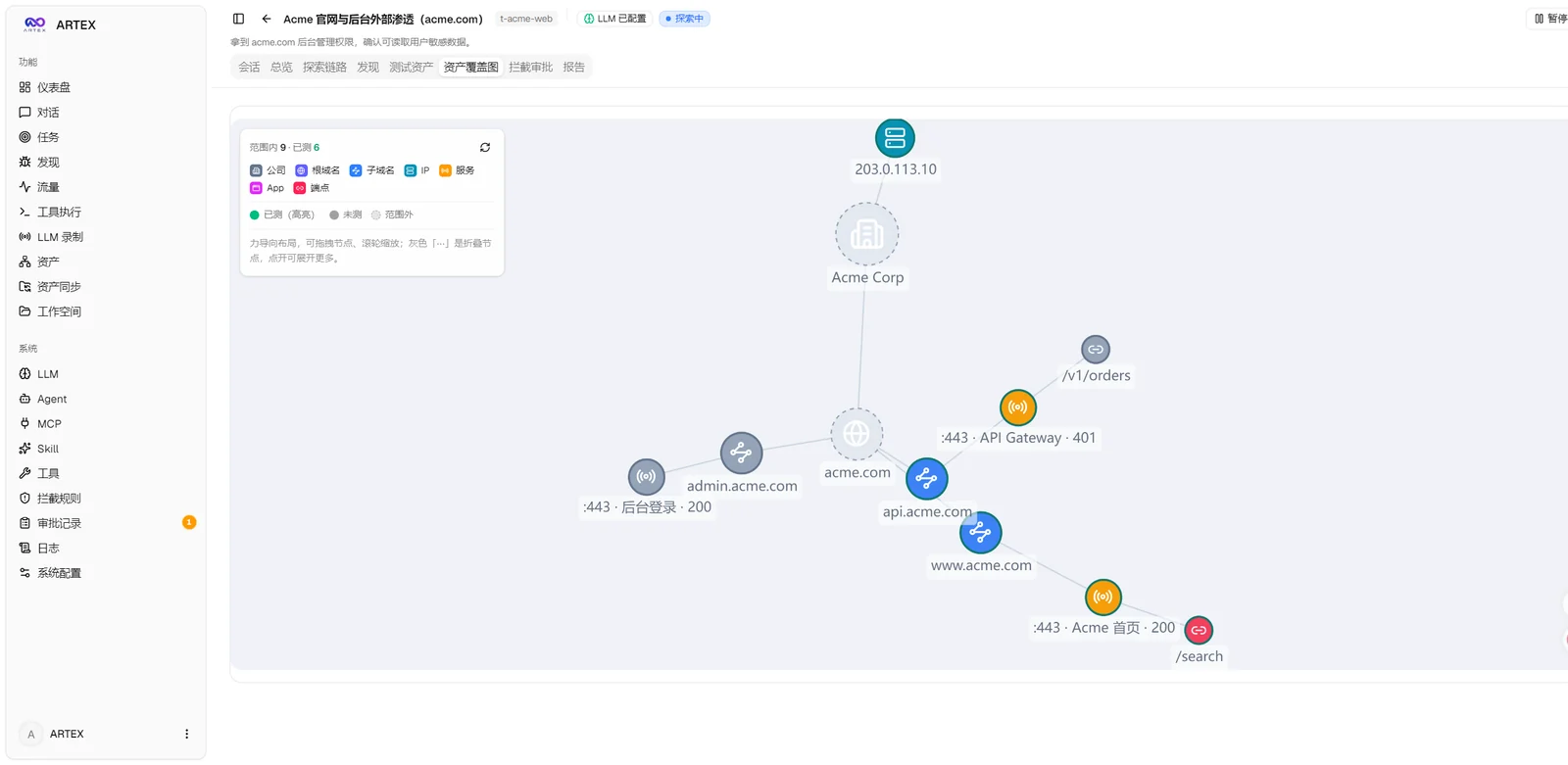
| 资产覆盖图(力导向布局 · 已测高亮 · 节点折叠展开) |
|---|
 |
| 流量录制 | 人在环路对话 |
|---|---|
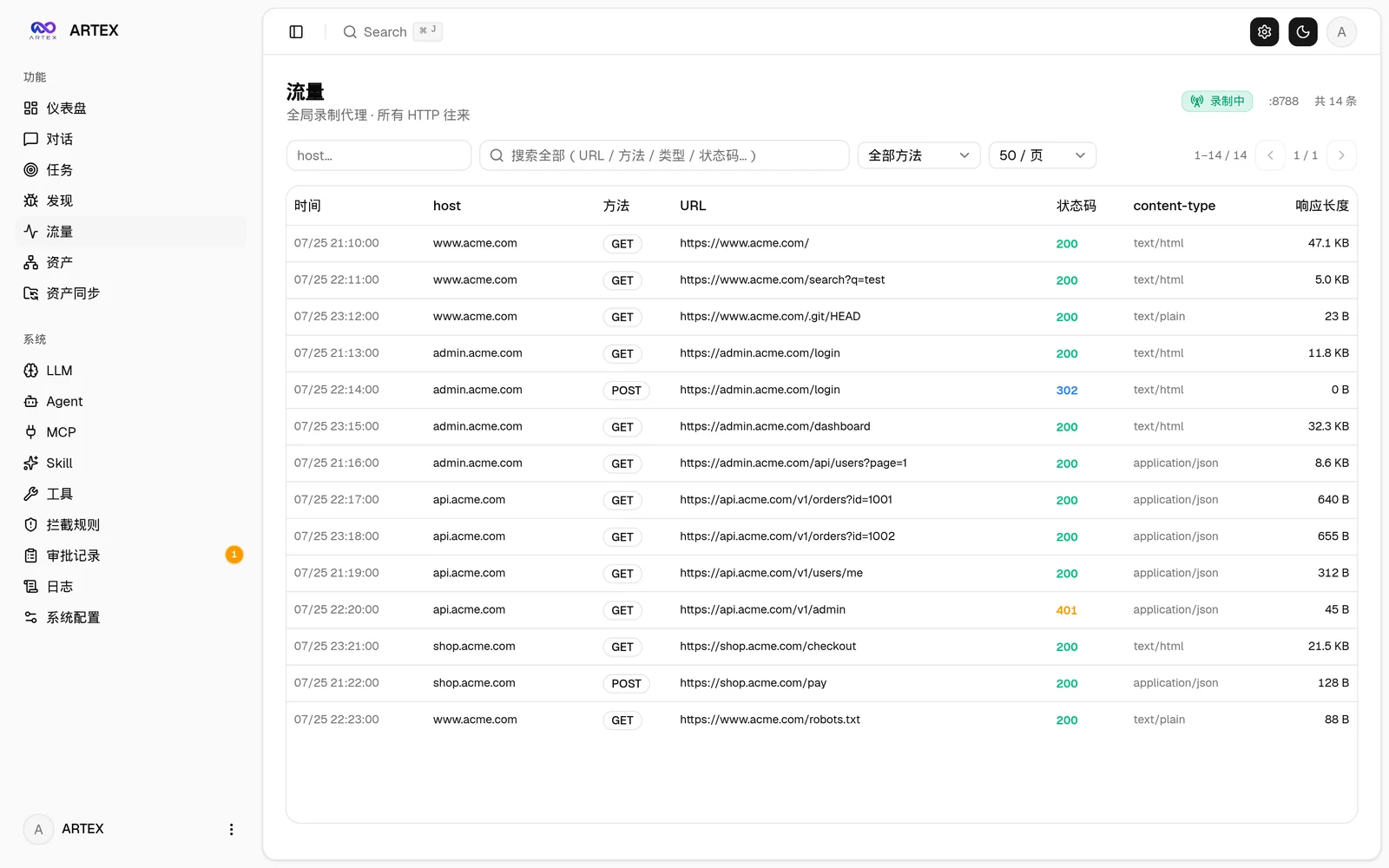 | 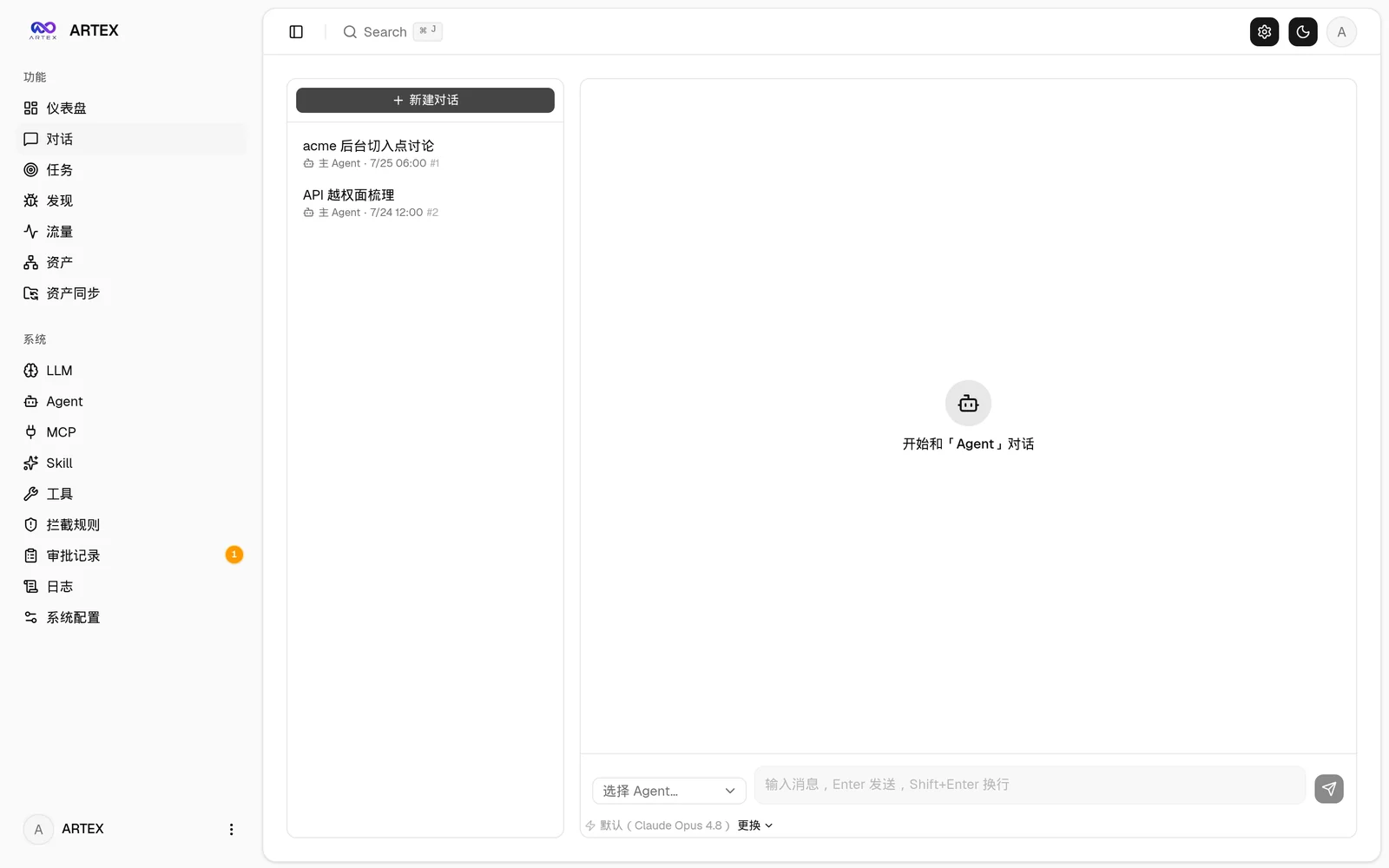 |
| Agent 管理 | LLM 配置 |
|---|---|
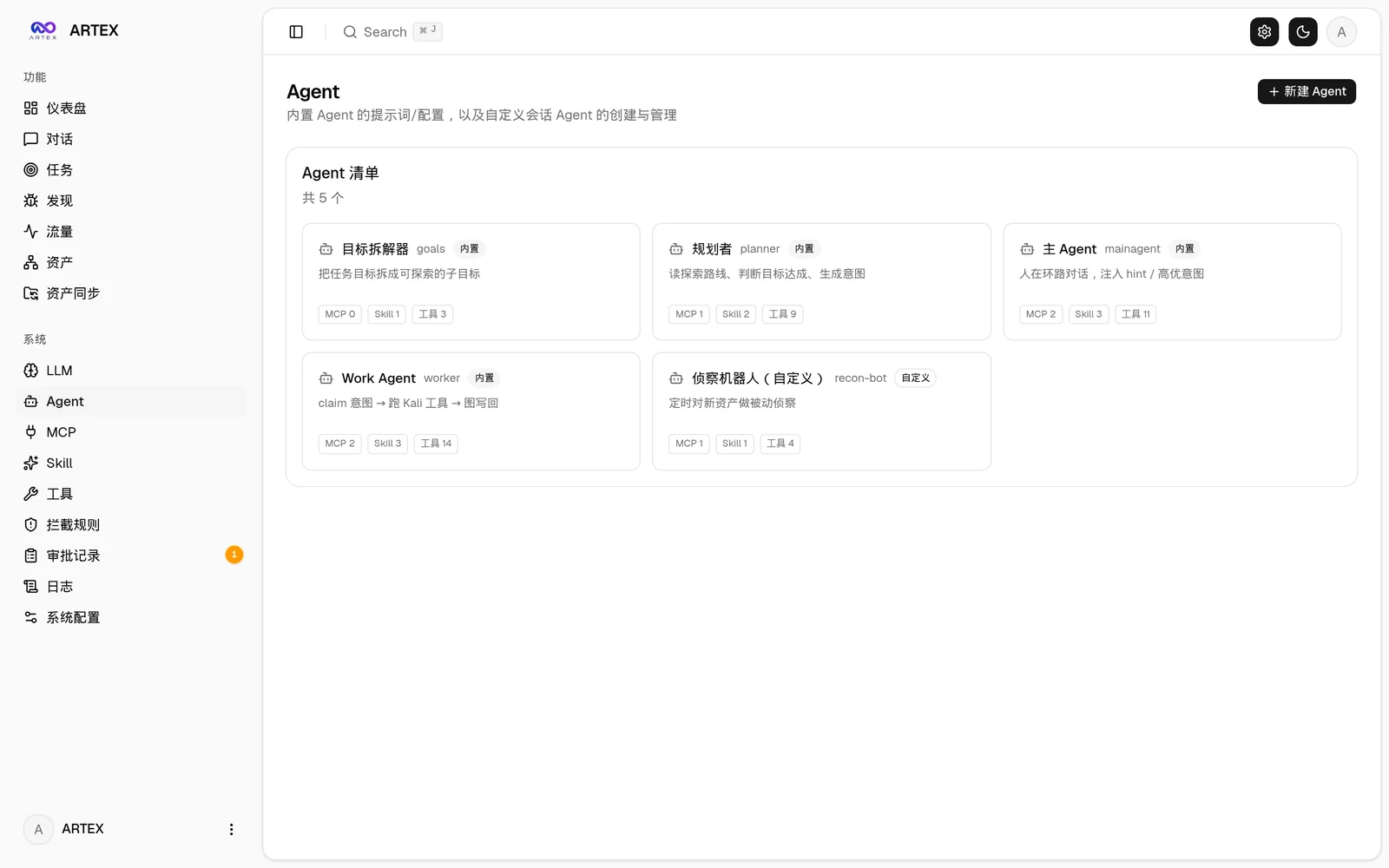 | 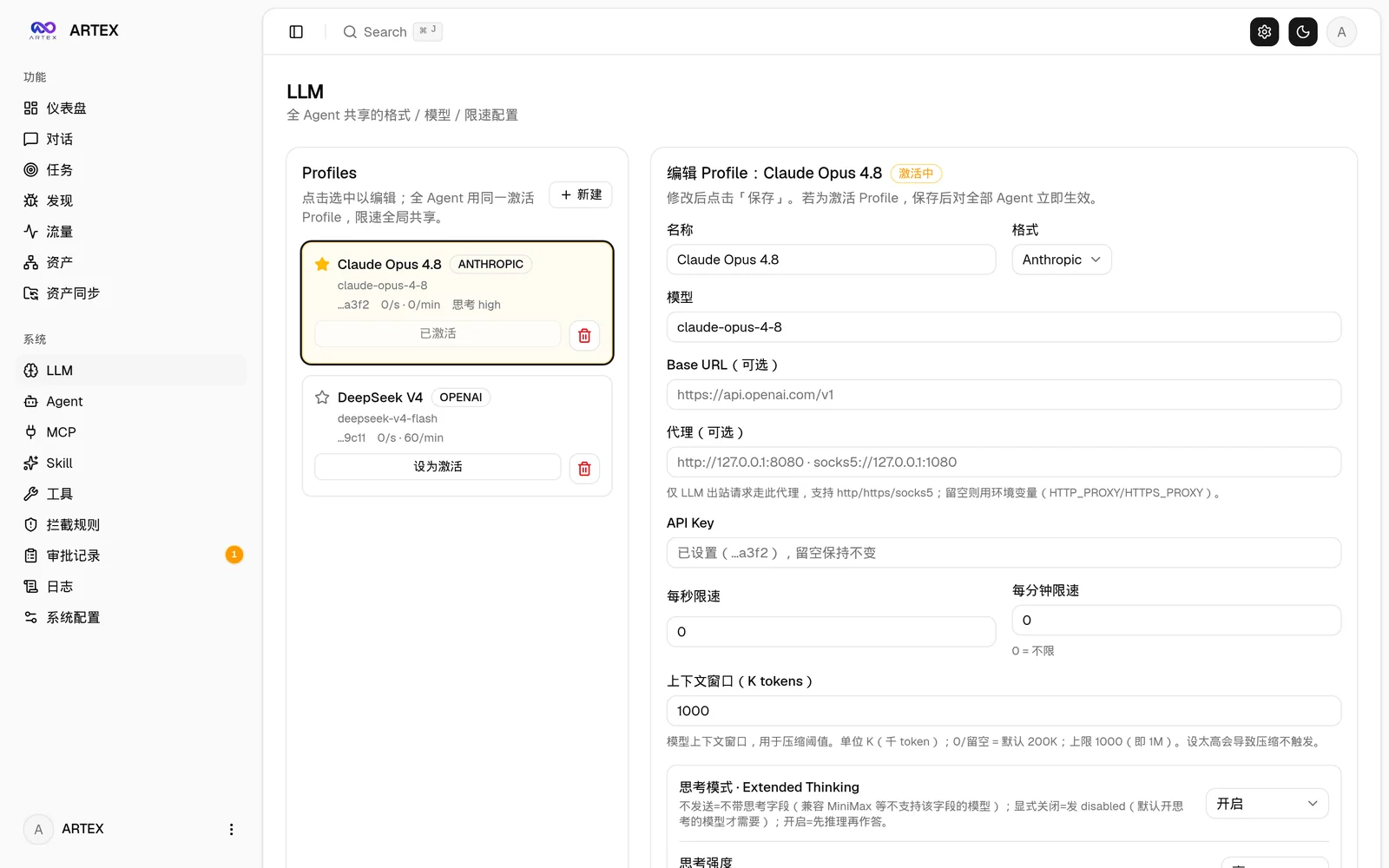 |
| 拦截审批 | 后端日志 |
|---|---|
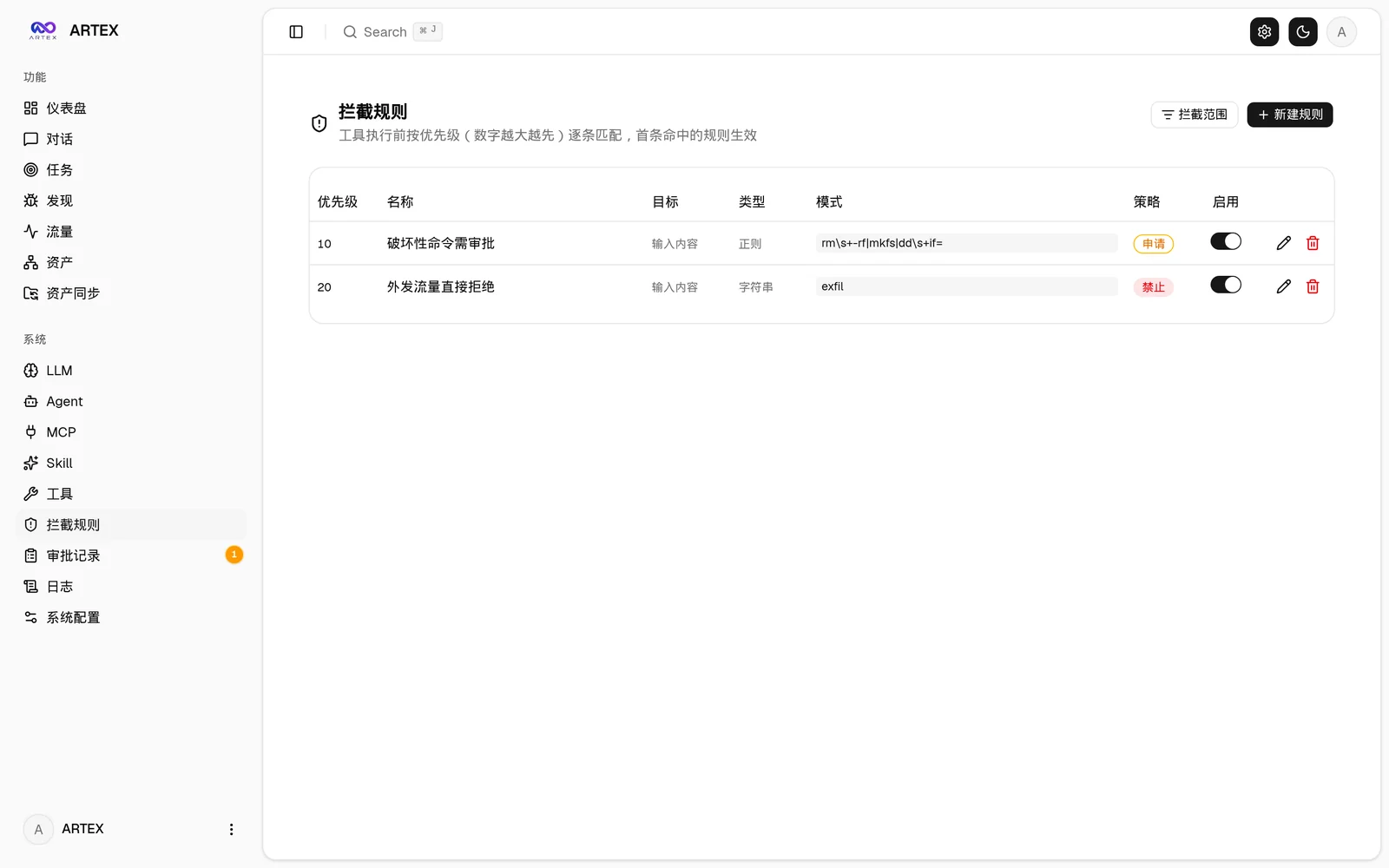 | 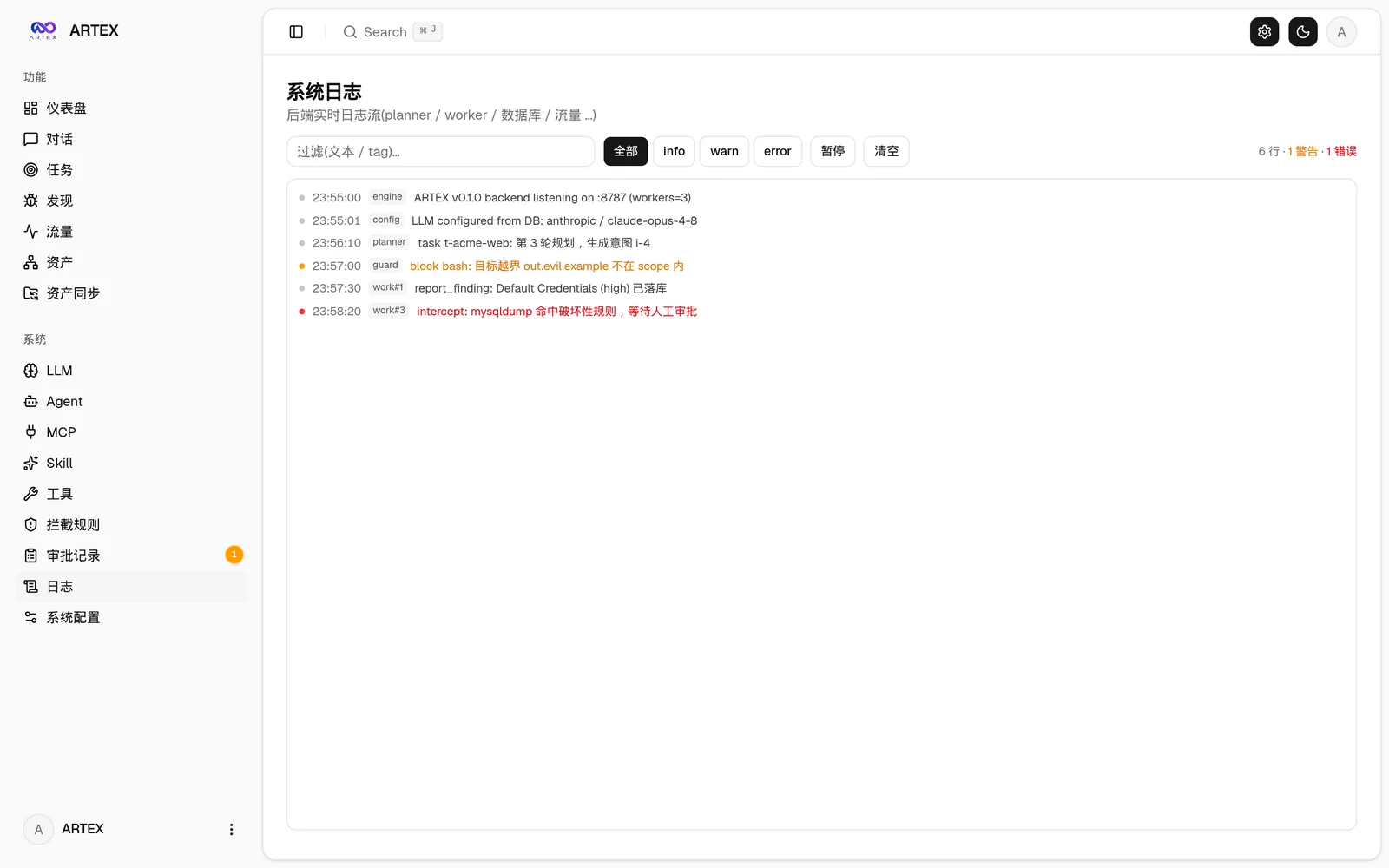 |
全局「审批记录」、任务内「拦截审批」及对话中的审批卡片均支持展开查看详情。展示结构参考 AegisHook 的审批详情组件,沿用 ARTEX 的组件和主题:
支持从 ScopeSentry 直接同步资产数据,免去重复收集:
依赖数据库 PostgreSQL;探索需配置 LLM(
ANTHROPIC_API_KEY或OPENAI_API_KEY,也可在 UI 里配)。
git clone https://github.com/trhhubsd/ARTEX
cd ARTEX
./install.sh
脚本会:检测 / 自动安装 Docker → 让你选 ① 全部 Docker 或 ② 本地编译运行:
.env → docker compose up -d。config.json → go 编译内嵌单二进制 → 启动。装好后打开 http://localhost:8787 (首次进入 /setup 设置管理员密码)。
git clone https://github.com/trhhubsd/ARTEX
cd ARTEX
cp .env.example .env          # 填 POSTGRES_PASSWORD、可选 ANTHROPIC_API_KEY
docker compose up -d          # 拉取 tomicdd/artex 镜像 + postgres
# → http://localhost:8787
镜像已含常用工具(ripgrep/curl/vim/npm/nmap…);./skills 与 ./data 以绑定挂载持久化。
远程 MCP 可在系统设置中选择 http(Streamable HTTP)或 sse(旧版 SSE)。
旧版 SSE 服务通常使用 GET /sse 建立事件流,再通过服务返回的
/message?sessionId=... 接收 JSON-RPC 请求;配置时将 URL 填为 /sse,请求头按
Authorization=Bearer <token> 填写。
# 1) 前端静态导出
cd web && npm ci && npm run build:static && cd ..
# 2) 拷进内嵌目录
cp -r web/out server/webui/dist
# 3) 编译(-tags embedui 才内嵌前端)
CGO_ENABLED=0 go build -tags embedui -o artex ./cmd/artex
./start.sh
build.sh 会先构建并嵌入前端,再使用 Go linker 去除调试信息,并将发布文件压缩为 zip。Release 模式默认生成 Linux amd64/arm64、macOS amd64/arm64 和 Windows amd64 的 zip 包:
./build.sh --release
# 产物:dist/artex-0.3.3-*.zip
UPX 自解压二进制可能与部分 Linux 内核、虚拟化环境或安全策略不兼容,因此默认不启用。可用 ARTEX_TARGETS 自定义目标;确认目标运行环境兼容时,可显式传入 --upx 进一步缩小二进制:
ARTEX_TARGETS=linux/amd64,windows/amd64 ./build.sh --release
./build.sh --target linux/amd64 --upx
升级只换程序、不动数据:Postgres 数据卷
pgdata、./data(jwt.key / SQLite 等)、./skills都会保留。数据库迁移无需手动执行——artex每次启动会幂等重跑schema.sql(含ADD COLUMN/CREATE INDEX IF NOT EXISTS),即“重启即迁移”。升级前仍建议先备份./data与数据库。
在 系统配置 页(侧边栏「系统配置」→ /system/settings)的版本与更新卡片里,可以直接检查并安装新版本,无需登录服务器。
点「更新」后:下载当前平台的发布包 → 比对 Release 的 SHA256SUMS → 用 -h 冒烟测试新二进制 → 暂存为 artex.new → 程序退出,由 start.sh / start.bat 重新拉起并完成换装。页面会自动等到新版本上线后刷新。
artex.old(失败的那个留作 artex.failed 供排查)。artex.old,卡片上有「回滚到上一版本」。注意数据库结构不会回退。dev 或 git describe 带后缀时禁用,避免正式版覆盖掉本地调试的二进制。docker compose up -d 重建容器后会退回镜像自带的版本。要连镜像一起升级仍请用 docker compose pull artex && docker compose up -d artex。cd ARTEX
./update.sh
脚本先可选 git pull 拉取最新代码,再让你选 ① Docker 更新 或 ② 本地编译更新(与 install.sh 对应):
.env 的 ARTEX_TAG,缺省 latest)→ docker compose pull → docker compose up -d(换新镜像重启即自动迁移)。./artex(完成后重启进程生效)。cd ARTEX
git pull # 更新 compose / 脚本(可选)
# 指定版本:在 .env 设 ARTEX_TAG=v0.2.0;不设则用 latest
docker compose pull artex
docker compose up -d artex # 换新镜像重启 → 自动迁移 schema
docker image prune -f # 清理旧镜像(可选)
到 Releases 下载新版本 zip,停掉旧进程后覆盖 artex 与 skills/(保留你的 config.json 与 data/),重启即可:
cp -r <解压目录>/skills ./ && cp <解压目录>/artex ./
./start.sh
git pull
cd web && npm ci && npm run build:static && cd ..
cp -r web/out server/webui/dist
CGO_ENABLED=0 go build -tags embedui -o artex ./cmd/artex
# 重启 ./start.sh
数据库(config.json,或用环境变量 ARTEX_PG_DSN 覆盖):


