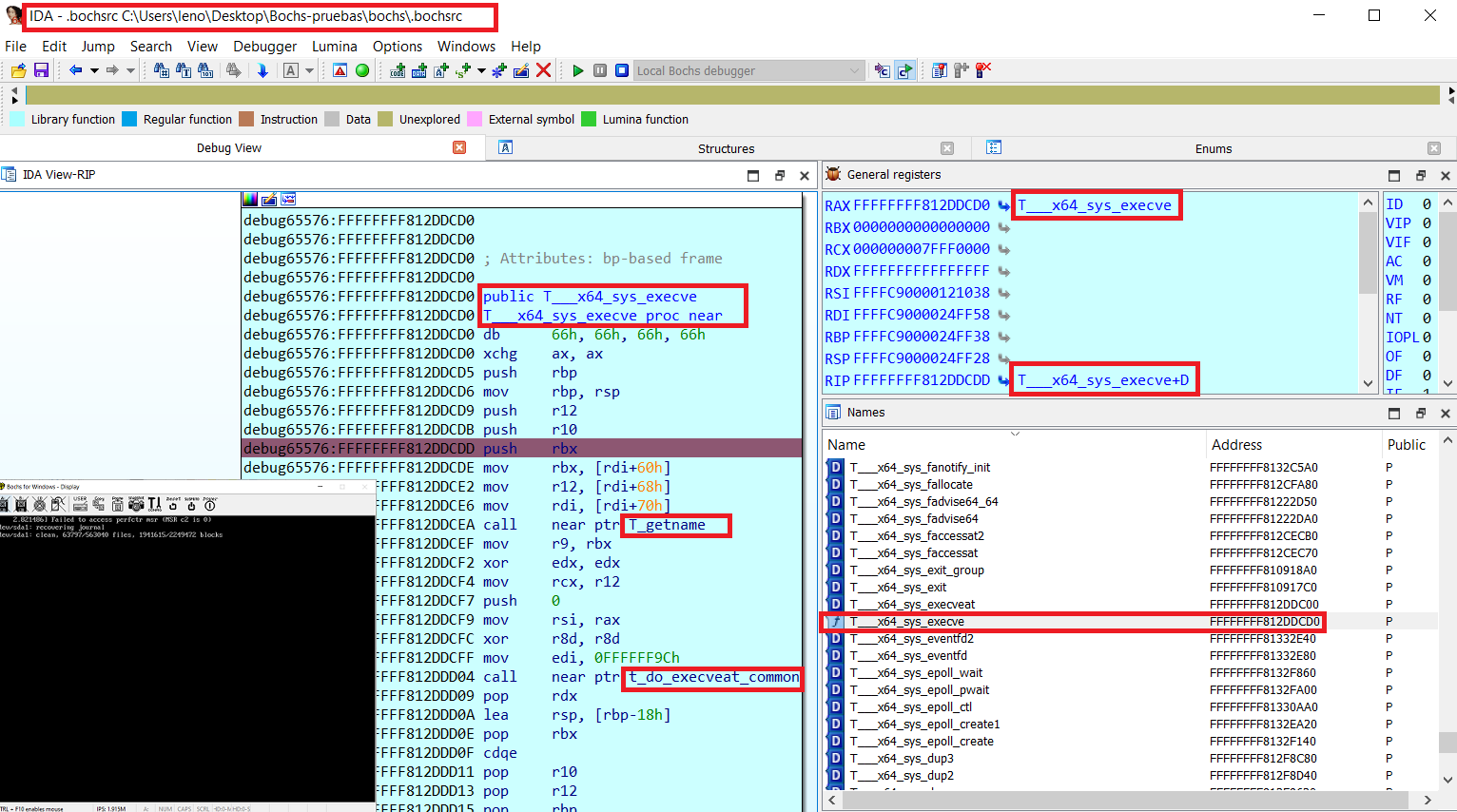
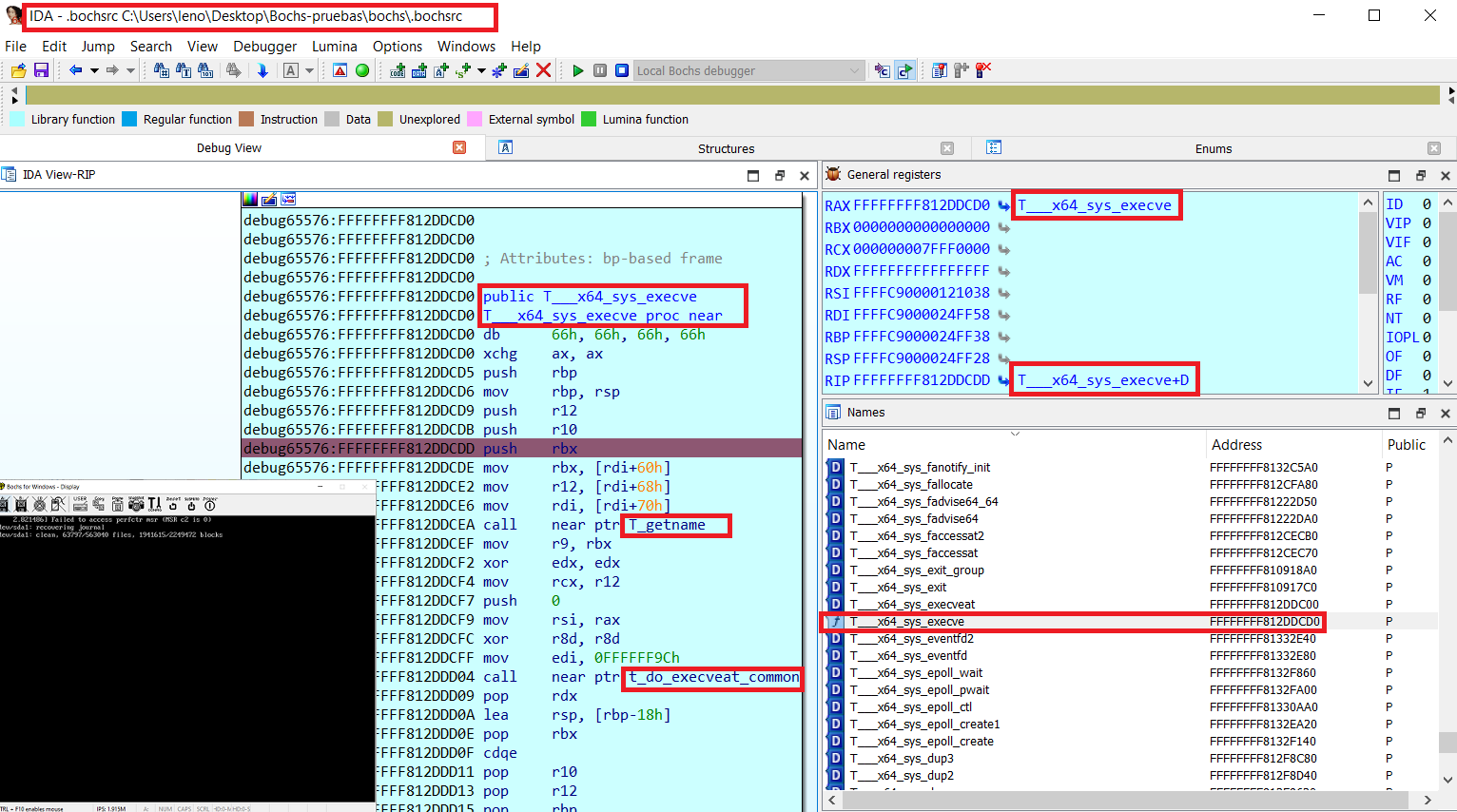
用于在 Bochs 上进行 Linux 内核调试的工具(包括符号、原生 Bochs 调试器和 IDA PRO)
按以下步骤操作:
只需对调试内核映像使用 nm 命令,以 Debian 为例:
1- 安装 dbg 镜像
root@debian# apt-get install linux-image-$(uname -r)-dbg
2- 检查 nm 是否能处理 dbg 镜像:
dreg@debian# nm /usr/lib/debug/boot/vmlinux-$(uname -r) | tail
ffffffff8207d7c0 d zswap_same_filled_pages_enabled
ffffffff8262b54c b zswap_stored_pages
ffffffff8262b420 b zswap_trees
ffffffff81225df0 t zswap_update_total_size
ffffffff81226a50 t zswap_writeback_entry
ffffffff8262b538 b zswap_written_back_pages
ffffffff81c41fb8 r zswap_zpool_ops
ffffffff8207d7e0 d zswap_zpool_param_ops
3- 为 linsymtobch.py 生成有效的输出文件:
dreg@debian# nm /usr/lib/debug/boot/vmlinux-$(uname -r) > nm_output.txt
你也可以使用/组合其他类型的工具,更多提示请查看此仓库:
https://github.com/therealdreg/linux_kernel_debug_disassemble_ida_vmware
使用 linsymtobch.py 将 nm 风格的输出文件转换为 Bochs syms 文件:
python linsymbtobch.py symbol_file.txt output_bochs_syms.txt [letter 1] [letter 2] [letter 3] .... [--verbose]
示例:
./linsymtobch.py nm_output.txt output_bochs_syms.txt
输出:
https://github.com/therealdreg/bochs_linux_kernel_debugging
-
MIT LICENSE Copyright <2020>
David Reguera Garcia aka Dreg - [email protected]
http://www.fr33project.org/ - https://github.com/therealdreg

usage: python linsymbtobch.py symbol_file.txt output_bochs_syms.txt [letter 1] [letter 2] [letter 3] .... [--verbose]

where letters can be empty for all symbols or a combination:

If lowercase, the symbol is local; if uppercase, the symbol is global (external).
------------------------------------
"A" The symbol's value is absolute, and will not be changed by further linking.

"B" "b" The symbol is in the uninitialized data section (known as BSS ).

"C" The symbol is common. Common symbols are uninitialized data. When linking, multiple common symbols may appear with the same name. If the symbol is defined anywhere, the common symbols are treated as undefined references.

"D" "d" The symbol is in the initialized data section.

"G" "g" The symbol is in an initialized data section for small objects. Some object file formats permit more efficient access to small data objects, such as a global int variable as opposed to a large global array.

"i" For PE format files this indicates that the symbol is in a section specific to the implementation of DLLs. For ELF format files this indicates that the symbol is an indirect function. This is a GNU extension to the standard set of ELF symbol types. It indicates a symbol which if referenced by a relocation does not evaluate to its address, but instead must be invoked at runtime. The runtime execution will then return the value to be used in the relocation.

"N" The symbol is a debugging symbol.

"p" The symbols is in a stack unwind section.

"R" "r" The symbol is in a read only data section.

"S" "s" The symbol is in an uninitialized data section for small objects.

"T" "t" The symbol is in the text (code) section.

"U" The symbol is undefined.

"u" The symbol is a unique global symbol. This is a GNU extension to the standard set of ELF symbol bindings. For such a symbol the dynamic linker will make sure that in the entire process there is just one symbol with this name and type in use.

"V" "v" The symbol is a weak object. When a weak defined symbol is linked with a normal defined symbol, the normal defined symbol is used with no error. When a weak undefined symbol is linked and the symbol is not defined, the value of the weak symbol becomes zero with no error. On some systems, uppercase indicates that a default value has been specified.

"W" "w" The symbol is a weak symbol that has not been specifically tagged as a weak object symbol. When a weak defined symbol is linked with a normal defined symbol, the normal defined symbol is used with no error. When a weak undefined symbol is linked and the symbol is not defined, the value of the symbol is determined in a system-specific manner without error. On some systems, uppercase indicates that a default value has been specified.

"-" The symbol is a stabs symbol in an a.out object file. In this case, the next values printed are the stabs other field, the stabs desc field, and the stab type. Stabs symbols are used to hold debugging information.

"?" The symbol type is unknown, or object file format specific.
------------------------------------

0xffffffff81412a30 T_aa_af_perm
0xffffffff813ff4f0 T_aa_alloc_profile
0xffffffff8140c420 T_aa_alloc_proxy
0xffffffff82c71f0d T_aa_alloc_root_ns
0xffffffff81409e20 T_aa_alloc_secid
0xffffffff813f7bc0 T_aa_apply_modes_to_perms
0xffffffff813f6030 T_aa_audit
0xffffffff8140a210 T_aa_audit_file
0xffffffff813f6010 T_aa_audit_msg

...

done!

        total symbols written: 115131
        total letters written: A B D R T V W a b d r t
          total letters found: A B D R T V W a b d r t
过滤部分符号的示例:
./linsymtobch.py nm_output.txt output_bochs_syms.txt T V d
在 Bochs 调试器中使用 "ldsym global" 加载生成的文件,示例:
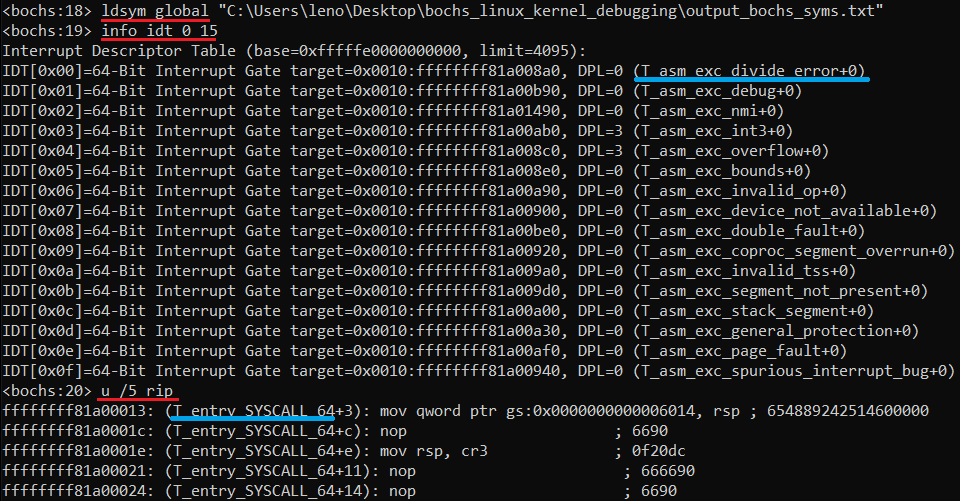
ldsym global "C:\Users\leno\Desktop\bochs_linux_kernel_debugging\output_bochs_syms.txt"
完成!在 Bochs 调试器中执行一些命令来检查符号是否正常工作:
编辑 "C:\Program Files\IDA Pro 7.7\cfg\dbg_bochs.cfg"
BOCHSDBG = "C:\\Users\\leno\\Desktop\\Bochs-pruebas\\bochs\\bochs.exe";
BOCHSRC = "C:\\Users\\leno\\Desktop\\Bochs-pruebas\\bochs\\.bochsrc";
转到 IDA .....
调试器 -> 运行 -> 本地 Bochs 调试器
应用程序:
C:\Users\leno\Desktop\Bochs-pruebas\bochs\.bochsrc
点击“调试选项”->“设置特定选项”->“选择磁盘映像”
从此仓库下载 ida_load_names.py:
https://github.com/therealdreg/symseghelper
打开 IDA PRO,启动 Bochs 调试会话,然后转到 文件 -> 脚本文件
选择 ida_load_names.py,该脚本会要求你提供生成的 Bochs 符号文件
完成!
之后,你还可以在原生 Bochs 调试器(它运行在 IDA PRO 内部)中加载符号。只需在 IDA 命令行中选择 Bochs 并执行 "ldsym global"
带有 Bochs 符号的 IDA PRO(ida_load_names.py)+ 带有符号的 Bochs 原生调试器(ldsym global),两全其美:
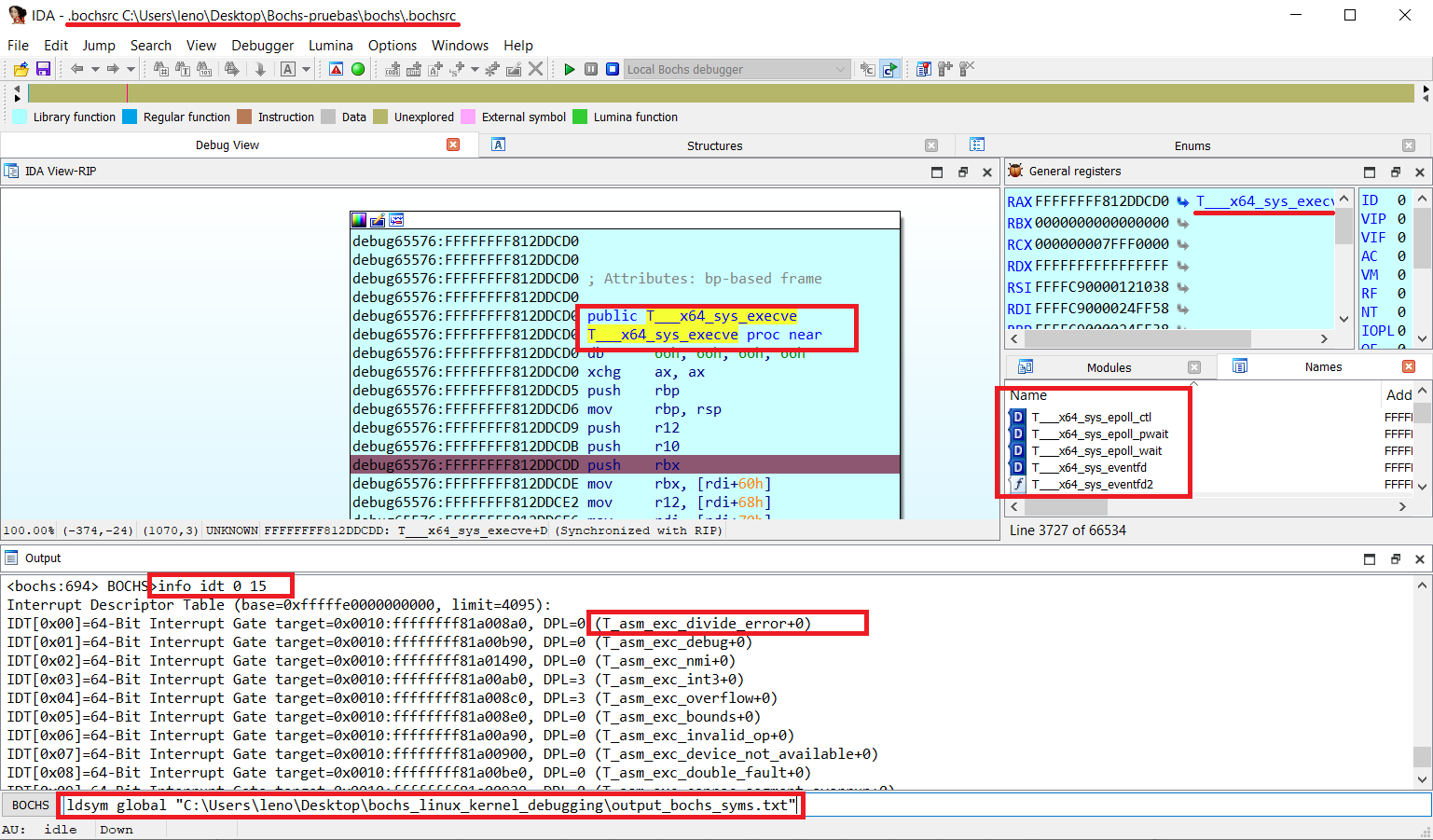
警告:你自己的 Bochs 插桩可能会导致 IDA PRO 本地 Bochs 出现问题
用于在 Bochs 和 IDA Pro 中进行带符号的 Windows 调试的辅助脚本(PDB 文件)。对于用户模式 <--> 内核模式非常方便:
用于在 VMware + GDB 存根上使用 IDA Pro 进行 Linux 内核调试的辅助脚本(包括一些符号辅助工具):
转储 PDB 符号,包括对 Bochs 调试格式的支持(支持 wine):
用于在原生 Bochs 调试器上使用 IDA Pro 进行 Windows 内核调试的辅助脚本: