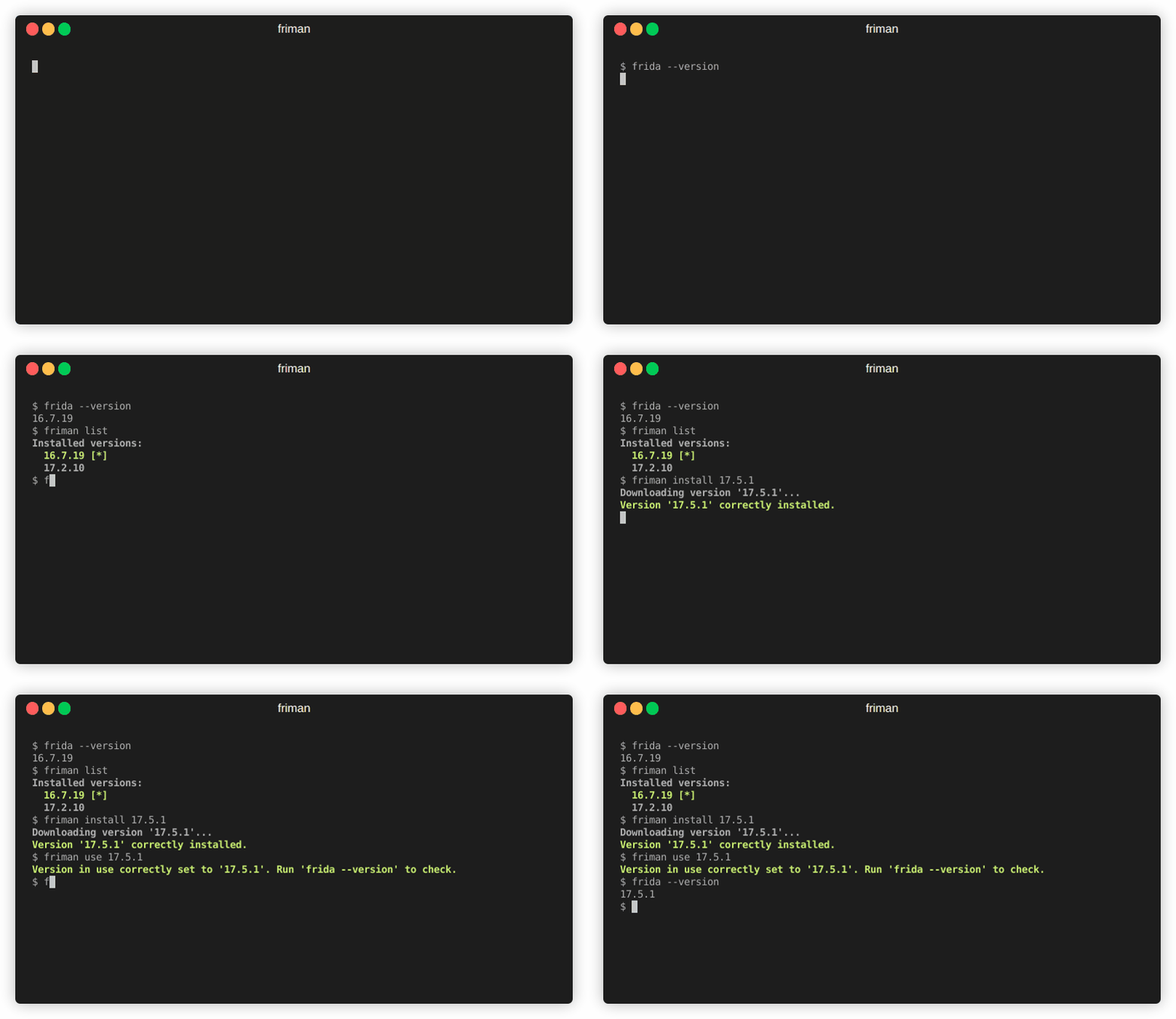


你是否曾觉得,为当前任务找到合适的 Frida 版本就像穿针引线一样困难?不同的项目、设备和调试场景都需要特定的构建版本,跟踪 Frida 版本很快就会变成一场繁琐的平衡游戏。friman(发音为“free man”)正是为了解决这个问题而设计的。
在不同的 Frida 版本之间切换是很常见的,因为不同的环境对最新版本的行为表现并不总是一致。根据你的目标环境,可能只有某个特定版本才能稳定工作。常见原因包括:
v16 和 v17 之间有很多 API 发生了变化)。Frida 发展迅速,不同的项目或设备通常需要不同的版本。手动切换容易出错,尤其是在同时管理多个环境、服务器二进制文件和小工具(gadget)时。
friman 提供:
$HOME/.friman)frida-gadget 和 frida-server 资产)其目标是让 Frida 版本管理尽可能顺畅无摩擦。
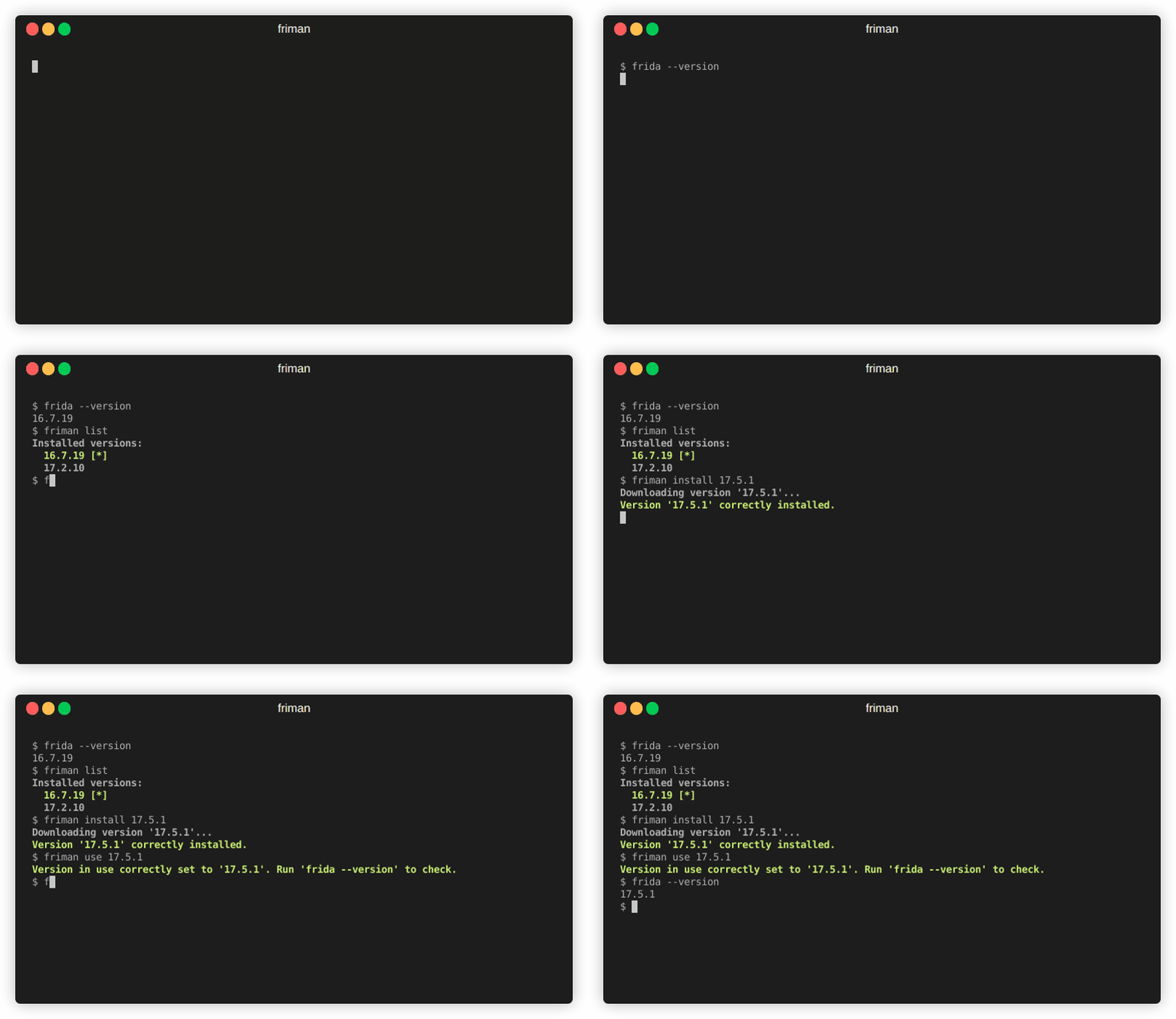
推荐的安装方式是从 GitHub 直接安装:
# 使用 pipx(推荐)
pipx install git+https://github.com/thelicato/friman

# 或使用 pip
pip install git+https://github.com/thelicato/friman
安装后运行以下命令:
friman ensurepath # 为当前选定的 Frida 环境设置 PATH
friman update # 更新本地可用的 Frida 版本列表及兼容性矩阵
friman 提供了一个命令行界面,用于安装、切换和管理多个 Frida 版本。以下是主帮助输出:
Usage: friman [OPTIONS] COMMAND [ARGS]...

Options:
  -v, --version  Show the application's version and exit.
  -d, --debug    Show debug output.
  -h, --help     Show this message and exit.

Commands:
  update       Update the local list of available Frida versions.
  install      Install a <version> of Frida.
  uninstall    Uninstall a <version> of Frida.
  use          Use <version>.
  disable      Disable friman.
  current      Display the currently activated version of Frida.
  list         List all the installed versions.
  ensurepath   Ensure friman directories are correctly set.
  download     Download a specific release file (only server and gadget)...
  push-server  Pushes a the Frida server into the selected ANDROID device.
各命令的具体帮助信息见以下章节。
update 命令
update 命令Usage: friman update [OPTIONS]
Update the local list of available Frida versions.
Options:
-h, --help Show this message and exit.
install 命令
install 命令Usage: friman install [OPTIONS] version
Install a <version> of Frida.
Arguments:
version The version of Frida to install \[required]
Options:
-f, --force Force install.
--list Show all the installable versions and exit.
-h, --help Show this message and exit.
uninstall 命令
uninstall 命令Usage: friman uninstall [OPTIONS] version
Uninstall a <version> of Frida.
Arguments:
version The version of Frida to uninstall \[required]
Options:
-h, --help Show this message and exit.
use 命令
use 命令Usage: friman use [OPTIONS] version
Use <version>.
Arguments:
version The version of Frida to use \[required]
Options:
-h, --help Show this message and exit.
disable 命令
disable 命令Usage: friman disable [OPTIONS]
Disable friman.
Options:
-h, --help Show this message and exit.
current 命令
current 命令Usage: friman current [OPTIONS]
Display the currently activated version of Frida.
Options:
-h, --help Show this message and exit.
list 命令
list 命令Usage: friman list [OPTIONS]
List all the installed versions.
Options:
-h, --help Show this message and exit.
ensurepath 命令
ensurepath 命令Usage: friman ensurepath [OPTIONS]
Ensure friman directories are correctly set.
Options:
-h, --help Show this message and exit.
download 命令
download 命令Usage: friman download [OPTIONS] type platform
Download a specific release file (only server and gadget) for the current
version.
Arguments:
type The selected asset type \[required]
platform The platform to use \[required]
Options:
-o, --output TEXT Select the folder where to download the file.
-h, --help Show this message and exit.
push-server 命令
push-server 命令Usage: friman push-server [OPTIONS] device_id platform
Pushes a the Frida server into the selected ANDROID device.
Arguments:
device_id The selected ANDROID device \[required]
platform The platform of the device \[required]
Options:
--list Show all the USB devices and exit.
-h, --help Show this message and exit.
欢迎提交拉取请求!如果要做重大更改,请先开启一个 issue 进行讨论。
friman 以 MIT LICENSE 许可证发布。