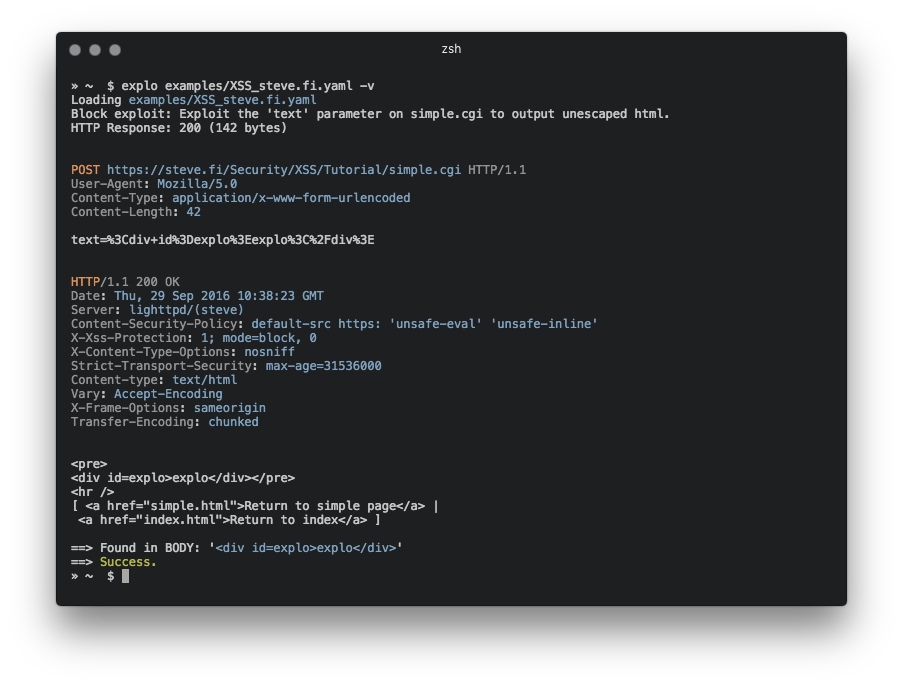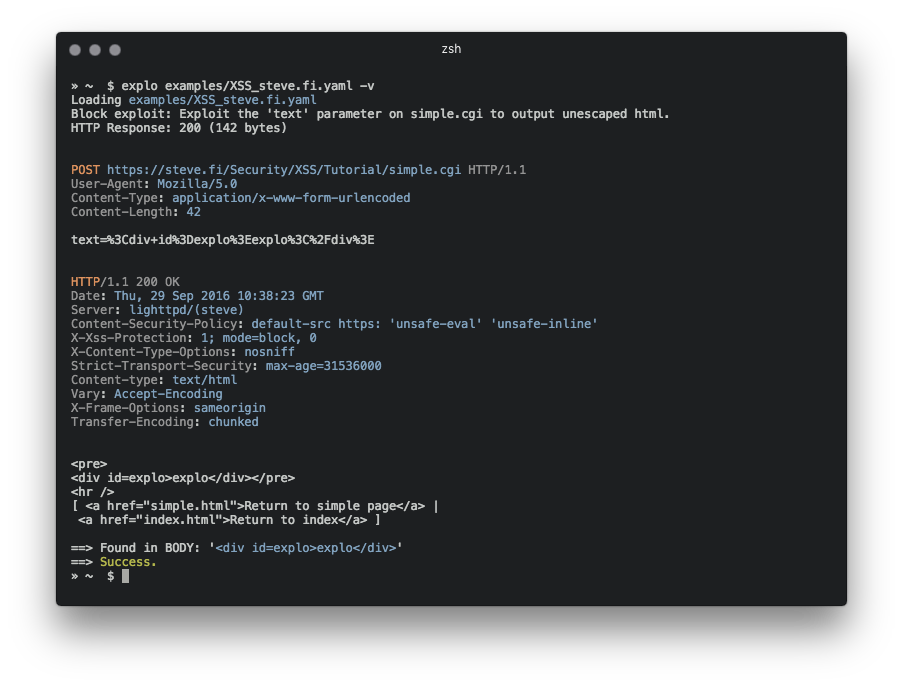
explo 是一个简单工具,用于以人类和机器可读的格式描述 Web 安全问题。通过定义请求/条件工作流,explo 能够利用安全问题,而无需编写脚本。这使得复杂的漏洞能够以简单可读且可执行的格式共享。
例如,提取 csrf 令牌并在表单中使用:
name: get_csrf
description: extract csrf token
module: http
parameter:
    url: http://example.com/contact
    method: GET
    header:
        user-agent: Mozilla/5.0
    extract:
        csrf: [CSS, "#csrf"]
---
name: exploit
description: exploits sql injection vulnerability with valid csrf token
module: http
parameter:
    url: http://example.com/contact
    method: POST
    body:
        csrf: "{{get_csrf.extracted.csrf}}"
        username: "' SQL INJECTION"
    find: You have an error in your SQL syntax
在此示例定义文件中,通过执行从顶部到底部运行的两个步骤来测试安全问题。最后一步根据是否找到字符串 'You have an error in your SQL syntax' 返回成功或失败。
pip install explo
git clone https://github.com/dtag-dev-sec/explo
cd explo
python setup.py install
explo [--verbose|-v] testcase.yaml
explo [--verbose|-v] examples/*.yaml
examples/ 文件夹中有一些示例测试用例。
$ explo examples/SQLI_simple_testphp.vulnweb.com.yaml
你也可以将 explo 作为 Python 库引入:
from explo.core import from_content as explo_from_content
from explo.core import ExploException, ProxyException

def save_log(msg):
    print(msg)

try:
    result = explo_from_content(explo_yaml_file, save_log)
except ExploException as err:
    print(err)
可以通过环境变量设置 HTTP/HTTPS 代理和请求超时时间。默认超时时间为 15 秒。
$ export http_proxy=http://proxy:8089
$ export https_proxy=https://proxy:8090
$ export timeout=10
$ explo ...
可以添加模块以增强功能并覆盖更多安全问题的类别。
http 模块允许发起 HTTP 请求、提取内容并搜索/验证内容。
后续步骤可用的数据:
stepname.response.contentstepname.response.cookiesresponse.extracted.variable_name如果设置了 find_regex 参数,则会在响应体上执行正则表达式匹配。如果匹配失败,该模块返回失败,从而停止当前工作流(以及所有步骤)的执行。
当通过正则表达式提取时,使用匹配组 extract 标记要提取的值(见下方示例)。
关于引用 cookie,请引用之前步骤的名称,从中获取 cookie(cookies: the_other_step.response.cookies)。
参数示例:
parameter:
    url: http://example.com
    method: GET
    allow_redirects: True
    headers:
        User-Agent: explo
        Content-Type: abc
    cookies: stepname.response.cookies
    body:
        key: value
    find: search for string
    find_regex: search for (reg|ular)expression
    find_in_headers: searchstring in headers
    expect_response_code: 200
    extract:
        variable1: [CSS, '#csrf']
        variable2: [REGEX, '<input(.*?)value="(?P<extract>.*?)"']
http_header 模块允许检查响应是否缺少指定的一组头部(及其值)。所有其他参数与 http 模块相同。
其他模块可用的数据:
stepname.response.contentstepname.response.cookies参数示例:
parameter:
    url: http://example.com
    method: GET
    allow_redirects: True
    headers:
        User-Agent: explo
        Content-Type: abc
    body:
        key: value
    headers_required:
        X-XSS-Protection: 1
        Server: .               # all values are valid
sqli_blind 模块能够识别基于时间的盲 SQL 注入。
其他模块可用的数据:
stepname.response.contentstepname.response.cookies参数示例:
parameter:
    url: http://example.com/vulnerable.php?id=1' waitfor delay '00:00:5'--
    method: GET
    delay_seconds: 5
如果超过 5 秒(delay_seconds)的阈值,则检查返回 true(从而表示成功)。
元数据块是一个特殊块,可以作为 .yaml 文件的第一个块添加,以便为漏洞添加元数据用于后续处理。当 explo 作为库使用且需要读取每个漏洞描述的元数据时,这非常有用,可以通过 meta_from_content(content) 读取。此模块不需要名称或描述。
示例:
module: metadata
parameter:
    cvss: 8.9
    author: Robin Verton
---
name: login
description: login with test credentials
module: http
parameter:
    url: http://testphp.vulnweb.com/userinfo.php
    method: POST
    body:
        uname: test
        pass: test