Skip to content
KitploitKITPLOIT
工具博客
提交
工具博客
提交

黑客、渗透测试和网络安全工具,武装您的安全武器库!

Kitploit 是一个黑客、网络安全和渗透测试工具的目录。发现最新的项目更新,查找漏洞、分析系统、自动化测试并加强你的安全。

··订阅源·联系·隐私·© 2026 Kitploit

工具目录

分类

查看所有分类
Loading categories
psobf — PowerShell Obfuscator | Kitploit
工具/GitHubGitHub/taurusomar/psobf
Payload生成IDS/IPS规避脚本与自动化渗透测试学习与教育红队Payload 开发
GitHubtaurusomar/psobf

psobf

PowerShell Obfuscator

查看仓库
25235425个月前Kitploit 审核通过

最受欢迎

查看全部 →

发现我们社区最常用的工具。

探索所有工具

浏览我们的工具集合

查看所有工具 →
分享

PowerShell Obfuscator

它的目标是转换代码以阻碍分析和静态签名,适用于实验环境和授权的红队/渗透测试。

支持6级混淆,外加一个转换/流水线架构,允许叠加多种技术,如字符串标记化、轻量级字面量加密、数字掩码、标识符变形、格式“抖动”、控制流修饰、死代码注入、碎片化配置文件和确定性配置文件。

⚠️ 负责任的使用:本工具仅用于研究和授权测试。 禁止用于恶意目的。```powershell

./psobf -h

root@kitploit:~
██████╗ ███████╗ ██████╗ ██████╗ ███████╗
██╔══██╗██╔════╝██╔═══██╗██╔══██╗██╔════╝
██████╔╝███████╗██║   ██║██████╔╝█████╗
██╔═══╝ ╚════██║██║   ██║██╔══██╗██╔══╝
██║     ███████║╚██████╔╝██████╔╝██║
╚═╝     ╚══════╝ ╚═════╝ ╚═════╝ ╚═╝
Omar Salazar
v.2.0.0										 

Usage: psobf -i -o -level <1|2|3|4|5|6> [options]

Obfuscation Levels: 1 - Char join encoding 2 - Base64 encoding 3 - Base64 encoding (alternate) 4 - GZip + Base64 compression 5 - Script fragmentation 6 - AES-256 CTR encryption (NEW in 2.0.0)

Transform Pipeline Options (use with -pipeline): iden - Identifier morphing (use with -iden obf) strenc - String encryption (use with -strenc xor|rc4) stringdict - String tokenization (use with -stringdict N) numenc - Number encoding fmt - Format jitter (use with -fmt jitter) cf - Control flow obfuscation (use with -cf-opaque, -cf-shuffle) dead - Dead code injection (use with -deadcode N) hexenc - Hex string encoding (NEW) alias - Cmdlet alias substitution (NEW) unicode - Unicode character encoding (NEW) antidebug - Anti-debugging/VM detection (NEW) iexobf - Invoke-Expression obfuscation (NEW)

Examples:

Simple obfuscation

psobf -i script.ps1 -o out.ps1 -level 2

AES encryption with heavy profile

psobf -i script.ps1 -o out.ps1 -level 6 -profile heavy

All new transforms

psobf -i script.ps1 -o out.ps1 -level 4 -pipeline "iden,alias,hexenc,antidebug,iexobf" -iden obf

RC4 string encryption

psobf -i script.ps1 -o out.ps1 -level 4 -pipeline "strenc" -strenc rc4 -strkey 0011223344556677

root@kitploit:~
## 功能特性

<h1 align="center">
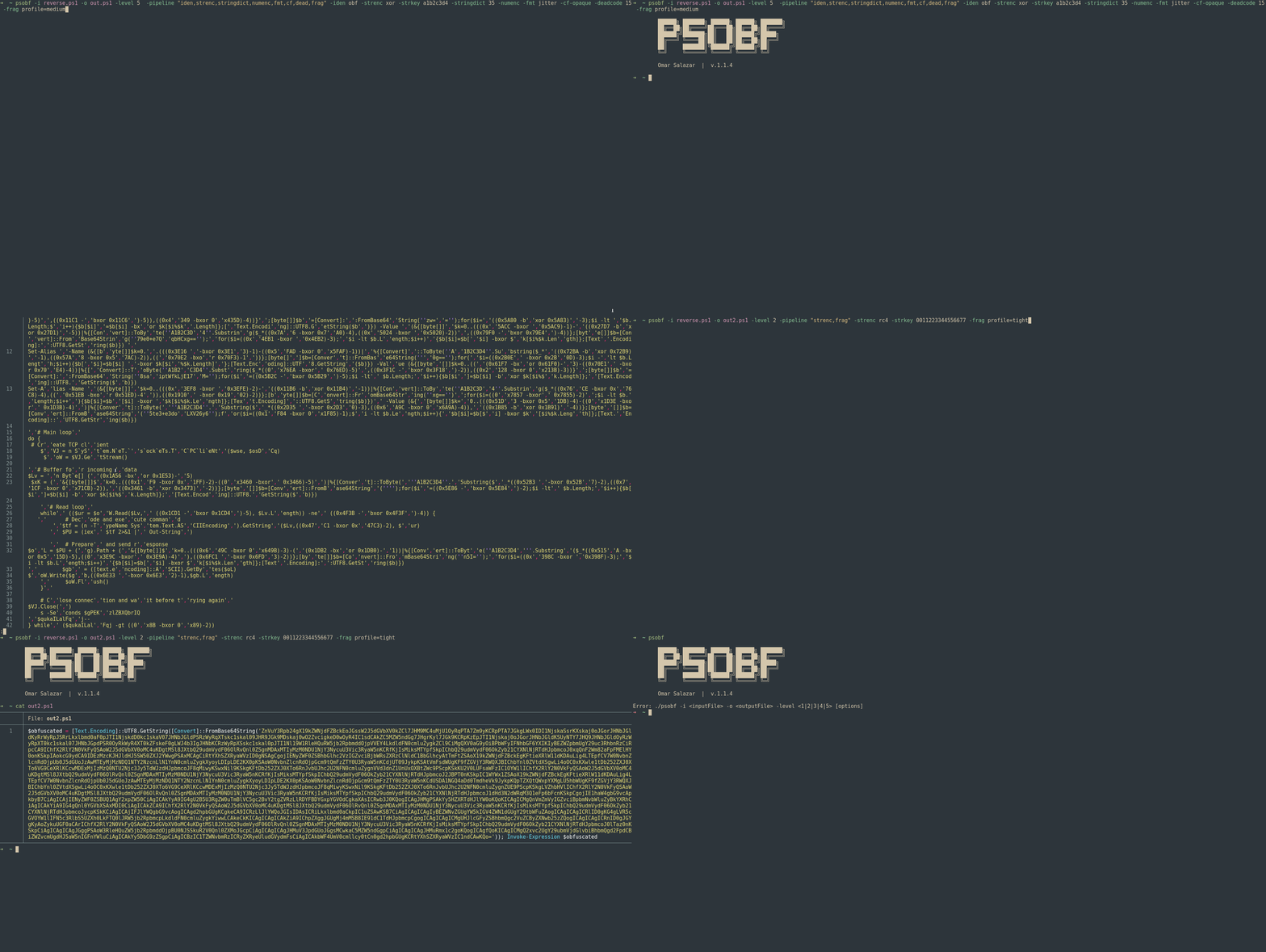
  <img src="https://assets.kitploit.com/production/public/readmes/6598/11956ab9f65e8dc1b0460652042c601f70d28bb67e9fd6f0a89813ed5369997f.gif" alt="psobf" width="700px"></a>
  <br>
</h1>

<h1 align="center">
  <img src="https://raw.githubusercontent.com/taurusomar/psobf/HEAD/static/poc2.gif" alt="psobf" width="700px"></a>
  <br>
</h1>

--- 

## 安装```bash
go install github.com/TaurusOmar/psobf/v2/cmd/[email protected]

快速开始```bash

psobf -i input.ps1 -o out.ps1 -level 1..6 [options] psobf -h # full help

root@kitploit:~
## 功能

<h1 align="center">
  <img src="https://assets.kitploit.com/production/public/readmes/6598/11956ab9f65e8dc1b0460652042c601f70d28bb67e9fd6f0a89813ed5369997f.gif" alt="psobf" width="700px"></a>
  <br>
</h1>

<h1 align="center">
  <img src="https://raw.githubusercontent.com/taurusomar/psobf/HEAD/static/poc2.gif" alt="psobf" width="700px"></a>
  <br>
</h1>

--- 

## 安装```bash
go install github.com/TaurusOmar/psobf/cmd/[email protected]

快速开始```bash

psobf -i input.ps1 -o out.ps1 -level 1..6 [options] psobf -h # full help

root@kitploit:~
---

## 完整标志参考

| Flag          | Type / Values     |          Default | Description                                 | Example                                                      |                                 |                        |
| ------------- | ----------------- | ---------------: | ------------------------------------------- | ------------------------------------------------------------ | ------------------------------- | ---------------------- |
| `-i`          | string            |                — | 输入 PS1(使用 `-stdin` 从管道读取)  | `-i script.ps1`                                              |                                 |                        |
| `-o`          | string            | `obfuscated.ps1` | 输出(使用 `-stdout` 写入标准输出)   | `-o out.ps1`                                                 |                                 |                        |
| `-level`      | 1..6              |                1 | 最终打包器(参见级别)                   | `-level 4`                                                   |                                 |                        |
| `-noexec`     | bool              |            false | 仅输出载荷(无 `Invoke-Expression`)  | `-noexec`                                                    |                                 |                        |
| `-stdin`      | bool              |            false | 从标准输入读取 PS                          | `-stdin`                                                     |                                 |                        |
| `-stdout`     | bool              |            false | 将结果写入标准输出                      | `-stdout`                                                    |                                 |                        |
| `-seed`       | int64             |           random | 可重现的随机性                     | `-seed 42`                                                   |                                 |                        |
| `-q`          | bool              |            false | 静默(无横幅)                           | `-q`                                                         |                                 |                        |
| `-pipeline`   | csv               |                — | 按顺序应用的转换                | `-pipeline "iden,strenc,stringdict,numenc,fmt,cf,dead,frag"` |                                 |                        |
| `-iden`       | `keep`/`obf`      |           `keep` | 标识符变形(变量和函数)          | `-iden obf`                                                  |                                 |                        |
| `-strenc`     | `off`/`xor`/`rc4` |            `off` | 字符串字面量加密                   | `-strenc rc4`                                                |                                 |                        |
| `-strkey`     | hex               |                — | `-strenc` 的密钥                           | `-strkey 0011223344556677`                                   |                                 |                        |
| `-stringdict` | 0..100            |                0 | 将长字符串标记化;每个字面量的百分比概率 | `-stringdict 40`                                             |                                 |                        |
| `-numenc`     | bool              |            false | 将数字编码为算术 PS表达式 | `-numenc`                                                    |                                 |                        |
| `-fmt`        | `off`/`jitter`    |            `off` | 随机化空白/换行            | `-fmt jitter`                                                |                                 |                        |
| `-cf-opaque`  | bool              |            false | 包裹在 `if(1 -eq 1){...}` 中                  | `-cf-opaque`                                                 |                                 |                        |
| `-cf-shuffle` | bool              |            false | 重新排序**函数块**                 | `-cf-shuffle`                                                |                                 |                        |
| `-deadcode`   | 0..100            |                0 | 注入死代码的概率             | `-deadcode 20`                                               |                                 |                        |
| `-frag`       | \`profile=tight   |           medium | loose\`                                     | —                                                            | 碎片化配置文件(级别 5) | `-frag profile=medium` |
| `-minfrag`    | int               |               10 | 最小碎片大小(级别 5)                 | `-minfrag 8`                                                 |                                 |                        |
| `-maxfrag`    | int               |               20 | 最大碎片大小(级别 5)                 | `-maxfrag 16`                                                |                                 |                        |
| `-profile`    | \`light           |         balanced | heavy\`                                     | —                                                            | 管道/种子等的预设  | `-profile heavy`       |
| `-fuzz`       | int               |                0 | 生成 N 个变体(不同种子)        | `-fuzz 5`                                                    |                                 |                        |
| `-poly`       | int               |                0 | 每次转换的多态变体      | `-poly 3`                                                    |                                 |                        |

> **管道**在最终 **`-level`** 打包**之前**运行。

---

## 示例输入脚本(安全)

为保持示例无害,我们将使用:```powershell
Write-Host "Hello, World!"
$answer = 42
function Greet($name) { Write-Host ("Hi, " + $name) }
Greet "Ada"

混淆级别(1–6)及输出片段

以下展示输出的形态(片段)。实际有效载荷将有所不同。

级别1 — 字符连接```bash

psobf -i sample.ps1 -o out.ps1 -level 1

root@kitploit:~
**输出(片段):**```powershell
$obfuscated = $([char[]](87,114,105,116,101,45,72,111,115,116,32,34,72,101,108,108,111,44,32,87,111,114,108,100,33,34,10,36,97,110,115,119,101,114,32,61,32,52,50,10,102,117,110,99,116,105,111,110,32,71,114,101,101,116,40,36,110,97,109,101,41,32,123,32,87,114,105,116,101,45,72,111,115,116,32,40,34,72,105,44,32,34,32,43,32,36,110,97,109,101,41,32,125,10,71,114,101,101,116,32,34,65,100,97,34,10) -join ''); Invoke-Expression $obfuscated

第2级 — Base64```bash

psobf -i sample.ps1 -o out.ps1 -level 2

root@kitploit:~
**输出(片段):**```powershell
$obfuscated = [Text.Encoding]::UTF8.GetString([Convert]::FromBase64String('V3JpdGUtSG9zdCAiSGVsbG8sIFdvcmxkISIKJGFuc3dlciA9IDQyCmZ1bmN0aW9uIEdyZWV0KCRuYW1lKSB7IFdyaXRlLUhvc3QgKCJIaSwgIiArICRuYW1lKSB9CkdyZWV0ICJBZGEiCg==')); Invoke-Expression $obfuscated

级别3 — Base64(替代)```bash

psobf -i sample.ps1 -o out.ps1 -level 3

root@kitploit:~
**输出(片段):**```powershell
$e = [Convert]::FromBase64String('V3JpdGUtSG9zdCAiSGVsbG8sIFdvcmxkISIKJGFuc3dlciA9IDQyCmZ1bmN0aW9uIEdyZWV0KCRuYW1lKSB7IFdyaXRlLUhvc3QgKCJIaSwgIiArICRuYW1lKSB9CkdyZWV0ICJBZGEiCg=='); $obfuscated = [Text.Encoding]::UTF8.GetString($e); Invoke-Expression $obfuscated

第4级 — GZip + Base64```bash

psobf -i sample.ps1 -o out.ps1 -level 4

root@kitploit:~
**输出(片段):**```powershell
$compressed = 'H4sIAAAAAAAA/wovyixJ1fXILy5RUPJIzcnJ11EIzy/KSVFU4lJJzCsuTy1SsFUwMeJKK81LLsnMz1NwL0pNLdFQyUvMTdVUqFZA0q+h5JGpo6CkoK0Ala3lAitWUHJMSVTiAgQAAP//m+Ey2GoAAAA='; $bytes = [Convert]::FromBase64String($compressed); $ms = New-Object IO.MemoryStream(,$bytes); $gz = New-Object IO.Compression.GzipStream($ms,[IO.Compression.CompressionMode]::Decompress); $sr = New-Object IO.StreamReader($gz); $obfuscated = $sr.ReadToEnd(); Invoke-Expression $obfuscated

第5级 — 碎片化```bash

psobf -i sample.ps1 -o out.ps1 -level 5

root@kitploit:~
**输出(片段):**```powershell
$fragments = @('Write-Host "Hello',', World!"
$','answer = 42','
function G','reet($name)',' { Write-Ho','st ("Hi, " ','+ $name) }
','Greet "Ada"','
'); $script = $fragments -join ''; Invoke-Expression $script

第6级 — AES加密```bash

psobf -i sample.ps1 -o out.ps1 -level 6

root@kitploit:~
**输出(片段):**```powershell
$k=[Convert]::FromBase64String('...base64key...');$iv=[Convert]::FromBase64String('...base64iv...');$e=[Convert]::FromBase64String('...base64ciphertext...');$a=New-Object Security.Cryptography.AesManaged;$a.Key=$k;$a.IV=$iv;$d=$a.CreateDecryptor();$bytes=$d.TransformFinalBlock($e,0,$e.Length);$dec=[Text.Encoding]::UTF8.GetString($bytes);Invoke-Expression $dec

转换(管道)— 详细说明与示例

使用 -noexec 在不执行的情况下检查载荷。

标识符(-iden)

  • 重命名变量和函数,同时保持语义。
  • 使用前缀 __$ 保护你不想被重命名的任何内容。

命令```bash psobf -i sample.ps1 -o out.ps1 -level 4 -pipeline "iden" -iden obf -seed 11

root@kitploit:~
**输出(片段)**```powershell
$WguE = 42
function QhZy($Chx){ Write-Host ("Hi, " + $Chx) }
QhZy "Ada"

String Encryption (-strenc xor|rc4)

仅加密字符串字面量(不篡改API)。在运行时即时解密。 标志: -strenc xor|rc4, -strkey 。

XOR

命令```bash psobf -i sample.ps1 -o out.ps1 -level 4 -pipeline "strenc" -strenc xor -strkey a1b2c3d4 -seed 42

root@kitploit:~
**输出(片段)**```powershell
$b=[Convert]::FromBase64String('EwAB...'); for($i=0;$i -lt $b.Length;$i++){$b[$i]=$b[$i] -bxor 0xA1}; [Text.Encoding]::UTF8.GetString($b)

RC4

命令```bash psobf -i sample.ps1 -o out.ps1 -level 2 -pipeline "strenc" -strenc rc4 -strkey 0011223344556677 -seed 7

root@kitploit:~
**输出(片段)**```powershell
function __decGWREVT($k,[byte[]]$d){ $s=0..255; $j=0; for($i=0;$i -lt 256;$i++){ $j=($j+$s[$i]+$k[$i%$k.Length])%256; $t=$s[$i];$s[$i]=$s[$j];$s[$j]=$t } $i=0;$j=0; for($x=0;$x -lt $d.Length;$x++){ $i=($i+1)%256;$j=($j+$s[$i])%256; $t=$s[$i];$s[$i]=$s[$j];$s[$j]=$t; $d[$x]=$d[$x] -bxor $s[($s[$i]+$s[$j])%256] } [Text.Encoding]::UTF8.GetString($d) }
...
( __decGWREVT ([byte[]](0..(8-1)|%{[Convert]::ToByte('0011223344556677'.Substring($_*2,2),16)})) ([Convert]::FromBase64String('m7m7...')) )

字符串字典 (-stringdict)

将长字符串分词化到 $D 数组中并在运行时重建。减少重复特征。 标志: -stringdict <0..100>

命令```bash psobf -i sample.ps1 -o out.ps1 -level 3 -pipeline "stringdict" -stringdict 40 -seed 1

root@kitploit:~
**输出(片段)**```powershell
$D=@('Hello',', World','!','Hi, ', 'Ada');
Write-Host ($D[0]+$D[1]+$D[2])
function Greet($name){ Write-Host ($D[3] + $name) }
Greet $D[4]

数字编码 (-numenc)

将纯数字替换为等价的算术/位运算表达式(字符串外)。

命令```bash psobf -i sample.ps1 -o out.ps1 -level 2 -pipeline "numenc" -numenc -seed 1337

root@kitploit:~
**输出(片段)**```powershell
$answer = ((0x2A -bxor 0x00)+0)

Caution: Redirects like 2>&1 must remain identical. If your source has unquoted redirects and you're experiencing problems, disable -numenc or encapsulate those redirects in strings in the source.


格式抖动 (-fmt)

随机化间距和换行符。

命令```bash psobf -i sample.ps1 -o out.ps1 -level 2 -pipeline "fmt" -fmt jitter -seed 20

root@kitploit:~
**输出(片段)**```powershell
Write-Host   "Hello, World!"
$answer=42

function Greet($name) {  Write-Host ("Hi, "+$name) }
Greet  "Ada"

控制流(-cf-opaque,-cf-shuffle)

  • -cf-opaque:将整个脚本包裹在一个永不为假的分支中。
  • -cf-shuffle:重新排列函数块(不是单个语句)。只有当脚本定义了函数时,你才会注意到变化。

命令```bash psobf -i sample.ps1 -o out.ps1 -level 4 -pipeline "cf" -cf-opaque -cf-shuffle -seed 77

root@kitploit:~
**输出(片段)**```powershell
if(1 -eq 1){
  function Greet($name){ Write-Host ("Hi, " + $name) }
  Write-Host "Hello, World!"
  $answer = 42
  Greet "Ada"
}

死代码 (-deadcode)

注入空操作函数、0次迭代循环、无害字符串等。由概率控制。 标志:-deadcode <0..100>(代码段注入概率)。

命令```bash psobf -i sample.ps1 -o out.ps1 -level 4 -pipeline "dead" -deadcode 25 -seed 5

root@kitploit:~
**输出(片段)**```powershell
function __dummyzQJxJk { return }
for($i=0;$i -lt 0;$i++){Start-Sleep -Milliseconds 0}
$x='canary';$y=$x+$x|Out-Null
Write-Host "Hello, World!"
...

分片(-frag、-minfrag、-maxfrag)

仅影响 级别5(字符串片段 + 运行时拼接)。

  • 配置文件:

    • profile=tight → 小片段(≈6–10)
    • profile=medium → 中等片段(≈10–18)
    • profile=loose → 较大片段(≈14–28)
  • 或使用 -minfrag / -maxfrag 调整。

命令```bash

Profile based

psobf -i sample.ps1 -o out.ps1 -level 5 -frag profile=loose -seed 9

Fine control

psobf -i sample.ps1 -o out.ps1 -level 5 -minfrag 8 -maxfrag 16 -seed 9

root@kitploit:~
**输出(片段)**```powershell
$fragments=@('Write-Host "Hello,',' World!"',"`n", '$answer = 42',"`n",'function Greet($','name){ Write-Host ("Hi, "+$name)}',"`n",'Greet "Ada"');
$script=$fragments -join ''; Invoke-Expression $script

新转换 (v2.0+)

十六进制编码 (hexenc)

将字符串字面量编码为十六进制。```bash psobf -i sample.ps1 -o out.ps1 -level 2 -pipeline "hexenc" -seed 42

root@kitploit:~
**输出(片段):**```powershell
[Text.Encoding]:https://raw.githubusercontent.com/taurusomar/psobf/main/:UTF8.GetString(%5BConvert%5D::FromHexString(%2748656C6C6F%27))

别名替换(alias)

将 PowerShell cmdlet 替换为其短别名。```bash psobf -i sample.ps1 -o out.ps1 -level 2 -pipeline "alias" -seed 42

root@kitploit:~
**输出(片段):**```powershell
# Write-Host → echo/write/outright
# Get-ChildItem → dir/ls/gci
# ForEach-Object → foreach/%

Unicode 编码(unicode)

将字符串字符转换为 [char]0xNNNN 格式。```bash psobf -i sample.ps1 -o out.ps1 -level 2 -pipeline "unicode" -seed 42

root@kitploit:~
**输出(片段):**```powershell
"H[char]0x0065[char]0x006C[char]0x006Co"

反调试 (antidebug)

注入沙箱/虚拟机/调试器检测代码片段。```bash psobf -i sample.ps1 -o out.ps1 -level 4 -pipeline "antidebug" -seed 42

root@kitploit:~
**输出(片段):**```powershell
if($env:COMPUTERNAME -match '^(SANDBOX|MALWARE|VIRUS)'){ exit }
if((Get-WmiObject Win32_ComputerSystem).Model -match '^(VirtualBox|VMware)'){ exit }
# ... original script ...

IEX 混淆 (iexobf)

将 Invoke-Expression 替换为其他形式.```bash psobf -i sample.ps1 -o out.ps1 -level 2 -pipeline "iexobf" -seed 42

root@kitploit:~
**输出(片段):**```powershell
# Invoke-Expression → IEX or .
. $code  # instead of Invoke-Expression $code

配置文件(light、balanced、heavy)

预设是便捷的起点。你传递的任何显式标志都会 覆盖 预设。你显式传递的任何标志都优先于配置文件。

  • light ``` -pipeline "iden,stringdict,numenc,frag" -frag profile=tight -seed 1337
    root@kitploit:~
  • 平衡的 ``` -pipeline "iden,strenc,stringdict,numenc,fmt,cf,dead,frag" -strenc xor -strkey a1b2c3d4 -stringdict 30 -deadcode 10 -fmt jitter -frag profile=medium -seed 424242
    root@kitploit:~
  • 重 ``` -pipeline "iden,strenc,stringdict,numenc,fmt,cf,dead,frag" -strenc rc4 -strkey 00112233445566778899aabbccddeeff -stringdict 50 -deadcode 25 -fmt jitter -frag profile=loose -seed 987654321
    root@kitploit:~

种子、可重现性与模糊测试

  • -seed N → 针对给定配置的确定性输出。
  • 无 -seed → 使用加密方式播种的随机性。
  • -fuzz N → 生成 N 个变体(out.ps1.v1.ps1、out.ps1.v2.ps1……),非常适合多样性测试。

示例```bash psobf -i sample.ps1 -o out.ps1 -level 4 -profile heavy -fuzz 3

root@kitploit:~
---

## STDIN/STDOUT 和 `-noexec`

* **管道输入/输出**  ```bash
  cat sample.ps1 | psobf -stdin -stdout -level 2 > out.ps1
  • 仅审计(无执行包装) ```bash psobf -i sample.ps1 -o payload.txt -level 4 -noexec

    payload.txt contains just the artifact (e.g., base64/gzip) without Invoke-Expression

    root@kitploit:~

EDR/AV 配方(进攻性实践)

目的是多样化工件,并减少在授权环境中进行研究的稳定签名。

  1. 密集打包 + 字面加密```bash psobf -i sample.ps1 -o out.ps1 -level 4
    -pipeline "iden,strenc,stringdict" -iden obf -strenc rc4 -strkey 0011223344556677 -stringdict 40
    -seed 20250827
root@kitploit:~
2. **最大多样性(格式化 + 碎片化 + 死代码)**```bash
psobf -i sample.ps1 -o out.ps1 -level 5 \
  -pipeline "fmt,frag,dead" -fmt jitter -frag profile=loose -deadcode 15 \
  -fuzz 5
  1. 平衡的持续集成友好的构建```bash psobf -i sample.ps1 -o out.ps1 -level 3 -profile balanced -seed 777
root@kitploit:~
4. **减少静态IOC(数字 + 字典)**```bash
psobf -i sample.ps1 -o out.ps1 -level 2 -pipeline "numenc,stringdict" -numenc -stringdict 35 -seed 9
  1. RC4 + 紧密分片(显示组合层)```bash psobf -i sample.ps1 -o out.ps1 -level 5 -pipeline "strenc,frag" -strenc rc4 -strkey 0011223344556677 -frag profile=tight -seed 44
root@kitploit:~
---

## 最佳实践与防御笔记

* 每次构建轮换 **`-strkey`** 和 **`-seed`**。
* 推荐组合使用各层:`-strenc` + `-stringdict` + `-fmt jitter` + 分片。
* 使用 `-fuzz` 生成变种系列以进行检测测试。
* 保持一个干净、良性的基线,并在转换前后于沙箱中验证功能等价性。
* 如果你的脚本依赖微妙的 PowerShell 语法(例如重定向),请将其放在引号内或禁用 `-numenc`。

---

## 架构图```
       ┌──────────────┐
       │  input.ps1   │
       └──────┬───────┘
              │ read (-i / -stdin)
              ▼
       ┌──────────────┐
       │ Pipeline     │  order you choose
       │ iden         │  rename vars/funcs
       │ strenc       │  XOR/RC4 literals
       │ stringdict   │  tokenize + rejoin
       │ numenc       │  numeric masking
       │ fmt          │  whitespace jitter
       │ cf           │  opaque/shuffle
       │ dead         │  harmless noise
       └──────┬───────┘
              │ mutated script
              ▼
       ┌──────────────┐
       │  Level 1..5  │  final packing
       └──────┬───────┘
              │ + Invoke-Expression (unless -noexec)
              ▼
       ┌──────────────┐
       │   out.ps1    │
       └──────────────┘

快速速查表```bash

Deterministic, simple

psobf -i sample.ps1 -o out.ps1 -level 2 -seed 123

RC4 (correct invocation shape)

psobf -i sample.ps1 -o out.ps1 -level 4 -pipeline "strenc" -strenc rc4 -strkey 0011223344556677

Tokenization + numeric masking

psobf -i sample.ps1 -o out.ps1 -level 3 -pipeline "stringdict,numenc" -stringdict 40 -numenc

Heavy combo

psobf -i sample.ps1 -o out.ps1 -level 5
-pipeline "iden,strenc,stringdict,numenc,fmt,cf,dead,frag"
-iden obf -strenc xor -strkey a1b2c3d4 -stringdict 35 -numenc
-fmt jitter -cf-opaque -deadcode 15 -frag profile=medium -seed 777

Level 6 - AES encryption (maximum protection)

psobf -i sample.ps1 -o out.ps1 -level 6 -profile heavy -seed 999

New transforms - anti-debug + alias + hex

psobf -i sample.ps1 -o out.ps1 -level 4 -pipeline "antidebug,alias,hexenc" -seed 42

All new transforms combined

psobf -i sample.ps1 -o out.ps1 -level 6
-pipeline "iden,alias,hexenc,unicode,antidebug,iexobf,strenc"
-iden obf -strenc rc4 -strkey 0011223344556677 -seed 42

Inspect artifact only (no Invoke-Expression)

psobf -i sample.ps1 -o payload.txt -level 4 -noexec

root@kitploit:~
## 法律声明

本项目仅用于**教育**和**授权**测试。您需对自己的使用行为负全部责任。作者及贡献者不对直接或间接损失承担任何责任。
下载工具