用于威胁直觉分析的机器学习
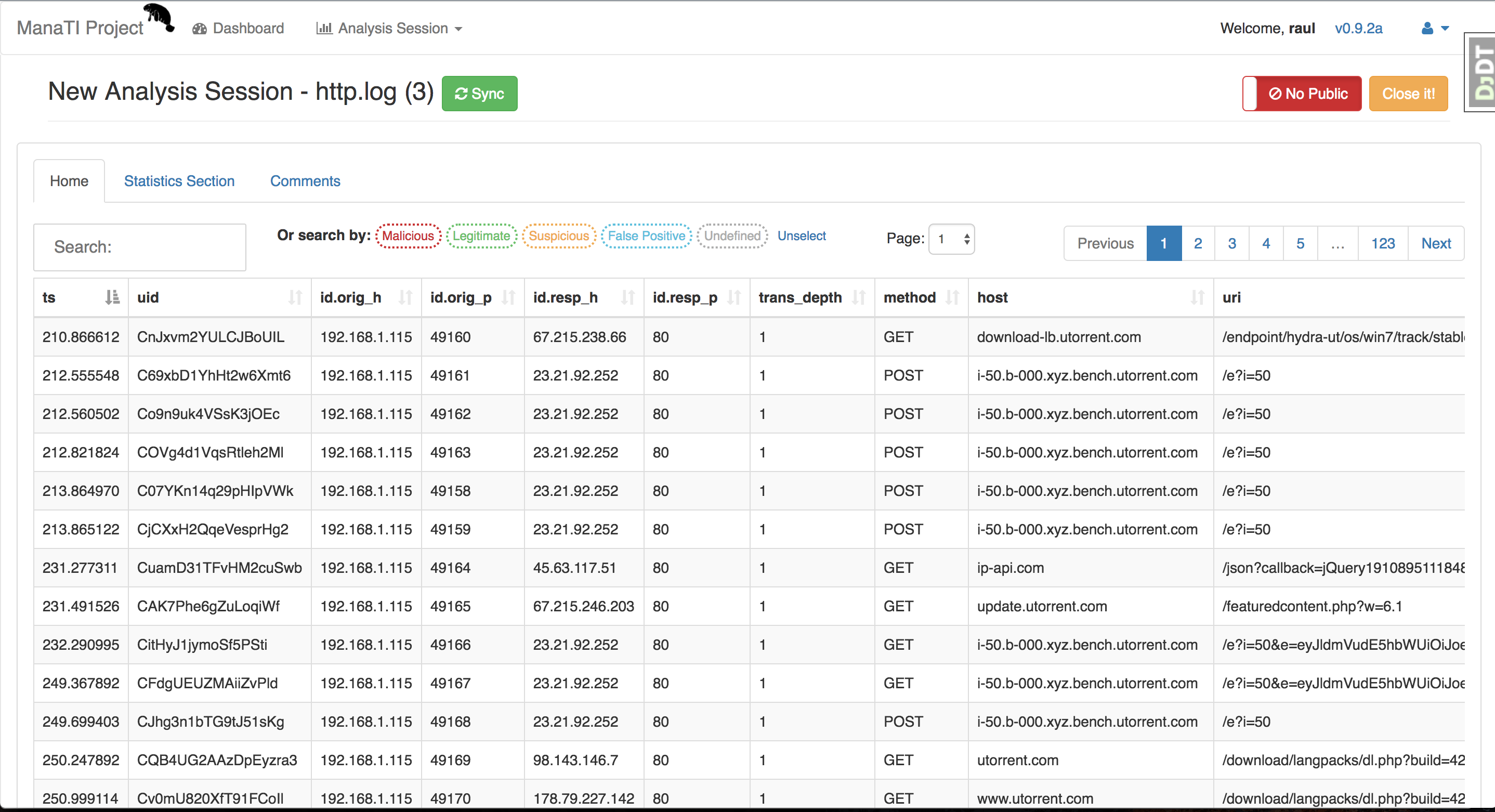
ManaTI 项目的目标是开发机器学习技术,以帮助直觉型威胁分析师加快发现新的安全问题。机器学习将通过寻找新的关系和推理来辅助分析。该项目将包括开发一个 Web 界面,供分析师与数据以及机器学习输出进行交互。
本项目部分由 Cisco Systems 支持。 有关该项目的更多信息,请访问 Stratosphere Lab 页面。
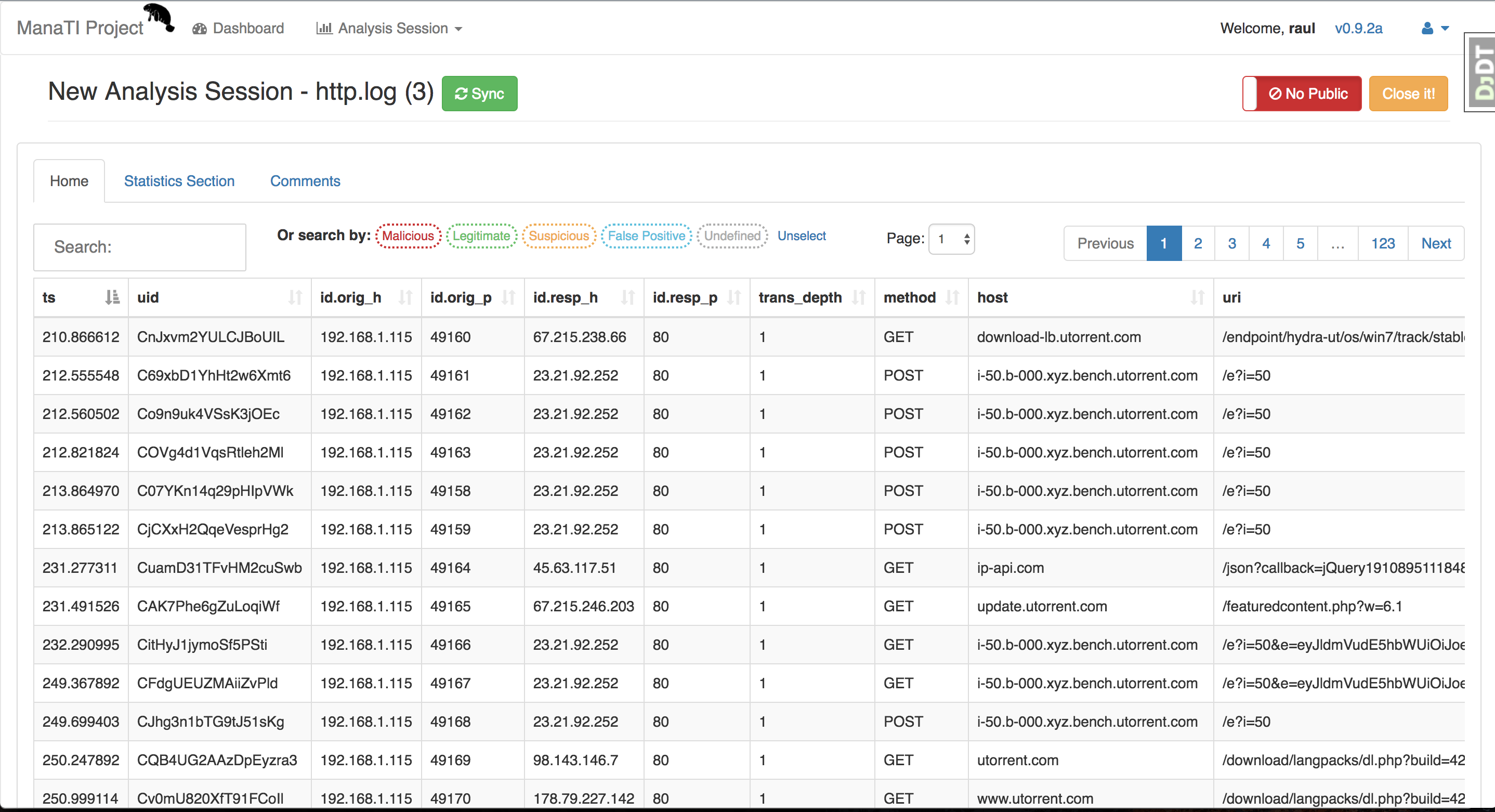
ManaTI 是一个使用 Postgres 数据库的 Django 项目,支持 Linux 和 MacOS。我们建议使用 virtualenv 环境进行设置。Linux 下的安装步骤如下:
sudo apt-get update ; sudo apt-get upgrade -y
git clone [email protected]:stratosphereips/Manati.git; cd Manati
或者如果你不想使用 SSH,可以使用 HTTPS
git clone https://github.com/stratosphereips/Manati.git; cd Manati
sudo apt-get install virtualenv python-pip python-dev libpq-dev build-essential libssl-dev libffi-dev
virtualenv .vmanati
source .vmanati/bin/activate
sudo apt-get install postgresql-server-dev-all postgresql-9.5 postgresql-client-9.5
    cp .env.example .env
    cp .env-docker.example .env-docker
可选
你可以根据需要修改数据库的密码和名称。 请记得在下面的 Postgres 数据库设置中反映这些更改。
pip install -r requirements/local.txt
你可能在 ~/.cache 文件夹遇到权限问题,只需执行以下命令即可解决:
sudo chmod 777 ~/.cache
如果你部署到 Amazon AWS EC2 并且遇到内存错误,请尝试:
pip install -r requirements/local.txt --no-cache-dir
sudo /etc/init.d/postgresql start
su - postgres
    psql

    create user manati_db_user with password 'password';

    create database manati_db;

    grant all privileges on database manati_db to manati_db_user;

    alter role manati_db_user createrole createdb;

    CTRL-D (退出 postgres 数据库 shell)
可选
要更改 postgres 用户的默认密码(你可以设置相同密码),如果你打算使用 pgAdmin3-4 作为 postgres 客户端,这尤其有用。记得不要退出 "sudo - postgres"
    psql

    \password;

    CTRL-D (退出 postgres 数据库 shell)
    psql -h localhost -d manati_db -U manati_db_user

    (输入密码)
输入密码后,你应该已经登录到 postgres。
sudo apt-get install redis-server
可选
如果你想配置 Redis。例如,你 想要更改密码,可以:
sudo vi /etc/redis/redis.conf
找到 requirepass 行,并在其后写入 你想要的密码。
requirepass passwodUser
请记得更新项目根目录下 .env 文件中的 环境变量 REDIS_PASSWORD。
    python ./manage.py makemigrations guardian
    python ./manage.py migrate
python ./manage.py check_external_modules
./utility/redis_worker.sh
python manage.py createsuperuser
不建议以 root 身份运行服务器,但只有 root 才能打开小于 1024 的端口号,因此使用哪个用户由你决定。默认情况下,它打开 8000 端口,因此你可以以 root 身份运行:
python ./manage.py runserver
之后,只需在浏览器中打开 http://localhost:8000/manati_project/manati_ui
如果你想在网络上打开服务器,可以这样做:
python ./manage.py runserver <ip-address>:8000
如果你想查看正在运行或排队中的任务,请访问 http://localhost:8000/manati_project/django-rq/
cd path/to/project_directory
git pull origin master
pip install -r requirements/local.txt
./utility/redis_worker.sh
python ./manage.py makemigrations guardian --noinput
python ./manage.py migrate --noinput
python ./manage.py check_external_modules
python ./manage.py runserver
使用 supervisor、gunicorn 作为服务器,配合 RQ worker(使用 redis 服务器) 来处理后台任务。未来我们计划准备 nginx 的配置。
cd path/to/project_directory
python manage.py collectstatic --noinput --clear
sudo supervisord -c supervisor-manati.conf -n
如果你已安装 docker,安装 ManaTI docker 镜像可能是个好主意。Dockerfile 和 服务器配置文件在此处。 此 ManaTI docker 镜像在 NGINX 和 uWSGI 服务器上运行。 此镜像由 @Piuliss 维护
docker pull honeyjack/manati:latest
docker run --name manati -p 8888:8888 -dti honeyjack/manati:latest bash
然后,等待 5 到 10 秒,访问 http://localhost:8888
如果你不想浪费时间安装 ManaTI 并且已经安装了 docker,你可以直接 执行 docker-compose。首先克隆仓库并进入项目目录。
cd Manati
cp .env.example .env
cp .env-docker.example .env-docker
docker-compose build
docker-compose run web bash -c "python manage.py makemigrations --noinput; python manage.py migrate; python manage.py check_external_modules"
docker-compose run web bash -c "python manage.py createsuperuser2 --username admin --password Password123 --noinput --email '[email protected]'"
docker-compose up # 或 'docker-compose up -d' 如果你不想在控制台中看到日志。
之后,只需在浏览器中打开 http://localhost:8000/manati_project/manati_ui/new
pg_dump -U manati_db_user -W -F p manati_db > backup.sql # 纯文本
psql manati_db -f backup.sql -U manati_db_user
| IE / Edge IE / Edge | Firefox Firefox | Chrome Chrome | Safari Safari | Opera Opera | Vivaldi Vivaldi |
|---|---|---|---|---|---|
| N/A | 55+ | 60+ | N/A | N/A | N/A |
GPLv3 许可证 (GPLv3)。详情请参阅 docs/LICENSE 文件。
版权所有 (c) 2016-2018 Stratosphere Laboratory