Skip to content
KitploitKITPLOIT
工具博客
提交
工具博客
提交

黑客、渗透测试和网络安全工具,武装您的安全武器库!

Kitploit 是一个黑客、网络安全和渗透测试工具的目录。发现最新的项目更新,查找漏洞、分析系统、自动化测试并加强你的安全。

··订阅源·联系·隐私·© 2026 Kitploit

工具目录

分类

查看所有分类
Loading categories
wifi-password — 快速获取您的WiFi密码,如果需要,生成WiFi二维码让手机轻松连接 | Kitploit
工具/GitHubGitHub/sdushantha/wifi-password
通用工具无线安全
GitHubsdushantha/wifi-password

wifi-password

快速获取您的WiFi密码,如果需要,生成WiFi二维码让手机轻松连接

查看仓库
3.1k3603年前Kitploit 审核通过

最受欢迎

查看全部 →

发现我们社区最常用的工具。

探索所有工具

浏览我们的工具集合

查看所有工具 →
分享

wifi-password

快速获取你的 WiFi 密码,如果需要,生成 WiFi 二维码,方便手机轻松连接。
适用于 macOS、Linux 和 Windows
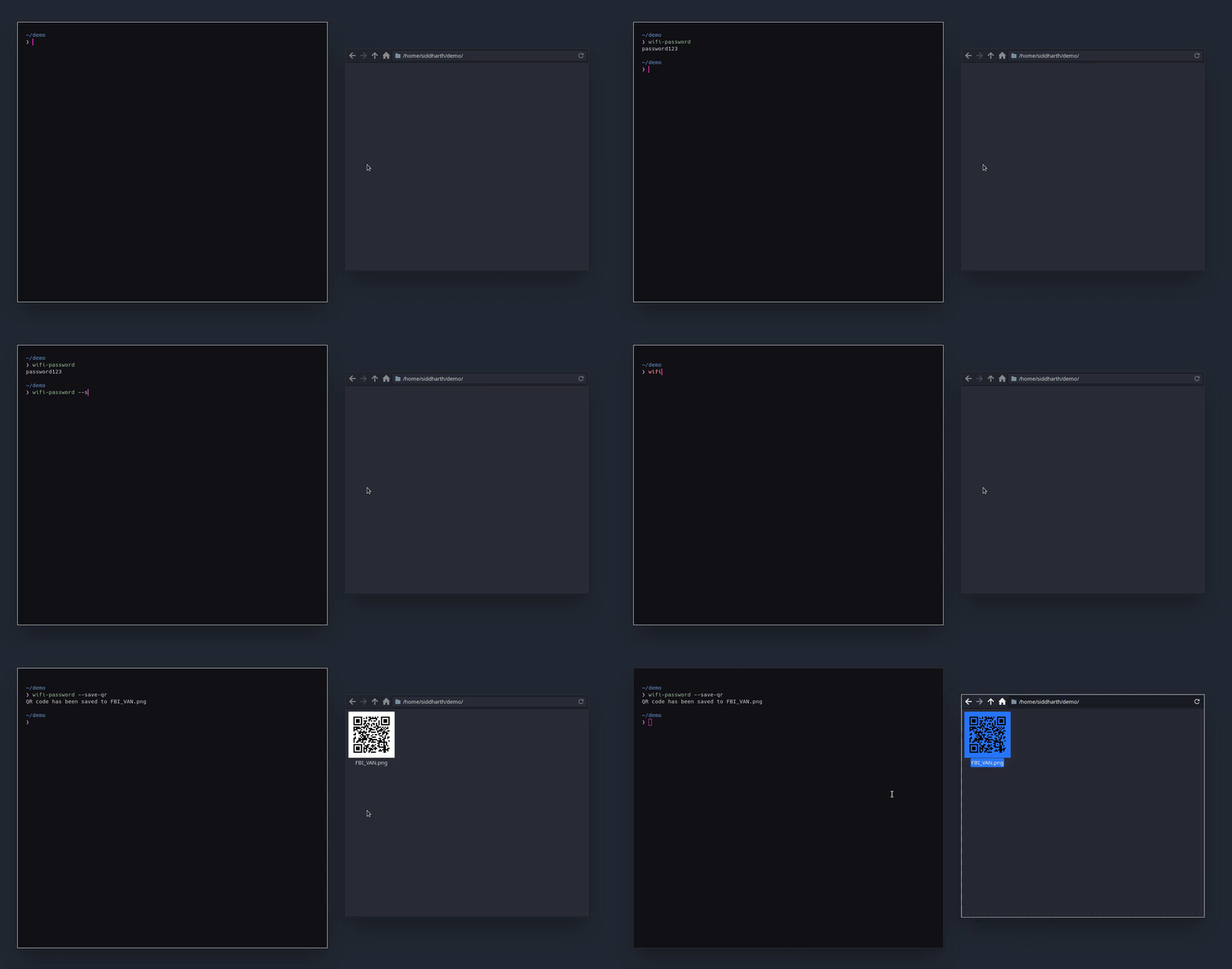
安装

使用 pip 安装

root@kitploit:~
$ python3 -m pip install --user wifi-password

使用 git 安装

root@kitploit:~
$ git clone https://github.com/sdushantha/wifi-password
$ cd wifi-password
$ python3 setup.py install

使用 AUR 安装

  • 使用 pamac
root@kitploit:~
$ sudo pamac build wifi-password
  • 使用 yay
root@kitploit:~
$ yay -S wifi-password


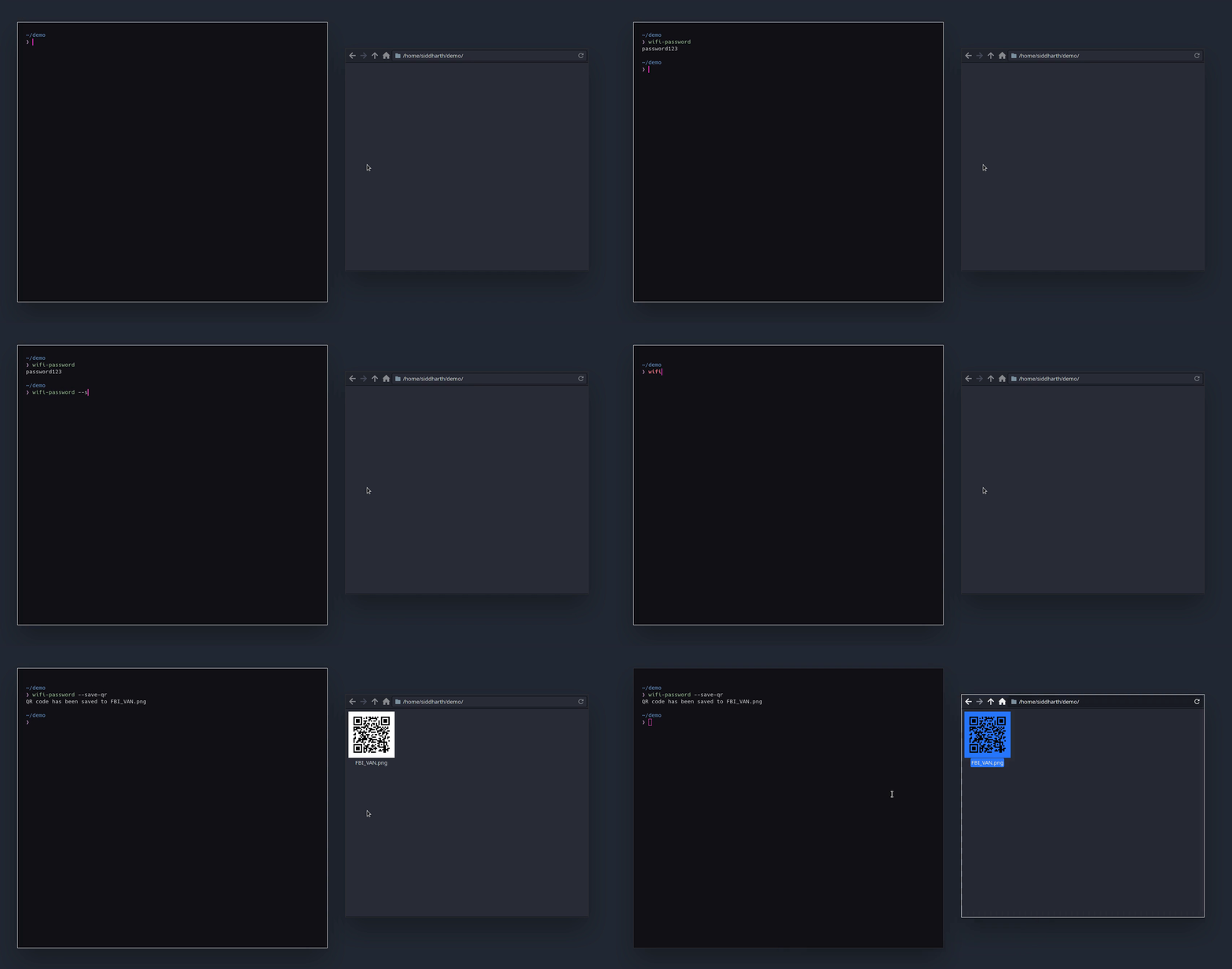
用法

root@kitploit:~
$ wifi-password --help
usage: wifi_password [options]

optional arguments:
  -h, --help            show this help message and exit
  --show-qr, -show      Show a ASCII QR code onto the terminal/console
  --save-qr [PATH], -save [PATH]
                        Create the QR code and save it as an image
  --ssid SSID, -s SSID  Specify a SSID that you have previously connected to
  --list, -l            Lists all stored network SSID
  --version             Show version number


问题?请查看此列表

  • 未找到密码:

    • Linux:
      • 确保你的网络密码已正确存储在 NetworkManager 的存储目录中。该目录位于 /etc/NetworkManager/system-connections/。虽然 NetworkManager 可以通过其他程序检查密码是否存储,但本程序需要你将密码存储在此目录下才能正常工作。
    • macOS/Windows:
      • 你的 WiFi 存储可能存在问题。如果不是,请向此仓库提交问题并附上相关信息。

  • 未安装 NetworkManager:

    • 在 Linux 上,本程序 无法运行 在没有 NetworkManager 的情况下。如果你想使用本程序,请通过你的发行版包管理器或软件中心安装它。不使用 NetworkManager 是一个奇怪的决定,但那是另外的问题。

  • 还有其他问题?

    • 在 GitHub 上提交一个有用的问题,如果你找到了解决方案,也可以在此列表中建议新项目。


参考

  • 本项目是对 wifi-password 的改进,原作者是 @rauchg,我增加了对多个平台的支持,并添加了生成二维码的功能。
  • wifiPassword 由 @ankitjain28may 创建,在整个项目开发过程中经常被用作参考。
下载工具