
在信息技术领域,确保数据的可靠性和完整性至关重要,尤其是在涉及数百万用户和数 TB 数据的情况下。然而,随着软件系统变得越来越复杂,诸如竞态条件之类的问题可能会出现,严重影响系统运行并导致不可预测的结果。
竞态条件是多任务程序中出现的错误,当两个或多个线程或进程在没有同步的情况下同时尝试修改共享数据或资源时就会发生。这可能导致意外且不可预测的结果,因为操作的执行顺序取决于哪些线程或进程先完成。由于其不可预测的特性,检测竞态条件是软件系统中的一个棘手问题。
虽然互联网上有大量关于经典竞态条件的资源,但本文探讨的是竞态条件是否可能出现在 WebSocket 中。
WebSocket 是一项前沿技术,通过提供用户 Web 浏览器与 Web 服务器之间的开放双向连接,显著改善了 Web 应用程序中的交互。这种无缝连接使得数据交换无需不断发起新的 HTTP 请求,使其成为创建交互式应用程序的理想选择。
为了演示这一概念,本文包含了一段 Java 代码,它表示一个与 PostgreSQL 数据库交互的 WebSocket 服务器。该服务器使用 Java-WebSocket 库来处理 WebSocket 连接,并执行以下任务:
启动程序后,Java 代码连接到数据库并检查“example”表是否存在。如果不存在,则创建该表并插入随机数据:
最有趣的代码位于“onMessage”函数中。
public static int a = 0;

@Override
public void onMessage(WebSocket conn, String message) {
    if (a == 0) {
        try {
            // some activity with db
            int rowCount = getCountFromExampleTable();

        } catch (SQLException e) {
            System.out.println("Error executing query: " + e.getMessage());
        }
        conn.send("Echo: " + message);
        a = a + 1;
        System.out.println(a);
    }
}
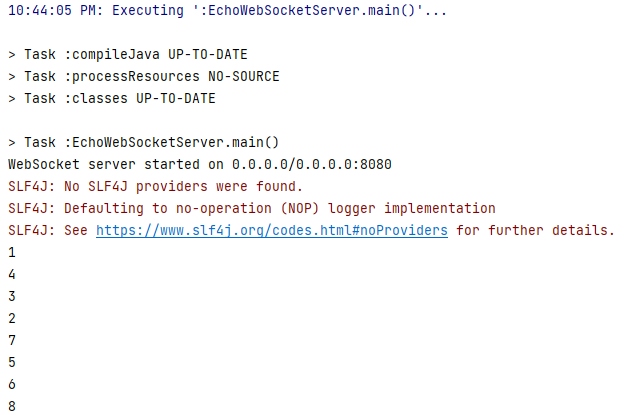
有一个初始化为 0 的全局变量“a”。当客户端连接到服务器并发送消息时,它会检查“id == 0”,以指示此函数是否已经执行过。如果没有,则执行一条简单的 SQL 命令,从“example”表中选择行数。然后,“a”递增 1,并打印其值。理论上,该函数不应被执行 2 次。
关于客户端,创建了两种类型的客户端:“WebSocketParallel_Success”
package io.redrays.ws.concept.client;

import org.java_websocket.client.WebSocketClient;
import org.java_websocket.handshake.ServerHandshake;

import java.net.URI;
import java.net.URISyntaxException;
import java.util.ArrayList;
import java.util.List;
import java.util.concurrent.ExecutorService;
import java.util.concurrent.Executors;
import java.util.concurrent.TimeUnit;

public class WebSocketParallel_Success {

    public static void main(String[] args) {
        // Define the WebSocket server URI
        String serverUri = "ws://127.0.0.1:8080";

        // Number of WebSocket clients to create
        int numClients = 100;

        // Create an ExecutorService to manage multiple WebSocket client threads
        ExecutorService executor = Executors.newFixedThreadPool(numClients);

        // Create a list to store WebSocket client instances
        List<WebSocketClient> clients = new ArrayList<>();

        // Loop to create and configure multiple WebSocket clients
        for (int i = 0; i < numClients; i++) {
            int clientId = i + 1;
            try {
                // Create a WebSocket client for each connection
                WebSocketClient webSocketClient = new WebSocketClient(new URI(serverUri)) {
                    @Override
                    public void onOpen(ServerHandshake handshakedata) {
                        // Handle WebSocket connection opened event
                        System.out.println("Client " + clientId + " connected to the WebSocket server");
                        this.send("Hello, WebSocket server! From client " + clientId);
                    }

                    @Override
                    public void onMessage(String message) {
                        // Handle incoming WebSocket messages
                        System.out.println("Client " + clientId + " received message: " + message);
                    }

                    @Override
                    public void onClose(int code, String reason, boolean remote) {
                        // Handle WebSocket connection closed event
                        System.out.println("Client " + clientId + " connection closed: " + reason);
                    }

                    @Override
                    public void onError(Exception ex) {
                        // Handle WebSocket error
                        System.out.println("Client " + clientId + " error occurred: " + ex.getMessage());
                    }
                };

                // Add the WebSocket client to the list
                clients.add(webSocketClient);

                // Connect the WebSocket client in a separate thread
                executor.submit(webSocketClient::connect);

            } catch (URISyntaxException e) {
                System.out.println("Invalid WebSocket server URI: " + e.getMessage());
            }
        }

        // Shutdown the executor after all tasks are submitted
        executor.shutdown();

        // Wait for all WebSocket client threads to complete
        try {
            executor.awaitTermination(Long.MAX_VALUE, TimeUnit.NANOSECONDS);
        } catch (InterruptedException e) {
            System.out.println("Interrupted while waiting for tasks to complete: " + e.getMessage());
        }
    }
}
以及“WebSocketParallel_Failed”。
package io.redrays.ws.concept.client;

import org.java_websocket.client.WebSocketClient;
import org.java_websocket.handshake.ServerHandshake;

import java.net.URI;
import java.net.URISyntaxException;
import java.util.concurrent.ExecutorService;
import java.util.concurrent.Executors;
import java.util.concurrent.TimeUnit;

public class WebSocketParallel_Failed {

    public static void main(String[] args) {
        String serverUri = "ws://127.0.0.1:8080"; // WebSocket server URI
        int numParallelRequests = 285; // Number of parallel WebSocket requests

        try {
            WebSocketClient webSocketClient = new WebSocketClient(new URI(serverUri)) {

                // This method is called when the WebSocket connection is successfully opened.
                @Override
                public void onOpen(ServerHandshake handshakedata) {
                    System.out.println("Connected to the WebSocket server");

                    // Create a fixed thread pool to manage parallel requests
                    ExecutorService executor = Executors.newFixedThreadPool(numParallelRequests);

                    for (int i = 0; i < numParallelRequests; i++) {
                        int messageId = i + 1;
                        executor.submit(() -> {
                            this.send("Hello, WebSocket server! Message ID: " + messageId);
                            System.out.println("Sent message with ID: " + messageId);
                        });
                    }

                    // Shutdown the executor after all tasks are submitted
                    executor.shutdown();

                    // Wait for the tasks to complete
                    try {
                        executor.awaitTermination(Long.MAX_VALUE, TimeUnit.NANOSECONDS);
                    } catch (InterruptedException e) {
                        System.out.println("Interrupted while waiting for tasks to complete: " + e.getMessage());
                    }
                }

                // This method is called when a WebSocket message is received.
                @Override
                public void onMessage(String message) {
                    System.out.println("Received message: " + message);
                }

                // This method is called when the WebSocket connection is closed.
                @Override
                public void onClose(int code, String reason, boolean remote) {
                    System.out.println("Connection closed: " + reason);
                }

                // This method is called when an error occurs in the WebSocket connection.
                @Override
                public void onError(Exception ex) {
                    System.out.println("Error occurred: " + ex.getMessage());
                }
            };

            // Connect to the WebSocket server
            webSocketClient.connect();

