ragnt/angryoxide
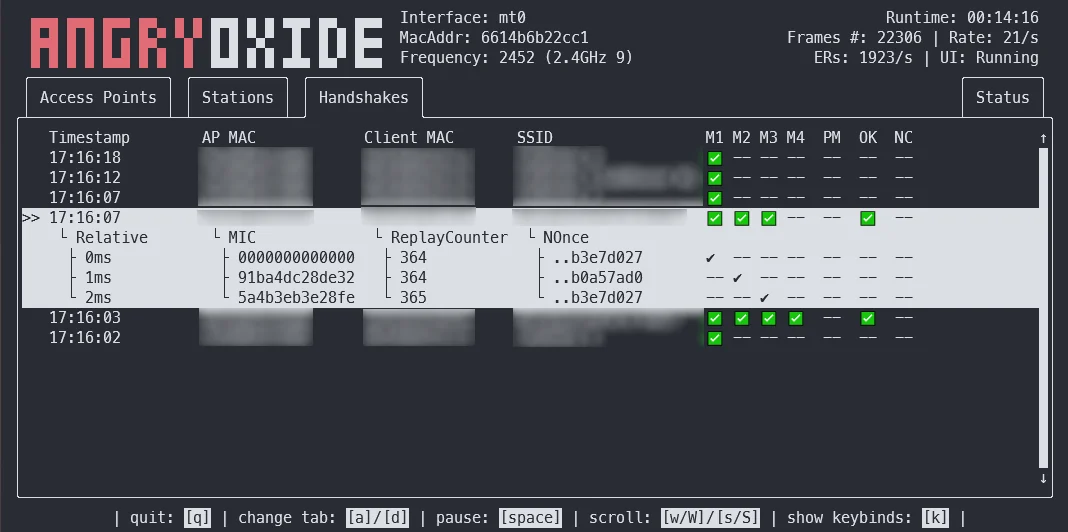
进攻性 802.11 审计工具,通过去认证、伪造客户端及信道切换攻击,自动化 WPA/WPA2 握手与 PMKID 捕获,支持无头模式、GPS 日志记录和 Hashcat 就绪输出。



此工具仅供研究目的使用。对于您在使用 AngryOxide 时所做的任何事情或造成的损害,我概不负责。请仅对您拥有权限的网络使用。
AngryOxide 的开发初衷是同时学习 Rust、netlink、内核套接字和 WiFi 利用技术。
您可以在用户指南中获取有关如何使用 AngryOxide 的信息。
注意:该项目正处于密集开发阶段,您可能会看到非常频繁的发布周期。
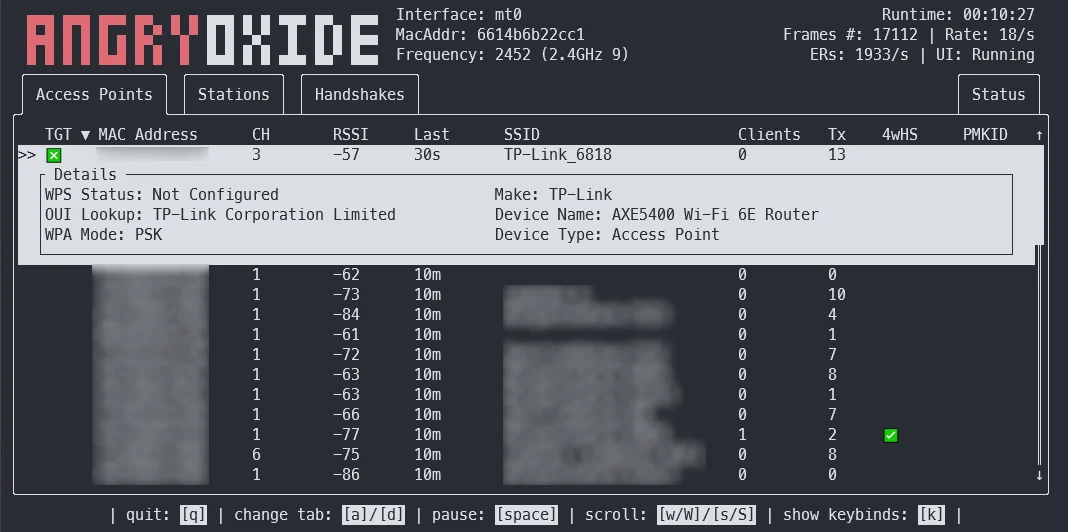
该工具的总体目标是提供单一界面的勘查能力,并配备先进的自动化攻击,最终生成可用 Hashcat 破解的有效 hashline。
该工具的灵感主要来自 hcxdumptool,如果没有 ZerBea 的帮助,开发是不可能完成的。
如果您有任何疑问或问题,可以通过 AngryOxide Discord 联系我。
您可以在发布页面下载 AngryOxide 的预编译二进制文件。
tar -xf angryoxide-linux-x86_64.tar.gz # Untar
chmod +x install.sh # Make executable
sudo ./install.sh # Install (as root, including zsh/bash completions)
您可以在用户指南中获取有关如何使用 AngryOxide 的信息。
sudo ./install.sh uninstall # Uninstall
默认情况下将攻击范围内所有的接入点,除非至少提供一个目标,此时工具将仅针对定义的目标进行传输。(但仍会被动收集其他接入点的数据。)
所有这些攻击都进行了速率控制,既为了防止错误的 EAPOL 定时器重置,也是为了保持一定程度的操作安全性。
❯ angryoxide --help
Does awesome things... with wifi.

Usage: angryoxide [OPTIONS] --interface <INTERFACE>

Options:
  -i, --interface <INTERFACE>     Interface to use
  -c, --channel <CHANNEL>         Optional - Channel to scan. Will use "-c 1,6,11" if none specified
  -b, --band <2 | 5 | 6 | 60>     Optional - Entire band to scan - will include all channels interface can support
  -o, --output <Output Filename>  Optional - Output filename
  -h, --help                      Print help
  -V, --version                   Print version

Targeting:
  -t, --target-entry <Target MAC/SSID>
          Optional - Target (MAC or SSID) to attack - will attack everything if none specified
  -w, --whitelist-entry <WhiteList MAC/SSID>
          Optional - Whitelist (MAC or SSID) to NOT attack
      --targetlist <Targets File>
          Optional - File to load target entries from
      --whitelist <Whitelist File>
          Optional - File to load whitelist entries from

Advanced Options:
  -r, --rate <Attack Rate>            Optional - Attack rate (1, 2, 3 || 3 is most aggressive) [default: 2]
      --combine                       Optional - Combine all hc22000 files into one large file for bulk processing
      --active                        Optional - Use Active Monitor mode - WARNING, may cause bugs.
      --rogue <MAC Address>           Optional - Tx MAC for rogue-based attacks - will randomize if excluded
      --gpsd <GPSD Host:Port>         Optional - Alter default HOST:Port for GPSD connection [default: 127.0.0.1:2947]
      --autohunt                      Optional - AO will auto-hunt all channels then lock in on the ones targets are on
      --headless                      Optional - Set the tool to headless mode without a UI. (useful with --autoexit)
      --autoexit                      Optional - AO will auto-exit when all targets have a valid hashline
      --notransmit                    Optional - Do not transmit - passive only
      --notar                         Optional - Do not tar output files
      --disablemouse                  Optional - Disable mouse capture (scroll wheel)
      --dwell <Dwell Time (seconds)>  Optional - Adjust channel hop dwell time [default: 2]

Geofencing:
      --geofence
          Optional - Enable geofencing using a specified latlng and distance
      --center <CENTER>
          Lat,Lng for geofencing (required if geofence is enabled)
      --distance <DISTANCE>
          Distance in meters from the center (required if geofence is enabled)
      --geofence-timeout <GEOFENCE_TIMEOUT>
          Timeout to disable geofence if GPS is lost. (default 300 seconds) [default: 300]

Attacks:
      --disable-deauth    Optional - Do NOT send deauthentication attacks
      --disable-pmkid     Optional - Do NOT attempt to associate for PMKID
      --disable-anon      Optional - Do NOT send anonymous reassociation attacks
      --disable-csa       Optional - Do NOT send Channel Switch Announcment attacks
      --disable-disassoc  Optional - Do NOT send disassociation attacks
      --disable-roguem2   Optional - Do NOT attempt rogue M2 collection
如果您想从源码构建而不是使用预编译的二进制文件,以下是基本说明:
# Install Rust
curl --proto '=https' --tlsv1.2 -sSf https://sh.rustup.rs | sh

# Clone this repo
git clone --recurse-submodules https://github.com/Ragnt/AngryOxide.git

# Build/Install
cd AngryOxide
make
sudo make install
这将从源码构建,安装到 /usr/bin/angryoxide,并为您安装 bash 补全功能。
我使用 cross 进行嵌入式架构的交叉编译。
以下以 MIPS(mips-unknown-linux-musl)为例。
# make sure you have the nightly installed
rustup install nightly

# dynamically linked & soft-float
cross build +nightly --target mips-unknown-linux-musl --release -Zbuild-std
这些脚本让 AngryOxide 在 bash 和 zsh 中的使用更加流畅,会自动查找您的无线接口,并以可 Tab 补全的方式显示参数。