 qin2dim/hcaptcha-challenger
🥂 借助多模态大语言模型优雅地应对 hCaptcha 挑战。

hCaptcha Challenger (v0.13.0+) 借助大语言模型的 Spatial Chain-of-Thought (SCOT) 能力构建了一套端到端的 Agentic Workflow,使得 Agent 可遵循指令完成空间视觉通用任务,而无需额外训练或微调 CNN 专家模型。
在 hCaptcha Challenger 中,Agent 通过 Playwright 控制浏览器页面。在您的任务流程中,Agent 通过传入的 Page 对象初始化,并借用该对象接管当前页面的交互。您可以通过 Agent 实现 click_checkbox(点击验证框)和 wait_for_challenge(等待人机挑战)两个独立操作。
hCaptcha 是最早将图片扩散与合成技术应用于 CAPTCHA 领域的先驱之一。借助自动化工程领域的快速发展,hCaptcha 能够实现极为频繁的挑战类型更替。这导致过去两年中,社区在应对频繁更新的人机挑战时面临了越来越大的困难。传统的卷积神经网络(CNN)在目标检测任务中,对于小规模数据集难以实现良好的泛化效果,完整的模型微调过程需要投入大量的时间与精力,通常需要长达半周才能训练出适用于生产环境的 CNN 模型。然而,当模型训练完成之际,hCaptcha 可能已经更新了新的挑战类型,导致刚训练完成的模型迅速过时或失效。
因此,社区迫切需要一种强大的通用视觉解决方案,以有效应对空间视觉类的通用挑战。不论 hCaptcha 如何频繁更新验证类型,该方案均可快速适应环境变化,并能在无人引导的情况下自主控制浏览器完成各种人机验证任务。
uv pip install hcaptcha-challenger
如下是一个 hCaptcha 自动化验证案例,展示了如何通过 Agent 的 robotic_arm(机械臂接口)与网页验证元素进行交互。
特别说明:Agent 仅通过 Page 对象操控网页,因此可运行在任何基于 Playwright 构建的 "patcher" 之上。换言之,只要 Playwright 能启动的浏览器,均可通过此方式运行 Agent。
在如下案例中,你需要创建并设置 GEMINI_API_KEY:
import asyncio
import json

from playwright.async_api import async_playwright, Page

from hcaptcha_challenger.agent import AgentV, AgentConfig
from hcaptcha_challenger.models import CaptchaResponse
from hcaptcha_challenger.utils import SiteKey


async def challenge(page: Page) -> AgentV:
    """Automates the process of solving an hCaptcha challenge."""
    # Initialize the agent configuration with API key (from parameters or environment)
    agent_config = AgentConfig()

    # Create an agent instance with the page and configuration
    # AgentV appears to be a specialized agent for visual challenges
    agent = AgentV(page=page, agent_config=agent_config)

    # Click the hCaptcha checkbox to initiate the challenge
    # The robotic_arm is an abstraction for performing UI interactions
    await agent.robotic_arm.click_checkbox()

    # Wait for the challenge to appear and be ready for solving
    # This may involve waiting for images to load or instructions to appear
    await agent.wait_for_challenge()

    # Note: The code ends here, suggesting this is part of a larger solution
    # that would continue with challenge solving steps after this point
    return agent


async def main():
    async with async_playwright() as p:
        browser = await p.chromium.launch(headless=False)
        context = await browser.new_context()

        # Create a new page in the provided browser context
        page = await context.new_page()

        # Navigate to the hCaptcha test page using a predefined site key
        # SiteKey.user_easy likely refers to a test/demo hCaptcha with lower difficulty
        # await page.goto(SiteKey.as_site_link(SiteKey.discord))
        await page.goto(SiteKey.as_site_link(SiteKey.user_easy))

        # --- When you encounter hCaptcha in your workflow ---
        agent = await challenge(page)
        if agent.cr_list:
            cr: CaptchaResponse = agent.cr_list[-1]
            print(json.dumps(cr.model_dump(by_alias=True), indent=2, ensure_ascii=False))


if __name__ == "__main__":
    asyncio.run(main())
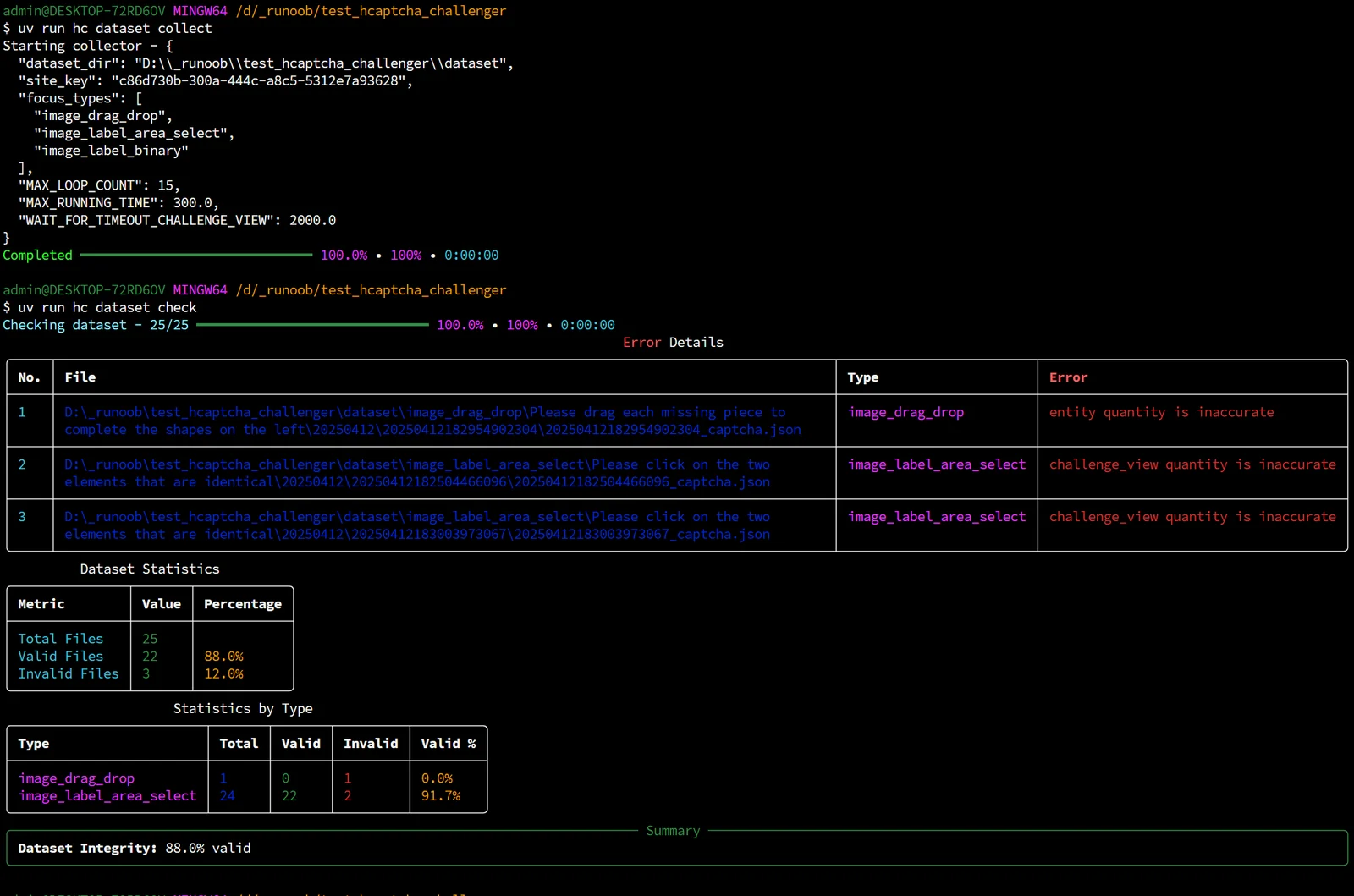
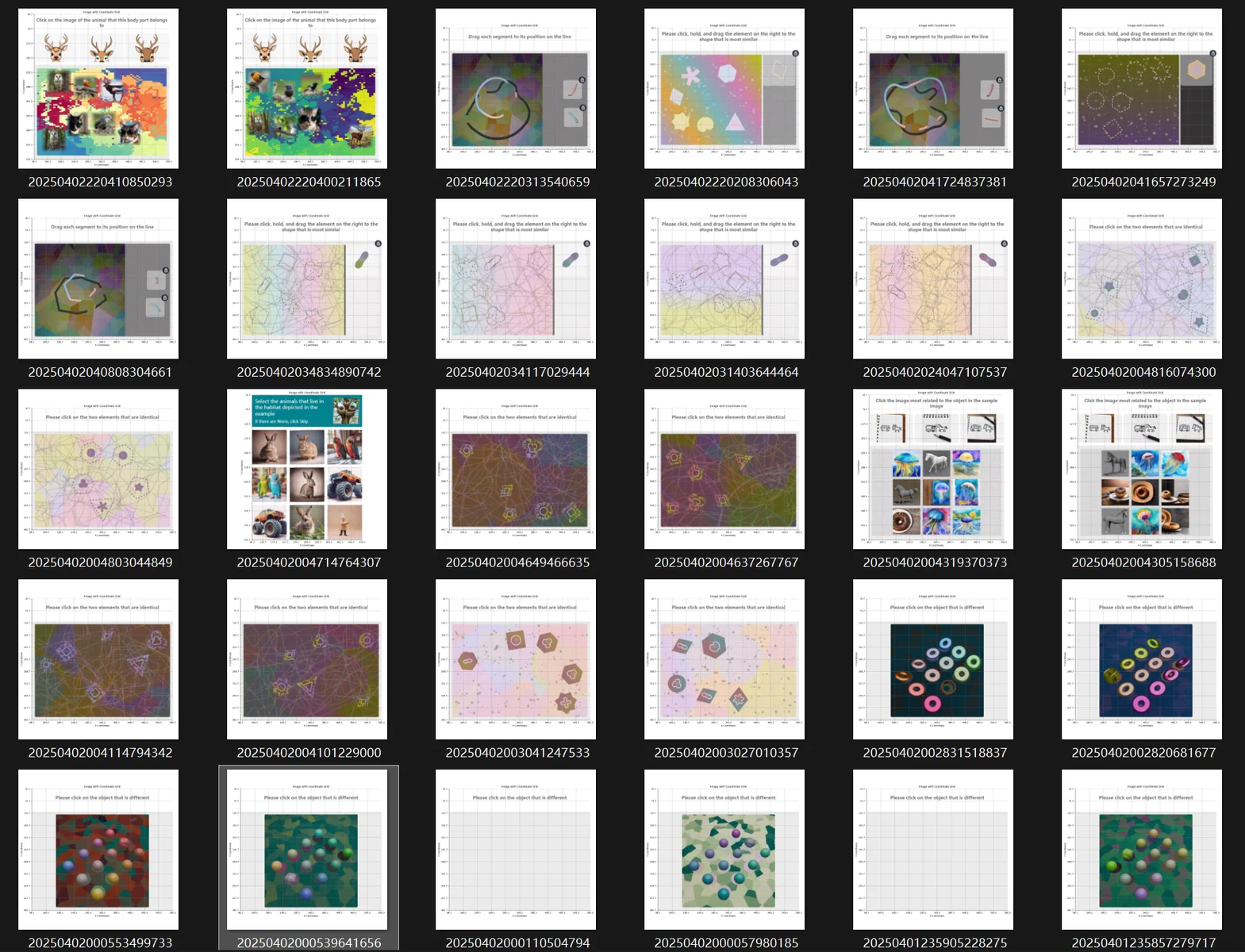
如果你有自己的 solver,也可以借助 hcaptcha-challenger 来管理图片数据集:
uv venv
uv pip install -U hcaptcha-challenger
uv run hc dataset collect
https://github.com/user-attachments/assets/c2cea4e0-82f4-466f-8c7a-20f8ea63732c
https://github.com/user-attachments/assets/42ce8b1d-bb17-4397-b7b0-a9f9578b740a
https://github.com/user-attachments/assets/c7720d20-ddb4-45e5-8008-e4c8f2de316d
