一款用于被动收集 URL 的高速工具,专为无需主动扫描的高效 Web 资产发现而优化。




功能 • 安装 • 使用方法 • 示例 • 加入 Discord
URLFinder 是一款高速的被动式 URL 发现工具,旨在简化和加速 Web 资产发现,非常适合希望在无需主动扫描的情况下收集 URL 的渗透测试人员、安全研究人员和开发人员。
URLFinder 需要 Go 1.21。使用以下命令安装,或从发布页面下载预编译二进制文件。
go install -v github.com/projectdiscovery/urlfinder/cmd/urlfinder@latest
urlfinder -h
此命令显示 URLFinder 的帮助信息。以下是一些常用参数和选项。
A streamlined tool for discovering associated URLs.

Usage:
  ./urlfinder [flags]

Flags:
INPUT:
   -d, -list string[]  target domain or list of domains

SOURCE:
   -s, -sources string[]           specific sources for discovery (e.g., -s alienvault,commoncrawl)
   -es, -exclude-sources string[]   sources to exclude (e.g., -es alienvault,commoncrawl)
   -all                             use all sources (may be slower)
SCOPE:
   -us, -url-scope string[]       in scope url regex to be followed by urlfinder
   -uos, -url-out-scope string[]  out of scope url regex to be excluded by urlfinder
   -fs, -field-scope string       pre-defined scope field (dn,rdn,fqdn) or custom regex (e.g., '(company-staging.io|company.com)') (default "rdn")
   -ns, -no-scope                 disables host based default scope
   -do, -display-out-scope        display external endpoint from scoped crawling

FILTER:
   -m, -match string[]       URLs or list to match (file or comma-separated)
   -f, -filter string[]      URLs or list to filter (file or comma-separated)

RATE-LIMIT:
   -rl, -rate-limit int      max HTTP requests per second (global)
   -rls, -rate-limits value  per-provider HTTP request limits (e.g., -rls waybackarchive=15/m)

UPDATE:
   -up, -update              update URLFinder to the latest version
   -duc, -disable-update-check  disable automatic update checks

OUTPUT:
   -o, -output string       specify output file
   -j, -jsonl               JSONL output format
   -od, -output-dir string  specify output directory
   -cs, -collect-sources    include all sources in JSON output

CONFIGURATION:
   -config string           config file (default "$CONFIG/urlfinder/config.yaml")
   -pc, -provider-config string  provider config file (default "$CONFIG/urlfinder/provider-config.yaml")
   -proxy string            HTTP proxy

DEBUG:
   -silent                  show only URLs in output
   -version                 display URLFinder version
   -v                       verbose output
   -nc, -no-color           disable colored output
   -ls, -list-sources       list all available sources
   -stats                   display source statistics

OPTIMIZATION:
   -timeout int   timeout in seconds (default 30)
   -max-time int  max time in minutes for enumeration (default 10)
urlfinder -d tesla.com
此命令枚举目标域名 tesla.com 的 URL。
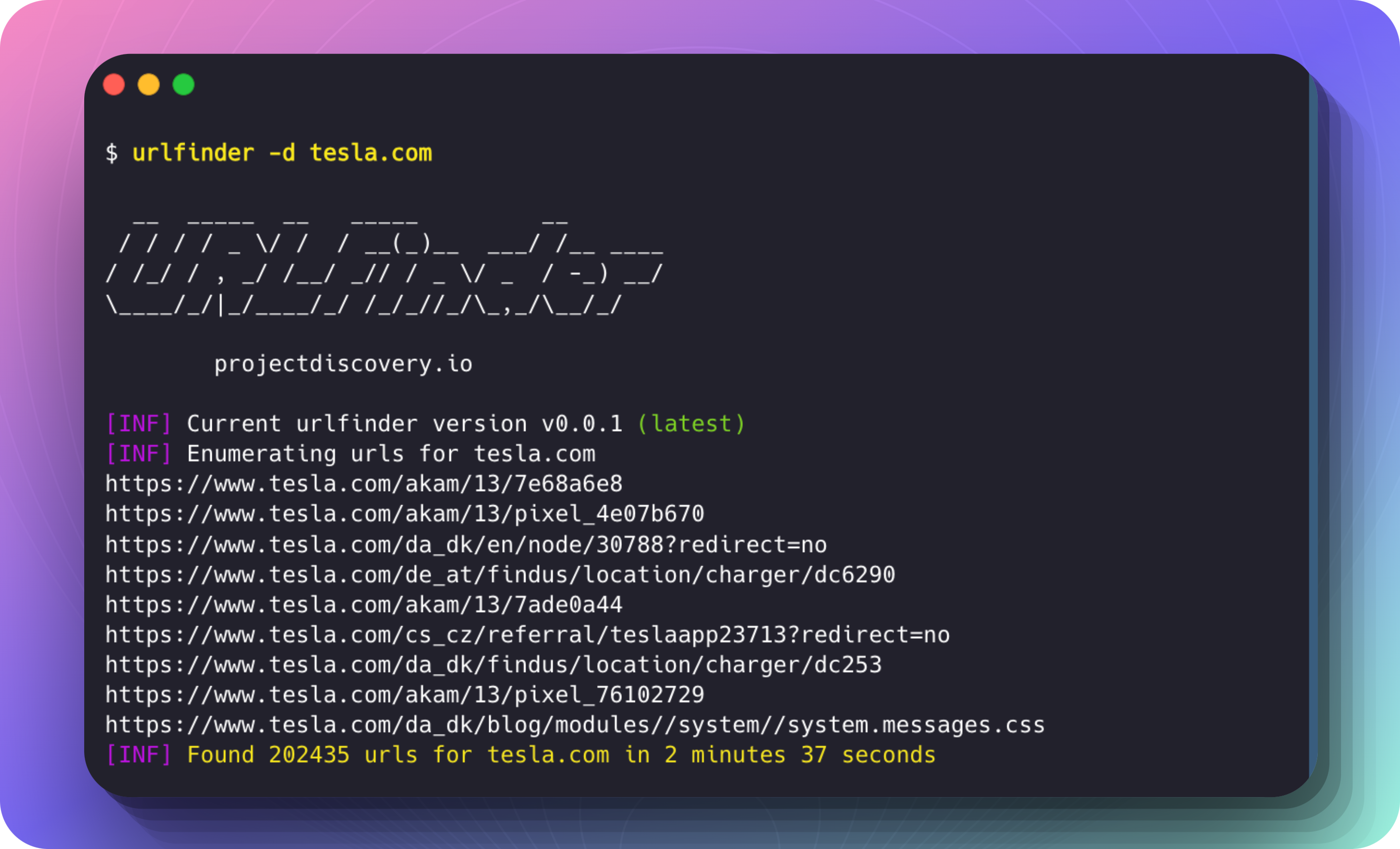
运行示例:
$ urlfinder -d tesla.com

  __  _____  __   _____         __
 / / / / _ \/ /  / __(_)__  ___/ /__ ____
/ /_/ / , _/ /__/ _// / _ \/ _  / -_) __/
\____/_/|_/____/_/ /_/_//_/\_,_/\__/_/

		projectdiscovery.io

[INF] Current urlfinder version v0.0.1 (latest)
[INF] Enumerating urls for tesla.com
https://www.tesla.com/akam/13/7e68a6e8
https://www.tesla.com/akam/13/pixel_4e07b670
https://www.tesla.com/da_dk/en/node/30788?redirect=no
https://www.tesla.com/de_at/findus/location/charger/dc6290
https://www.tesla.com/akam/13/7ade0a44
https://www.tesla.com/cs_cz/referral/teslaapp23713?redirect=no
https://www.tesla.com/da_dk/findus/location/charger/dc253
https://www.tesla.com/akam/13/pixel_76102729
https://www.tesla.com/da_dk/blog/modules//system/system.messages.js
...
[INF] Found 202435 urls for tesla.com in 2 minutes 37 seconds
使用 -m(匹配)和 -f(过滤)选项可根据 URL 模式细化结果。
包含匹配特定模式的 URL
仅包含含有 "shop" 或 "model" 的 URL:
urlfinder -d tesla.com -m shop,model
排除匹配特定模式的 URL
排除含有 "privacy" 或 "terms" 的 URL:
urlfinder -d tesla.com -f privacy,terms
组合匹配与过滤
查找包含 "support" 但排除包含 "faq" 的 URL:
urlfinder -d tesla.com -m support -f faq
在文件中提供模式:
urlfinder -d tesla.com -m include-patterns.txt -f exclude-patterns.txt
使用 -j 或 --jsonl 参数以 JSONL (JSON Lines) 格式输出结果,每行是一个独立的 JSON 对象。此格式有助于以结构化方式处理大量输出。
urlfinder -d tesla.com -j
{"url":"https://shop.tesla.com/product/model-s-plaid","input":"tesla.com","source":"waybackarchive"}
{"url":"https://www.tesla.com/inventory/used/ms","input":"tesla.com","source":"waybackarchive"}
{"url":"https://forums.tesla.com/discussion/101112/model-3-updates","input":"tesla.com","source":"waybackarchive"}
每个 JSON 对象包含:
url:发现的 URL。input:目标域名(例如 tesla.com)。source:URL 发现的数据来源(例如 waybackarchive)。