
功能 • 安装 • 使用 • 运行naabu • 配置 • NMAP集成 • CDN/WAF排除 • Discord
Naabu 是一款用 Go 编写的端口扫描工具,能够以快速且可靠的方式枚举主机的有效端口。它是一款非常简单的工具,可对主机/主机列表执行快速的 SYN/CONNECT/UDP 扫描,并列出所有返回响应的端口。
naabu -h
这将显示该工具的帮助信息。以下是它支持的所有开关选项。```yaml
Usage:
naabu [flags]
Flags:
INPUT:
-host string[] hosts to scan ports for (comma-separated)
-list, -l string list of hosts to scan ports (file)
-exclude-hosts, -eh string hosts to exclude from the scan (comma-separated)
-exclude-file, -ef string list of hosts to exclude from scan (file)
PORT:
-port, -p string ports to scan (80,443, 100-200)
-top-ports, -tp string top ports to scan (default 100) [full,100,1000]
-exclude-ports, -ep string ports to exclude from scan (comma-separated)
-ports-file, -pf string list of ports to scan (file)
-port-threshold, -pts int port threshold to skip port scan for the host
-exclude-cdn, -ec skip full port scans for CDN/WAF (only scan for port 80,443)
-display-cdn, -cdn display cdn in use
RATE-LIMIT:
-c int general internal worker threads (default 25)
-rate int packets to send per second (default 1000)
UPDATE:
-up, -update update naabu to latest version
-duc, -disable-update-check disable automatic naabu update check
OUTPUT:
-o, -output string file to write output to (optional)
-j, -json write output in JSON lines format
-csv write output in csv format
SERVICES-DISCOVERY:
-sD, -service-discovery identify services by port number
-sV, -service-version detect service versions using nmap-service-probes
-sV-fast only probe port-hinted services (faster, skips fallback)
-sV-timeout duration timeout for service version probes (default 5s)
-sV-workers int number of concurrent service version workers (default 25)
-sV-probes string custom nmap-service-probes file path (auto-detected from local nmap install if empty)
-uP, -udp-probes send protocol-specific payloads on UDP scans using nmap-service-probes
CONFIGURATION:
-config string path to the naabu configuration file (default $HOME/.config/naabu/config.yaml)
-scan-all-ips, -sa scan all the IP's associated with DNS record
-ip-version, -iv string[] ip version to scan of hostname (4,6) - (default 4,6) (default ["4","6"])
-scan-type, -s string type of port scan (SYN/CONNECT) (default "c")
-source-ip string source ip and port (x.x.x.x:yyy - might not work on OSX)
-cp, -connect-payload string payload to send in CONNECT scans (optional)
-interface-list, -il list available interfaces and public ip
-interface, -i string network Interface to use for port scan
-nmap invoke nmap scan on targets (nmap must be installed) - Deprecated
-nmap-cli string nmap command to run on found results (example: -nmap-cli 'nmap -sV')
-r string list of custom resolver dns resolution (comma separated or from file)
-proxy string socks5 proxy (ip[:port] / fqdn[:port]
-proxy-auth string socks5 proxy authentication (username:password)
-dns-order string dns resolution order (p/l/lp/pl) (default "l")
-sr, -system-resolver use system DNS as fallback resolver
-resume resume scan using resume.cfg
-stream stream mode (disables resume, nmap, verify, retries, shuffling, etc)
-passive display passive open ports using shodan internetdb api (automatically enables stream mode)
-irt, -input-read-timeout value timeout on input read (default 3m0s)
-no-stdin Disable Stdin processing
HOST-DISCOVERY:
-sn, -host-discovery Perform Only Host Discovery
-show-dead show hosts that did not respond to host discovery (requires host discovery)
-Pn, -skip-host-discovery Skip Host discovery (Deprecated: use -wn/-with-host-discovery instead)
-wn, -with-host-discovery Enable Host discovery
-ps, -probe-tcp-syn string[] TCP SYN Ping (host discovery needs to be enabled)
-pa, -probe-tcp-ack string[] TCP ACK Ping (host discovery needs to be enabled)
-pe, -probe-icmp-echo ICMP echo request Ping (host discovery needs to be enabled)
-pp, -probe-icmp-timestamp ICMP timestamp request Ping (host discovery needs to be enabled)
-pm, -probe-icmp-address-mask ICMP address mask request Ping (host discovery needs to be enabled)
-arp, -arp-ping ARP ping (host discovery needs to be enabled)
-nd, -nd-ping IPv6 Neighbor Discovery (host discovery needs to be enabled)
-rev-ptr Reverse PTR lookup for input ips
OPTIMIZATION:
-retries int number of retries for the port scan (default 3)
-timeout int millisecond to wait before timing out (default 1000)
-warm-up-time int time in seconds between scan phases (default 2)
-ping ping probes for verification of host
-verify validate the ports again with TCP verification
-ss, -smart-scan predictive port scanning using port correlation model (not compatible with stream mode)
-pt, -prediction-threshold int minimum confidence for port predictions (0-100%) (default 20)
DEBUG:
-health-check, -hc run diagnostic check up
-debug display debugging information
-verbose, -v display verbose output
-no-color, -nc disable colors in CLI output
-silent display only results in output
-version display version of naabu
-stats display stats of the running scan (deprecated)
-si, -stats-interval int number of seconds to wait between showing a statistics update (deprecated) (default 5)
-mp, -metrics-port int port to expose naabu metrics on (default 63636)
CLOUD:
-auth configure projectdiscovery cloud (pdcp) api key (default true)
-ac, -auth-config string configure projectdiscovery cloud (pdcp) api key credential file
-pd, -dashboard upload / view output in projectdiscovery cloud (pdcp) UI dashboard
-tid, -team-id string upload asset results to given team id (optional)
-aid, -asset-id string upload new assets to existing asset id (optional)
-aname, -asset-name string assets group name to set (optional)
-pdu, -dashboard-upload string upload naabu output file (jsonl) in projectdiscovery cloud (pdcp) UI dashboard
下载可直接运行的二进制文件 / Docker镜像,或使用Go安装
注意:安装naabu之前,请确保已安装用于数据包捕获的
libpcap库。
在 Linux 上安装 libpcap:sudo apt install -y libpcap-dev,Mac 上:brew install libpcap,Windows 上:安装 Npcap
go install -v github.com/projectdiscovery/naabu/v2/cmd/naabu@latest
# 运行 Naabu
要针对目标运行该工具,只需使用以下命令。```sh
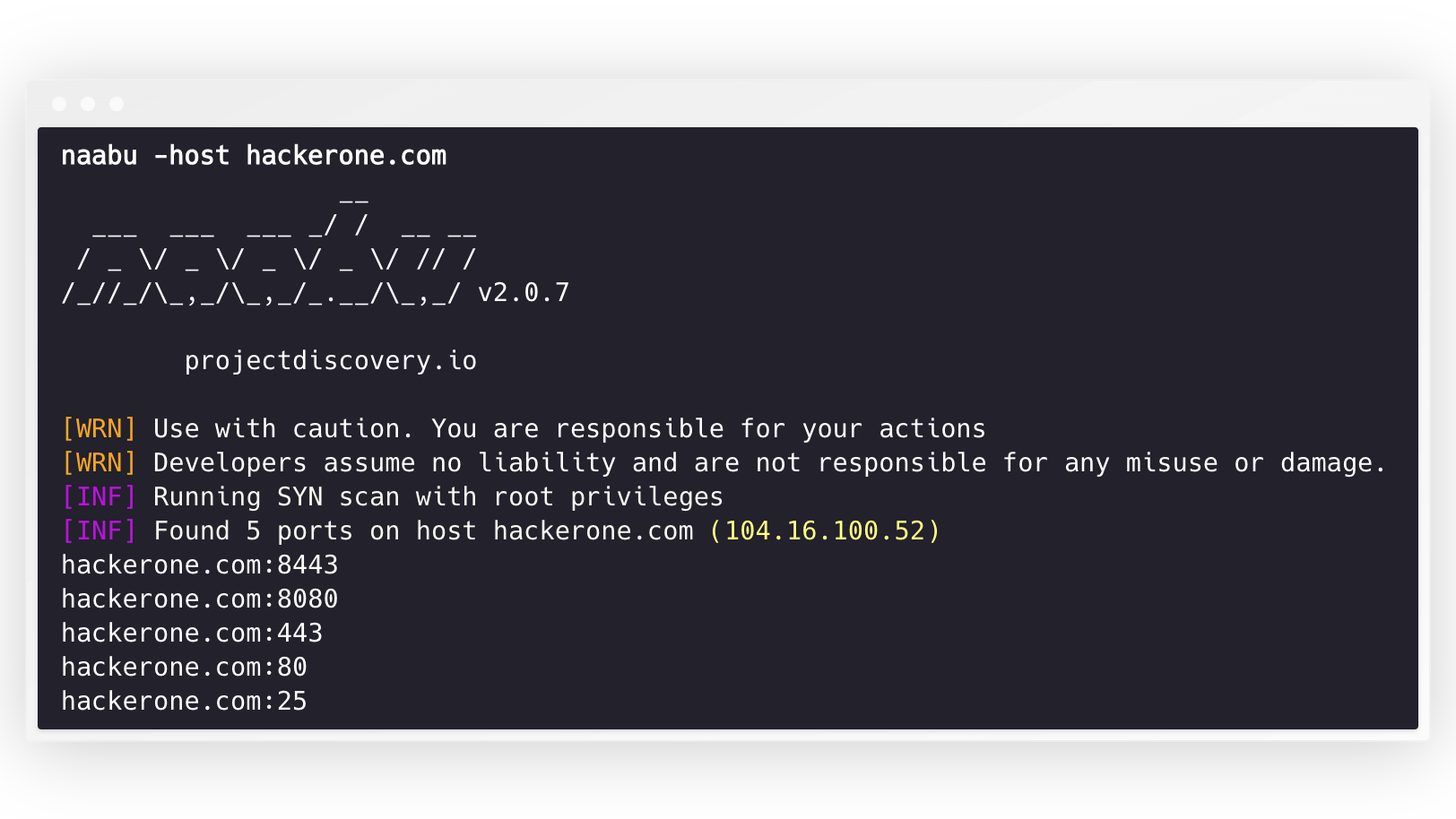
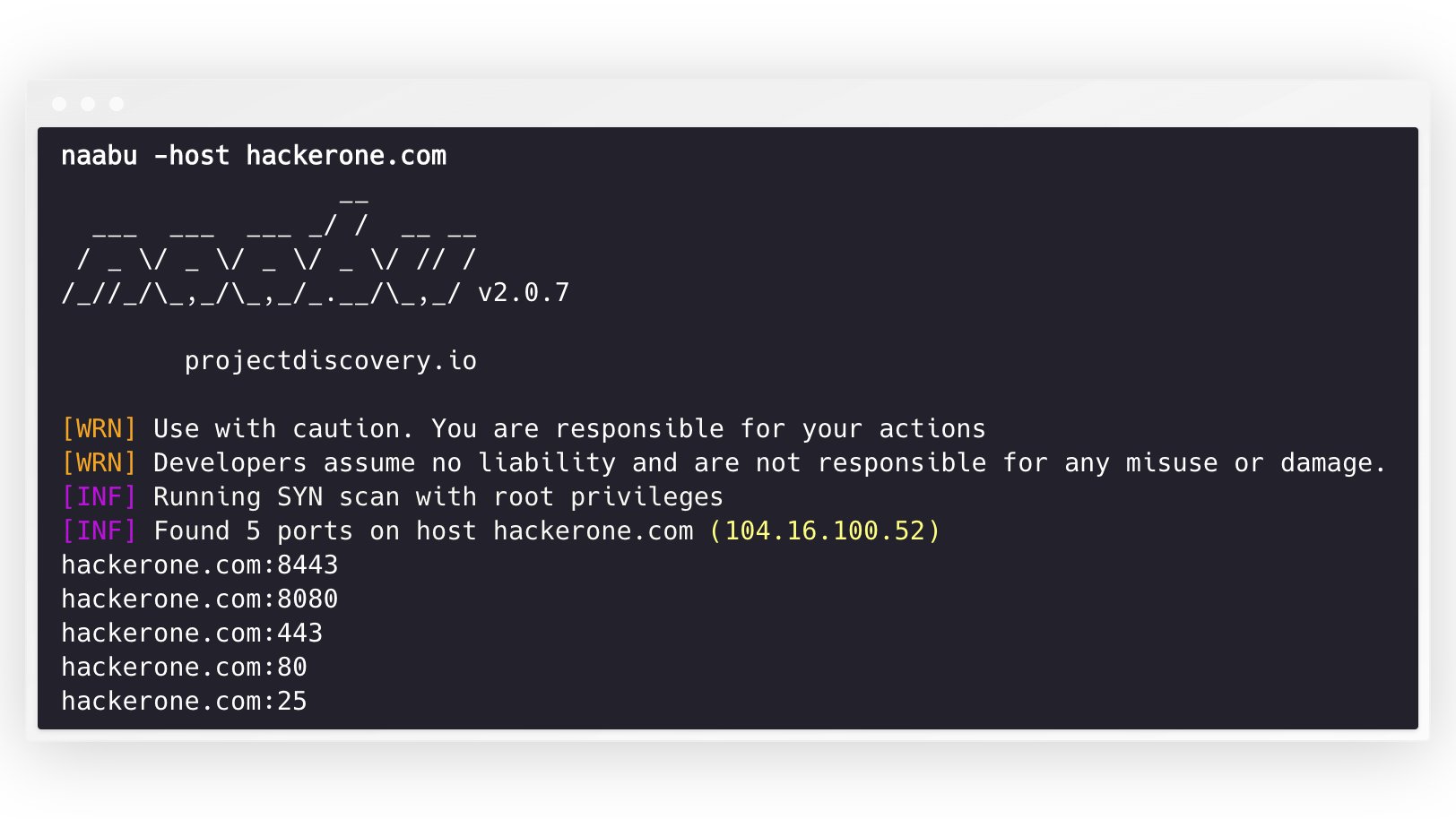
naabu -host hackerone.com
这将针对 hackerone.com 运行该工具。有多种配置选项可以与此命令一起传递。详细开关 -v 可用于显示详细信息。```console
naabu -host hackerone.com
__
___ ___ ___ / / __ __ / _ / _ / _ / _ / // / ////_,/_,/.__/_,_/ v2.0.3
projectdiscovery.io
[WRN] Use with caution. You are responsible for your actions [WRN] Developers assume no liability and are not responsible for any misuse or damage. [INF] Running SYN scan with root privileges [INF] Found 4 ports on host hackerone.com (104.16.100.52)
hackerone.com:80 hackerone.com:443 hackerone.com:8443 hackerone.com:8080
可以通过 `-p` 参数指定要在主机上扫描的端口(UDP端口必须表示为 `u:port`)。它接受 nmap 格式的端口并对其运行枚举。```sh
naabu -p 80,443,21-23,u:53 -host hackerone.com
对于UDP扫描,您可以使用-cp或--connect-payload标志指定要发送的自定义载荷。这对于需要特定数据才能响应的UDP服务特别有用:```sh
naabu -p u:53 -host example.com -cp "DNS query payload"
默认情况下,Naabu 扫描 nmap 的 `Top 100` 端口。它支持以下内置端口列表 -
| Flag | Description |
|-------------------|--------------------------------------|
| `-top-ports 100` | 扫描 nmap 前 **100** 个端口 |
| `-top-ports 1000` | 扫描 nmap 前 **1000** 个端口 |
| `-p - ` | 扫描全端口范围 **1-65535** |
你还可以指定希望从扫描中排除的特定端口。```sh
naabu -p - -exclude-ports 80,443
要在一批主机上运行 naabu,可以使用 -list 选项。```sh
naabu -list hosts.txt
在ASN上运行naabu时,可以使用AS输入。它会获取给定ASN可用的IP地址,并在这些地址上运行枚举。```console
echo AS14421 | naabu -p 80,443
216.101.17.249:80
216.101.17.249:443
216.101.17.248:443
216.101.17.252:443
216.101.17.251:80
216.101.17.251:443
216.101.17.250:443
216.101.17.250:80
您也可以使用 -json 开关获取 JSON 格式的输出。此开关将输出保存为 JSON lines 格式。```console
naabu -host 104.16.99.52 -json
{"ip":"104.16.99.52","port":443} {"ip":"104.16.99.52","port":80}
发现的端口也可以传递给其他工具。例如,你可以将通过naabu发现的端口传递给[httpx](https://github.com/projectdiscovery/httpx),然后它会找到主机上正在运行的HTTP服务器。```console
echo hackerone.com | naabu -silent | httpx -silent
http://hackerone.com:8443
http://hackerone.com:443
http://hackerone.com:8080
http://hackerone.com:80
速度可以通过更改 rate 标志的值来控制,该值表示每秒数据包数量。在处理主机时增加该值可能导致误报率上升。因此建议将其保持在合理范围内。
Naabu 同时支持 IPv4 和 IPv6,默认两者均启用。如果使用 IPv6,必须正确配置连接,且网络接口必须分配有 IPv6 地址(inet6)和默认网关。```console
echo hackerone.com | naabu -p 80 -silent
104.16.99.52:80 104.16.100.52:80 2606:4700::6810:6434:80 2606:4700::6810:6334:80
`-ip-version 6` 选项使工具在解析域名时仅使用 IPv6 地址。```console
echo hackerone.com | ./naabu -p 80 -ip-version 6
__
___ ___ ___ _/ / __ __
/ _ \/ _ \/ _ \/ _ \/ // /
/_//_/\_,_/\_,_/_.__/\_,_/ v2.0.8
projectdiscovery.io
Use with caution. You are responsible for your actions
Developers assume no liability and are not responsible for any misuse or damage.
[INF] Running CONNECT scan with non root privileges
[INF] Found 1 ports on host hackerone.com (2606:4700::6810:6334)
hackerone.com:80
要扫描两个版本的所有IP,可以使用 -scan-all-ips 标志。```console
echo hackerone.com | ./naabu -sa -p 80 -silent
[INF] Found 1 ports on host hackerone.com (104.16.100.52) hackerone.com:80 [INF] Found 1 ports on host hackerone.com (104.16.99.52) hackerone.com:80 [INF] Found 1 ports on host hackerone.com (2606:4700::6810:6334) hackerone.com:80 [INF] Found 1 ports on host hackerone.com (2606:4700::6810:6434) hackerone.com:80
# 主机发现
Naabu 可选地支持多种选项来执行主机发现。主机发现是可选的,可以通过 `-wn` 标志启用。`-sn` 标志指示工具仅执行主机发现。
可用的主机发现选项如下:
- **ARP** ping (`-arp`)
- TCP **SYN** ping (`-ps 80`)
- TCP **ACK** ping (`-pa 443`)
- ICMP **echo** ping (`-pe`)
- ICMP **timestamp** ping (`-pp`)
- ICMP **address mask** ping (`-pm`)
- IPv6 **neighbor discovery** (`-nd`)
# 配置文件
Naabu 支持默认位于 `$HOME/.config/naabu/config.yaml` 的配置文件,它允许你在配置文件中定义任何标志,并设置默认值以包含在所有扫描中。
# Nmap 集成
我们已经集成了 nmap 支持,用于服务发现或 nmap 在 Naabu 发现的结果上支持的任何附加扫描,请确保已安装 `nmap` 以使用此功能。
要使用,可以使用 `nmap-cli` 标志后跟 nmap 命令,例如:-```console
echo hackerone.com | naabu -nmap-cli 'nmap -sV -oX nmap-output'
__
___ ___ ___ _/ / __ __
/ _ \/ _ \/ _ \/ _ \/ // /
/_//_/\_,_/\_,_/_.__/\_,_/ v2.0.0
projectdiscovery.io
[WRN] Use with caution. You are responsible for your actions
[WRN] Developers assume no liability and are not responsible for any misuse or damage.
[INF] Running TCP/ICMP/SYN scan with root privileges
[INF] Found 4 ports on host hackerone.com (104.16.99.52)
hackerone.com:443
hackerone.com:80
hackerone.com:8443
hackerone.com:8080
[INF] Running nmap command: nmap -sV -p 80,8443,8080,443 104.16.99.52
Starting Nmap 7.01 ( https://nmap.org ) at 2020-09-23 05:02 UTC
Nmap scan report for 104.16.99.52
Host is up (0.0021s latency).
PORT STATE SERVICE VERSION
80/tcp open http cloudflare
443/tcp open ssl/https cloudflare
8080/tcp open http-proxy cloudflare
8443/tcp open ssl/https-alt cloudflare
Naabu 内置了使用 nmap's service probes database 的服务版本检测功能。它与端口扫描并行运行,以实现最佳性能。```sh naabu -host scanme.sh -sV
>```console
scanme.sh:22 [ssh OpenSSH/6.6.1p1]
scanme.sh:80 [http Apache httpd/2.4.7]
scanme.sh:9929 [nping-echo Nping echo]
[INF] Found 3 ports on host scanme.sh (45.33.32.156) with 3 services identified
可用标志:
-sV 标志需要 nmap-service-probes 数据库文件。naabu 不附带该数据库(它采用版权保护的 Nmap 公共源代码许可证,与 naabu 的 MIT 许可证不兼容),因此它从本地 nmap 安装中读取该文件,自动查找标准 nmap 安装路径。如需使用自定义文件,请使用 -sV-probes 指定路径。
UDP 服务在收到空数据报时通常保持静默,因此盲目的 UDP 端口扫描会遗漏绝大多数服务。使用 -uP(-udp-probes)时,naabu 会从 nmap-service-probes 数据库中为每个被扫描的 UDP 端口选取协议特定的有效负载(53 端口发送 DNS 查询,123 端口发送 NTP 请求,161 端口发送 SNMPv1 GetRequest 等),这样真实的服务就有内容可回应,naabu 便能将其报告为开放。```sh
naabu -host scanme.sh -p u:53,u:123,u:161 -uP
备注:
- `-uP` 是主动选择且可叠加的。当禁用时(默认),UDP 扫描保持其传统的零长度数据报行为。
- 所选探测是针对目标端口的最高优先级(最低稀有度)匹配;如果没有为某个端口注册探测,扫描会回退到空数据报。
- 用户通过 `-cp` 提供的载荷始终覆盖该端口的自动探测。
- `-uP` 复用与 `-sV` 相同的探测数据库,因此你可以将两者结合使用而无需支付两次解析成本。探测文件会从本地 nmap 安装中自动定位;使用 `-sV-probes` 指向自定义文件。如果找不到数据库,`-uP` 会记录警告并静默禁用。
# CDN/WAF 排除
Naabu 还支持排除 CDN/WAF IP 进行端口扫描。如果使用,则对这些 IP 仅扫描 `80` 和 `443` 端口。可以通过 `exclude-cdn` 标志启用此功能。
目前支持排除 `cloudflare`、`akamai`、`incapsula` 和 `sucuri` 的 IP。
# 扫描状态
Naabu 在本地主机上暴露一个绑定到 localhost 的 JSON 扫描信息端口,地址为 `http://localhost:63636/metrics`(端口可通过 `-metrics-port` 标志更改)。
# 将 naabu 作为库使用
以下示例程序扫描 `scanme.sh` 的端口 `80`。结果通过 `OnResult` 回调返回:```go
package main
import (
"log"
"context"
"github.com/projectdiscovery/goflags"
"github.com/projectdiscovery/naabu/v2/pkg/result"
"github.com/projectdiscovery/naabu/v2/pkg/runner"
)
func main() {
options := runner.Options{
Host: goflags.StringSlice{"scanme.sh"},
ScanType: "s",
OnResult: func(hr *result.HostResult) {
log.Println(hr.Host, hr.Ports)
},
Ports: "80",
}
naabuRunner, err := runner.NewRunner(&options)
if err != nil {
log.Fatal(err)
}
defer naabuRunner.Close()
naabuRunner.RunEnumeration(context.Background())
}
OnResult在扫描完成后调用一次,并返回聚合结果。若需在发现端口时实时处理结果,请改用OnReceive。Stream选项仅控制异步目标加载,不影响回调触发时机。
Naabu 由 projectdiscovery 团队用 🖤 打造。社区贡献使该项目得以发展。
更多详情请参阅 Thanks.md 文件。
| 标志 | 描述 |
|---|
-sV | 启用服务版本检测 |
-sV-fast | 仅探测端口提示的服务(更快,跳过回退探测) |
-sV-timeout duration | 服务版本探测超时时间(默认5秒) |
-sV-workers int | 并发服务版本探测的工作线程数(默认25) |
-sV-probes string | 自定义 nmap-service-probes 文件路径(若为空则从本地 nmap 安装自动检测) |
-sD | 服务发现(将端口号匹配到服务名称,无主动探测) |