 projectdiscovery/katana
A next-generation crawling and spidering framework.

<h1 align="center">
<img src="https://assets.kitploit.com/production/public/readmes/5826/1f84ccf74eb6c4e5a96d69ab2054998ca0661a04c4e212e046874510b07ad11b.png" alt="katana" width="200px">
<br>
</h1>
<h4 align="center">A next-generation crawling and spidering framework</h4>
<p align="center">
<a href="https://goreportcard.com/report/github.com/projectdiscovery/katana"><img src="https://goreportcard.com/badge/github.com/projectdiscovery/katana"></a>
<a href="https://github.com/projectdiscovery/katana/issues"><img src="https://img.shields.io/badge/contributions-welcome-brightgreen.svg?style=flat"></a>
<a href="https://github.com/projectdiscovery/katana/releases"><img src="https://img.shields.io/github/release/projectdiscovery/katana"></a>
<a href="https://twitter.com/pdiscoveryio"><img src="https://img.shields.io/twitter/follow/pdiscoveryio.svg?logo=twitter"></a>
<a href="https://discord.gg/projectdiscovery"><img src="https://img.shields.io/discord/695645237418131507.svg?logo=discord"></a>
</p>
<p align="center">
<a href="#features">Features</a> •
<a href="#installation">Installation</a> •
<a href="#usage">Usage</a> •
<a href="#scope-control">Scope</a> •
<a href="#crawler-configuration">Config</a> •
<a href="#filters">Filters</a> •
<a href="https://discord.gg/projectdiscovery">Join Discord</a>
</p>
# Features
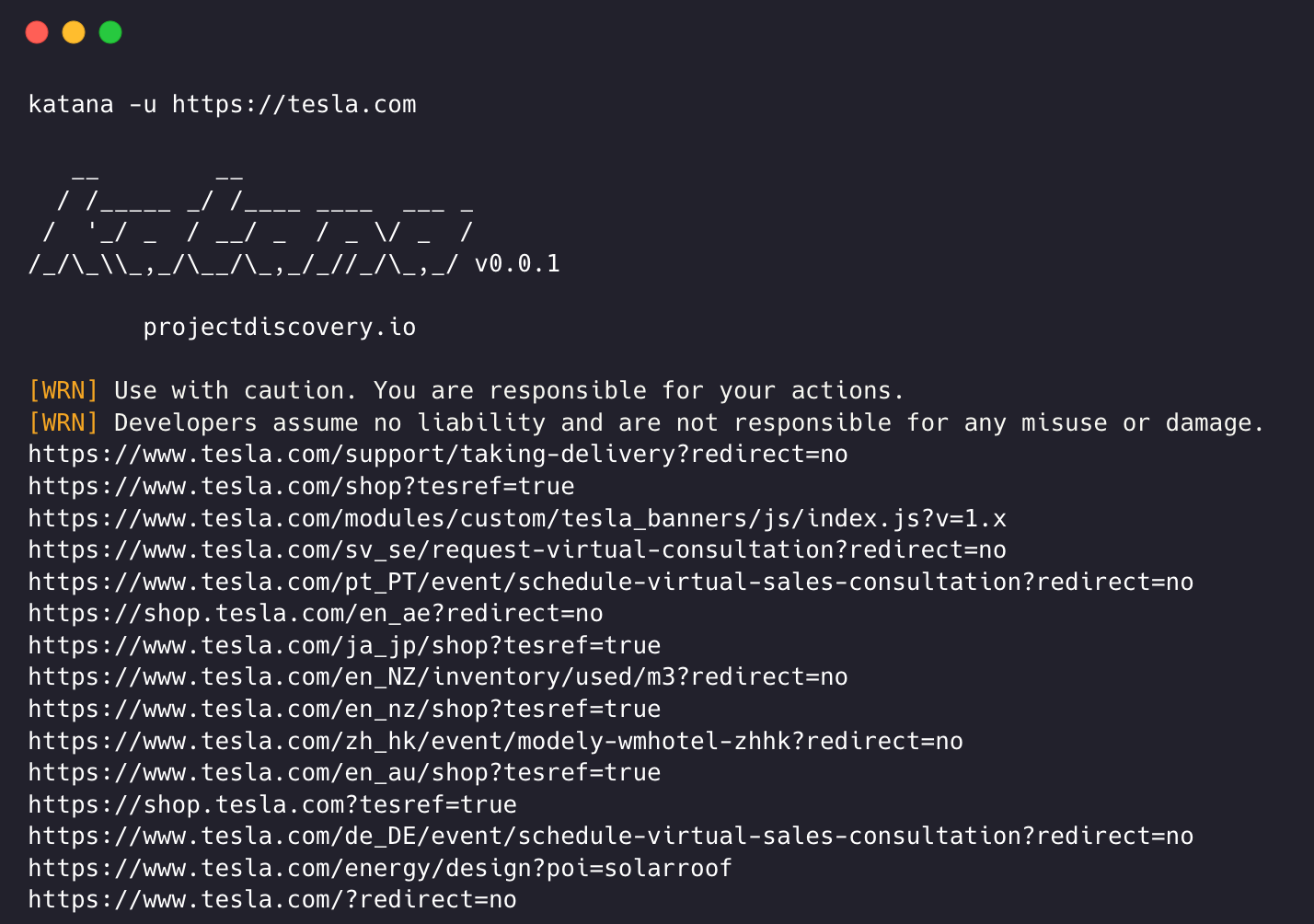
- Fast And fully configurable web crawling
- **Standard** and **Headless** mode
- **JavaScript** parsing / crawling
- Customizable **automatic form filling**
- **Scope control** - Preconfigured field / Regex
- **Knowledge base** - ML page-type / form classification (auto-downloaded model)
- **Customizable output** - Preconfigured fields
- INPUT - **STDIN**, **URL** and **LIST**
- OUTPUT - **STDOUT**, **FILE** and **JSON**
## Installation
katana requires Go 1.26.10+ to install successfully. If you encounter any installation issues, we recommend trying with the latest available version of Go, as the minimum required version may have changed. Run the command below or download a pre-compiled binary from the [release page](https://github.com/projectdiscovery/katana/releases).
```console
CGO_ENABLED=1 go install github.com/projectdiscovery/katana/cmd/katana@latest
```
**More options to install / run katana-**
<details>
<summary>Docker</summary>
> To install / update docker to latest tag -
```sh
docker pull projectdiscovery/katana:latest
```
> To run katana in standard mode using docker -
```sh
docker run projectdiscovery/katana:latest -u https://tesla.com
```
> To run katana in headless mode using docker -
```sh
docker run projectdiscovery/katana:latest -u https://tesla.com -system-chrome -headless
```
</details>
<details>
<summary>Ubuntu</summary>
> It's recommended to install the following prerequisites -
```sh
sudo apt update
sudo apt install zip curl wget git snapd
sudo snap refresh
sudo snap install golang --classic
sudo install -d -m 0755 /etc/apt/keyrings
curl -fsSL https://dl.google.com/linux/linux_signing_key.pub \
| sudo gpg --dearmor -o /etc/apt/keyrings/google-chrome.gpg
echo "deb [arch=amd64 signed-by=/etc/apt/keyrings/google-chrome.gpg] \
http://dl.google.com/linux/chrome/deb/ stable main" \
| sudo tee /etc/apt/sources.list.d/google-chrome.list > /dev/null
sudo apt update
sudo apt install google-chrome-stable
```
> install katana -
```sh
go install github.com/projectdiscovery/katana/cmd/katana@latest
```
</details>
## Usage
```console
katana -h
```
This will display help for the tool. Here are all the switches it supports.
```console
Katana is a fast crawler focused on execution in automation
pipelines offering both headless and non-headless crawling.
Usage:
./katana [flags]
Flags:
INPUT:
-u, -list string[] target url / list to crawl
-resume string resume scan using resume.cfg
-e, -exclude string[] exclude host matching specified filter ('cdn', 'private-ips', cidr, ip, regex)
CONFIGURATION:
-r, -resolvers string[] list of custom resolver (file or comma separated)
-d, -depth int maximum depth to crawl (default 3)
-jc, -js-crawl enable endpoint parsing / crawling in javascript file
-jsl, -jsluice enable jsluice parsing in javascript file (memory intensive)
-ct, -crawl-duration value maximum duration to crawl the target for (s, m, h, d) (default s)
-kf, -known-files string enable crawling of known files (all,robotstxt,sitemapxml), a minimum depth of 3 is required to ensure all known files are properly crawled.
-mrs, -max-response-size int maximum response size to read (default 4194304)
-timeout int time to wait for request in seconds (default 10)
-aff, -automatic-form-fill enable automatic form filling (experimental)
-fx, -form-extraction extract form, input, textarea & select elements in jsonl output
-retry int number of times to retry the request (default 1)
-proxy string http/socks5 proxy to use
-td, -tech-detect enable technology detection
-H, -headers string[] custom header/cookie to include in all http request in header:value format (file)
-config string path to the katana configuration file
-fc, -form-config string path to custom form configuration file
-flc, -field-config string path to custom field configuration file
-s, -strategy string Visit strategy (depth-first, breadth-first, priority) (default "depth-first")
-iqp, -ignore-query-params Ignore crawling same path with different query-param values
-fsu, -filter-similar filter crawling of similar looking URLs (e.g., /users/123 and /users/456)
-fst, -filter-similar-threshold int number of distinct values before a path position is treated as parameter (default 10)
-tlsi, -tls-impersonate enable experimental client hello (ja3) tls randomization
-dr, -disable-redirects disable following redirects (default false)
-pcs, -page-content-similar enable page content similarity filtering (simhash|tfidf|bm25)
-pcsm, -page-content-similar-mode string similarity mode: simhash, tfidf, or bm25 (default simhash)
-pcsd, -page-content-similar-distance int simhash max hamming distance (default 3)
-pcst, -page-content-similar-threshold float tfidf/bm25 min score 0-1 (default 0.85)
-pcsn, -page-content-similar-budget int pages to fully process per similarity cluster (default 1)
-sdd, -similarity-deduplication alias for -pcs
-kb, -knowledge-base enable knowledge base classification
-kb-secrets enable secrets extractor in the knowledge base
-kb-validate-secrets validate detected secrets against their provider (sends live API calls)
-kb-endpoints enable endpoints extractor (classifies REST/GraphQL/SOAP/XHR requests)
-mdp, -max-domain-pages int maximum number of pages to crawl per domain (default unlimited)
DEBUG:
-health-check, -hc run diagnostic check up
-elog, -error-log string file to write sent requests error log
-pprof-server enable pprof server
HEADLESS:
-hl, -headless enable headless hybrid crawling (experimental)
-sc, -system-chrome use local installed chrome browser instead of katana installed
-sb, -show-browser show the browser on the screen with headless mode
-ho, -headless-options string[] start headless chrome with additional options
-nos, -no-sandbox start headless chrome in --no-sandbox mode
-cdd, -chrome-data-dir string path to store chrome browser data
-scp, -system-chrome-path string use specified chrome browser for headless crawling
-noi, -no-incognito start headless chrome without incognito mode
-cwu, -chrome-ws-url string use chrome browser instance launched elsewhere with the debugger listening at this URL
-xhr, -xhr-extraction extract xhr request url,method in jsonl output
-pls, -page-load-strategy string page load strategy (heuristic, load, domcontentloaded, networkidle, none) (default "heuristic")
-dwt, -dom-wait-time int time in seconds to wait after page load when using domcontentloaded strategy (default 5)
-csp, -captcha-solver-provider string captcha solver provider (e.g. capsolver)
-csk, -captcha-solver-key string captcha solver provider api key (env CAPTCHA_SOLVER_KEY)
AI:
-ai-url string openai compatible api url for crawl decisions (e.g. http://127.0.0.1:11434/v1)
-ai-model string model to use with -ai-url
-ai-key string api key for -ai-url (env AI_API_KEY)
-ai-record string file to record ai answers to, reused on later runs
-ai-replay string file to replay recorded ai answers from, without calling the api
-ai-max-calls int maximum ai api calls per crawl (0 = unlimited) (default 100)
SCOPE:
-cs, -crawl-scope string[] in scope url regex to be followed by crawler
-cos, -crawl-out-scope string[] out of scope url regex to be excluded by crawler
-fs, -field-scope string pre-defined scope field (dn,rdn,fqdn) or custom regex (e.g., '(company-staging.io|company.com)') (default "rdn")
-ns, -no-scope disables host based default scope
-do, -display-out-scope display external endpoint from scoped crawling
FILTER:
-mr, -match-regex string[] regex or list of regex to match on output url (cli, file)
-fr, -filter-regex string[] regex or list of regex to filter on output url (cli, file)
-f, -field string field to display in output (url,path,fqdn,rdn,rurl,qurl,qpath,file,ufile,key,value,kv,dir,udir) (Deprecated: use -output-template instead)
-sf, -store-field string field to store in per-host output (url,path,fqdn,rdn,rurl,qurl,qpath,file,ufile,key,value,kv,dir,udir)
-em, -extension-match string[] match output for given extension (eg, -em php,html,js,none)
-ef, -extension-filter string[] filter output for given extension (eg, -ef png,css)
-ndef, -no-default-ext-filter bool remove default extensions from the filter list
-mdc, -match-condition string match response with dsl based condition
-fdc, -filter-condition string filter response with dsl based condition
-duf, -disable-unique-filter disable duplicate content filtering
-filter-page-type string[] filter response with page type (e.g. error,captcha,parked)
RATE-LIMIT:
-c, -concurrency int number of concurrent fetchers to use (default 10)
-p, -parallelism int number of concurrent inputs to process (default 10)
-rd, -delay int request delay between each request in seconds
-rl, -rate-limit int maximum requests to send per second (default 150)
-rlm, -rate-limit-minute int maximum number of requests to send per minute
-hrl, -host-rate-limit int maximum requests to send per second per host
-hrlm, -host-rate-limit-minute int maximum number of requests to send per minute per host
UPDATE:
-up, -update update katana to latest version
-duc, -disable-update-check disable automatic katana update check
OUTPUT:
-o, -output string file to write output to
-output-template string custom output template
-sr, -store-response store http requests/responses
-srd, -store-response-dir string store http requests/responses to custom directory
-ncb, -no-clobber do not overwrite output file
-sfd, -store-field-dir string store per-host field to custom directory
-or, -omit-raw omit raw requests/responses from jsonl output
-ob, -omit-body omit response body from jsonl output
-lof, -list-output-fields list available fields for jsonl output format
-eof, -exclude-output-fields exclude fields from jsonl output
-j, -jsonl write output in jsonl format
-nc, -no-color disable output content coloring (ANSI escape codes)
-silent display output only
-v, -verbose display verbose output
-debug display debug output
-version display project version
```
## Running Katana
### Input for katana
**katana** requires **url** or **endpoint** to crawl and accepts single or multiple inputs.
Input URL can be provided using `-u` option, and multiple values can be provided using comma-separated input, similarly **file** input is supported using `-list` option and additionally piped input (stdin) is also supported.
#### URL Input
```sh
katana -u https://tesla.com
```
#### Multiple URL Input (comma-separated)
```sh
katana -u https://tesla.com,https://google.com
```
#### List Input
```bash
$ cat url_list.txt
https://tesla.com
https://google.com
```
```
katana -list url_list.txt
```
#### STDIN (piped) Input
```sh
echo https://tesla.com | katana
```
```sh
cat domains | httpx | katana
```
### Page Content Similarity
Optional Layer-2 filtering after exact MD5 content dedup. Shared HTML normalization strips chrome (`nav`/`header`/`footer`/scripts), then one of three modes decides whether a page is similar enough to skip further parse/enqueue (cluster budget). URL-shape dedup (`-fsu`) remains independent.
| Mode | Flag | Best for |
|------|------|----------|
| `simhash` (default) | `-pcsm simhash` | Near-duplicate / template clones (Hamming via `-pcsd`) |
| `tfidf` | `-pcsm tfidf` | Topical cosine similarity (`-pcst`) |
| `bm25` | `-pcsm bm25` | Topical similarity with length normalization (`-pcst`) |
```sh
# Near-duplicate detection (default mode)
katana -u https://example.com -pcs
# TF-IDF topical filtering with higher budget
katana -u https://shop.example.com -pcs -pcsm tfidf -pcst 0.85 -pcsn 2
# BM25 mode
katana -u https://example.com -pcs -pcsm bm25
# Alias from older flag name
katana -u https://example.com -sdd -pcsm simhash
```
Example completion stats:
```console
[INF] Content similarity (simhash): 103 processed, 30 accepted, 73 filtered - 70.9% filter rate
[INF] Crawl completed in 14s. 21 endpoints found.
```
Example running katana -
```console
katana -u https://youtube.com
__ __
/ /_____ _/ /____ ____ ___ _
/ '_/ _ / __/ _ / _ \/ _ /
/_/\_\\_,_/\__/\_,_/_//_/\_,_/ v0.0.1
projectdiscovery.io
[WRN] Use with caution. You are responsible for your actions.
[WRN] Developers assume no liability and are not responsible for any misuse or damage.
https://www.youtube.com/
https://www.youtube.com/about/
https://www.youtube.com/about/press/
https://www.youtube.com/about/copyright/
https://www.youtube.com/t/contact_us/
https://www.youtube.com/creators/
https://www.youtube.com/ads/
https://www.youtube.com/t/terms
https://www.youtube.com/t/privacy
https://www.youtube.com/about/policies/
https://www.youtube.com/howyoutubeworks?utm_campaign=ytgen&utm_source=ythp&utm_medium=LeftNav&utm_content=txt&u=https%3A%2F%2Fwww.youtube.com%2Fhowyoutubeworks%3Futm_source%3Dythp%26utm_medium%3DLeftNav%26utm_campaign%3Dytgen
https://www.youtube.com/new
https://m.youtube.com/
https://www.youtube.com/s/desktop/4965577f/jsbin/desktop_polymer.vflset/desktop_polymer.js
https://www.youtube.com/s/desktop/4965577f/cssbin/www-main-desktop-home-page-skeleton.css
https://www.youtube.com/s/desktop/4965577f/cssbin/www-onepick.css
https://www.youtube.com/s/_/ytmainappweb/_/ss/k=ytmainappweb.kevlar_base.0Zo5FUcPkCg.L.B1.O/am=gAE/d=0/rs=AGKMywG5nh5Qp-BGPbOaI1evhF5BVGRZGA
https://www.youtube.com/opensearch?locale=en_GB
https://www.youtube.com/manifest.webmanifest
https://www.youtube.com/s/desktop/4965577f/cssbin/www-main-desktop-watch-page-skeleton.css
https://www.youtube.com/s/desktop/4965577f/jsbin/web-animations-next-lite.min.vflset/web-animations-next-lite.min.js
https://www.youtube.com/s/desktop/4965577f/jsbin/custom-elements-es5-adapter.vflset/custom-elements-es5-adapter.js
https://www.youtube.com/s/desktop/4965577f/jsbin/webcomponents-sd.vflset/webcomponents-sd.js
https://www.youtube.com/s/desktop/4965577f/jsbin/intersection-observer.min.vflset/intersection-observer.min.js
https://www.youtube.com/s/desktop/4965577f/jsbin/scheduler.vflset/scheduler.js
https://www.youtube.com/s/desktop/4965577f/jsbin/www-i18n-constants-en_GB.vflset/www-i18n-constants.js
https://www.youtube.com/s/desktop/4965577f/jsbin/www-tampering.vflset/www-tampering.js
https://www.youtube.com/s/desktop/4965577f/jsbin/spf.vflset/spf.js
https://www.youtube.com/s/desktop/4965577f/jsbin/network.vflset/network.js
https://www.youtube.com/howyoutubeworks/
https://www.youtube.com/trends/
https://www.youtube.com/jobs/
https://www.youtube.com/kids/
```
## Crawling Mode
### Standard Mode
Standard crawling modality uses the standard go http library under the hood to handle HTTP requests/responses. This modality is much faster as it doesn't have the browser overhead. Still, it analyzes HTTP responses body as is, without any javascript or DOM rendering, potentially missing post-dom-rendered endpoints or asynchronous endpoint calls that might happen in complex web applications depending, for example, on browser-specific events.
### Headless Mode
Headless mode hooks internal headless calls to handle HTTP requests/responses directly within the browser context. This offers two advantages:
- The HTTP fingerprint (TLS and user agent) fully identify the client as a legitimate browser
- Better coverage since the endpoints are discovered analyzing the standard raw response, as in the previous modality, and also the browser-rendered one with javascript enabled.
Headless crawling is optional and can be enabled using `-headless` option.
Here are other headless CLI options -
```console
katana -h headless
Flags:
HEADLESS:
-hl, -headless enable headless hybrid crawling (experimental)
-sc, -system-chrome use local installed chrome browser instead of katana installed
-sb, -show-browser show the browser on the screen with headless mode
-ho, -headless-options string[] start headless chrome with additional options
-nos, -no-sandbox start headless chrome in --no-sandbox mode
-cdd, -chrome-data-dir string path to store chrome browser data
-scp, -system-chrome-path string use specified chrome browser for headless crawling
-noi, -no-incognito start headless chrome without incognito mode
-cwu, -chrome-ws-url string use chrome browser instance launched elsewhere with the debugger listening at this URL
-xhr, -xhr-extraction extract xhr requests
-pls, -page-load-strategy string page load strategy (heuristic, load, domcontentloaded, networkidle, none) (default "heuristic")
-dwt, -dom-wait-time int time in seconds to wait after page load when using domcontentloaded strategy (default 5)
-csp, -captcha-solver-provider string captcha solver provider (e.g. capsolver)
-csk, -captcha-solver-key string captcha solver provider api key (env CAPTCHA_SOLVER_KEY)
-al, -auto-login string automatic login with username:password (headless only) (env AUTH_CREDENTIALS)
-rf, -recorded-flow string chrome DevTools Recorder JSON (or explicit steps) to replay before crawl (headless only)
```
### Interactive UI exploration
Use `-interactive` to explore clickable states in the pure headless browser. It enables headless mode, starts at the target page, clicks candidates depth first, and restores a parent state before trying its next control. `-interaction-depth` counts successful state transitions, so a depth of 4 explores four clicks from the starting page. This mode is slower than ordinary headless crawling because a branch may need to be replayed after a click changes the page.
```console
katana -u https://example.com/app -interactive -interaction-depth 4 \
-interaction-max-states 500 -interaction-max-actions 2000 \
-interaction-settle 2s -interaction-duration 5m -crawl-duration 20m
```
`-interaction-selector` and `-interaction-exclude` accept CSS selectors. The default candidate set includes buttons, links, common ARIA controls, inline click handlers, and observed click listeners. After UI exploration, Katana continues its ordinary headless URL crawl. Use `-interaction-duration` to reserve time for that crawl within `-crawl-duration`. Set an action or state limit to `0` to remove that limit.
The existing `-H` option also applies to headless crawling. `Cookie` values are seeded in the browser before navigation, and other headers are attached to requests the crawl scope accepts. New tabs opened by a click are explored when their URL is in scope. Selectors cannot reach every canvas control, closed shadow root, or cross origin frame, so inspect the crawl summary when assessing coverage.
*`-no-sandbox`*
----
Runs headless chrome browser with **no-sandbox** option, useful when running as root user.
```console
katana -u https://tesla.com -headless -no-sandbox
```
*`-no-incognito`*
----
Runs headless chrome browser without incognito mode, useful when using the local browser.
```console
katana -u https://tesla.com -headless -no-incognito
```
To preserve cookies and other browser session data across runs, combine `-no-incognito` with `-chrome-data-dir` so Katana reuses your chosen Chrome profile directory instead of an isolated temporary one.
```console
katana -u https://tesla.com -headless -no-incognito -chrome-data-dir /tmp/katana-profile
```
*`-headless-options`*
----
When crawling in headless mode, additional chrome options can be specified using `-headless-options`, for example -
```console
katana -u https://tesla.com -headless -system-chrome -headless-options --disable-gpu,proxy-server=http://127.0.0.1:8080
```
*`-page-load-strategy`*
----
Controls how katana waits for pages to load in headless mode. Different strategies are useful for different types of web applications:
| Strategy | Description |
|----------|-------------|
| `heuristic` | (default) Smart waiting that adapts to page behavior - waits for load event, network idle, and DOM stability |
| `load` | Waits only for the browser's load event |
| `domcontentloaded` | Waits for DOMContentLoaded event plus additional time (configurable via `-dwt`) for JavaScript rendering |
| `networkidle` | Waits for network activity to stop |
| `none` | No waiting - returns immediately after navigation starts |
```console
katana -u https://tesla.com -headless -pls domcontentloaded
```
The `domcontentloaded` strategy is particularly useful for Single Page Applications (SPAs) that never fully complete loading due to continuous background requests (websockets, polling, etc.).
*`-dom-wait-time`*
----
When using the `domcontentloaded` page load strategy, this option specifies how many seconds to wait after the DOMContentLoaded event fires. This allows time for JavaScript to render interactive elements. Default is 5 seconds.
```console
katana -u https://tesla.com -headless -pls domcontentloaded -dwt 10
```
### Captcha Solving
Katana supports automatic captcha detection and solving during headless crawling. When a captcha page is encountered, katana identifies the captcha provider, solves it via an external service, and continues crawling.
Supported captcha types: **reCAPTCHA v2**, **reCAPTCHA v3**, **reCAPTCHA Enterprise**, **Cloudflare Turnstile**, **hCaptcha**
*`-captcha-solver-provider`*
----
Option to specify the captcha solver provider. Currently supported: `capsolver`.
*`-captcha-solver-key`*
----
API key for the captcha solver provider.
```console
katana -u https://example.com -headless -csp capsolver -csk YOUR_API_KEY
```
The provider and key can also be set via environment variables:
```console
export CAPTCHA_SOLVER_PROVIDER=capsolver
export CAPTCHA_SOLVER_KEY=YOUR_API_KEY
katana -u https://example.com -headless
```
## Scope Control
Crawling can be endless if not scoped, as such katana comes with multiple support to define the crawl scope.
*`-field-scope`*
----
Most handy option to define scope with predefined field name, `rdn` being default option for field scope.
- `rdn` - crawling scoped to root domain name and all subdomains (e.g. `*example.com`) (default)
- `fqdn` - crawling scoped to given sub(domain) (e.g. `www.example.com` or `api.example.com`)
- `dn` - crawling scoped to domain name keyword (e.g. `example`)
```console
katana -u https://tesla.com -fs dn
```
*`-crawl-scope`*
------
For advanced scope control, `-cs` option can be used that comes with **regex** support.
```console
katana -u https://tesla.com -cs login
```
For multiple in scope rules, file input with multiline string / regex can be passed.
```bash
$ cat in_scope.txt
login/
admin/
app/
wordpress/
```
```console
katana -u https://tesla.com -cs in_scope.txt
```
*`-crawl-out-scope`*
-----
For defining what not to crawl, `-cos` option can be used and also support **regex** input.
```console
katana -u https://tesla.com -cos logout
```
For multiple out of scope rules, file input with multiline string / regex can be passed.
```bash
$ cat out_of_scope.txt
/logout
/log_out
```
```console
katana -u https://tesla.com -cos out_of_scope.txt
```
*`-no-scope`*
----
Katana is default to scope `*.domain`, to disable this `-ns` option can be used and also to crawl the internet.
```console
katana -u https://tesla.com -ns
```
*`-display-out-scope`*
----
As default, when scope option is used, it also applies for the links to display as output, as such **external URLs are default to exclude** and to overwrite this behavior, `-do` option can be used to display all the external URLs that exist in targets scoped URL / Endpoint.
```
katana -u https://tesla.com -do
```
Here is all the CLI options for the scope control -
```console
katana -h scope
Flags:
SCOPE:
-cs, -crawl-scope string[] in scope url regex to be followed by crawler
-cos, -crawl-out-scope string[] out of scope url regex to be excluded by crawler
-fs, -field-scope string pre-defined scope field (dn,rdn,fqdn) (default "rdn")
-ns, -no-scope disables host based default scope
-do, -display-out-scope display external endpoint from scoped crawling
```
## Crawler Configuration
Katana comes with multiple options to configure and control the crawl as the way we want.
*`-depth`*
----
Option to define the `depth` to follow the urls for crawling, the more depth the more number of endpoint being crawled + time for crawl.
```
katana -u https://tesla.com -d 5
```
*`-js-crawl`*
----
Option to enable JavaScript file parsing + crawling the endpoints discovered in JavaScript files, disabled as default.
```
katana -u https://tesla.com -jc
```
*`-crawl-duration`*
----
Option to predefined crawl duration, disabled as default.
```
katana -u https://tesla.com -ct 2
```
*`-known-files`*
----
Option to enable crawling `robots.txt` and `sitemap.xml` file, disabled as default.
```
katana -u https://tesla.com -kf robotstxt,sitemapxml
```
*`-automatic-form-fill`*
----
Option to enable automatic form filling for known / unknown fields, known field values can be customized as needed by updating form config file at `$HOME/.config/katana/form-config.yaml`.
Automatic form filling is experimental feature.
```
katana -u https://tesla.com -aff
```
Form config values support DSL helper functions for dynamic data generation. All `rand_*` functions from the [projectdiscovery/dsl](https://github.com/projectdiscovery/dsl) library are available:
```yaml
# $HOME/.config/katana/form-config.yaml
email: "rand_email()"
phone: "rand_phone()"
placeholder: "rand_first_name()"
password: 'rand_base(16, "")'
color: "#e66465"
```
*`-filter-similar`*
----
Option to filter crawling of similar looking URLs by normalizing variable path segments. This detects IDs, UUIDs, hashes, dates, and other dynamic values, and also learns repeating patterns at runtime. For example, `/users/123` and `/users/456` are treated as the same endpoint.
```
katana -u https://tesla.com -fsu
```
The promotion threshold (how many distinct values at a path position before it's treated as a parameter) can be tuned with `-fst`. Lower values are more aggressive (fewer URLs crawled), higher values are more permissive. Default is `10`.
```
katana -u https://tesla.com -fsu -fst 5
```
*`-max-domain-pages`*
----
Option to limit the number of pages crawled per domain. Prevents any single domain from consuming the entire crawl budget, useful for large sites or crawler trap protection.
```
katana -u https://tesla.com -mdp 100
```
## Knowledge Base Classification
Katana can enrich crawl results with a **knowledge base** — machine-learning classification of each crawled page powered by [dit](https://github.com/HappyHackingSpace/dit). When enabled, every response is classified by **page type** (e.g. `login`, `error`, `captcha`, `parked`) and any forms on the page are identified, with the result attached to the `knowledgebase` field of the JSONL output. This works across **all engines** (standard and headless).
> **Note**: The classification model is **downloaded automatically** on first use to `~/.dit/model.json` (from [Hugging Face](https://huggingface.co/datasets/happyhackingspace/dit)). This is a one-time, per-machine cost — subsequent runs reuse the cached model. No manual installation of `dit` is required.
*`-knowledge-base`*
----
Enable knowledge base classification. Page-type and form classification is added to the `knowledgebase` field of each result.
```console
katana -u https://example.com -kb -jsonl
```
```json
{
"timestamp": "...",
"request": { "...": "..." },
"response": {
"...": "...",
"knowledgebase": {
"PageType": "login",
"Forms": [{ "type": "login", "fields": { "username": "username or email", "password": "password" } }]
}
}
}
```
*`-filter-page-type`*
----
Filter results to only the given page type(s). Enabling this implies `-kb` (the classifier is initialized automatically).
```console
katana -u https://example.com -fpt login,error
```
*`-kb-secrets`*
----
Enable the secrets extractor in the knowledge base, surfacing detected secrets (API keys, tokens, etc.) under the `secrets` key. Add `-kb-validate-secrets` to validate detected secrets against their provider — note this **sends live API calls**.
```console
katana -u https://example.com -kb-secrets
```
*`-kb-endpoints`*
----
Enable the endpoints extractor, which classifies requests as REST, GraphQL, SOAP, or XHR under the `endpoints` key.
```console
katana -u https://example.com -kb-endpoints
```
## Authenticated Crawling
Katana supports authenticated crawling in several ways: static headers/cookies, attaching to an already-logged-in Chrome session, automatic form login (`-auto-login`), and **recorded browser flows** (`-recorded-flow`) for multi-step / SPA / SSO-style logins.
### Headers / cookies
Authenticated crawling can include custom headers or cookies in HTTP requests to access protected resources. You can specify headers directly on the command line or provide them as a file.
> **Note**: For the header/cookie approach, perform authentication manually once and export the session cookie / header to use with katana.
*`-headers`*
----
Option to add a custom header or cookie to the request.
> Syntax of [headers](https://datatracker.ietf.org/doc/html/rfc7230#section-3.2) in the HTTP specification
Here is an example of adding a cookie to the request:
```
katana -u https://tesla.com -H 'Cookie: usrsess=AmljNrESo'
```
It is also possible to supply headers or cookies as a file. For example:
```
$ cat cookie.txt
Cookie: PHPSESSIONID=XXXXXXXXX
X-API-KEY: XXXXX
TOKEN=XX
```
```
katana -u https://tesla.com -H cookie.txt
```
### Automatic login (`-auto-login`)
In pure headless mode, katana can detect a login form and submit credentials automatically:
```console
katana -hl -u https://app.example.com -al 'user:password'
```
This is best for simple username/password forms. For multi-step, SPA, or SSO logins prefer a recorded flow.
### Recorded flow (`-recorded-flow`)
---
[Read more](https://github.com/projectdiscovery/katana)
