
 projectdiscovery/dnsx
dnsx 是一个快速且多功能的 DNS 工具包,允许您使用用户提供的解析器列表运行多个 DNS 查询。
<h1 align="center">
  <img src="https://assets.kitploit.com/production/public/readmes/3923/abdf7c5ef50e7d740b96aad5a151b9ac75700de029a681a6b3dc6b51efe45b7d.png" alt="dnsx" width="200px">
  <br>
</h1>

<h4 align="center">一个快速且多用途的 DNS 工具包,专为执行 DNS 查询而设计</h4>

<p align="center">
<a href="https://goreportcard.com/report/github.com/projectdiscovery/dnsx"><img src="https://goreportcard.com/badge/github.com/projectdiscovery/dnsx"></a>
<a href="https://github.com/projectdiscovery/dnsx/issues"><img src="https://img.shields.io/badge/contributions-welcome-brightgreen.svg?style=flat"></a>
<a href="https://github.com/projectdiscovery/dnsx/releases"><img src="https://img.shields.io/github/release/projectdiscovery/dnsx"></a>
<a href="https://twitter.com/pdiscoveryio"><img src="https://img.shields.io/twitter/follow/pdiscoveryio.svg?logo=twitter"></a>
<a href="https://discord.gg/projectdiscovery"><img src="https://img.shields.io/discord/695645237418131507.svg?logo=discord"></a>
</p>

<p align="center">
  <a href="#features">功能特性</a> •
  <a href="#installation-instructions">安装</a> •
  <a href="#usage">使用方法</a> •
  <a href="#running-dnsx">运行 `dnsx`</a> •
  <a href="#wildcard-filtering">通配符</a> •
  <a href="#-notes">注意事项</a> •
  <a href="https://discord.gg/projectdiscovery">加入 Discord</a>
</p>


---

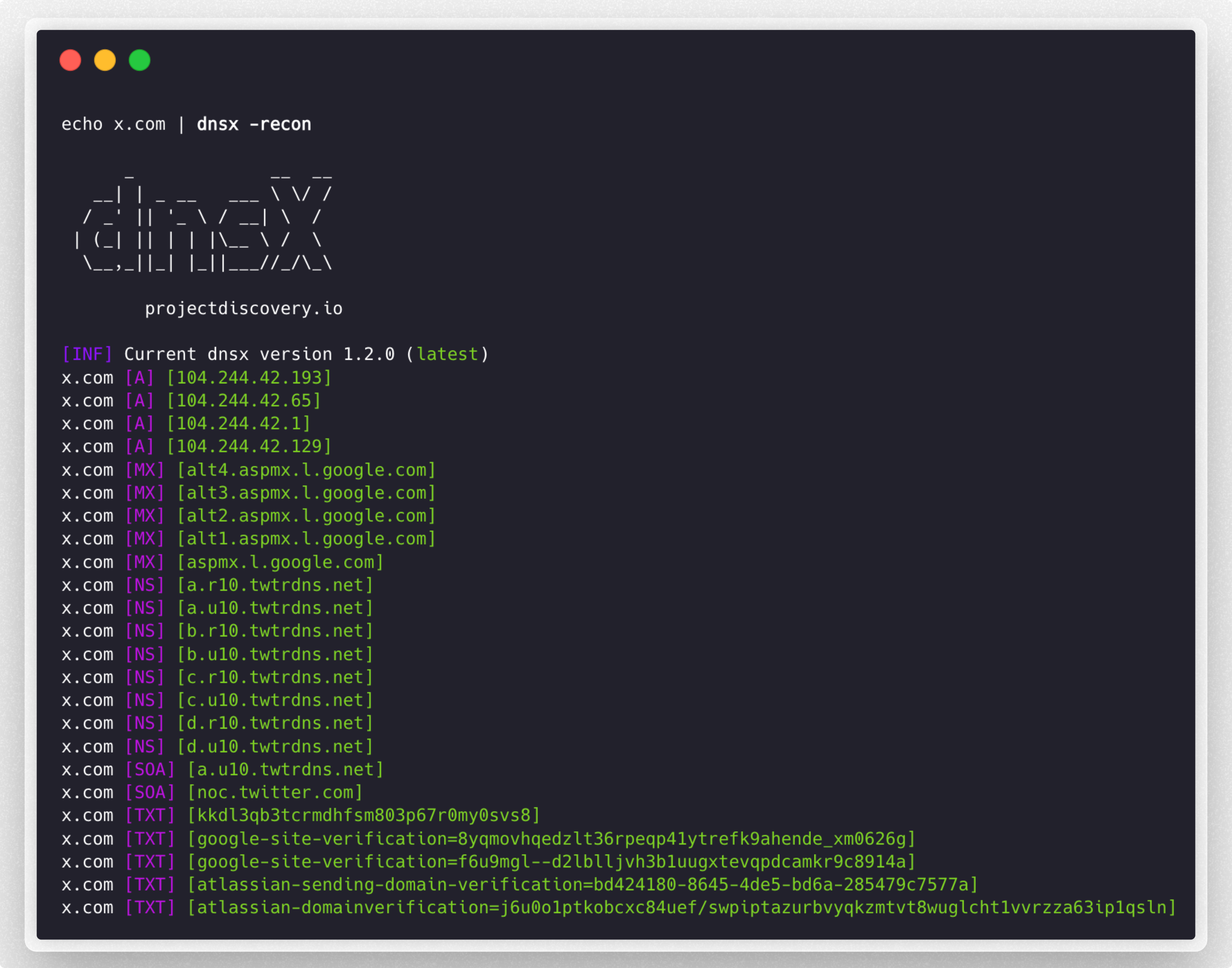
`dnsx` 是一个快速且多用途的 DNS 工具包,旨在通过 [retryabledns](https://github.com/projectdiscovery/retryabledns) 库执行各种探测。它支持多种 DNS 查询、用户提供的解析器、类似 [shuffledns](https://github.com/projectdiscovery/shuffledns) 的 DNS 通配符过滤等功能。


# 功能特性

<h1 align="left">
  <img src="https://assets.kitploit.com/production/public/readmes/3923/e0be49be16e94055f8ca00845ffa701135d23cba6aca284260e6208fa8c20026.png" alt="dnsx" width="700px"></a>
  <br>
</h1>


 - 简单便捷的 DNS 记录查询工具。
 - 支持 **A、AAAA、CNAME、PTR、NS、MX、TXT、SRV、SOA** 查询
 - 支持 DNS **解析** / **暴力破解**
 - 支持自定义**解析器**输入
 - 支持多种解析器格式 **(TCP/UDP/DOH/DOT)**
 - 支持 **stdin** 和 **stdout**
 - 自动**通配符**处理支持

# 安装说明


`dnsx` 需要 **go1.21** 才能成功安装。运行以下命令安装最新版本:

```sh
go install -v github.com/projectdiscovery/dnsx/cmd/dnsx@latest
```

# 使用方法

```sh
dnsx -h
```

这将显示该工具的帮助信息。以下是它支持的所有开关选项。

```console
INPUT:
   -l, -list string      list of sub(domains)/hosts to resolve (file or stdin)
   -d, -domain string    list of domain to bruteforce (file or comma separated or stdin)
   -w, -wordlist string  list of words to bruteforce (file or comma separated or stdin)

QUERY:
   -a                       query A record (default)
   -aaaa                    query AAAA record
   -cname                   query CNAME record
   -ns                      query NS record
   -txt                     query TXT record
   -srv                     query SRV record
   -ptr                     query PTR record
   -mx                      query MX record
   -soa                     query SOA record
   -any                     query ANY record
   -axfr                    query AXFR
   -caa                     query CAA record
   -recon                   query all the dns records (a,aaaa,cname,ns,txt,srv,ptr,mx,soa,axfr,caa)
   -e, -exclude-type value  dns query type to exclude (a,aaaa,cname,ns,txt,srv,ptr,mx,soa,axfr,caa) (default none)

FILTER:
   -re, -resp          display dns response
   -ro, -resp-only     display dns response only
   -rc, -rcode string  filter result by dns status code (eg. -rcode noerror,servfail,refused)

PROBE:
   -cdn  display cdn name
   -asn  display host asn information

RATE-LIMIT:
   -t, -threads int      number of concurrent threads to use (default 100)
   -rl, -rate-limit int  number of dns request/second to make (disabled as default) (default -1)

UPDATE:
   -up, -update                 update dnsx to latest version
   -duc, -disable-update-check  disable automatic dnsx update check

OUTPUT:
   -o, -output string           file to write output
   -j, -json                    write output in JSONL(ines) format
   -omit-raw, -or               omit raw dns response from jsonl output
   -ot, -output-template string custom output template (e.g. -ot '{{host}} {{a}}')

DEBUG:
   -hc, -health-check  run diagnostic check up
   -silent             display only results in the output
   -v, -verbose        display verbose output
   -raw, -debug        display raw dns response
   -stats              display stats of the running scan
   -version            display version of dnsx
   -nc, -no-color      disable color in output

OPTIMIZATION:
   -retry int                number of dns attempts to make (must be at least 1) (default 2)
   -hf, -hostsfile           use system host file
   -trace                    perform dns tracing
   -trace-max-recursion int  Max recursion for dns trace (default 32767)
   -resume                   resume existing scan
   -stream                   stream mode (wordlist, wildcard, stats and stop/resume will be disabled)
   -timeout value            maximum time to wait for a DNS query to complete (default 3s)

CONFIGURATIONS:
   -auth                         configure projectdiscovery cloud (pdcp) api key (default true)
   -r, -resolver string          list of resolvers to use (file or comma separated)
   -wt, -wildcard-threshold int  wildcard filter threshold (default 5)
   -aw, -auto-wildcard           automatically detect wildcard domains for filtering
   -wd, -wildcard-domain string  domain name for manual wildcard filtering (mutually exclusive with -auto-wildcard; other flags will be ignored - json output recommended)
```

## 运行 dnsx

### DNS 解析

从各种来源获取的被动子域名列表中筛选出活跃的主机名:

```console
subfinder -silent -d hackerone.com | dnsx -silent

a.ns.hackerone.com
www.hackerone.com
api.hackerone.com
docs.hackerone.com
mta-sts.managed.hackerone.com
mta-sts.hackerone.com
resources.hackerone.com
b.ns.hackerone.com
mta-sts.forwarding.hackerone.com
events.hackerone.com
support.hackerone.com
```

打印给定子域名列表的 **A** 记录:

```console
subfinder -silent -d hackerone.com | dnsx -silent -a -resp

www.hackerone.com [104.16.100.52]
www.hackerone.com [104.16.99.52]
hackerone.com [104.16.99.52]
hackerone.com [104.16.100.52]
api.hackerone.com [104.16.99.52]
api.hackerone.com [104.16.100.52]
mta-sts.forwarding.hackerone.com [185.199.108.153]
mta-sts.forwarding.hackerone.com [185.199.109.153]
mta-sts.forwarding.hackerone.com [185.199.110.153]
mta-sts.forwarding.hackerone.com [185.199.111.153]
a.ns.hackerone.com [162.159.0.31]
resources.hackerone.com [52.60.160.16]
resources.hackerone.com [3.98.63.202]
resources.hackerone.com [52.60.165.183]
resources.hackerone.com [read.uberflip.com]
mta-sts.hackerone.com [185.199.110.153]
mta-sts.hackerone.com [185.199.111.153]
mta-sts.hackerone.com [185.199.109.153]
mta-sts.hackerone.com [185.199.108.153]
gslink.hackerone.com [13.35.210.17]
gslink.hackerone.com [13.35.210.38]
gslink.hackerone.com [13.35.210.83]
gslink.hackerone.com [13.35.210.19]
b.ns.hackerone.com [162.159.1.31]
docs.hackerone.com [185.199.109.153]
docs.hackerone.com [185.199.110.153]
docs.hackerone.com [185.199.111.153]
docs.hackerone.com [185.199.108.153]
support.hackerone.com [104.16.51.111]
support.hackerone.com [104.16.53.111]
mta-sts.managed.hackerone.com [185.199.108.153]
mta-sts.managed.hackerone.com [185.199.109.153]
mta-sts.managed.hackerone.com [185.199.110.153]
mta-sts.managed.hackerone.com [185.199.111.153]
```

提取给定子域名列表的 **A** 记录:

```console
subfinder -silent -d hackerone.com | dnsx -silent -a -resp-only

104.16.99.52
104.16.100.52
162.159.1.31
104.16.99.52
104.16.100.52
185.199.110.153
185.199.111.153
185.199.108.153
185.199.109.153
104.16.99.52
104.16.100.52
104.16.51.111
104.16.53.111
185.199.108.153
185.199.111.153
185.199.110.153
185.199.111.153
```

提取给定子域名列表的 **CNAME** 记录:

```console
subfinder -silent -d hackerone.com | dnsx -silent -cname -resp

support.hackerone.com [hackerone.zendesk.com]
resources.hackerone.com [read.uberflip.com]
mta-sts.hackerone.com [hacker0x01.github.io]
mta-sts.forwarding.hackerone.com [hacker0x01.github.io]
events.hackerone.com [whitelabel.bigmarker.com]
```
提取给定子域名列表的 **ASN** 记录:
```console
subfinder -silent -d hackerone.com | dnsx -silent  -asn

b.ns.hackerone.com [AS13335, CLOUDFLARENET, US]
a.ns.hackerone.com [AS13335, CLOUDFLARENET, US]
hackerone.com [AS13335, CLOUDFLARENET, US]
www.hackerone.com [AS13335, CLOUDFLARENET, US]
api.hackerone.com [AS13335, CLOUDFLARENET, US]
support.hackerone.com [AS13335, CLOUDFLARENET, US]
```

使用 [DNS 状态码](https://github.com/projectdiscovery/dnsx/wiki/RCODE-ID-VALUE-Mapping) 探测给定的(子)域名列表:

```console
subfinder -silent -d hackerone.com | dnsx -silent -rcode noerror,servfail,refused

ns.hackerone.com [NOERROR]
a.ns.hackerone.com [NOERROR]
b.ns.hackerone.com [NOERROR]
support.hackerone.com [NOERROR]
resources.hackerone.com [NOERROR]
mta-sts.hackerone.com [NOERROR]
www.hackerone.com [NOERROR]
mta-sts.forwarding.hackerone.com [NOERROR]
docs.hackerone.com [NOERROR]
```

使用 `PTR` 查询从给定的网络范围中提取子域名:

```console
echo 173.0.84.0/24 | dnsx -silent -resp-only -ptr

cors.api.paypal.com
trinityadminauth.paypal.com
cld-edge-origin-api.paypal.com
appmanagement.paypal.com
svcs.paypal.com
trinitypie-serv.paypal.com
ppn.paypal.com
pointofsale-new.paypal.com
pointofsale.paypal.com
slc-a-origin-pointofsale.paypal.com
fpdbs.paypal.com
```

使用 `PTR` 查询从给定的 ASN 中提取子域名:
```console
echo AS17012 | dnsx -silent -resp-only -ptr

apiagw-a.paypal.com
notify.paypal.com
adnormserv-slc-a.paypal.com
a.sandbox.paypal.com
apps2.paypal-labs.com
pilot-payflowpro.paypal.com
www.paypallabs.com
paypal-portal.com
micropayments.paypal-labs.com
minicart.paypal-labs.com
```
---------

### 自定义输出格式

`-output-template`(`-ot`)标志允许你使用模板自定义输出格式,而不是默认的方括号布局(例如 `example.com [A] [104.20.23.154]`)。你可以直接在命令行上指定模板,以控制解析数据的呈现方式。

模板变量映射到 JSONL 输出(`-json`)中使用的相同字段名,因此以下任意字段都可以通过 `{{field}}` 引用:

`host`、`a`、`aaaa`、`cname`、`ns`、`txt`、`mx`、`srv`、`ptr`、`soa`、`caa`、`ttl`、`resolver`、`status_code`、`cdn-name`、`cdn-type`、`asn`、`query-time`。一个便捷的 `{{ip}}` 别名包含合并后的 `A` 和 `AAAA` 记录。

具有多个值的记录(例如多个 `A` 记录)会在单个字段内以逗号连接。

```console
echo example.com | dnsx -silent -a -ot '{{host}} {{a}}'

example.com 104.20.23.154,172.66.147.243
```

```console
echo example.com | dnsx -silent -a -ot '{{ip}} - {{host}}'

104.20.23.154,172.66.147.243 - example.com
```

> [!NOTE]
> 如果指定的字段不存在或不包含值,它将被直接从输出中省略。`-output-template` 不能与 `-json` 或 `-raw` 组合使用。

---------

### DNS 暴力破解

使用 `d` 和 `w` 标志对给定域名或域名列表进行子域名暴力破解:

```console
dnsx -silent -d facebook.com -w dns_worldlist.txt

blog.facebook.com
booking.facebook.com
api.facebook.com
analytics.facebook.com
beta.facebook.com
apollo.facebook.com
ads.facebook.com
box.facebook.com
alpha.facebook.com
apps.facebook.com
connect.facebook.com
c.facebook.com
careers.facebook.com
code.facebook.com
```

使用单个或多个关键字输入对目标子域名进行暴力破解,因为 `d` 或 `w` 标志支持文件或逗号分隔的关键字输入:

```console
dnsx -silent -d domains.txt -w jira,grafana,jenkins

grafana.1688.com
grafana.8x8.vc
grafana.airmap.com
grafana.aerius.nl
jenkins.1688.com
jenkins.airbnb.app
jenkins.airmap.com
jenkins.ahn.nl
jenkins.achmea.nl
jira.amocrm.com
jira.amexgbt.com
jira.amitree.com
jira.arrival.com
jira.atlassian.net
jira.atlassian.com
```

所有输入类型(`-list`、`-domain`、`-wordlist`)都接受来自 **stdin** 的值。`-list` 标志默认使用 `stdin`,但其他输入类型也可以通过添加 `-`(短横线)作为参数来实现相同效果:

```console
cat domains.txt | dnsx -silent -w jira,grafana,jenkins -d -

grafana.1688.com
grafana.8x8.vc
grafana.airmap.com
grafana.aerius.nl
jenkins.1688.com
jenkins.airbnb.app
jenkins.airmap.com
jenkins.ahn.nl
jenkins.achmea.nl
jira.amocrm.com
jira.amexgbt.com
jira.amitree.com
jira.arrival.com
jira.atlassian.net
jira.atlassian.com
```

#### 基于占位符字典的 DNS 暴力破解

```bash
$ cat tld.txt

com
by
de
be
al
bi
cg
dj
bs
```

```console
dnsx -d google.FUZZ -w tld.txt -resp

      _             __  __
   __| | _ __   ___ \ \/ /
  / _' || '_ \ / __| \  /
 | (_| || | | |\__ \ /  \
  \__,_||_| |_||___//_/\_\ v1.1.2

      projectdiscovery.io

google.de [142.250.194.99]
google.com [142.250.76.206]
google.be [172.217.27.163]
google.bs [142.251.42.35]
google.bi [216.58.196.67]
google.al [216.58.196.68]
google.by [142.250.195.4]
google.cg [142.250.183.131]
google.dj [142.250.192.3]
```

### 通配符过滤

`dnsx` 的一个特殊功能是它能够处理**多级基于 DNS 的通配符**,并且以非常少的 DNS 请求量完成。有时所有子域名都会解析,这会导致输出中出现大量垃圾数据。`dnsx` 处理这种情况的方式是跟踪有多少子域名指向同一个 IP,如果子域名数量超过某个阈值,它将迭代检查该 IP 的所有层级主机上的通配符。

```console
dnsx -l subdomain_list.txt -wd airbnb.com -o output.txt
```

要在单次运行中跨多个域名自动检测并过滤通配符 DNS,同时保留所选的输出模式:

```console
dnsx -l subdomain_list.txt -auto-wildcard -o output.txt
```

`-auto-wildcard` 和 `-wd` / `-wildcard-domain` 是互斥的。当你想要现有的手动单域名通配符过滤流程时,使用 `-wd`;当你希望 dnsx 在混合域名输入中自动检测通配符根域名时,使用 `-auto-wildcard`。

---

### Dnsx 作为库使用

可以在你的 golang 程序中直接使用该库。以下代码片段是 golang 程序中的使用示例。请参阅[此处](https://pkg.go.dev/github.com/projectdiscovery/[email protected]/libs/dnsx)了解详细的包配置和用法。

```go
package main

import (
	"fmt"

	"github.com/projectdiscovery/dnsx/libs/dnsx"
)

func main() {
	// Create DNS Resolver with default options
	dnsClient, err := dnsx.New(dnsx.DefaultOptions)
	if err != nil {
		fmt.Printf("err: %v\n", err)
		return
	}

	// DNS A question and returns corresponding IPs
	result, err := dnsClient.Lookup("hackerone.com")
	if err != nil {
		fmt.Printf("err: %v\n", err)
		return
	}
	for idx, msg := range result {
		fmt.Printf("%d: %s\n", idx+1, msg)
	}

	// Query
	rawResp, err := dnsClient.QueryOne("hackerone.com")
	if err != nil {
		fmt.Printf("err: %v\n", err)
		return
	}
	fmt.Printf("rawResp: %v\n", rawResp)

	jsonStr, err := rawResp.JSON()
	if err != nil {
		fmt.Printf("err: %v\n", err)
		return
	}
	fmt.Println(jsonStr)

	return
}
```

# 📋 注意事项

- 默认情况下,`dnsx` 检查 **A** 记录。
- 默认情况下,`dnsx` 使用 Google、Cloudflare、Quad9 [解析器](https://github.com/projectdiscovery/dnsx/blob/43af78839e237ea8cbafe571df1ab0d6cbe7f445/libs/dnsx/dnsx.go#L31)。
- 可以使用 `r` 标志加载自定义解析器列表。
- `-auto-wildcard` 在单次运行中自动检测跨多个可注册根域名的通配符域名。
- 域名(`-wd`)仅在手动通配符过滤时需要,不能与 `-auto-wildcard` 一起使用。
- 使用 `-wd` 进行手动通配符过滤时,其他 DNS 记录标志将被忽略,建议使用 JSON 输出。
- DNS 解析(`l`)和 DNS 暴力破解(`w`)不能一起使用。
- VPN 运营商往往会过滤高 DNS/UDP 流量,因此该工具可能会遇到数据包丢失(例如 [Mullvad VPN](https://github.com/projectdiscovery/dnsx/issues/221))。请查看[此潜在解决方案](https://github.com/projectdiscovery/dnsx/blob/dev/MULLVAD.md)。

`dnsx` 由 [projectdiscovery](https://projectdiscovery.io) 团队用 🖤 打造。