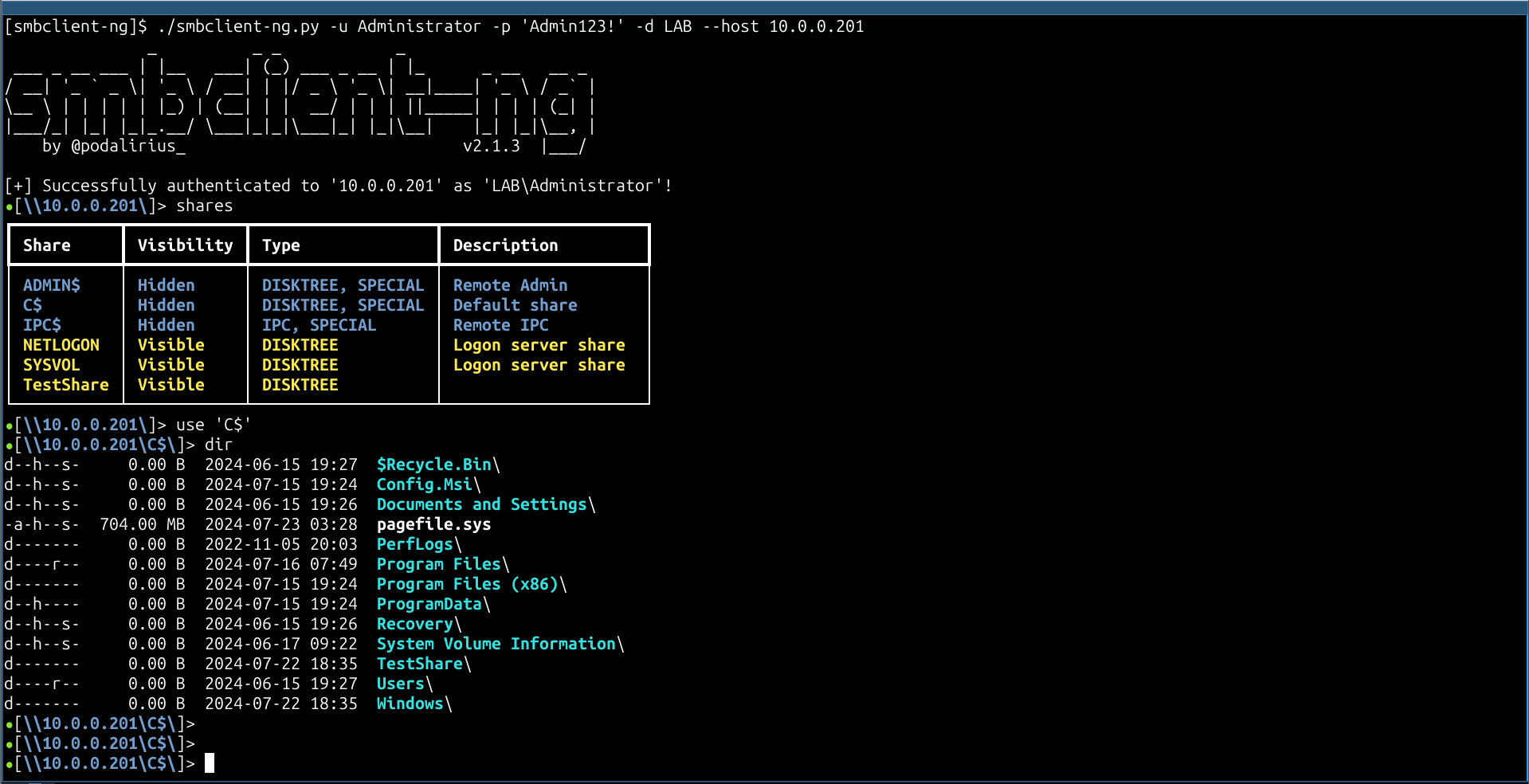
smbclient-ng,一种快速且用户友好的与 SMB 共享交互的方式。



[!NOTE] 查看用 Go 编写的新版 smbclient-ng,默认更快且跨平台!
acls:列出当前工作目录中文件和文件夹的 ACL。语法:aclsbat:美观地打印文件内容。语法:bat <file>bhead:美观地打印文件的前 n 行。语法:bhead <file>btail:美观地打印文件的后 n 行。语法:btail <file>cat:获取文件内容。语法:cat <file>cd:更改当前工作目录。语法:cd <directory>close:关闭与远程机器的 SMB 连接。语法:closeconnect:连接到远程机器(连接超时时很有用)。语法:connectdir:列出当前工作目录的内容。语法:direxit:退出 smbclient-ng 脚本。语法:exitget:获取远程文件。语法:get [-r] <directory or file>help:显示此帮助信息。语法:helphead:获取远程文件的前 n 行。语法:head <file>history:显示命令历史。语法:historyinfo:获取有关服务器和/或共享的信息。语法:info [server|share]lbat:美观地打印本地文件的内容。语法:lbat <file>lcat:打印本地文件的内容。语法:lcat <file>lcd:更改当前本地目录。语法:lcd <directory>lcp:创建本地文件的副本。语法:lcp <srcfile> <dstfile>lls:列出当前本地目录的内容。语法:llslmkdir:创建新的本地目录。语法:lmkdir <directory>lpwd:显示当前本地目录。语法:lpwdlrename:重命名本地文件。语法:lrename <oldfilename> <newfilename>lrm:删除本地文件。语法:lrm <file>lrmdir:删除本地目录。语法:lrmdir <directory>ls:列出当前远程工作目录的内容。语法:lsltree:以树状图显示本地目录。语法:ltree [directory]metadata:获取文件或目录的元数据。语法:metadata <file|directory>mkdir:创建新的远程目录。语法:mkdir <directory>module:加载特定模块以获得附加功能。语法:module <name>mount:在本地机器上为远程共享创建挂载点。语法:mount <remote_path> <local_mountpoint>put:将本地文件或目录放到远程目录中。语法:put [-r] <directory or file>reconnect:重新连接到远程机器(连接超时时很有用)。语法:reconnectreset:重置 TTY 输出,在 stdout 上打印二进制文件导致输出损坏时很有用。语法:resetrm:删除远程文件。语法:rm <file>rmdir:删除远程目录。语法:rmdir <directory>sessions:管理 SMB 会话。语法:sessions [interact|create|delete|execute|list]shares:列出远程机器提供的 SMB 共享。语法:sharessizeof:递归计算文件夹的大小。语法:sizeof [directory|file]tail:获取远程文件的后 n 行。语法:tail <file>tree:以树状图显示远程目录。语法:tree [directory]umount:移除本地机器上远程共享的挂载点。语法:umount <local_mount_point>use:使用 SMB 共享。语法:use <sharename>要安装 smbclient-ng,你可以使用 pip、pip3 或 pipx。你可以在终端中运行以下任一命令来安装 smbclient-ng:
使用 pip:
python3 -m pip install smbclientng
使用 pip3:
pip3 install smbclientng
使用 pipx:
pipx install smbclientng
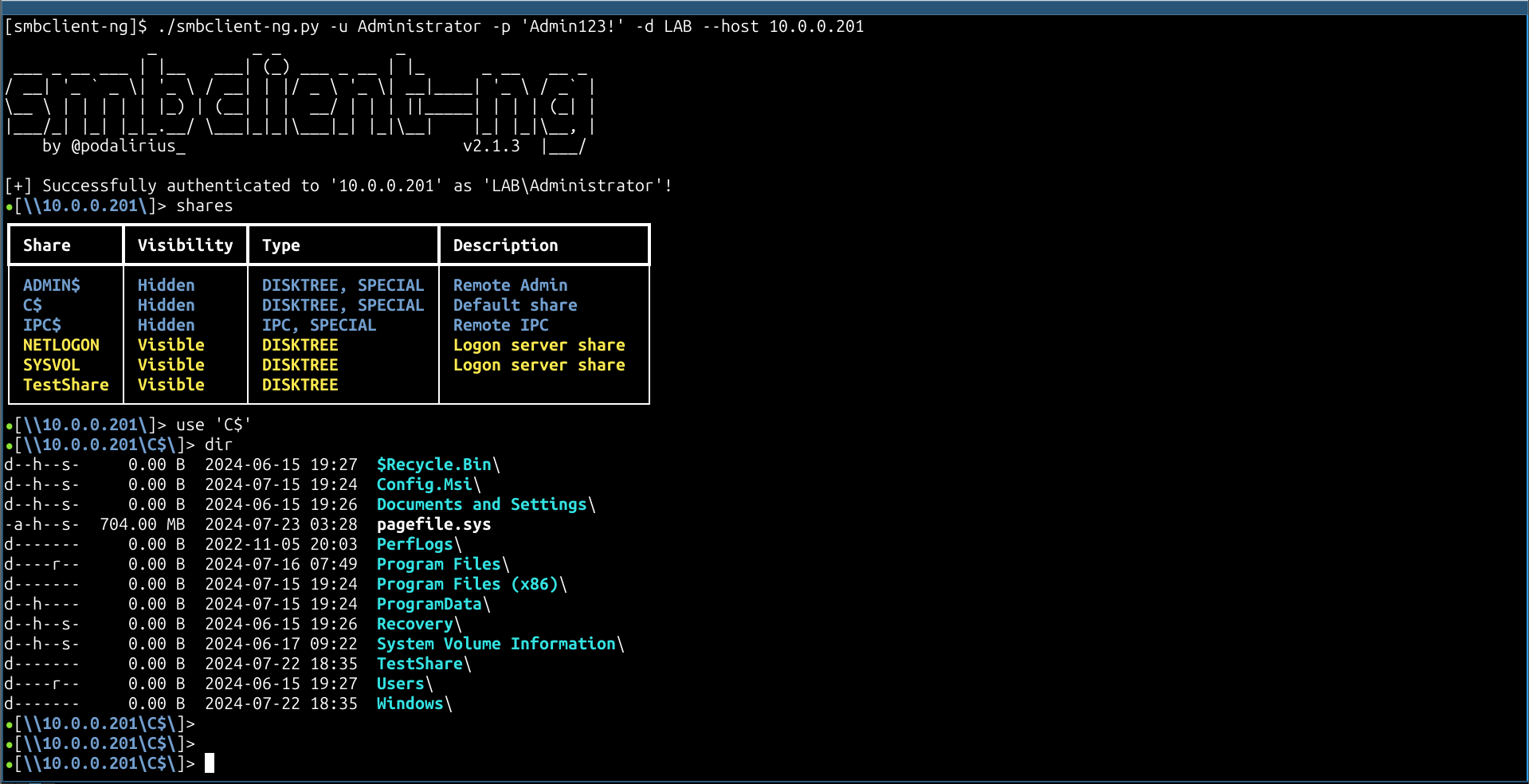
$ ./smbclient-ng.py
               _          _ _            _
 ___ _ __ ___ | |__   ___| (_) ___ _ __ | |_      _ __   __ _
/ __| '_ ` _ \| '_ \ / __| | |/ _ \ '_ \| __|____| '_ \ / _` |
\__ \ | | | | | |_) | (__| | |  __/ | | | ||_____| | | | (_| |
|___/_| |_| |_|_.__/ \___|_|_|\___|_| |_|\__|    |_| |_|\__, |
    by @podalirius_                             v2.1.8  |___/

usage: smbclientng [-h] [--debug] [--no-colors] [-l LOGFILE] [-T TIMEOUT] [-a ADVERTISED_NAME] [-C COMMAND] [-S STARTUP_SCRIPT] [-N] -H HOST [-P PORT] [-d DOMAIN] [-u USER]
                   [-p [PASSWORD] | --no-pass | --hashes [LMHASH:]NTHASH | --aes-key HEXKEY | -k | --kdcHost KDCHOST]

smbclient-ng, a fast and user-friendly way to interact with SMB shares.

options:
  -h, --help            show this help message and exit

Config:
  --debug               Enable debug mode.
  --no-colors           Disable colored output.
  -l LOGFILE, --logfile LOGFILE
                        Log file path.
  -T TIMEOUT, --timeout TIMEOUT
                        Timeout for SMB connections (default: 3s)
  -a ADVERTISED_NAME, --advertised-name ADVERTISED_NAME
                        Advertised machine name.

Commands:
  -C COMMAND, --command COMMAND
                        smbclient-ng commands to execute.
  -S STARTUP_SCRIPT, --startup-script STARTUP_SCRIPT
                        Startup script with commands.
  -N, --not-interactive
                        Non-interactive mode.

Target:
  -H HOST, --host HOST  Target SMB Server IP or hostname.
  -P PORT, --port PORT  Target SMB Server port (default: 445).

Authentication & Connection:
  -d DOMAIN, --domain DOMAIN
                        Authentication domain.
  -u USER, --user USER  Username for authentication.

Secrets:
  -p [PASSWORD], --password [PASSWORD]
                        Password.
  --no-pass             Do not prompt for a password.
  --hashes [LMHASH:]NTHASH
                        NT/LM hashes.
  --aes-key HEXKEY      AES key for Kerberos authentication.
  -k, --kerberos        Use Kerberos authentication.
  --kdcHost KDCHOST     Fully qualified domain name (FQDN) of key distribution center (KDC) for Kerberos.
smbclient-ng -d "LAB" -u "Administrator" -p 'Admin123!' --host "10.0.0.201"
欢迎提交 Pull Request。如果你想添加其他功能,请随时开启一个 issue。