简单的脚本,用于根据 hashcat(和 john)的 potfile 和 ntds 生成图表。
git clone https://github.com/Orange-Cyberdefense/graphcat
cd graphcat
pip install .
$ graphcat.py -h
usage: graphcat.py [-h] -potfile hashcat.potfile -hashfile hashfile.txt [-john] [-format FORMAT] [-export-charts] [-output-dir OUTPUT_DIR] [-debug]

密码破解图表报表

options:
  -h, --help            显示此帮助信息并退出
  -potfile hashcat.potfile
                        Hashcat Potfile
  -hashfile hashfile.txt
                        包含哈希值的文件(每行一个)
  -john                 John potfile
  -format FORMAT        hashfile 格式(默认为 3):1 表示仅哈希;2 表示 用户名:哈希;3 表示 secretsdump(用户名:uid:lm:ntlm)
  -export-charts        同时输出 png 格式图表
  -output-dir OUTPUT_DIR
                        输出目录
  -debug                开启 DEBUG 输出
Graphcat 只需要一个 potfile(通过 -potfile 参数,默认为 hashcat,但可使用 -john 提交 john 的 potfile)和一个 hashfile(通过 -hashfile 参数)。hashfile 必须采用三种可用格式之一,并通过 -format 标志指定。默认格式为 Secretsdump。
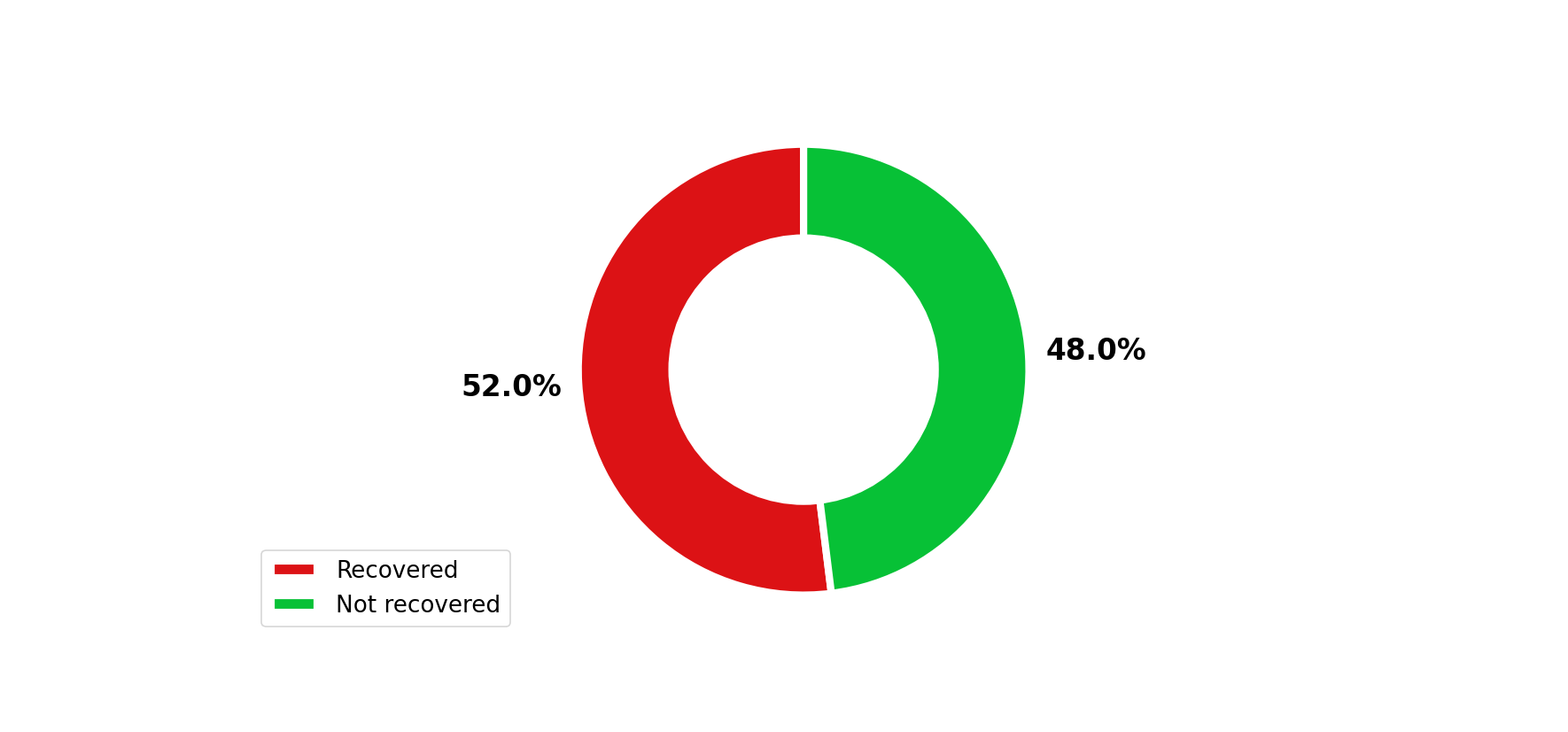
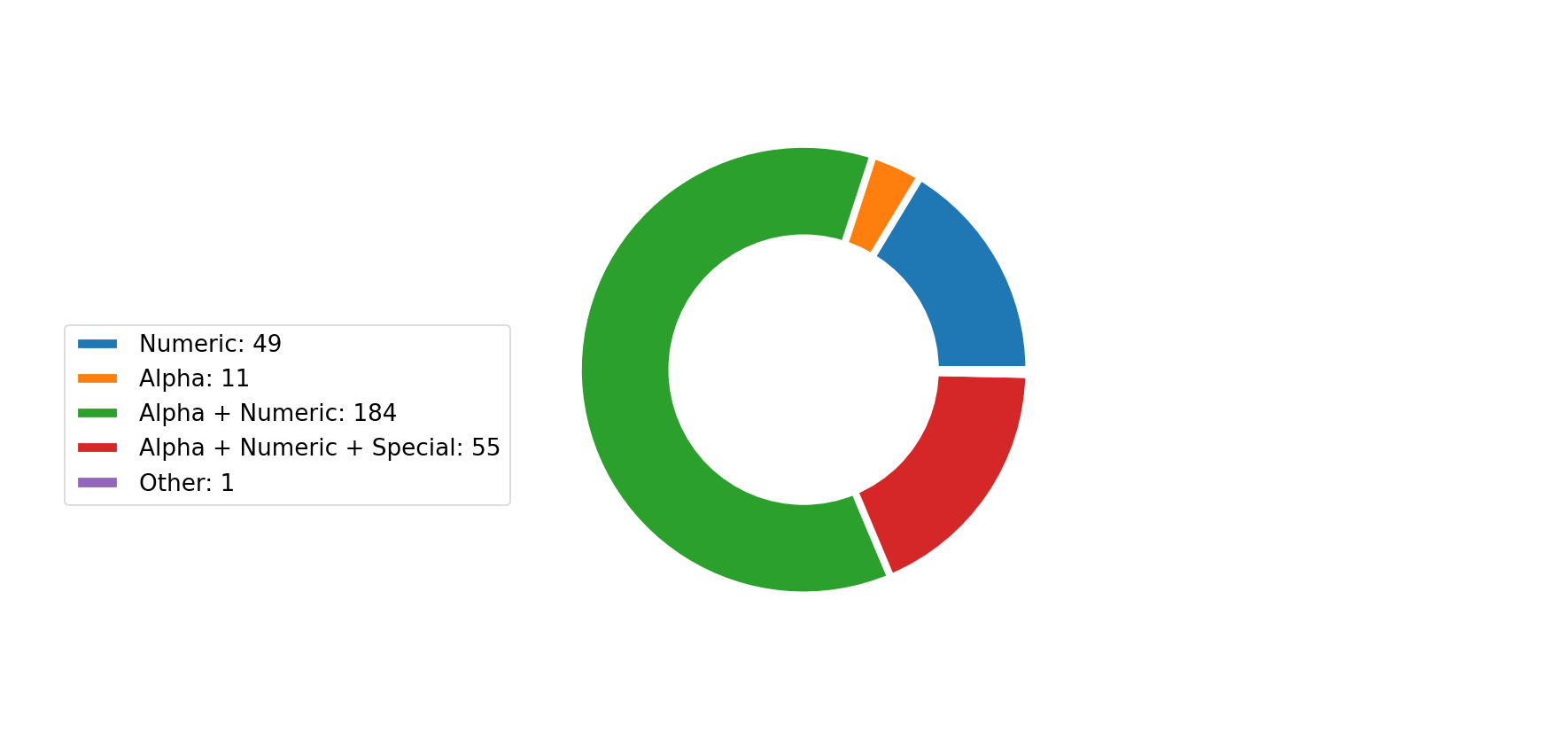
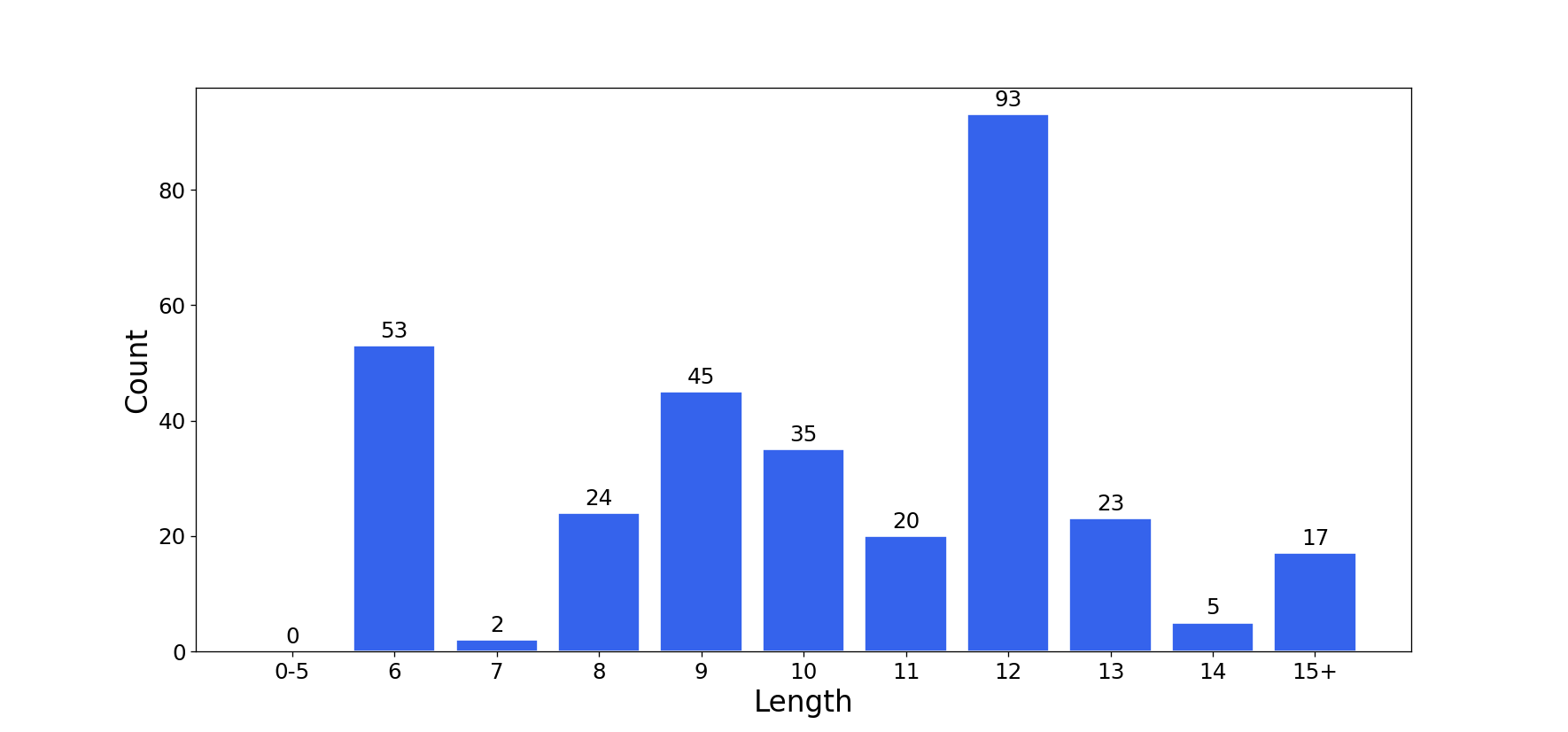
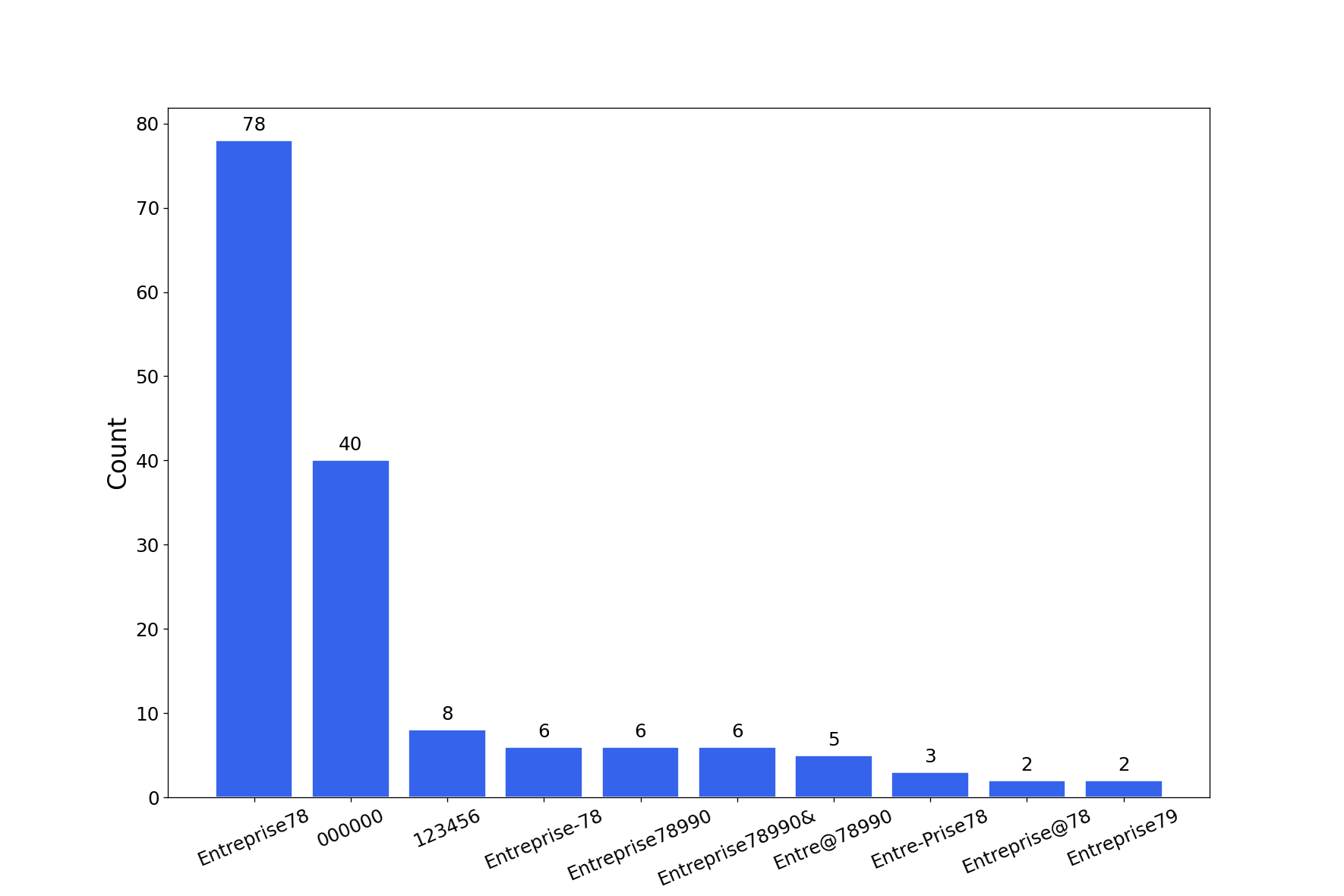
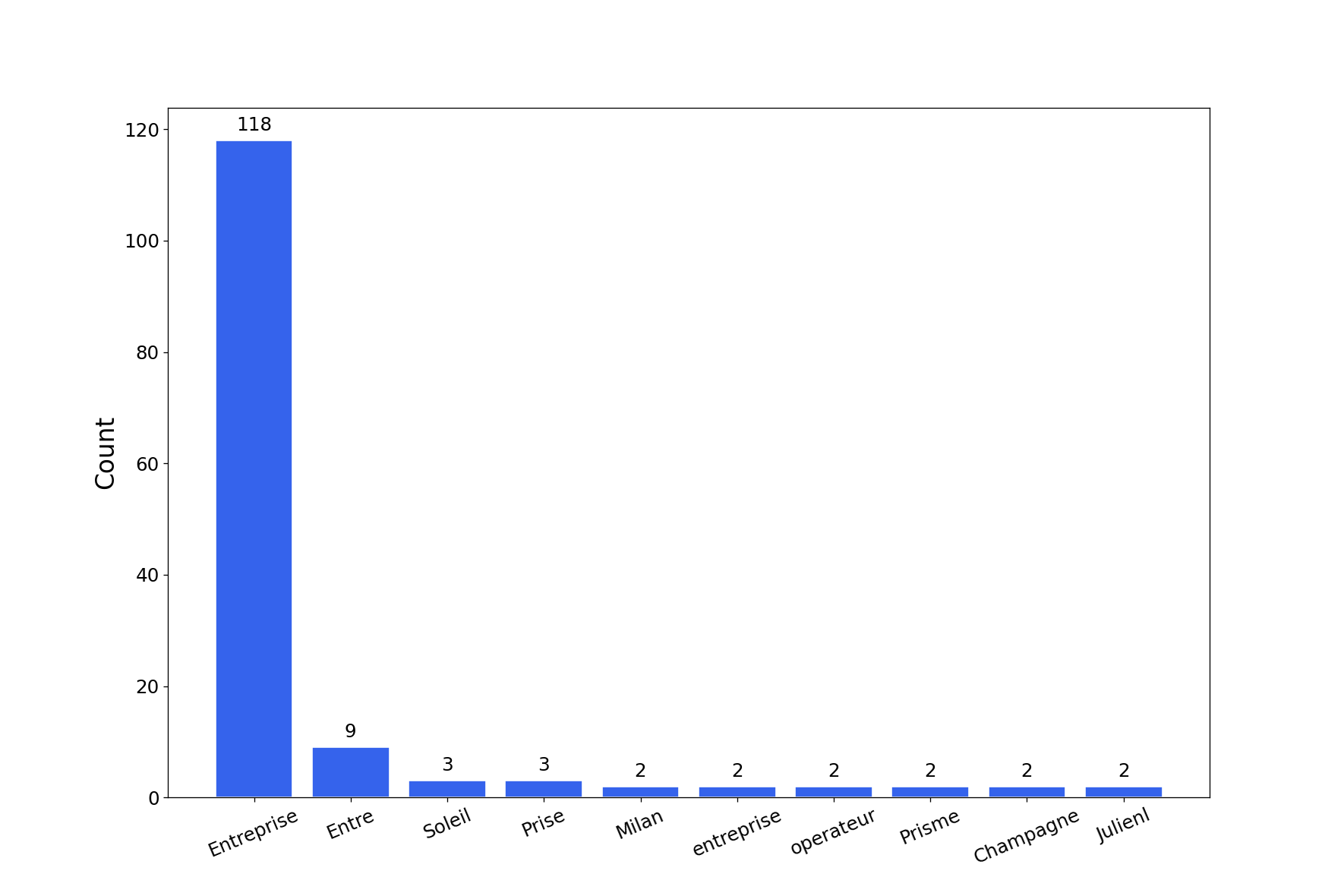
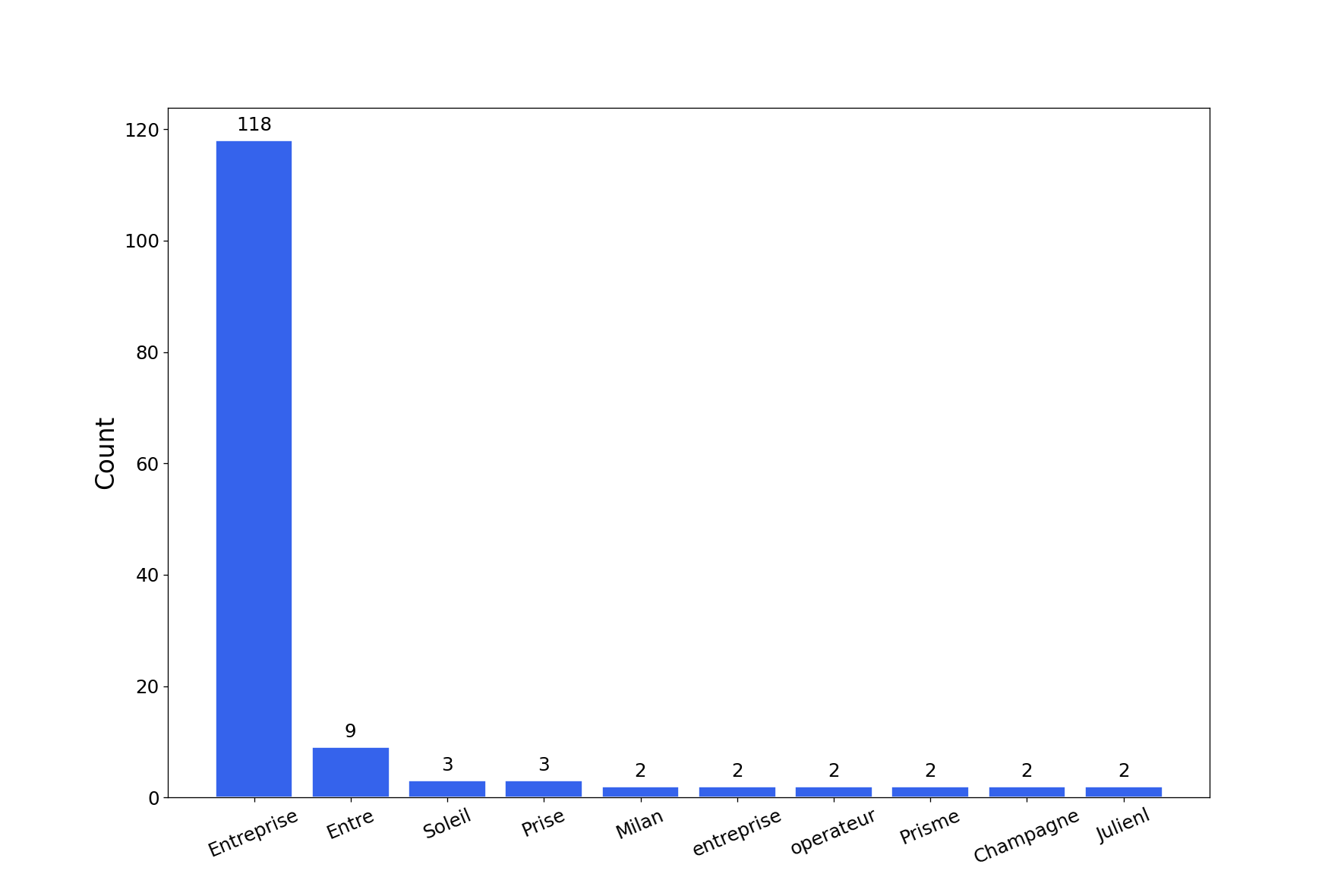
该工具将生成一份包含多种密码破解图表的报告。使用 -export-charts 标志可将图表输出为 png 格式。
$ graphcat.py -hashfile entreprise.local.ntds -potfile hashcat.pot
[-] 正在解析 potfile
[-] potfile 中有 164 条记录
[-] 正在解析 hashfile
[-] hashfile 中有 1600 条记录
[-] 正在生成图表...
[-] 正在生成报告...
[-] 报告已生成:graphcat_1672941324.pdf
1:仅哈希
aad3b435b51404eeaad3b435b51404ee
aad3b435b51404eeaad3b435b51404ee
aad3b435b51404eeaad3b435b51404ee
2:用户名 + 哈希
test1:aad3b435b51404eeaad3b435b51404ee
test2:aad3b435b51404eeaad3b435b51404ee
test3:aad3b435b51404eeaad3b435b51404ee
3:Secretsdump
waza.local\test1:4268:aad3b435b51404eeaad3b435b51404ee:aad3b435b51404eeaad3b435b51404ee:::
waza.local\test2:4269:aad3b435b51404eeaad3b435b51404ee:aad3b435b51404eeaad3b435b51404ee:::
waza.local\test3:4270:aad3b435b51404eeaad3b435b51404ee:aad3b435b51404eeaad3b435b51404ee:::
如果哈希在 hashfile 中出现多次,将按出现次数进行计数。
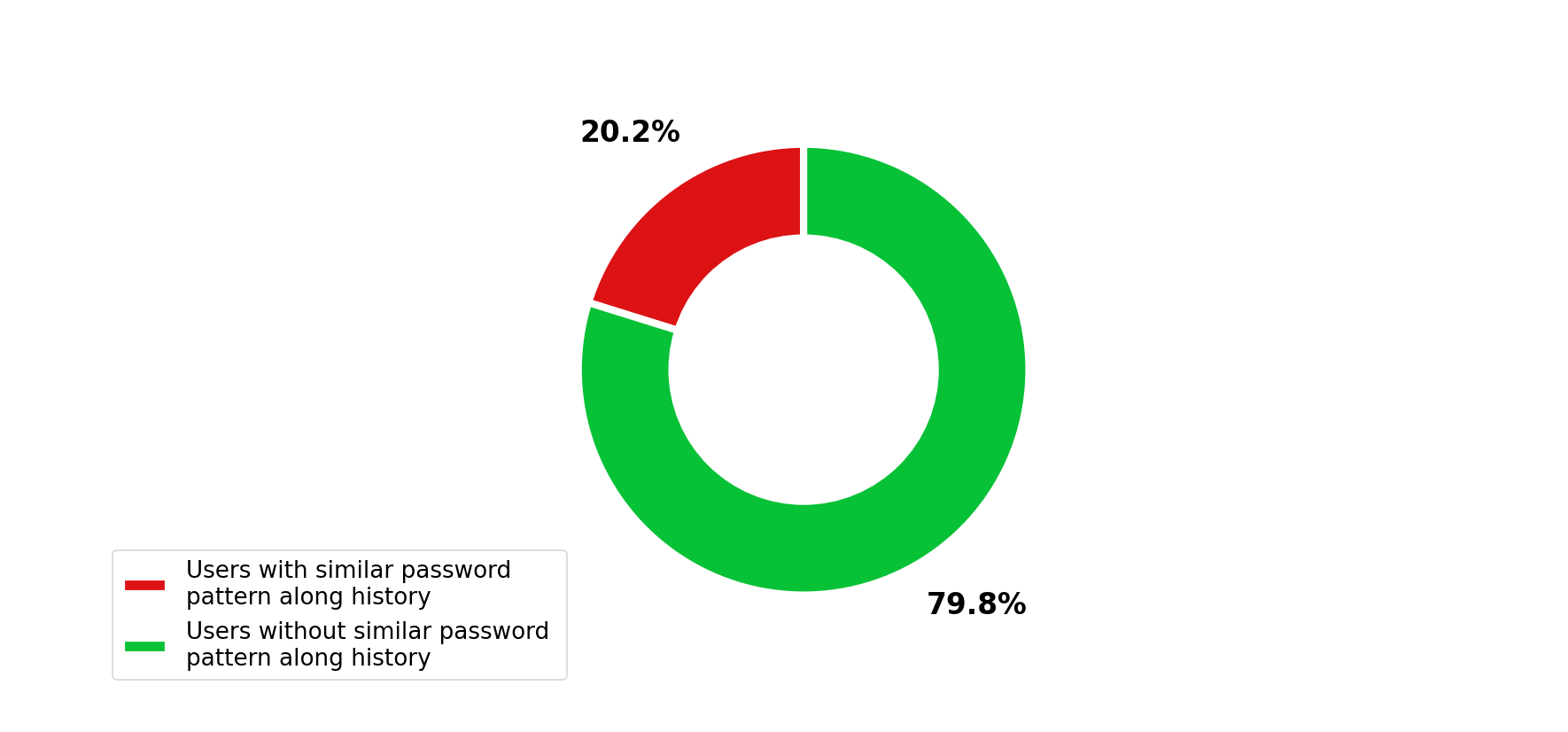
此外,如果提交的 secretsdump 包含密码历史(在 secretsdump 命令中使用 -history 参数),则会分析密码历史中的相似性。