


[!CAUTION]
⚠️ 项目已弃用
该项目已使用 Go 重写,以获得更好的性能和功能。 > 请使用新版本:nullt3r/massmap
JFScan 是一个包装器,利用 Masscan 的速度和 Nmap 的指纹识别能力。JFScan 接受 URL、域名或 IP(包括 CIDR)形式的目标。您可以使用参数指定包含目标的文件,或使用 stdin。
JFScan 还允许您仅输出结果,并将其与其他工具(如 Nuclei)链接起来。JFScan 的 domain:port 输出对于识别 Web 应用程序中的漏洞至关重要,因为虚拟主机决定了将提供哪些内容。
此外,JFScan 可以使用 Nmap 扫描已发现的端口,并允许您定义自定义选项和使用 Nmap 的高级脚本功能。
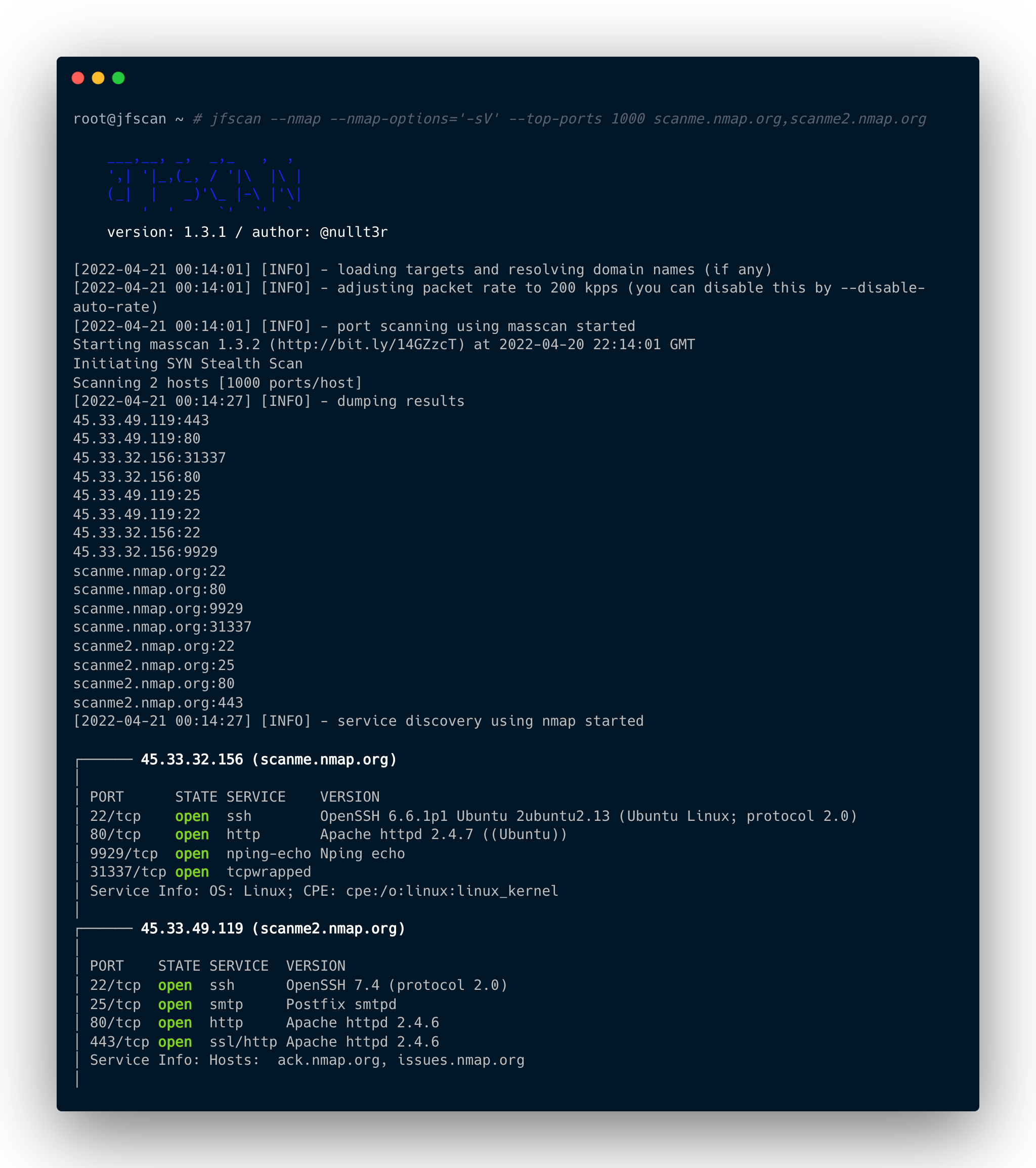
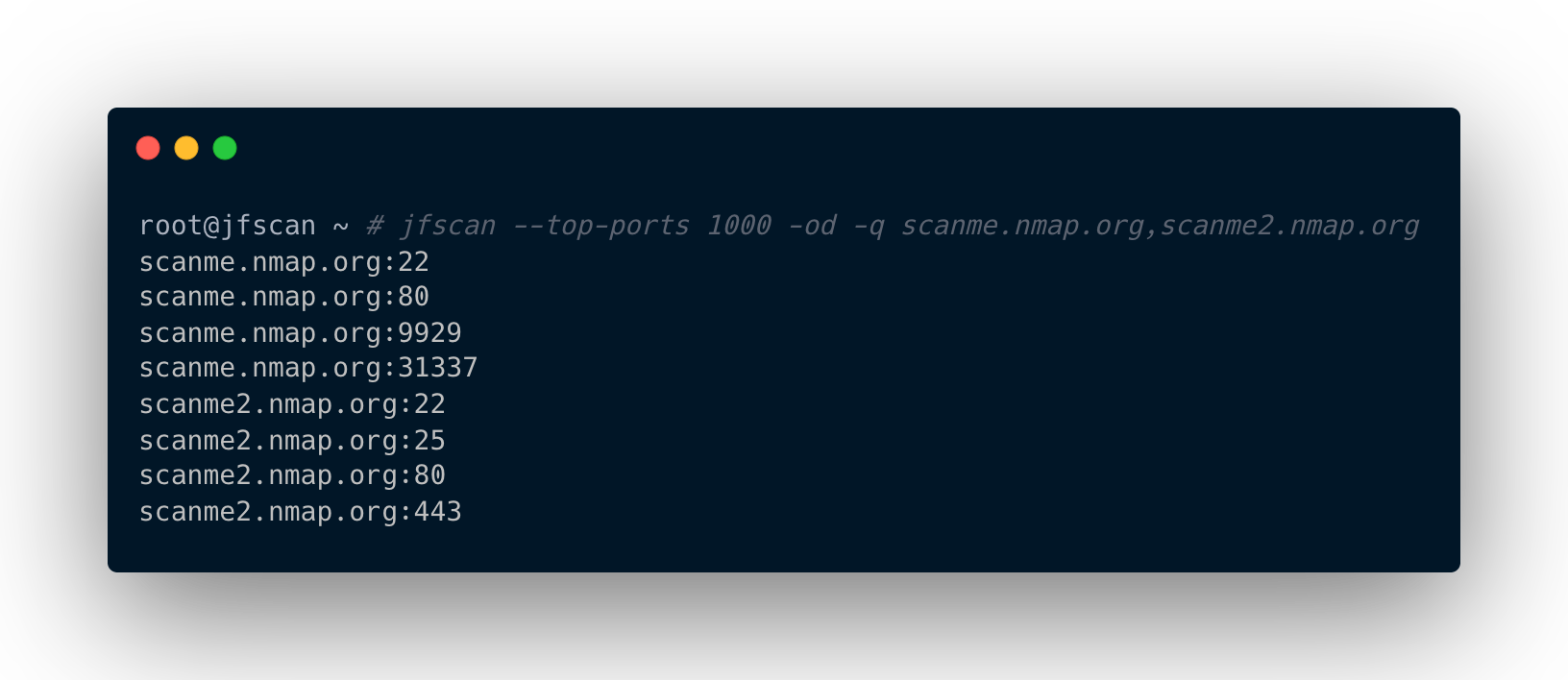
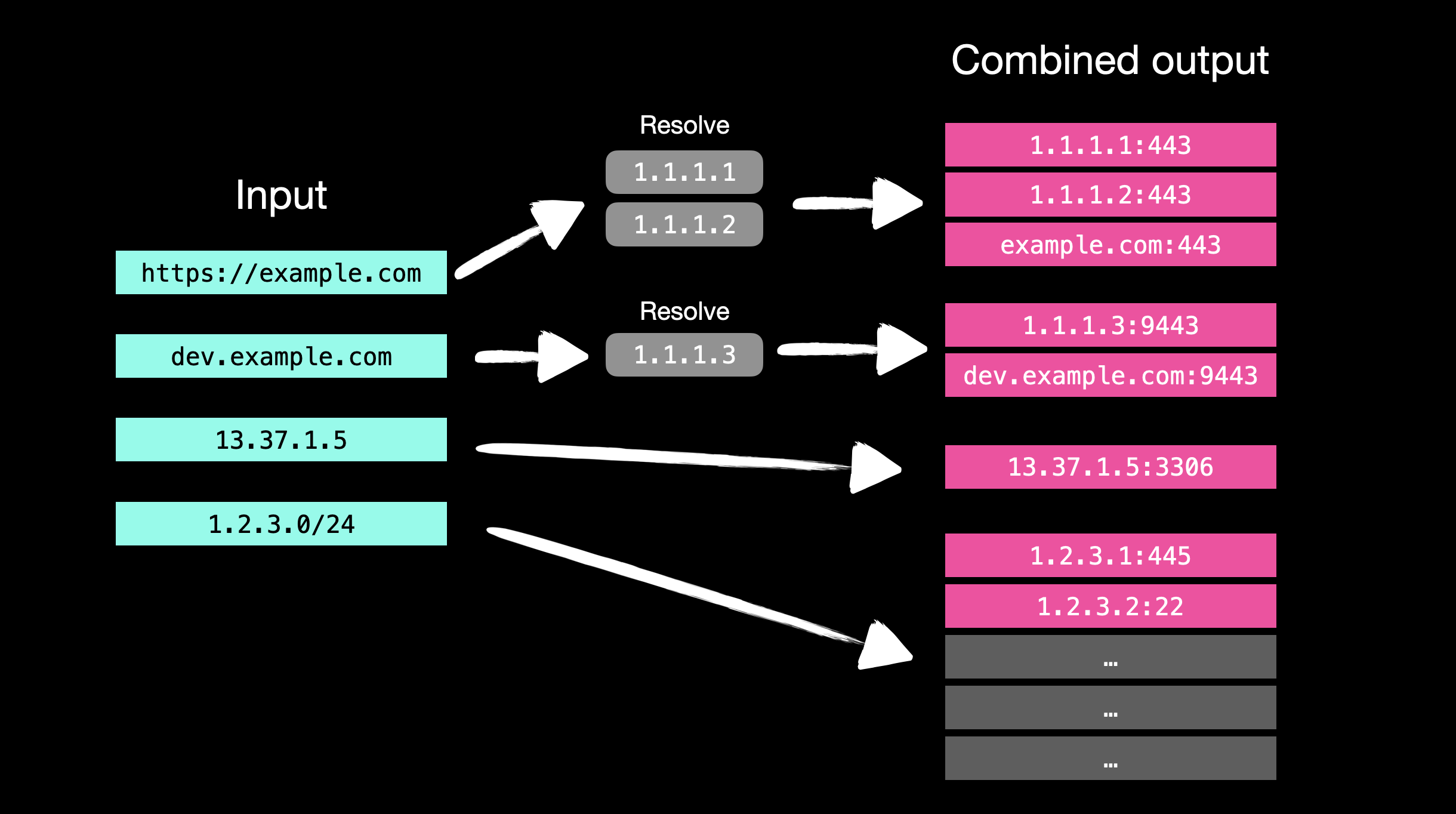
JFScan 的输入输出处理逻辑:
usage: jfscan [-h] [--targets TARGETS] (-p PORTS | --top-ports TOP_PORTS | --yummy-ports) [--resolvers RESOLVERS] [--enable-ipv6] [--scope SCOPE] [-r MAX_RATE] [--wait WAIT] [--disable-auto-rate] [-i INTERFACE] [--source-ip SOURCE_IP]
              [--router-ip ROUTER_IP] [--router-mac ROUTER_MAC] [--router-mac-ipv6 ROUTER_MAC_IPV6] [-oi] [-od] [-o OUTPUT] [-q | -v] [--nmap] [--nmap-options NMAP_OPTIONS] [--nmap-threads NMAP_THREADS] [--nmap-output NMAP_OUTPUT] [--version]
              [target]

JFScan - Just Fu*king Scan

optional arguments:
  -h, --help            show this help message and exit
  -p PORTS, --ports PORTS
                        ports, can be a range or port list: 0-65535 or 22,80,100-500,...
  --top-ports TOP_PORTS
                        scan only N of the top ports, e. g., --top-ports 1000
  --yummy-ports         scan only for the most yummy ports
  -q, --quite           output only results
  -v, --verbose         verbose output

  --nmap                run nmap on discovered ports
  --nmap-options NMAP_OPTIONS
                        nmap arguments, e. g., --nmap-options='-sV' or --nmap-options='-sV --script ssh-auth-methods'
  --nmap-threads NMAP_THREADS
                        number of nmaps to run concurrently, default 8
  --nmap-output NMAP_OUTPUT
                        output results from nmap to specified file in standard XML format (same as nmap option -oX)

  target                a target or targets separated by a comma, accepted form is: domain name, IPv4, IPv6, URL
  --targets TARGETS     file with targets, accepted form is: domain name, IPv4, IPv6, URL

  -oi, --only-ips       output only IP adresses, default: all resources
  -od, --only-domains   output only domains, default: all resources
  -o OUTPUT, --output OUTPUT
                        output masscan's results to specified file

  --resolvers RESOLVERS
                        custom resolvers separated by a comma, e. g., 8.8.8.8,1.1.1.1
  --enable-ipv6         enable IPv6 support, otherwise all IPv6 addresses will be ignored in the scanning process
  --scope SCOPE         file path with IP adresses and CIDRs to control scope, expected format: IPv6, IPv4, IPv6 CIDR, IPv4 CIDR
  -r MAX_RATE, --max-rate MAX_RATE
                        max kpps rate for the masscan
  --wait WAIT           a number of seconds to wait for packets to arrive (when scanning large networks), option for the masscan
  --disable-auto-rate   disable rate adjustment mechanism for masscan (more false positives/negatives)
  -i INTERFACE, --interface INTERFACE
                        interface for masscan and nmap to use
  --source-ip SOURCE_IP
                        IP address of your interface for the masscan
  --router-ip ROUTER_IP
                        IP address of your router for the masscan
  --router-mac ROUTER_MAC
                        MAC address of your router for the masscan
  --router-mac-ipv6 ROUTER_MAC_IPV6
                        MAC address of your IPv6 router for the masscan

  --version             show program's version number and exit
请先按照安装说明操作。不要以 root 身份运行 JFScan,因为我们已经为 masscan 二进制文件设置了特殊权限,所以不需要 root。
以 10 kpps 的速率仅扫描端口 80 和 443 的目标:
$ jfscan -p 80,443 --targets targets.txt -r 10000
扫描前 1000 个端口的目标:
$ jfscan --top-ports 1000 1.1.1.1/24
您还可以在 stdin 上指定目标并将其通过管道传递给 nuclei:
$ cat targets.txt | jfscan --top-ports 1000 -q | httpx -silent | nuclei
或者作为位置参数:
$ jfscan --top-ports 1000 1.1.1.1/24 -q | httpx -silent | nuclei
或者一次性指定所有目标,JFScan 不在乎,会扫描所有指定的目标:
$ echo target1 | jfscan --top-ports 1000 target2 --targets targets.txt -q | httpx -silent | nuclei
利用 nmap 收集有关已发现服务的更多信息:
$ cat targets.txt | jfscan -p 0-65535 --nmap --nmap-options="-sV --scripts ssh-auth-methods"
targets.txt 可以包含以下形式的目标(IPv6 类似):
http://domain.com/
domain.com
1.2.3.4
1.2.3.0/24
1.1.1.1-1.1.1.30
首先,安装 libpcap-dev(基于 Debian 的发行版)或 libcap-devel(基于 CentOS 的发行版):
sudo apt install libpcap-dev
接下来,克隆官方仓库并安装:
sudo apt-get --assume-yes install git make gcc
git clone https://github.com/robertdavidgraham/masscan
cd masscan
make
sudo make install
sudo setcap CAP_NET_RAW+ep /usr/bin/masscan
sudo apt install python3 python3-pip
$ git clone https://github.com/nullt3r/jfscan.git
$ cd jfscan
$ pip3 install .
如果无法直接从命令行运行 jfscan,应检查 $HOME/.local/bin 是否在您的 PATH 中。
将以下行添加到您的 ~/.zshrc 或 ~/.bashrc 中:
export PATH="$HOME/.local/bin:$PATH"
阅读 LICENSE 文件。
我不对任何损害负责。您对自己的行为负责。未经事先双方同意攻击目标是非法的。
* 当扫描较小的网络范围时,您可以直接使用 nmap,无需使用 JFScan。使用以下选项可以达到 JFScan 速度的 70%:
nmap -Pn -n -v yourTargetNetwork/26 -p- --min-parallelism 64 --min-rate 20000 --min-hostgroup 64 --randomize-hosts -sS -sV
与往常一样,可能会出现一些误报/漏报。