# 描述
**Scrounger** - 一个借用或依靠他人的人。
这个工具没有比这更好的描述了,原因主要有两个:首先,这个工具借鉴了许多已经发布的其它工具;其次,它依靠移动应用程序的漏洞来运行。
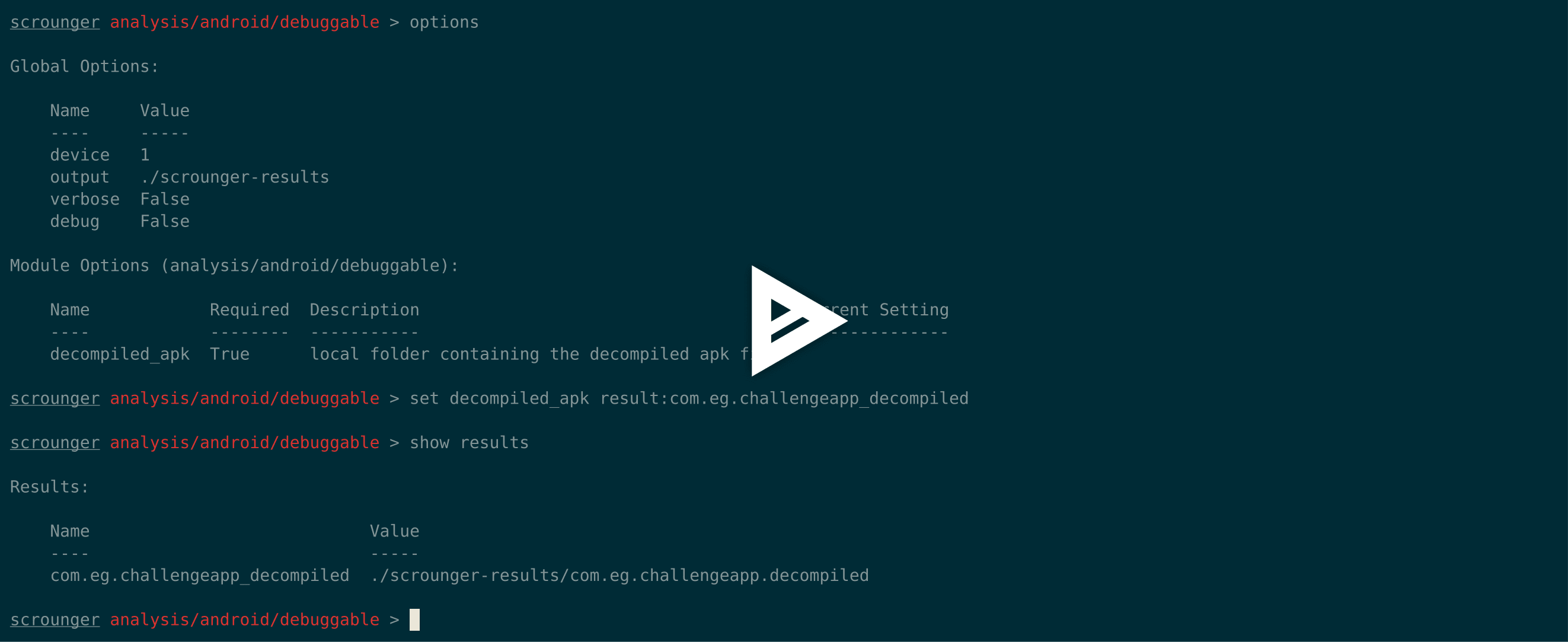
[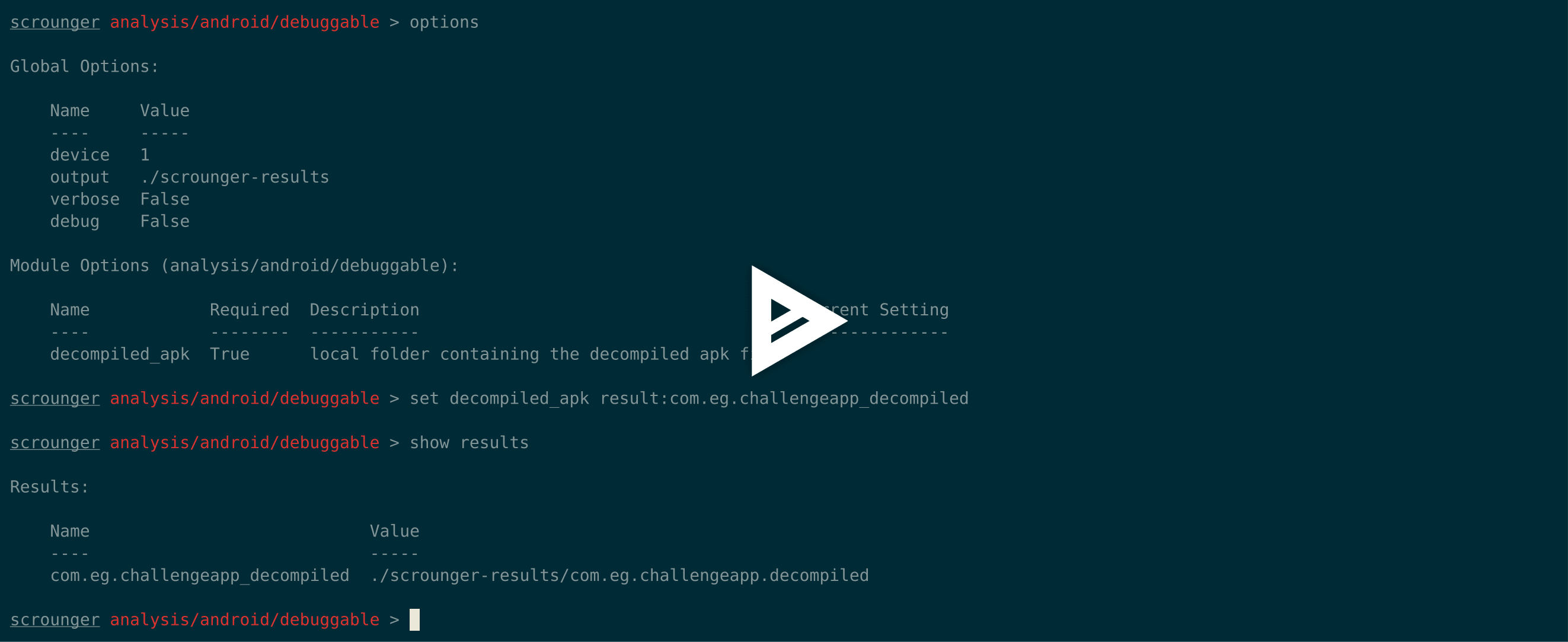](https://asciinema.org/a/hC7sfGHVc5x7CWa57IXcGb3Um)
## 为什么
尽管已经开发了许多其他的移动应用程序分析工具,但没有一个工具可以同时用于Android和iOS,并被称为每个移动应用程序评估中必须使用的“标准”工具。
**Scrounger** 背后的想法是制造一个类似Metasploit的工具,它不会代替渗透测试人员的工作,而是通过执行所有评估中都需要进行的繁琐任务来帮助渗透测试人员进行评估。
## 区别
**Scrounger** 提供其他工具没有的主要功能:
* 同时支持Android和iOS
* 类似Metasploit的控制台和模块
* 提供多种模块,可以运行这些模块为渗透测试人员提供一个起点
* 易于扩展
## 灵感 / 致谢
**Scrounger** 的灵感来自其他工具,非常感谢以下工具的开发者:
* Drozer (<https://github.com/mwrlabs/drozer>);
* Needle (<https://github.com/mwrlabs/needle>); 以及
* iOS Application Analysis (<https://github.com/timb-machine/ios-application-analyser>).
# 技术
作为声明,**Scrounger** 识别的所有发现都应始终手动复核。
当使用需要Android或iOS设备的模块时,Scrounger 需要分别使用 **已Root** 或 **已越狱** 的设备。
Scrounger 已经在 **iOS 11** 和 **Android 8.1** 上测试通过。
Scrounger 仅针对 **python 2.7** 构建。
## 安装```
git clone https://github.com/nettitude/scrounger.git
cd scrounger
bash setup.sh
pip install -r requirements.txt
python setup.py install
```
## 开发```
git pull https://github.com/nettitude/scrounger.git
cd scrounger
bash setup.sh
pip install -r requirements.txt
python setup.py develop
```
## 更新```
cd scrounger
git pull
python setup.py install --upgrade
```
## 必要的二进制文件
### 对于 Android 模块
* java (<http://www.oracle.com/technetwork/java/javase/downloads/index.html>)
* jd-cli (<https://github.com/kwart/jd-cmd>)
* apktool (<https://ibotpeaches.github.io/Apktool/>)
* d2j-dex2jar (<https://github.com/pxb1988/dex2jar>)
* adb (<https://developer.android.com/studio/releases/platform-tools>)
* 其他(可选):
* avdmanager (<https://developer.android.com/studio/#downloads>)
### 对于 iOS 模块
* jtool(Linux)(<http://www.newosxbook.com/tools/jtool.html>)
* otool(MacOS)(<https://developer.apple.com/xcode/>)
* ldid (<https://github.com/daeken/ldid.git>)
* iproxy(包:libimobiledevice)
* lsusb(包:usbutils)
* unzip
### iOS 二进制文件
* 捆绑的二进制文件:
* dump_backup_flag
* dump_file_protection
* dump_keychain
* dump_log
* listapps
* Cydia Karen 的仓库 (https://cydia.angelxwind.net)(可选):
* AppSync Unified(包:net.angelxwind.appsyncunified)
* appinst(包:com.linusyang.appinst)
* Cydia Shmoo419 的仓库 (https://shmoo419.github.io/)(可选):
* uncrypt11(包:com.shmoo.uncrypt11)
* gdb(包:gdb71050)
* Cydia Ichitaso 的仓库 (http://cydia.ichitaso.com/)(可选):
* clutch(包:com.kjcracks.clutch2)
## 安装脚本
### Linux```
# install iproxy lsusb
sudo apt-get install libimobiledevice usbutils
# install jd-cli
if [ ! -x "$(which jd-cli)" ]; then
curl -L -o /tmp/jdcli.zip https://github.com/kwart/jd-cmd/releases/download/jd-cmd-0.9.2.Final/jd-cli-0.9.2-dist.zip
unzip /tmp/jdcli.zip /usr/local/share/jd-cli
ln -s /usr/local/share/jd-cli/jd-cli /usr/local/bin/jd-cli
ln -s /usr/local/share/jd-cli/jd-cli.jar /usr/local/bin/jd-cli.jar
rm -rf /tmp/jdcli.zip
fi
# install apktool
if [ ! -x "$(which apktool)" ]; then
mkdir /usr/local/share/apktool
curl -L -o /usr/local/share/apktool/apktool https://raw.githubusercontent.com/iBotPeaches/Apktool/master/scripts/osx/apktool
curl -L -o /usr/local/share/apktool/apktool.jar https://bitbucket.org/iBotPeaches/apktool/downloads/apktool_2.3.3.jar
chmod +x /usr/local/share/apktool /usr/local/share/apktool/apktool.jar
ln -s /usr/local/share/apktool /usr/local/bin/apktool
ln -s /usr/local/share/apktool.jar /usr/local/bin/apktool.jar
fi
# install dex2jar
if [ ! -x "$(which d2j-dex2jar)" ]; then
curl -L -o /tmp/d2j.zip https://github.com/pxb1988/dex2jar/files/1867564/dex-tools-2.1-SNAPSHOT.zip
unzip /tmp/d2j.zip -d /tmp/d2j
dirname=$(ls --color=none /tmp/d2j)
mv /tmp/d2j/$dirname /usr/local/share/d2j-dex2jar
ln -s /usr/local/share/d2j-dex2jar/d2j-dex2jar.sh /usr/local/bin/d2j-dex2jar.sh
ln -s /usr/local/share/d2j-dex2jar/d2j-apk-sign.sh /usr/local/bin/d2j-apk-sign.sh
rm -rf /tmp/d2j.zip
fi
if [ ! -x "$(which d2j-dex2jar)" ]; then
ln -s /usr/local/bin/d2j-dex2jar.sh /usr/local/bin/d2j-dex2jar
fi
# install adb
if [ ! -x "$(which adb)" ]; then
curl -L -o /tmp/platform-tools.zip https://dl.google.com/android/repository/platform-tools-latest-linux.zip
unzip /tmp/platform-tools.zip -d /tmp/pt
mv /tmp/pt/platform-tools /usr/local/share/
ln -s /usr/local/share/platform-tools/adb /usr/local/bin/adb
ln -s /usr/local/share/platform-tools/fastboot /usr/local/bin/fastboot
fi
# install ldid
if [ ! -x "$(which ldid)" ]; then
git clone https://github.com/daeken/ldid.git /tmp/ldid
cd /tmp/ldid
./make.sh
mv ldid /usr/local/bin/
cd /tmp
rm -rf /tmp/ldid
fi
# install jtool
if [ ! -x "$(which jtool)" ]; then
curl -L -o /tmp/jtool.tar http://www.newosxbook.com/tools/jtool.tar
mkdir /tmp/jtool
tar xvf /tmp/jtool.tar -C /tmp/jtool
mv /tmp/jtool/jtool.ELF64 /usr/local/bin/jtool
rm -rf /tmp/jtool.tar /tmp/jtool
fi
# install scrounger
git clone [email protected]:nettitude/scrounger.git
cd scrounger
pip install -r requirements.txt
python setup.py install
```
### MacOS```
# install iproxy ldid lsusb
brew tap jlhonora/lsusb && brew install lsusb libimobiledevice ldid
# install jd-cli
if [ ! -x "$(which jd-cli)" ]; then
curl -L -o /tmp/jdcli.zip https://github.com/kwart/jd-cmd/releases/download/jd-cmd-0.9.2.Final/jd-cli-0.9.2-dist.zip
unzip /tmp/jdcli.zip /usr/local/share/jd-cli
ln -s /usr/local/share/jd-cli/jd-cli /usr/local/bin/jd-cli
ln -s /usr/local/share/jd-cli/jd-cli.jar /usr/local/bin/jd-cli.jar
rm -rf /tmp/jdcli.zip
fi
# install apktool
if [ ! -x "$(which apktool)" ]; then
mkdir /usr/local/share/apktool
curl -L -o /usr/local/share/apktool/apktool https://raw.githubusercontent.com/iBotPeaches/Apktool/master/scripts/osx/apktool
curl -L -o /usr/local/share/apktool/apktool.jar https://bitbucket.org/iBotPeaches/apktool/downloads/apktool_2.3.3.jar
chmod +x /usr/local/share/apktool /usr/local/share/apktool/apktool.jar
ln -s /usr/local/share/apktool /usr/local/bin/apktool
ln -s /usr/local/share/apktool.jar /usr/local/bin/apktool.jar
fi
# install dex2jar
if [ ! -x "$(which d2j-dex2jar)" ]; then
curl -L -o /tmp/d2j.zip https://github.com/pxb1988/dex2jar/files/1867564/dex-tools-2.1-SNAPSHOT.zip
unzip /tmp/d2j.zip -d /tmp/d2j
dirname=$(ls --color=none /tmp/d2j)
mv /tmp/d2j/$dirname /usr/local/share/d2j-dex2jar
ln -s /usr/local/share/d2j-dex2jar/d2j-dex2jar.sh /usr/local/bin/d2j-dex2jar.sh
ln -s /usr/local/share/d2j-dex2jar/d2j-apk-sign.sh /usr/local/bin/d2j-apk-sign.sh
rm -rf /tmp/d2j.zip
fi
if [ ! -x "$(which d2j-dex2jar)" ]; then
ln -s /usr/local/bin/d2j-dex2jar.sh /usr/local/bin/d2j-dex2jar
fi
# install adb
if [ ! -x "$(which adb)" ]; then
curl -L -o /tmp/platform-tools.zip https://dl.google.com/android/repository/platform-tools-latest-darwin.zip
unzip /tmp/platform-tools.zip -d /tmp/pt
mv /tmp/pt/platform-tools /usr/local/share/
ln -s /usr/local/share/platform-tools/adb /usr/local/bin/adb
ln -s /usr/local/share/platform-tools/fastboot /usr/local/bin/fastboot
fi
# install Xcode / command line tools
xcode-select --install
# install scrounger
git clone [email protected]:nettitude/scrounger.git
cd scrounger
pip install -r requirements.txt
python setup.py install
```
## 添加自定义模块
安装应用程序时,会创建一个文件夹 `~/.scrounger`。
在 `~/.scrounger` 内部,会有一个名为 `modules/custom` 的文件夹,其结构与默认的 scrounger 模块相同,例如 `analysis/android/module_name`。
要创建新的自定义模块,只需添加一个以你想要的模块名命名的文件,它将在你下次启动 scrounger 时被包含。
### 示例
添加以下模块(`~/.scrounger/modules/custom/misc/test.py`):```
from scrounger.core.module import BaseModule
class Module(BaseModule):
meta = {
"author": "RDC",
"description": """Just a Test module""",
"certainty": 100
}
options = [
{
"name": "output",
"description": "local output directory",
"required": False,
"default": None
},
]
def run(self):
print("This is a print from the custom module")
return {
"print": "This will be print by scrounger's console."
}
```
### 执行```
$ scrounger-console
Starting Scrounger console...
scrounger > list custom/misc
Module Certainty Author Description
------ --------- ------ -----------
custom/misc/test 100% RDC Just a Test module
scrounger > use custom/misc/test
scrounger custom/misc/test > options
Global Options:
Name Value
---- -----
device
output /tmp/scrounger-app
Module Options (custom/misc/test):
Name Required Description Current Setting
---- -------- ----------- ---------------
output False local output directory /tmp/scrounger-app
scrounger custom/misc/test > run
This is a print from the custom module
[+] This will be print by scrounger's console.
scrounger custom/misc/test >
```
## 示例
### 列出/搜索模块```
$ scrounger-console
Starting Scrounger console...
> help
Documented commands (type help <topic>):
========================================
add_device devices list print results set unset
back help options quit run show use
> help list
Lists all available modules
> list ios
Module Certainty Author Description
------ --------- ------ -----------
analysis/ios/app_transport_security 90% RDC Checks if there are any Application Transport Security misconfigurations
analysis/ios/arc_support 90% RDC Checks if a binary was compiled with ARC support
analysis/ios/backups 90% RDC Checks the application's files have the backup flag on
analysis/ios/clipboard_access 75% RDC Checks if the application disables clipboard access
analysis/ios/debugger_detection 75% RDC Checks if the application detects debuggers
analysis/ios/excessive_permissions 90% RDC Checks if the application uses excessive permissions
analysis/ios/file_protection 90% RDC Checks the application's files specific protection flags
analysis/ios/full_analysis 100% RDC Runs all modules in analysis and writes a report into the output directory
analysis/ios/insecure_channels 50% RDC Checks if the application uses insecure channels
analysis/ios/insecure_function_calls 75% RDC Checks if the application uses insecure function calls
analysis/ios/jailbreak_detection 60% RDC Checks if the application implements jailbreak detection
analysis/ios/logs 60% RDC Checks if the application logs to syslog
analysis/ios/passcode_detection 60% RDC Checks if the application checks for passcode being set
analysis/ios/pie_support 100% RDC Checks if the application was compiled with PIE support
analysis/ios/prepared_statements 60% RDC Checks if the application uses sqlite calls and if so checks if it also uses prepared statements
analysis/ios/ssl_pinning 60% RDC Checks if the application implements SSL pinning
analysis/ios/stack_smashing 90% RDC Checks if a binary was compiled stack smashing protections
analysis/ios/third_party_keyboard 65% RDC Checks if an application checks of third party keyboards
analysis/ios/unencrypted_communications 80% RDC Checks if the application implements communicates over unencrypted channels
analysis/ios/unencrypted_keychain_data 70% RDC Checks if the application saves unencrypted data in the keychain
analysis/ios/weak_crypto 60% RDC Checks if the application uses weak crypto
analysis/ios/weak_random 50% RDC Checks if a binary uses weak random functions
analysis/ios/weak_ssl_ciphers 50% RDC Checks if a binary uses weak SSL ciphers
misc/ios/app/archs 100% RDC Gets the application's available architectures
misc/ios/app/data 100% RDC Gets the application's data from the remote device
misc/ios/app/entitlements 100% RDC Gets the application's entitlements
misc/ios/app/flags 100% RDC Gets the application's compilation flags
misc/ios/app/info 100% RDC Pulls the Info.plist info from the device
misc/ios/app/start 100% RDC Launches an application on the remote device
misc/ios/app/symbols 100% RDC Gets the application's symbols out of an installed application on the device
misc/ios/class_dump 100% RDC Dumps the classes out of a decrypted binary
misc/ios/decrypt_bin 100% RDC Decrypts and pulls a binary application
misc/ios/install_binaries 100% RDC Installs iOS binaries required to run some checks
misc/ios/keychain_dump 100% RDC Dumps contents from the connected device's keychain
misc/ios/local/app/archs 100% RDC Gets the application's available architectures
misc/ios/local/app/entitlements 100% RDC Gets the application's entitlements from a local binary and saves them to file
misc/ios/local/app/flags 100% RDC Gets the application's compilation flags using local tools. Will look for otool and jtool in the PATH.
misc/ios/local/app/info 100% RDC Pulls the Info.plist info from the unzipped IPA file and saves an XML file with it's contents to the output folder
misc/ios/local/app/symbols 100% RDC Gets the application's symbols out of an installed application on the device
misc/ios/local/class_dump 100% RDC Dumps the classes out of a decrypted binary
misc/ios/pull_ipa 100% RDC Pulls the IPA file from a remote device
misc/ios/unzip_ipa 100% RDC Unzips the IPA file into the output directory
```
### 使用 Misc Module```
$ scrounger-console
Starting Scrounger console...
> use misc/android/decompile_apk
misc/android/decompile_apk > options
Global Options:
Name Value
---- -----
device
output /tmp/scrounger-app
Module Options (misc/android/decompile_apk):
Name Required Description Current Setting
---- -------- ----------- ---------------
output True local output directory /tmp/scrounger-app
apk True local path to the APK file
misc/android/decompile_apk > set output scrounger-demo-output
misc/android/decompile_apk > set apk ./a.apk
misc/android/decompile_apk > options
Global Options:
Name Value
---- -----
device
output /tmp/scrounger-app
Module Options (misc/android/decompile_apk):
Name Required Description Current Setting
---- -------- ----------- ---------------
output True local output directory scrounger-demo-output
apk True local path to the APK file ./a.apk
misc/android/decompile_apk > run
2018-05-01 10:29:53 - decompile_apk : Creating decompilation directory
2018-05-01 10:29:53 - decompile_apk : Decompiling application
2018-05-01 10:29:59 - manifest : Checking for AndroidManifest.xml file
2018-05-01 10:29:59 - manifest : Creating manifest object
[+] Application decompiled to scrounger-demo-output/com.eg.challengeapp.decompiled
```
### 使用来自其他模块的结果```
misc/android/decompile_apk > show results
Results:
Name Value
---- -----
com.eg.challengeapp_decompiled scrounger-demo-output/com.eg.challengeapp.decompiled
misc/android/decompile_apk > use analysis/android/permissions
analysis/android/permissions > options
Global Options:
Name Value
---- -----
device
output /tmp/scrounger-app
Module Options (analysis/android/permissions):
Name Required Description Current Setting
---- -------- ----------- ---------------
decompiled_apk True local folder containing the decompiled apk file
permissions True dangerous permissions to check for, seperated by ; android.permission.GET_TASKS;android.permission.BIND_DEVICE_ADMIN;android.permission.USE_CREDENTIALS;com.android.browser.permission.READ_HISTORY_BOOKMARKS;android.permission.PROCESS_OUTGOING_CA
analysis/android/permissions > print option permissions
Option Name: permissions
Value: android.permission.GET_TASKS;android.permission.BIND_DEVICE_ADMIN;android.permission.USE_CREDENTIALS;com.android.browser.permission.READ_HISTORY_BOOKMARKS;android.permission.PROCESS_OUTGOING_CALLS;android.permission.READ_LOGS;android.permission.READ_SMS;android.permission.READ_CALL_LOG;android.permission.RECORD_AUDIO;android.permission.MANAGE_ACCOUNTS;android.permission.RECEIVE_SMS;android.permission.RECEIVE_MMS;android.permission.WRITE_CONTACTS;android.permission.DISABLE_KEYGUARD;android.permission.WRITE_SETTINGS;android.permission.WRITE_SOCIAL_STREAM;android.permission.WAKE_LOCK
analysis/android/permissions > set decompiled_apk result:com.eg.challengeapp_decompiled
analysis/android/permissions > options
Global Options:
Name Value
---- -----
device
output /tmp/scrounger-app
Module Options (analysis/android/permissions):
Name Required Description Current Setting
---- -------- ----------- ---------------
decompiled_apk True local folder containing the decompiled apk file result:com.eg.challengeapp_decompiled
permissions True dangerous permissions to check for, seperated by ; android.permission.GET_TASKS;android.permission.BIND_DEVICE_ADMIN;android.permission.USE_CREDENTIALS;com.android.browser.permission.READ_HISTORY_BOOKMARKS;android.permission.PROCESS_OUTGOING_CA
analysis/android/permissions > run
2018-05-01 10:54:58 - manifest : Checking for AndroidManifest.xml file
2018-05-01 10:54:58 - manifest : Creating manifest object
2018-05-01 10:54:58 - permissions : Analysing application's manifest permissions
[+] Analysis result:
The Application Has Inadequate Permissions
Report: True
Details:
* android.permission.READ_SMS
```
### 使用设备```
$ scrounger-console
Starting Scrounger console...
> show devices
Added Devices:
Scrounger ID Device OS Identifier
------------ --------- ----------
> add_device
android ios
> add_device android 00cd7e67ec57c127
> show devices
Added Devices:
Scrounger ID Device OS Identifier
------------ --------- ----------
1 android 00cd7e67ec57c127
> set global device 1
> options
Global Options:
Name Value
---- -----
device 1
output /tmp/scrounger-app
> use misc/list_apps
misc/list_apps > options
Global Options:
Name Value
---- -----
device 1
output /tmp/scrounger-app
Module Options (misc/list_apps):
Name Required Description Current Setting
---- -------- ----------- ---------------
output False local output directory /tmp/scrounger-app
device True the remote device 1
misc/list_apps > unset output
misc/list_apps > options
Global Options:
Name Value
---- -----
device 1
output /tmp/scrounger-app
Module Options (misc/list_apps):
Name Required Description Current Setting
---- -------- ----------- ---------------
output False local output directory
device True the remote device 1
misc/list_apps > run
[+] Applications installed on 00cd7e67ec57c127:
com.android.sharedstoragebackup
com.android.providers.partnerbookmarks
com.google.android.apps.maps
com.google.android.partnersetup
de.codenauts.hockeyapp
...
```
### 命令行帮助```
$ scrounger --help
usage: scrounger [-h] [-m analysis/ios/module1;analysis/ios/module2]
[-a argument1=value1;argument1=value2;]
[-f /path/to/the/app.[apk|ipa]] [-d device_id] [-l] [-o]
[-p /path/to/full-analysis.json] [-V] [-D]
_____
/ ____|
| (___ ___ _ __ ___ _ _ _ __ __ _ ___ _ __
\___ \ / __| '__/ _ \| | | | '_ \ / _` |/ _ \ '__|
____) | (__| | | (_) | |_| | | | | (_| | __/ |
|_____/ \___|_| \___/ \__,_|_| |_|\__, |\___|_|
__/ |
|___/
optional arguments:
-h, --help show this help message and exit
-m analysis/ios/module1;analysis/ios/module2, --modules analysis/ios/module1;analysis/ios/module2
modules to be run - seperated by ; - will be run in order
-a argument1=value1;argument1=value2;, --arguments argument1=value1;argument1=value2;
arguments for the modules to be run
-f /path/to/the/app.[apk|ipa], --full-analysis /path/to/the/app.[apk|ipa]
runs a full analysis on the application
-d device_id, --device device_id
device to be used by the modules
-l, --list list available devices and modules
-o, --options prints the required options for the selected modules
-p /path/to/full-analysis.json, --print-results /path/to/full-analysis.json
prints the results of a full analysis json file
-V, --verbose prints more information when running the modules
-D, --debug prints more information when running scrounger
```
### 使用命令行```
$ scrounger -o -m "misc/android/decompile_apk"
Module Options (misc.android.decompile_apk):
Name Required Description Default
---- -------- ----------- -------
output True local output directory None
apk True local path to the APK file None
$ scrounger -m "misc/android/decompile_apk" -a "apk=./a.apk;output=./cli-demo"
Excuting Module 0
2018-05-01 11:17:42 - decompile_apk : Creating decompilation directory
2018-05-01 11:17:42 - decompile_apk : Decompiling application
2018-05-01 11:17:46 - manifest : Checking for AndroidManifest.xml file
2018-05-01 11:17:46 - manifest : Creating manifest object
[+] Application decompiled to ./cli-demo/com.eg.challengeapp.decompiled
```
## TODO
* 添加每次启动 scrounger-console 时运行的初始化文件
* 修复会话结果在非字符串情况下的保存问题