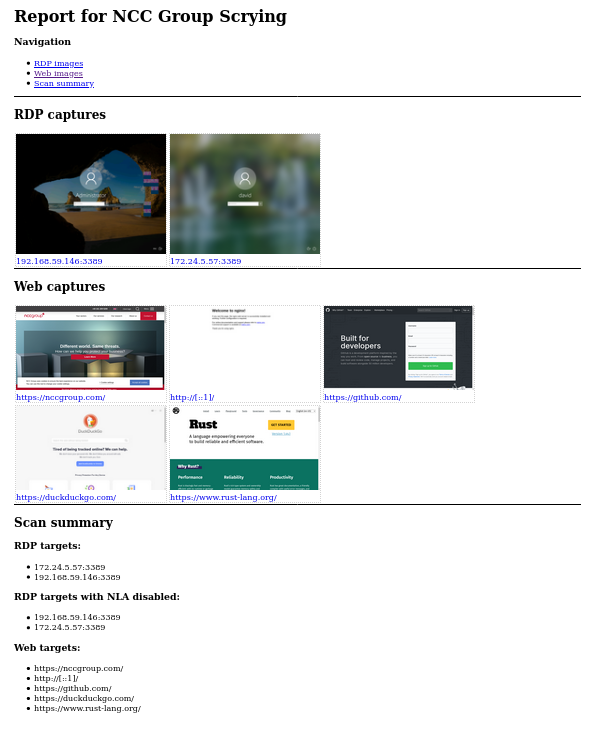
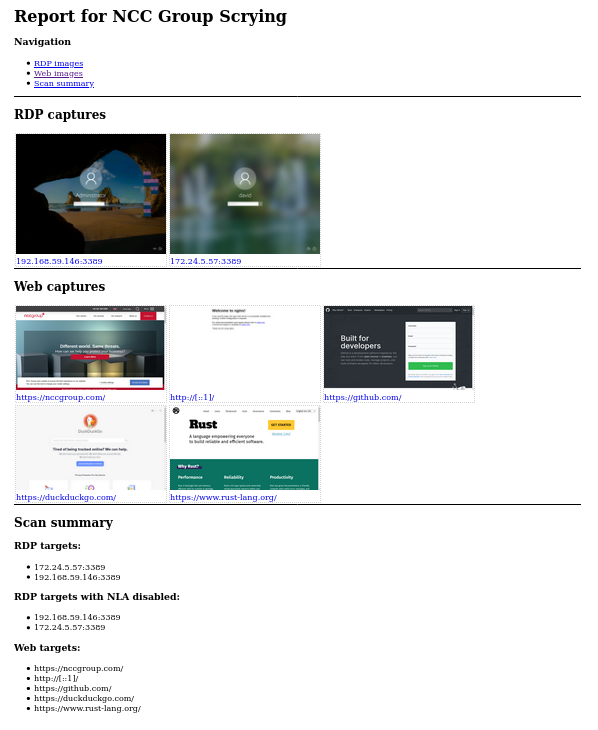
一款用于收集RDP、Web和VNC截图的全新工具,全部集中在一个地方
此工具仍在开发中,大部分功能可用但尚未完成。 如有错误或功能请求,请提交为GitHub issues
由于Eyewitness最近放弃了RDP支持,目前没有可用的命令行工具来捕获RDP截图。 Nessus仍然可行,但提取图片很麻烦,且导出文件中不包含它们。
我认为这是一个编写更强大工具的好机会。请查看功能列表!
对于Web截图,scrying当前依赖于安装Chromium或Google Chrome。使用pacman -S chromium或相应操作系统的等价命令安装。
从发布页面下载最新版本。有适用于使用Debian包发行版的Debian包(使用sudo dpkg -i scrying*.deb安装),以及Windows、Mac和其他Linux的压缩二进制文件。
捕获单个网页、RDP服务器或VNC服务器:
$ scrying -t http://example.com
$ scrying -t rdp://192.0.2.1
$ scrying -t 2001:db8::5 --mode web
$ scrying -t 2001:db8::5 --mode rdp
$ scrying -t 192.0.2.2
$ scrying -t vnc://[2001:db8::53]:5901
在无头服务器上运行:
# apt install xvfb # 或操作系统等价命令
$ xvfb-run scrying -t http://example.com
自动从nmap输出中截图:
$ nmap -iL targets.txt -p 80,443,8080,8443,3389 -oX targets.xml
$ scrying --nmap targets.xml
选择不同的图片输出目录:
$ scrying -t 2001:db8::3 --output-dir /tmp/scrying_outputs
从目标文件运行:
$ cat targets.txt
http://example.com
rdp://192.0.2.1
2001:db8::5
$ scrying -f targets.txt
通过Web代理运行:
$ scrying -t http://example.com --web-proxy http://127.0.0.1:8080
$ scrying -t http://example.com --web-proxy socks5://\[::1\]:1080
图片文件以PNG格式保存在以下目录结构中:
output
├── report.html
├── rdp
│   └── 192.0.2.1-3389.png
├── vnc
│   └── 192.0.2.1-5900.png
└── web
    └── https_example.com.png
查看报告:output/report.html!
带有✔标记的特性已实现,其余为待办
USAGE:
    scrying [OPTIONS] <--file <FILE>|--nmap <NMAP XML FILE>|--nessus <NESSUS XML FILE>|--target <TARGET>>

OPTIONS:
        --disable-report               Don't create a report.html [aliases: no-report]
    -f, --file <FILE>                  Targets file, one per line
    -h, --help                         Print help information
    -l, --log-file <LOG FILE>          Save logs to the given file
    -m, --mode <MODE>                  Force targets to be parsed as `web`, `rdp`, `vnc` [default:
                                       auto] [possible values: web, rdp, vnc, auto]
        --nessus <NESSUS XML FILE>     Nessus XML file
        --nmap <NMAP XML FILE>         Nmap XML file
    -o, --output <OUTPUT DIR>          Directory to save the captured images in [default: output]
        --proxy <PROXY>                Default SOCKS5 proxy to use for connections e.g.
                                       socks5://[::1]:1080
        --rdp-domain <RDP DOMAIN>      Domain name to provide to RDP servers that request one
        --rdp-pass <RDP PASS>          Password to provide to RDP servers that request one
        --rdp-proxy <RDP PROXY>        SOCKS5 proxy to use for RDP connections e.g.
                                       socks5://[::1]:1080
        --rdp-timeout <RDP TIMEOUT>    Seconds to wait after last bitmap before saving an image
                                       [default: 2]
        --rdp-user <RDP USER>          Username to provide to RDP servers that request one
    -s, --silent                       Suppress most log messages
        --size <SIZE>                  Set the size of captured images in pixels. Due to protocol
                                       limitations, sizes greater than 65535x65535 may get truncated
                                       in interesting ways. This argument has no effect on VNC
                                       screenshots. [default: 1280x1024]
    -t, --target <TARGET>              Target, e.g. http://example.com, rdp://[2001:db8::4]
        --test-import                  Exit after importing targets
        --threads <THREADS>            Number of worker threads for each target type [default: 10]
    -v, --verbose                      Increase log verbosity
    -V, --version                      Print version information
        --vnc-auth <VNC AUTH>          Password to provide to VNC servers that request one
        --web-mode <WEB MODE>          Choose between headless Chrom{e,ium} or native webview (GTK
                                       on Linux, Edge WebView2 on Windows, Cocoa WebView on Mac
                                       [default: chrome] [possible values: chrome, native]
        --web-path <WEB PATH>          Append a path to web requests. Provide multiple to request
                                       each path sequentially
        --web-proxy <WEB PROXY>        HTTP/SOCKS Proxy to use for web requests e.g.
                                       http://[::1]:8080