 nccgroup/pmapper
用于快速评估 AWS 中 IAM 权限的工具。
Principal Mapper (PMapper) 是一个用于识别 AWS 账户或 AWS 组织中 AWS 身份和访问管理(IAM)配置风险的脚本和库。它将账户中的不同 IAM 用户和角色建模为一个有向图,从而能够检查权限提升以及攻击者可能用来获取 AWS 中资源或操作访问权限的替代路径。
PMapper 包含一个查询机制,使用 AWS 授权行为的本地模拟。当运行查询以确定主体是否有权访问某个操作/资源时,PMapper 还会检查该用户或角色是否可以访问其他有权访问该操作/资源的用户或角色。这捕获了一些场景,例如当用户没有读取 S3 对象的权限,但可以启动一个能够读取 S3 对象的 EC2 实例。
更多信息可以在项目wiki中找到。
Principal Mapper 使用 botocore 库和 Python 3.5+ 构建。Principal Mapper 还需要 pydot(可通过 pip 获取)和 graphviz(可从 https://graphviz.org/ 在 Windows、macOS 和 Linux 上获取)。
pip install principalmapper
克隆仓库:
git clone [email protected]:nccgroup/PMapper.git
然后使用 Pip 安装:
cd PMapper
pip install .
(从源代码克隆后)
cd PMapper
docker build -t $TAG .
docker run -it $TAG
您可以使用 -e|--env 或 --env-file 在调用 docker run ... 时传递用于凭证的 AWS_* 环境变量,或者使用 -v 挂载您的 ~/.aws/ 目录,并使用 AWS_CONFIG_FILE 和 AWS_SHARED_CREDENTIALS_FILE 环境变量。当前的 Dockerfile 应该将您带入一个已准备好 pmapper -h 并且已安装 graphviz 的 shell 中。
请参阅 wiki 中的 Getting Started 页面,了解如何通过命令行使用 PMapper 的更多信息。还有关于所有命令行函数和库代码的详细信息的页面。
以下是一个快速示例:
# Create a graph for the account, accessed through AWS CLI profile "skywalker"
pmapper --profile skywalker graph create
# [... graph-creation output goes here ...]

# Run a query to see who can make IAM Users
$ pmapper --profile skywalker query 'who can do iam:CreateUser'
# [... query output goes here ...]

# Run a query to see who can launch a big expensive EC2 instance, aside from "admin" users
$ pmapper --account 000000000000 argquery -s --action 'ec2:RunInstances' --condition 'ec2:InstanceType=c6gd.16xlarge'
# [... query output goes here ...]

# Run the privilege escalation preset query, skip reporting current "admin" users
$ pmapper --account 000000000000 query -s 'preset privesc *'
# [... privesc report goes here ...]

# Create an SVG representation of the admins/privescs/inter-principal access
$ pmapper --account 000000000000 visualize --filetype svg
# [... information output goes here, file created ...]
请注意 --profile 的使用,其行为应与 AWS CLI 相同。此外,后续使用 query/argquery/visualize 的调用中使用了 --account 参数,这只是为了快捷跳过检查要使用的账户(否则 PMapper 会通过 API 调用来确定)。
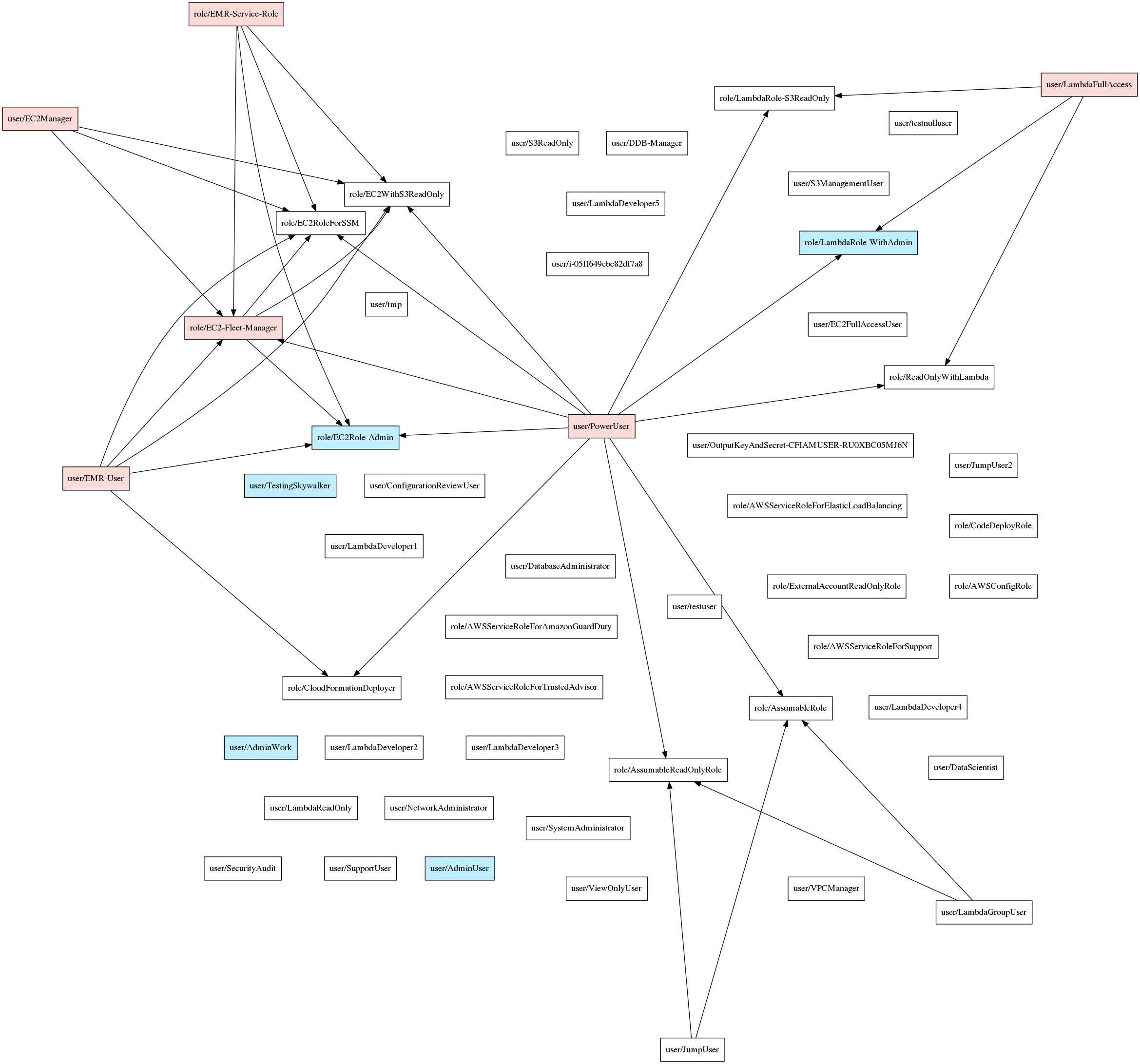
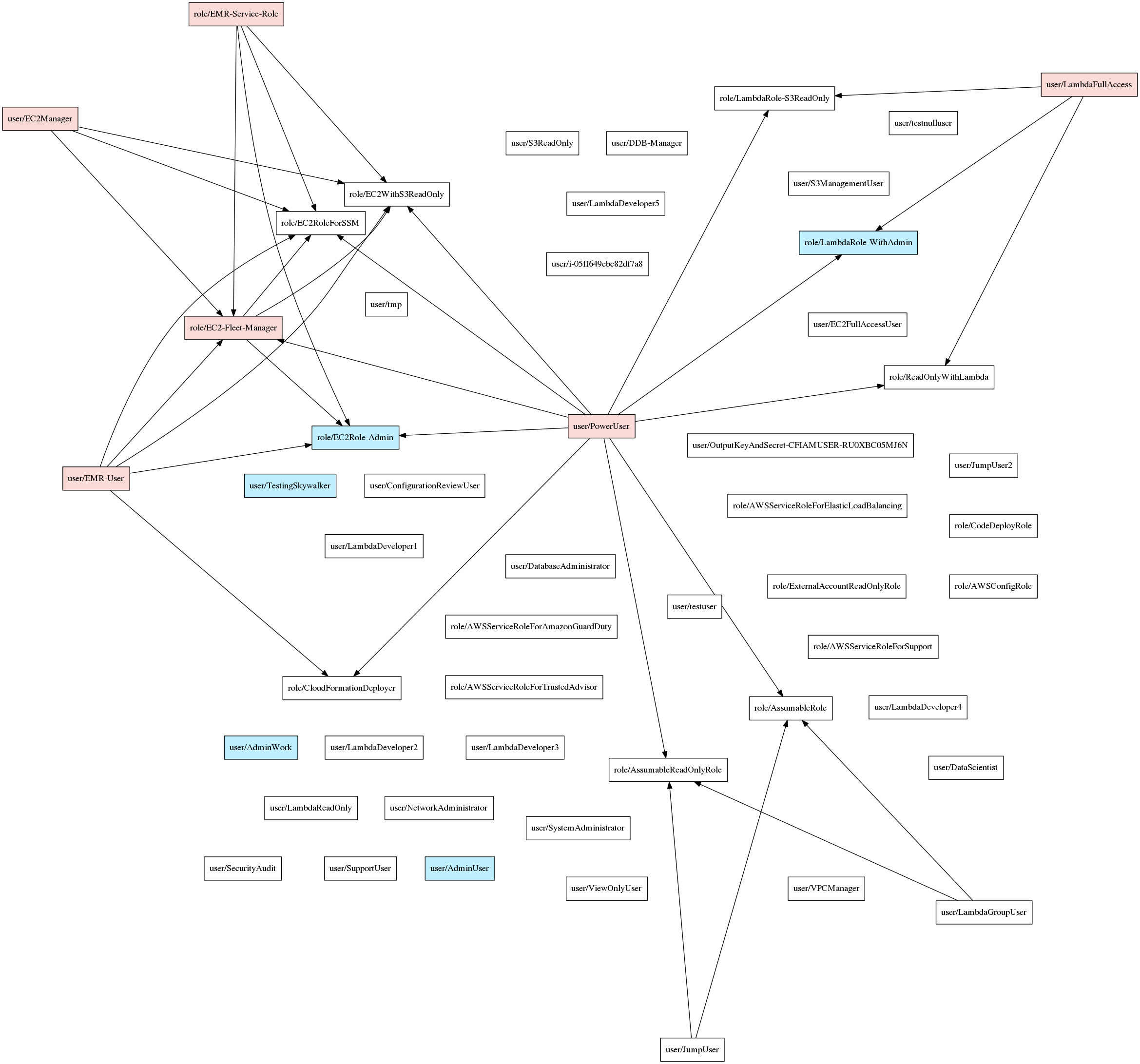
以下是可视化示例:
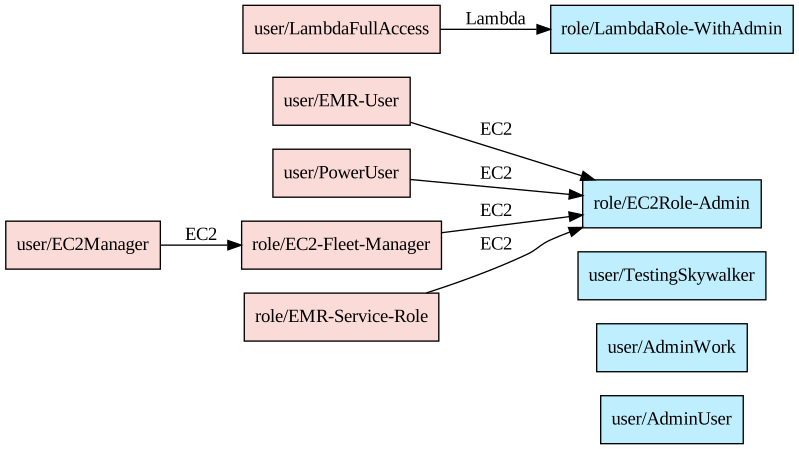
以及使用 --only-privesc 时的结果:
100% 欢迎和感谢。请在开始之前通过议题进行协调,并将拉取请求指向当前开发分支(通常形式为 vX.Y.Z-dev)。
Copyright (c) NCC Group and Erik Steringer 2019. This file is part of Principal Mapper.

  Principal Mapper is free software: you can redistribute it and/or modify
  it under the terms of the GNU Affero General Public License as published by
  the Free Software Foundation, either version 3 of the License, or
  (at your option) any later version.

  Principal Mapper is distributed in the hope that it will be useful,
  but WITHOUT ANY WARRANTY; without even the implied warranty of
  MERCHANTABILITY or FITNESS FOR A PARTICULAR PURPOSE.  See the
  GNU Affero General Public License for more details.

  You should have received a copy of the GNU Affero General Public License
  along with Principal Mapper.  If not, see <https://www.gnu.org/licenses/>.
