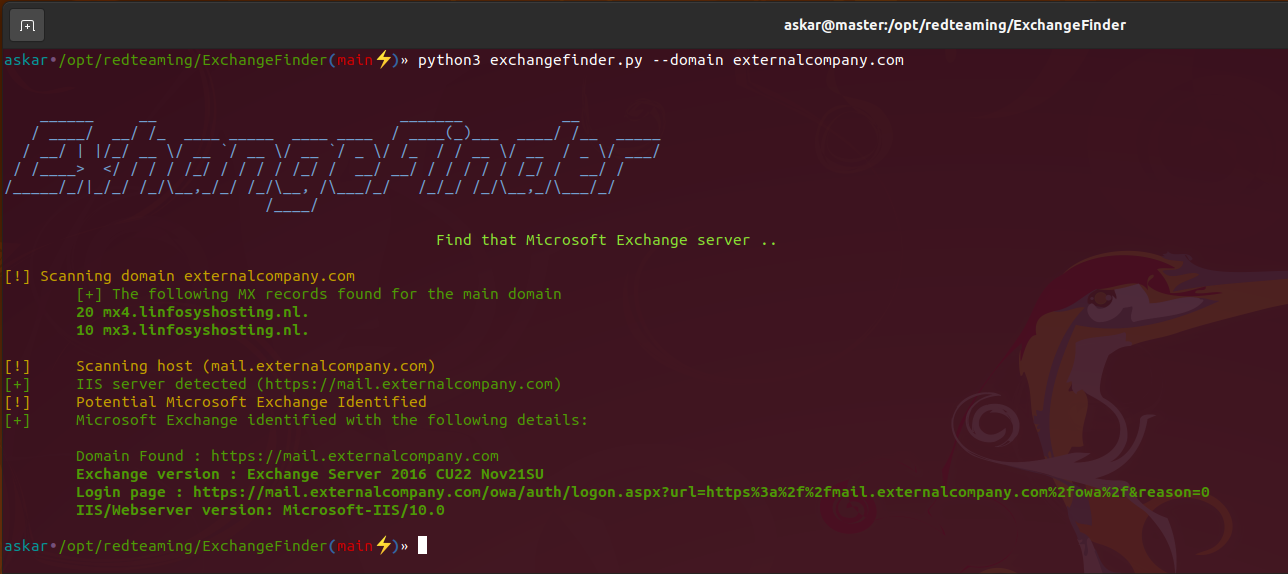
ExchangeFinder 是一个简单且开源的工具,它尝试根据 Microsoft Exchange 最常见的 DNS 名称列表,为给定域名查找 Microsoft Exchange 实例。
ExchangeFinder 可以精确识别从 Microsoft Exchange 4.0 到 Microsoft Exchange Server 2019 的 Microsoft Exchange 版本。
ExchangeFinder 首先尝试解析任何常用于 Exchange 服务器的子域名,然后发送若干 HTTP 请求,通过解析服务器返回的响应内容来判断是否使用了 Microsoft Exchange。
目前,该工具包含了从 Microsoft Exchange 4.0 到 Microsoft Exchange Server 2019 每个版本的签名,并且根据 Exchange 通过 X-OWA-Version 头部发送的构建版本号,我们能够识别出确切的版本。
如果工具找到了有效的 Microsoft Exchange 实例,它将返回以下结果:
使用以下命令克隆 ExchangeFinder 的最新版本:
git clone https://github.com/mhaskar/ExchangeFinder
然后使用命令 poetry install 安装所有依赖。
┌──(kali㉿kali)-[~/Desktop/ExchangeFinder]
└─$ poetry install                                                                                                                   1 ⨯
Installing dependencies from lock file


Package operations: 15 installs, 0 updates, 0 removals

  • Installing pyparsing (3.0.9)
  • Installing attrs (22.1.0)
  • Installing certifi (2022.6.15)
  • Installing charset-normalizer (2.1.1)
  • Installing idna (3.3)
  • Installing more-itertools (8.14.0)
  • Installing packaging (21.3)
  • Installing pluggy (0.13.1)
  • Installing py (1.11.0)
  • Installing urllib3 (1.26.12)
  • Installing wcwidth (0.2.5)
  • Installing dnspython (2.2.1)
  • Installing pytest (5.4.3)
  • Installing requests (2.28.1)
  • Installing termcolor (1.1.0)

Installing the current project: ExchangeFinder (0.1.0)

┌──(kali㉿kali)-[~/Desktop/ExchangeFinder]
┌──(kali㉿kali)-[~/Desktop/ExchangeFinder]
└─$ python3 exchangefinder.py


    ______     __                           _______           __
   / ____/  __/ /_  ____ _____  ____ ____  / ____(_)___  ____/ /__  _____
  / __/ | |/_/ __ \/ __ `/ __ \/ __ `/ _ \/ /_  / / __ \/ __  / _ \/ ___/
 / /____>  </ / / / /_/ / / / / /_/ /  __/ __/ / / / / / /_/ /  __/ /
/_____/_/|_/_/ /_/\__,_/_/ /_/\__, /\___/_/   /_/_/ /_/\__,_/\___/_/
                             /____/

                                                Find that Microsoft Exchange server ..

[-] Please use --domain or --domains option

┌──(kali㉿kali)-[~/Desktop/ExchangeFinder]
└─$
你可以使用 -h 选项显示帮助信息:
askar•/opt/redteaming/ExchangeFinder(main⚡)» python3 exchangefinder.py -h


    ______     __                           _______           __
   / ____/  __/ /_  ____ _____  ____ ____  / ____(_)___  ____/ /__  _____
  / __/ | |/_/ __ \/ __ `/ __ \/ __ `/ _ \/ /_  / / __ \/ __  / _ \/ ___/
 / /____>  </ / / / /_/ / / / / /_/ /  __/ __/ / / / / / /_/ /  __/ /
/_____/_/|_/_/ /_/\__,_/_/ /_/\__, /\___/_/   /_/_/ /_/\__,_/\___/_/
                             /____/

                                                Find that Microsoft Exchange server ..

usage: exchangefinder.py [-h] [--domain DOMAIN] [--domains DOMAINS] [--useragent USERAGENT] [--output OUTPUT] [--verbose]

DNSStager main parser

optional arguments:
  -h, --help            show this help message and exit
  --domain DOMAIN       The target domain you want to scan (example.com)
  --domains DOMAINS     Path to domains file you want to scan (domains.txt)
  --useragent USERAGENT
                        Useragent to use, the default is "Mozilla/5.0 (Windows NT 10.0; Win64; x64) AppleWebKit/537.36 (KHTML, like Gecko) Chrome/104.0.0.0 Safari/537.36."
  --output OUTPUT       Export results to given .csv file
  --verbose             Show detailed output
askar•/opt/redteaming/ExchangeFinder(main⚡)»
要扫描单个域名,你可以使用 --domain 选项,示例如下:
askar•/opt/redteaming/ExchangeFinder(main⚡)» python3 exchangefinder.py --domain dummyexchangetarget.com


    ______     __                           _______           __
   / ____/  __/ /_  ____ _____  ____ ____  / ____(_)___  ____/ /__  _____
  / __/ | |/_/ __ \/ __ `/ __ \/ __ `/ _ \/ /_  / / __ \/ __  / _ \/ ___/
 / /____>  </ / / / /_/ / / / / /_/ /  __/ __/ / / / / / /_/ /  __/ /
/_____/_/|_/_/ /_/\__,_/_/ /_/\__, /\___/_/   /_/_/ /_/\__,_/\___/_/
                             /____/

                                                Find that Microsoft Exchange server ..

[!] Scanning domain dummyexchangetarget.com
	[+] The following MX records found for the main domain
	10 mx01.dummyexchangetarget.com.

[!] 	Scanning host (mail.dummyexchangetarget.com)
[+] 	IIS server detected (https://mail.dummyexchangetarget.com)
[!] 	Potential Microsoft Exchange Identified
[+] 	Microsoft Exchange identified with the following details:

	Domain Found : https://mail.dummyexchangetarget.com
	Exchange version : Exchange Server 2016 CU22 Nov21SU
	Login page : https://mail.dummyexchangetarget.com/owa/auth/logon.aspx?url=https%3a%2f%2fmail.dummyexchangetarget.com%2fowa%2f&reason=0
	IIS/Webserver version: Microsoft-IIS/10.0

[!] 	Scanning host (autodiscover.dummyexchangetarget.com)
[+] 	IIS server detected (https://autodiscover.dummyexchangetarget.com)
[!] 	Potential Microsoft Exchange Identified
[+] 	Microsoft Exchange identified with the following details:

	Domain Found : https://autodiscover.dummyexchangetarget.com
	Exchange version : Exchange Server 2016 CU22 Nov21SU
	Login page : https://autodiscover.dummyexchangetarget.com/owa/auth/logon.aspx?url=https%3a%2f%2fautodiscover.dummyexchangetarget.com%2fowa%2f&reason=0
	IIS/Webserver version: Microsoft-IIS/10.0

askar•/opt/redteaming/ExchangeFinder(main⚡)»
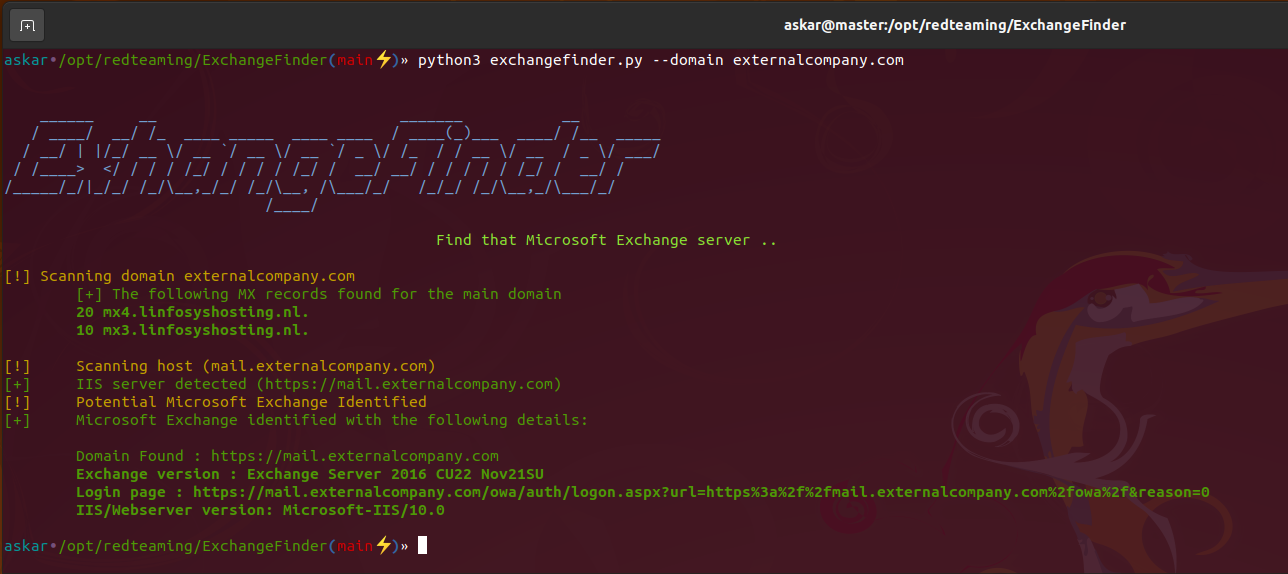
要扫描多个域名(目标),你可以使用 --domains 选项并指定一个文件,示例如下:
askar•/opt/redteaming/ExchangeFinder(main⚡)» python3 exchangefinder.py --domains domains.txt


    ______     __                           _______           __
   / ____/  __/ /_  ____ _____  ____ ____  / ____(_)___  ____/ /__  _____
  / __/ | |/_/ __ \/ __ `/ __ \/ __ `/ _ \/ /_  / / __ \/ __  / _ \/ ___/
 / /____>  </ / / / /_/ / / / / /_/ /  __/ __/ / / / / / /_/ /  __/ /
/_____/_/|_/_/ /_/\__,_/_/ /_/\__, /\___/_/   /_/_/ /_/\__,_/\___/_/
                             /____/

                                                Find that Microsoft Exchange server ..

[+] Total domains to scan are 2 domains
[!] Scanning domain externalcompany.com
	[+] The following MX records found for the main domain
	20 mx4.linfosyshosting.nl.
	10 mx3.linfosyshosting.nl.