Skip to content
KitploitKITPLOIT
工具博客
提交
工具博客
提交

黑客、渗透测试和网络安全工具,武装您的安全武器库!

Kitploit 是一个黑客、网络安全和渗透测试工具的目录。发现最新的项目更新,查找漏洞、分析系统、自动化测试并加强你的安全。

··订阅源·联系·隐私·© 2026 Kitploit

工具目录

分类

查看所有分类
Loading categories
Collect-MemoryDump — 自动化PowerShell脚本,用于符合取证规范的Windows内存获取,包括崩溃/原始转储、页面文件收集、分类取证工件以及加密磁盘检测。 | Kitploit
工具/GitHubGitHub/lethal-forensics/collect-memorydump
内存取证取证分析数字取证事件响应
GitHublethal-forensics/collect-memorydump

Collect-MemoryDump

自动化PowerShell脚本,用于符合取证规范的Windows内存获取,包括崩溃/原始转储、页面文件收集、分类取证工件以及加密磁盘检测。

查看仓库
265329个月前Kitploit 审核通过

最受欢迎

查看全部 →

发现我们社区最常用的工具。

探索所有工具

浏览我们的工具集合

查看所有工具 →
分享

Collect-MemoryDump

Collect-MemoryDump - 用于 DFIR 的 Windows 内存快照自动创建工具

Collect-MemoryDump.ps1 是一个 PowerShell 脚本,用于以符合司法鉴定标准的方式从运行中的 Windows 系统收集内存快照(包括页面文件收集)。

特性:

  • ARM64 支持(MAGNET DumpIt for Windows 和 MAGNET Response)
  • 在开始内存采集前检查主机名和物理内存大小
  • 检查是否有足够的空闲磁盘空间来保存内存转储文件
  • 使用 MAGNET DumpIt for Windows 收集 Microsoft 崩溃转储
  • 使用 MAGNET DumpIt、MAGNET RAM Capture、Belkasoft Live RAM Capturer 和 WinPMEM 收集原始物理内存转储
  • 使用 MAGNET Response 收集页面文件 ── 在处理反射式 PE 注入技术时非常有用
  • 使用 MAGNET Response 进行分流收集(可选)
  • 使用 MAGNET Response 收集正在运行的进程/模块信息
  • 使用 MAGNET 加密磁盘检测器(EDD)检查加密卷
  • 收集 BitLocker 恢复密钥
  • 检查已安装的端点安全工具(防病毒和 EDR)
  • 枚举目标主机的所有必要信息以丰富您的 DFIR 工作流程
  • 创建密码保护的 Secure Archive 容器(密码:IncidentResponse)

[!TIP] 使用 MemProcFS-Analyzer 对 Windows 内存转储及对应页面文件进行自动化取证分析

首次公开发布

MAGNET Talks - 德国法兰克福(2022年7月27日)
演示主题:现代数字取证与事件响应技术
https://www.magnetforensics.com/

下载

从 Releases 部分下载最新版本的 Collect-MemoryDump。

[!NOTE] Collect-MemoryDump 默认不包含所有外部工具。

您需要下载以下依赖项:

  • Belkasoft Live RAM Capturer
  • MAGNET DumpIt for Windows
  • MAGNET Encrypted Disk Detector
  • MAGNET RAM Capture
  • MAGNET Response

将所需文件复制到以下文件位置:

Belkasoft Live RAM Capturer
$SCRIPT_DIR\Tools\RamCapturer\x64\msvcp110.dll
$SCRIPT_DIR\Tools\RamCapturer\x64\msvcr110.dll
$SCRIPT_DIR\Tools\RamCapturer\x64\RamCapture64.exe
$SCRIPT_DIR\Tools\RamCapturer\x64\RamCaptureDriver64.sys
$SCRIPT_DIR\Tools\RamCapturer\x86\msvcp110.dll
$SCRIPT_DIR\Tools\RamCapturer\x86\msvcr110.dll
$SCRIPT_DIR\Tools\RamCapturer\x86\RamCapture.exe
$SCRIPT_DIR\Tools\RamCapturer\x86\RamCaptureDriver.sys

MAGNET DumpIt for Windows
$SCRIPT_DIR\Tools\DumpIt\ARM64\DumpIt.exe
$SCRIPT_DIR\Tools\DumpIt\x64\DumpIt.exe
$SCRIPT_DIR\Tools\DumpIt\x86\DumpIt.exe

MAGNET Encrypted Disk Detector
$SCRIPT_DIR\Tools\EDD\EDDv310.exe

MAGNET Ram Capture
$SCRIPT_DIR\Tools\MRC\MRCv120.exe

MAGNET Response
$SCRIPT_DIR\Tools\MagnetRESPONSE\MagnetRESPONSE.exe

查看:Wiki: 如何添加或更新依赖项

用法

root@kitploit:~
.\Collect-MemoryDump.ps1 [-Tool] [--Pagefile] [--Triage]

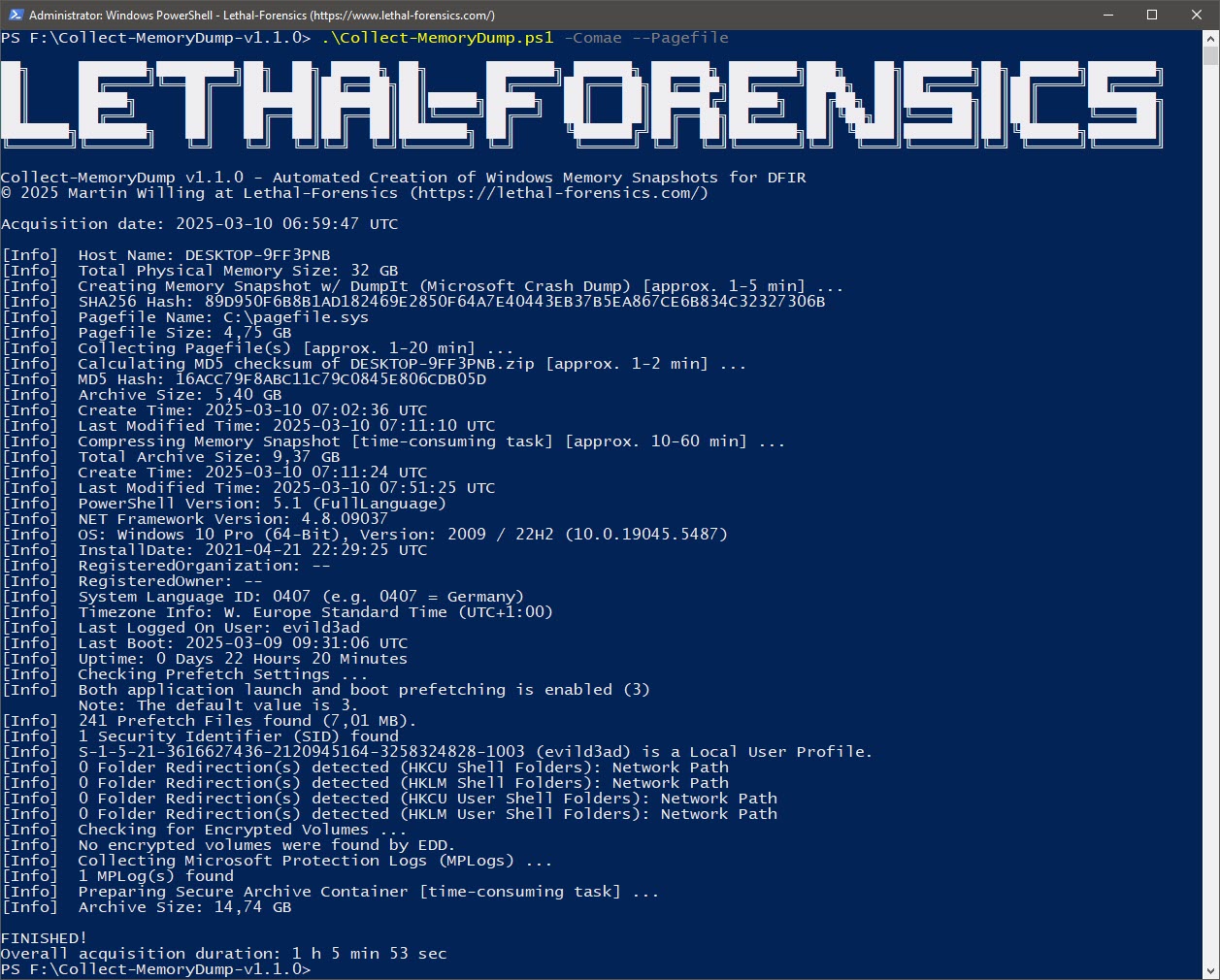
示例 1 - 收集 Microsoft 崩溃转储和页面文件

root@kitploit:~
.\Collect-MemoryDump.ps1 -Comae --Pagefile  

示例 2 - 收集原始物理内存转储和页面文件

root@kitploit:~
.\Collect-MemoryDump.ps1 -DumpIt --Pagefile

示例 3 - 收集原始物理内存转储

root@kitploit:~
.\Collect-MemoryDump.ps1 -WinPMEM  

示例 4 - 收集 Microsoft 崩溃转储、页面文件和取证痕迹

root@kitploit:~
.\Collect-MemoryDump.ps1 -Comae --Pagefile --Triage

[!IMPORTANT]
目标系统上必须安装 Microsoft .NET Framework 4(或更高版本)才能使用 MAGNET Encrypted Disk Detector 和 MAGNET Response。只需跳过页面文件收集,或从 Microsoft 下载站点下载并安装 Microsoft .NET Framework 4(独立安装程序):
https://www.microsoft.com/en-us/download/details.aspx?id=17718

[!IMPORTANT]
MAGNET DumpIt for Windows 不支持 Windows 7 目标系统。处理 Windows 7 时,请使用其他内存采集工具。
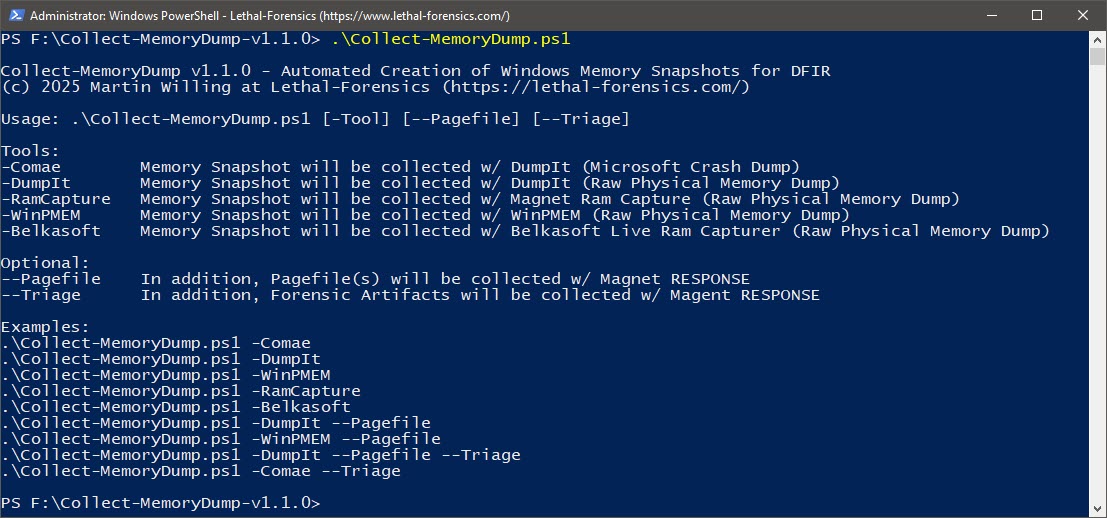
帮助信息
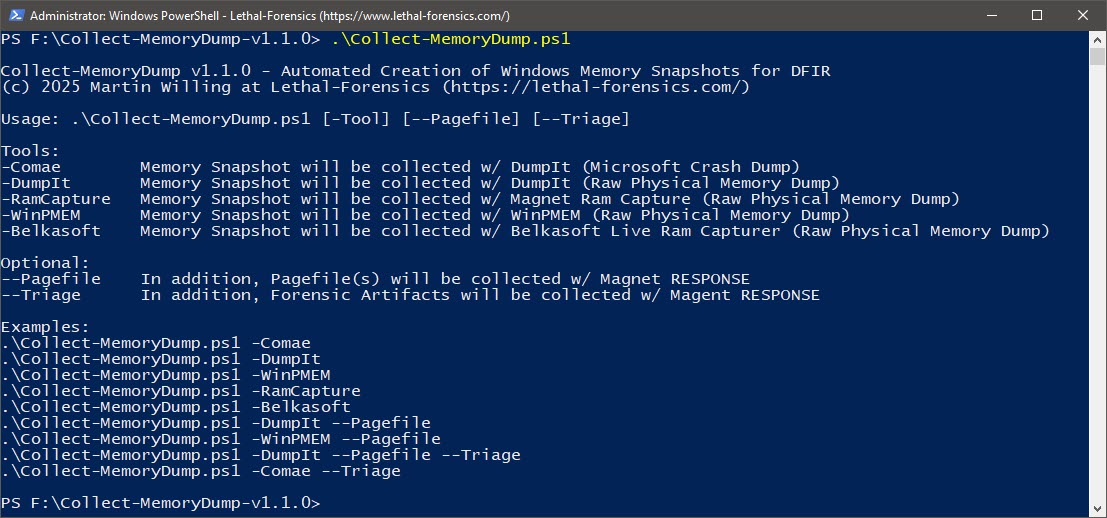
图 1: 帮助信息

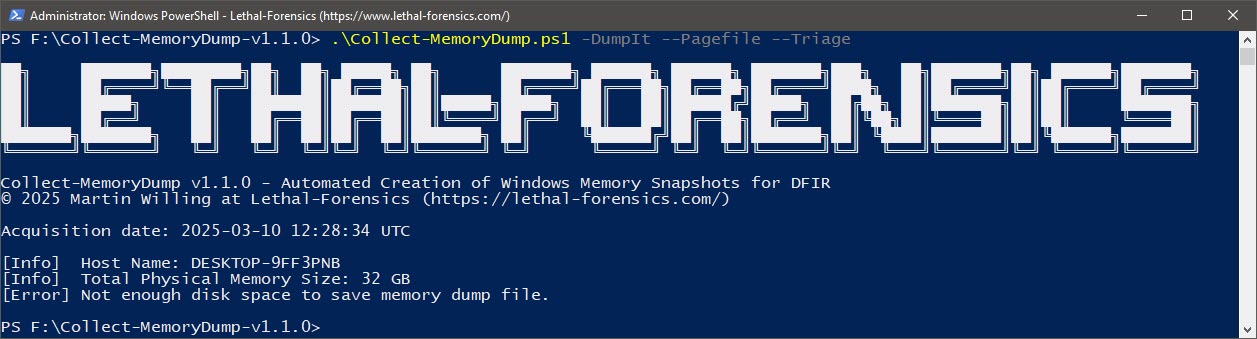
可用空间检查
图 2: 检查可用空间

DumpIt - Microsoft Crash Dump
图 3: 使用 MAGNET DumpIt for Windows 自动创建 Windows 内存快照(含页面文件)
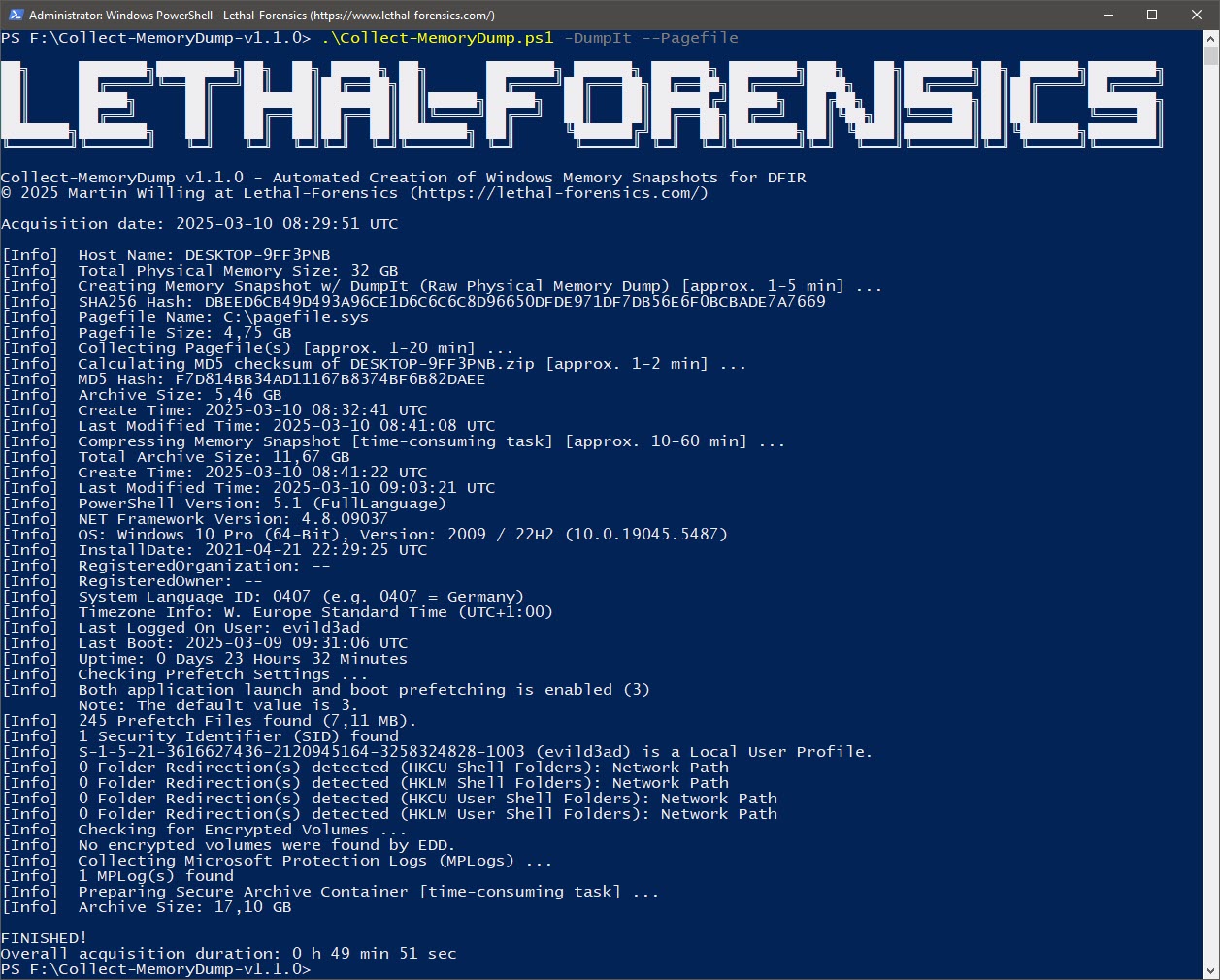
DumpIt - Raw Physical Memory Dump
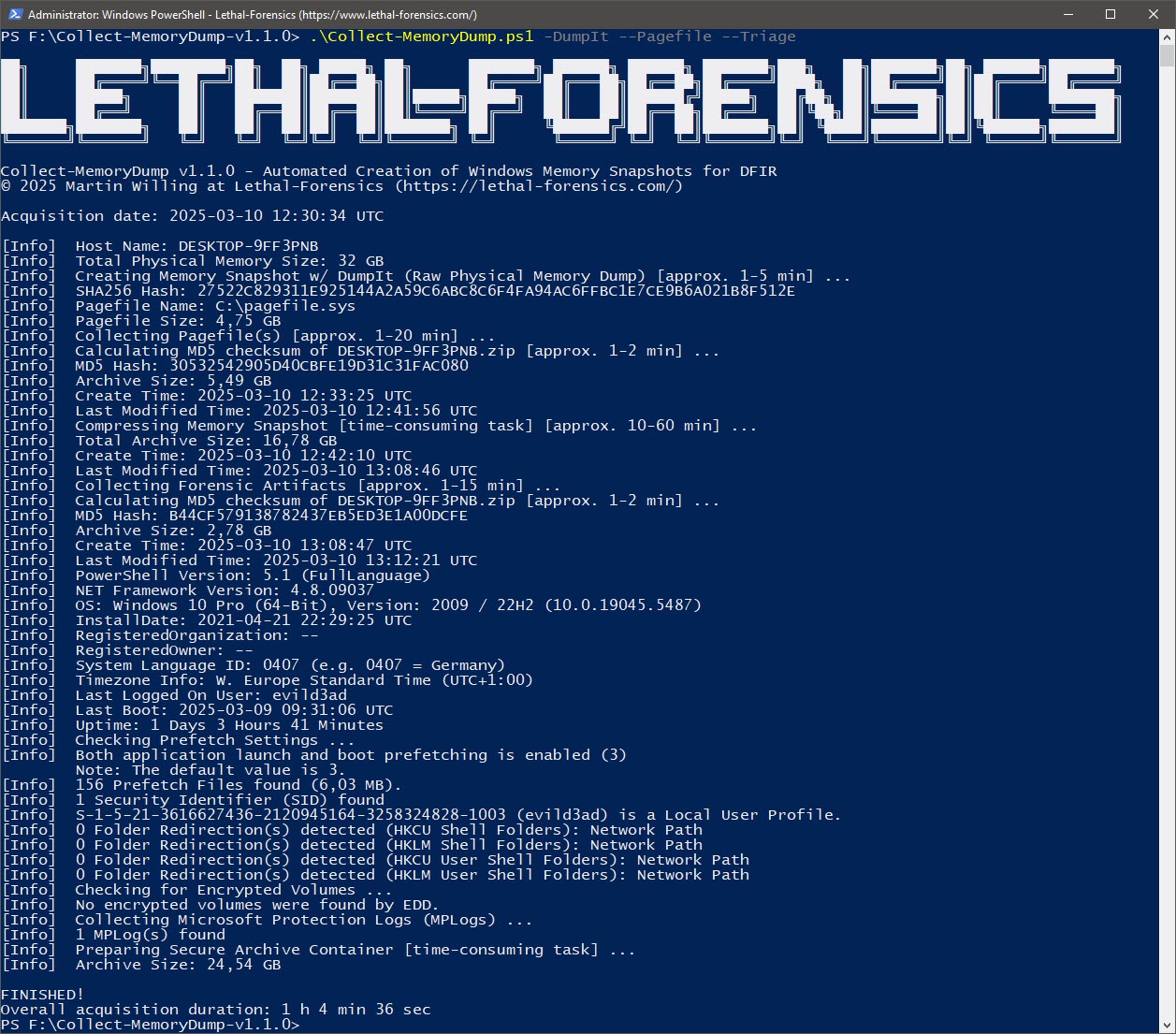
图 4: 使用 MAGNET DumpIt for Windows 自动创建 Windows 内存快照(含页面文件)
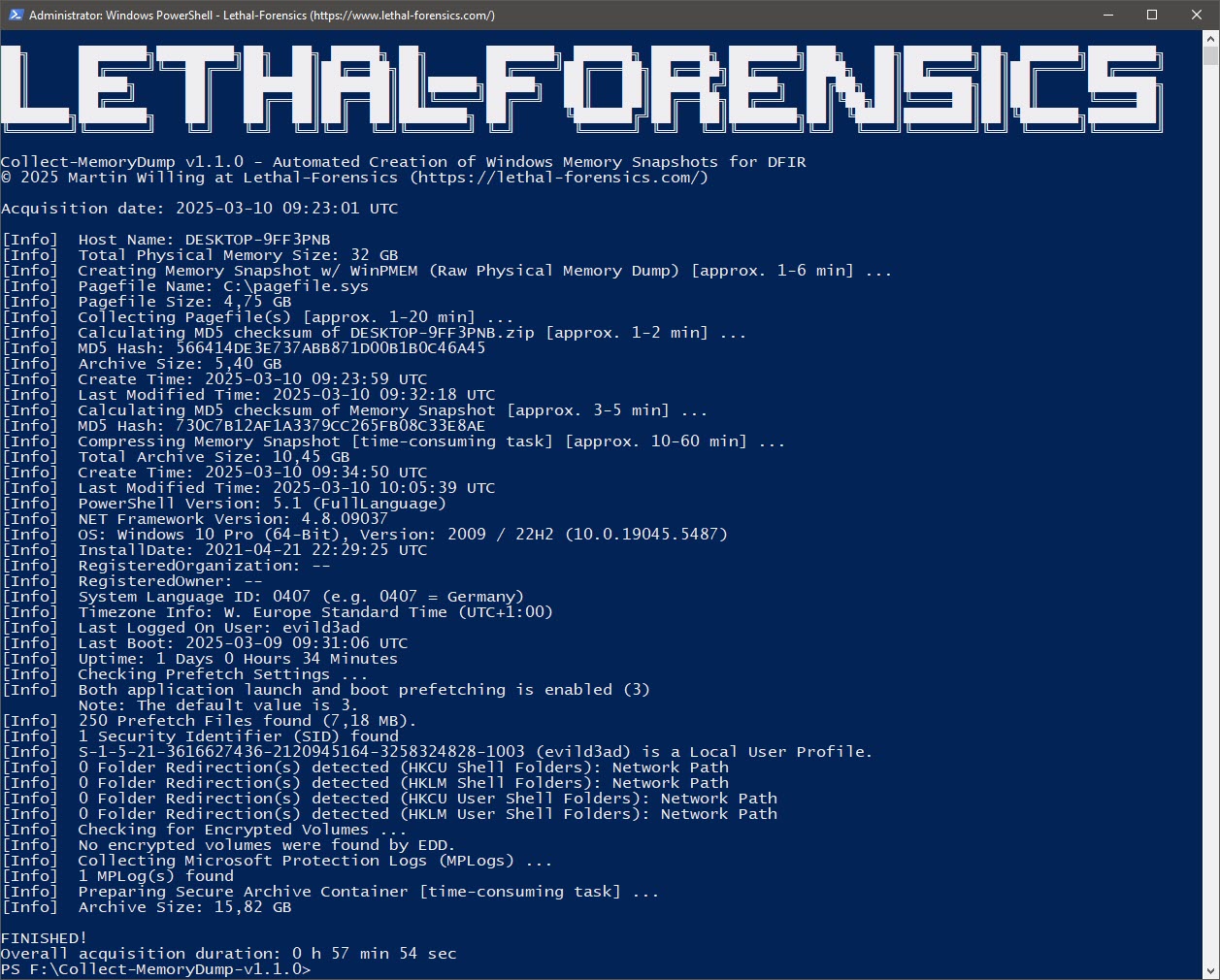
WinPMEM
图 5: 使用 WinPMEM 自动创建 Windows 内存快照(含页面文件)
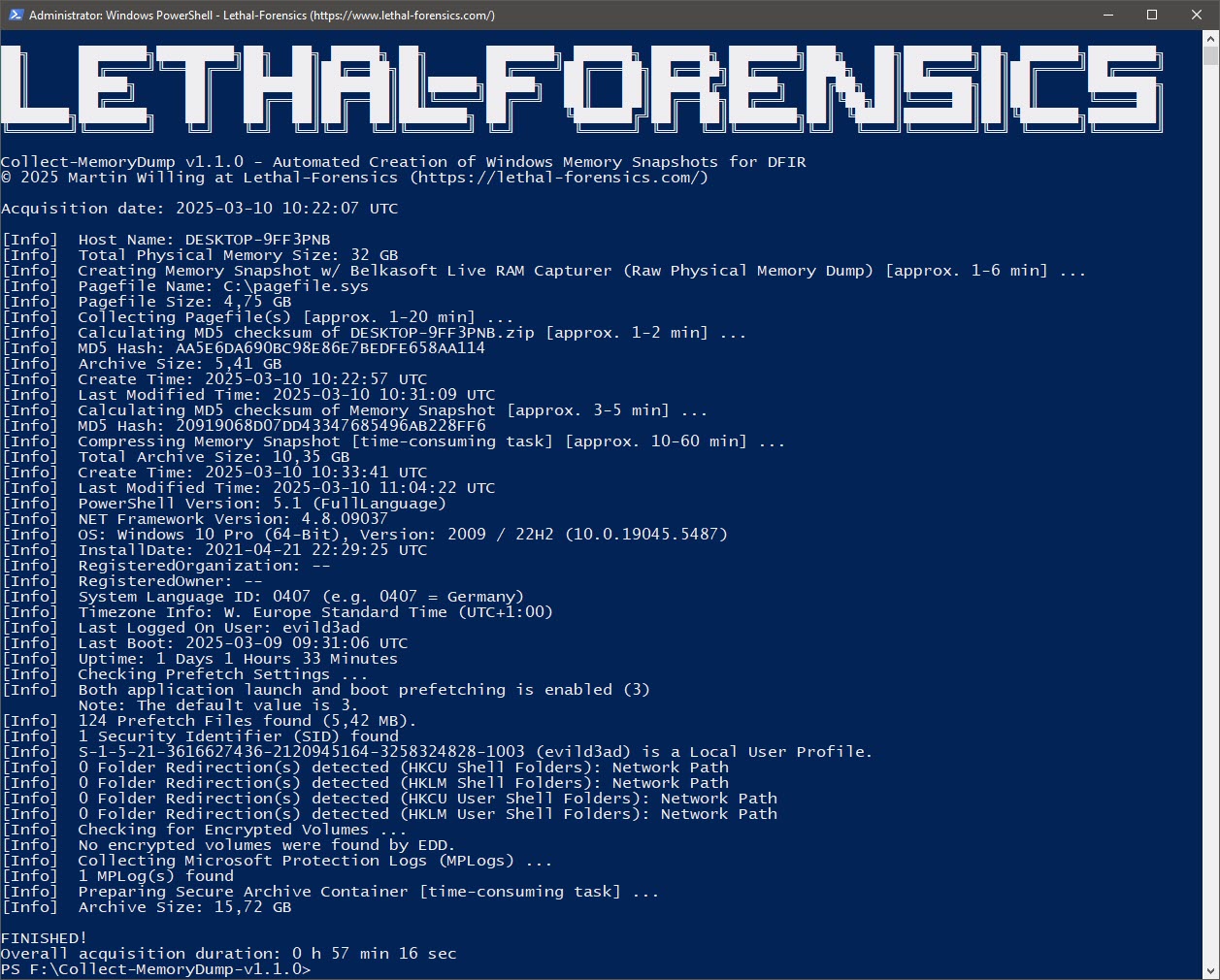
Belkasoft
图 6: 使用 Belkasoft Live RAM Capturer 自动创建 Windows 内存快照(含页面文件)
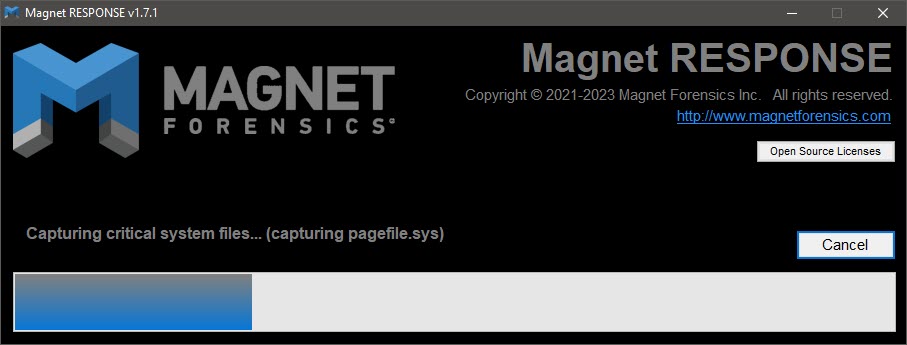
页面文件收集
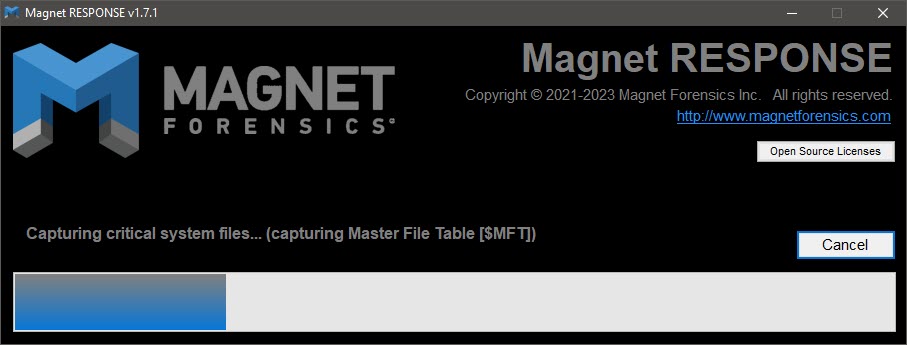
图 7: 使用 MAGNET Response 收集页面文件

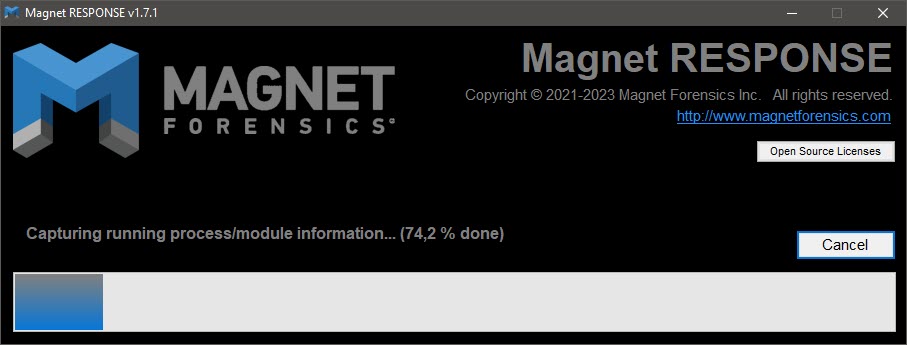
进程/模块信息
图 8: 使用 MAGNET Response 收集正在运行的进程/模块信息
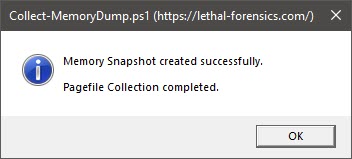
消息框
图 9: 消息框

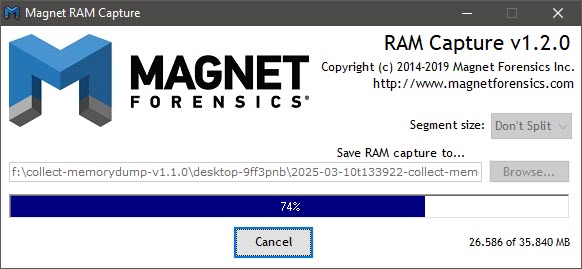
MAGNET RAM Capture GUI
图 10: MAGNET RAM Capture

MAGNET RAM Capture
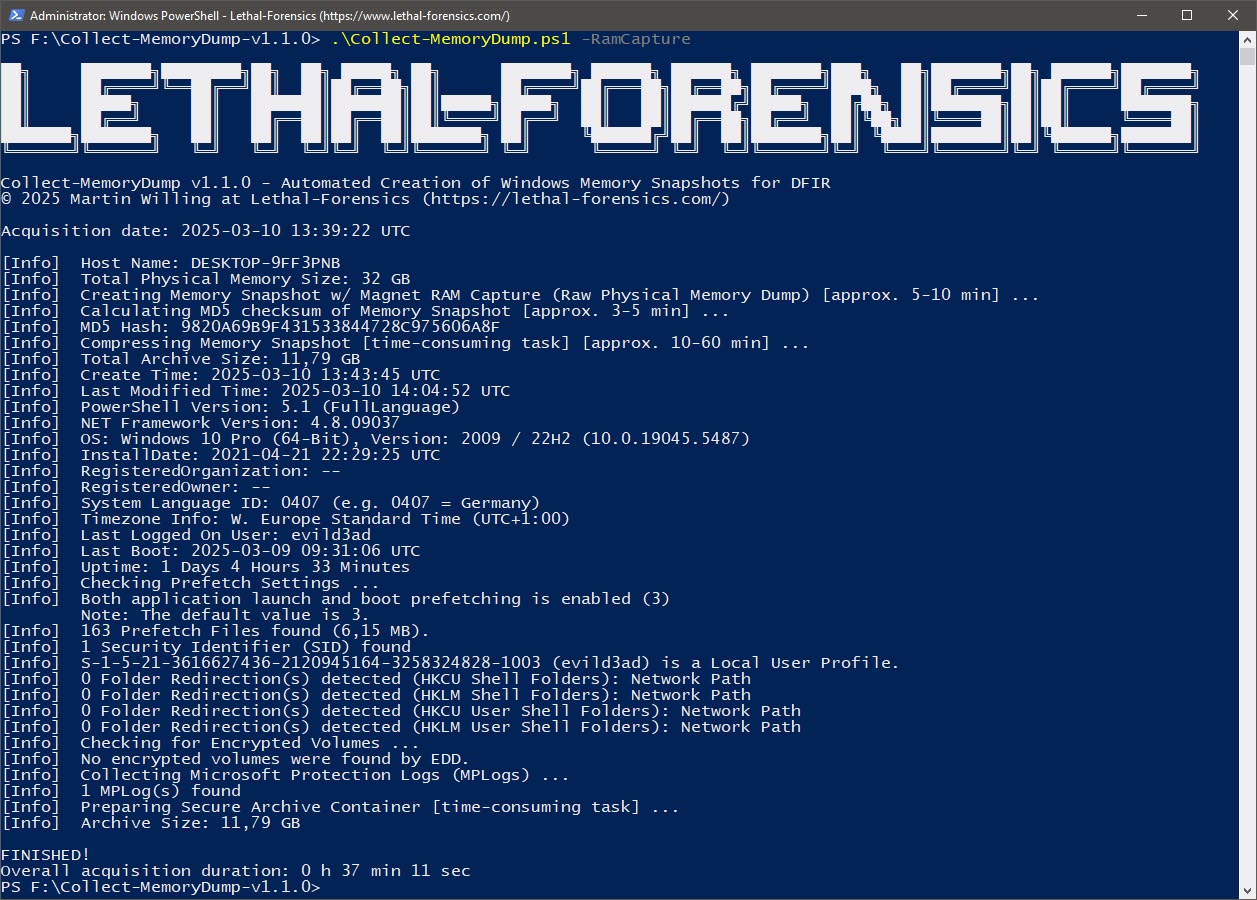
图 11: 使用 MAGNET RAM Capture 自动创建 Windows 内存快照
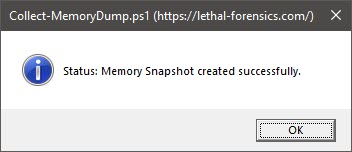
消息框 - 内存快照创建成功
图 12: 消息框

分流收集
图 13: 使用 MAGNET Response 进行分流收集

完整收集
图 14: 使用 MAGNET DumpIt 创建 Windows 内存快照(含页面文件)+ 分流收集
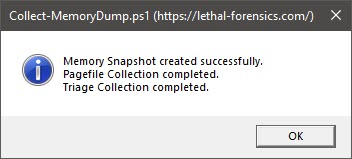
消息框 - 完整收集
图 15: 消息框

安全归档
图 16: Secure Archive 容器(密码:IncidentResponse)和 Logfile.txt

输出目录
图 17: 输出目录

内存目录
图 18: 内存目录(DumpIt 和页面文件)

内存
图 19: 内存快照(以符合司法鉴定标准的方式)

PageFileInfo
图 20: 页面文件和 PageFileInfo

页面文件收集
图 21: 页面文件收集(以符合司法鉴定标准的方式)

系统信息
图 22: 收集的系统信息

ProcessesAndModules-Extended_Info.tsv
图 23: 自动处理 'ProcessesAndModules-Extended_Info.tsv'(MAGNET Response)

ProcessesAndModules-Extended_Info.ps1
图 24: 'ProcessesAndModules-Extended_Info.ps1' ── MemProcFS-Analyzer

依赖项

7-Zip 24.09 独立控制台版(2024-11-29)
https://www.7-zip.org/download.html

Belkasoft Live RAM Capturer(2018-10-22)
https://belkasoft.com/ram-capturer

MAGNET DumpIt for Windows(2023-01-17) ── Comae-Toolkit-v20230117
https://www.magnetforensics.com/resources/magnet-dumpit-for-windows/

MAGNET Encrypted Disk Detector v3.1.0(2022-06-19)
https://www.magnetforensics.com/resources/encrypted-disk-detector/

MAGNET RAM Capture v1.2.0(2019-07-24)
https://www.magnetforensics.com/resources/magnet-ram-capture/

Magnet RESPONSE v1.7.1(2024-09-07)
https://www.magnetforensics.com/resources/magnet-response/

PsLoggedOn v1.35(2016-06-29)
https://docs.microsoft.com/de-de/sysinternals/downloads/psloggedon

WinPMEM 4.0 RC2(2020-10-13)
https://github.com/Velocidex/WinPmem/releases

链接

Belkasoft Live RAM Capturer
MAGNET DumpIt for Windows
MAGNET Encrypted Disk Detector
MAGNET RAM Capture
MAGNET Response
WinPMEM

下载工具