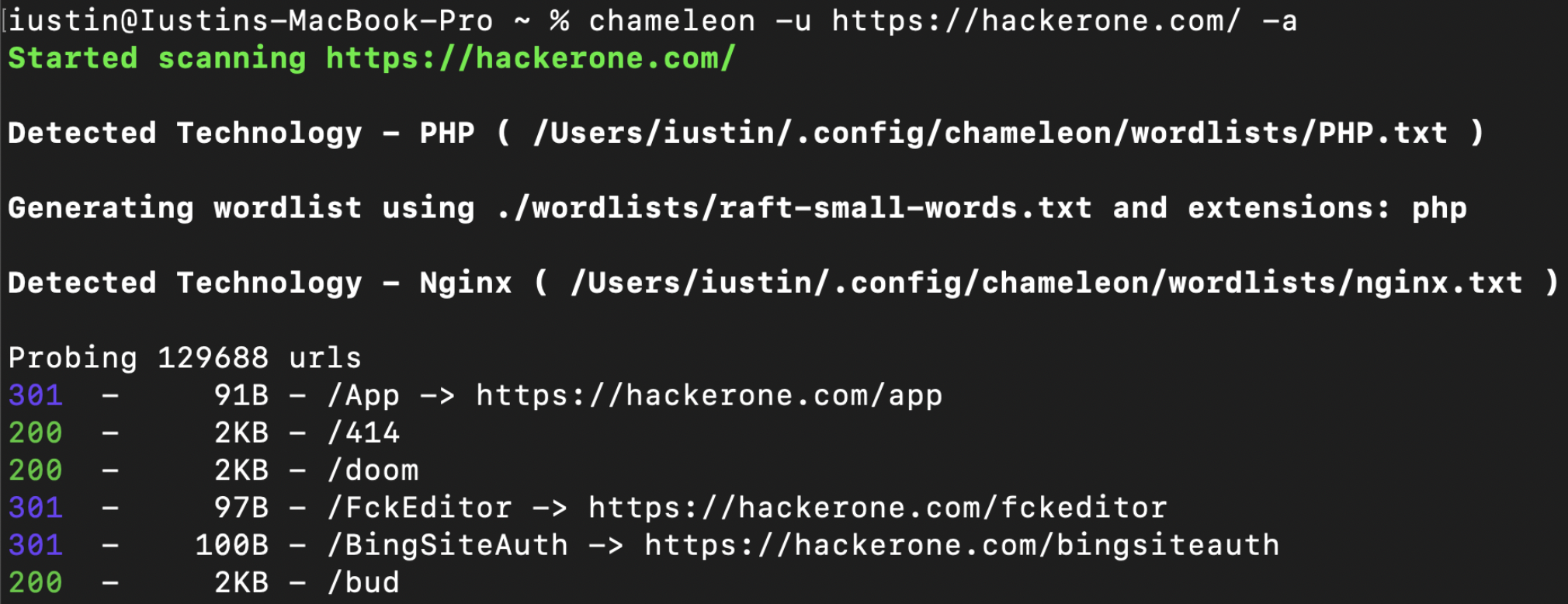
Chameleon 通过使用 wappalyzer 的技术指纹集以及针对每种检测到的技术定制的自定义字典,提供更好的内容发现能力。
该工具具有高度可定制性,允许用户添加自己的自定义字典、扩展名或指纹。
完整文档可在以下网址获取: https://youst.in/posts/context-aware-conent-discovery-with-chameleon/
curl -sL https://raw.githubusercontent.com/iustin24/chameleon/master/install.sh | bash
运行该脚本将创建目录 ~/.config/chameleon/ 并下载配置文件和自定义字典。
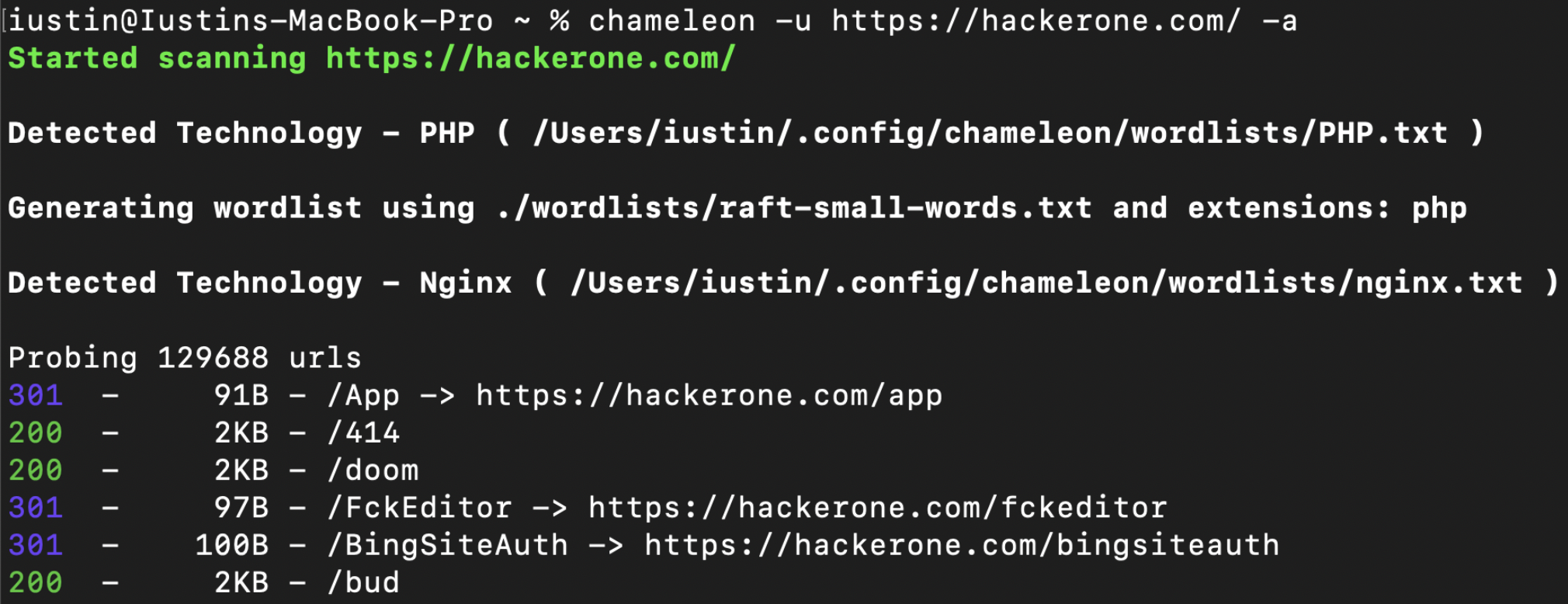
> chameleon --url https://example.com -a
OPTIONS:
    -a, --tech-detect
            Automatically detect technologies with wappalyzer and adapt wordlist

    -A, --auto-calibrate
            Automatically calibrate filtering options (default: false)

    -c, --mc <MATCHCODE>...
            Match HTTP status codes from response - Comma separated list [default:
            200,204,301,302,307,401,403,405]

    -C, --fc <FILTERCODE>...
            Filter HTTP status codes from response - Comma separated list

    -h, --help
            Print help information

    -i, --include tech <TECHS>
            Technology to be included, even if its not detected by wappalyzer. ( -i PHP,IIS )

    -J, --json
            Save the output as json

    -k, --config <CONFIG>
            Config file to use [default: ~/.config/chameleon/config.toml]

    -L, --hosts-file <HOSTS_FILE>
            List of hosts to scan

    -o, --output <OUTPUT>
            Save the output into a file

    -s, --ms <MATCHSIZE>...
            Match HTTP response size. Comma separated list of sizes

    -S, --fs <FILTERSIZE>...
            Filter HTTP response size. Comma separated list of sizes

    -t, --concurrency <CONCURRENCY>
            Number of concurrent threads ( default: 200 ) [default: 40]

    -T, --tech url <TECH_URL>
            URL which will be scanned for technologies. By default, this is the same as '-u',
            however it can be changed using '-T'

    -u, --url <URL>
            url to scan

    -U, --user-agent <USERAGENT>
            Change the value for the user-agent header [default: "Chameleon /
            https://github.com/iustin24/chameleon"]

    -V, --version
            Print version information

    -w, --wordlist <WORDLIST>
            Main wordlist to use for bruteforcing

    -W, --small-wordlist <SMALL_WORDLIST>
            Wordlist used to generate files by adding extensions ( FUZZ.%ext )

    -X, --methods <METHODS>...
            HTTP Methods to use. Comma separated list of sizes [default: GET]
Chameleon 使用位于 ~/.config/chameleon/config.yaml 的配置文件。
如果未提供字典,chameleon 将使用配置文件中 main_wordlist 指定的字典。(默认:~/.config/chameleon/wordlists/raft-medium-words.txt )
当检测具有特征扩展名的技术时,chameleon 将按如下方式生成字典(FUZZ.%ext)。Chameleon 将使用配置文件中 small_wordlist 指定的字典。(默认:~/.config/chameleon/wordlists/raft-medium-words.txt )
包含技术特定字典的示例 config.yaml:
# Technology Specific Wordlists:

Flask="~/.config/chameleon/wordlists/Flask.txt"
Java="~/.config/chameleon/wordlists/Java.txt"
Go="~/.config/chameleon/wordlists/GO.txt"
...
Chameleon 使用来自 https://github.com/iustin24/wappalyzer/blob/master/apps.json 的指纹。
您可以从 apps.json 中获取某项技术的名称,并像下面这样将其添加到配置文件中:
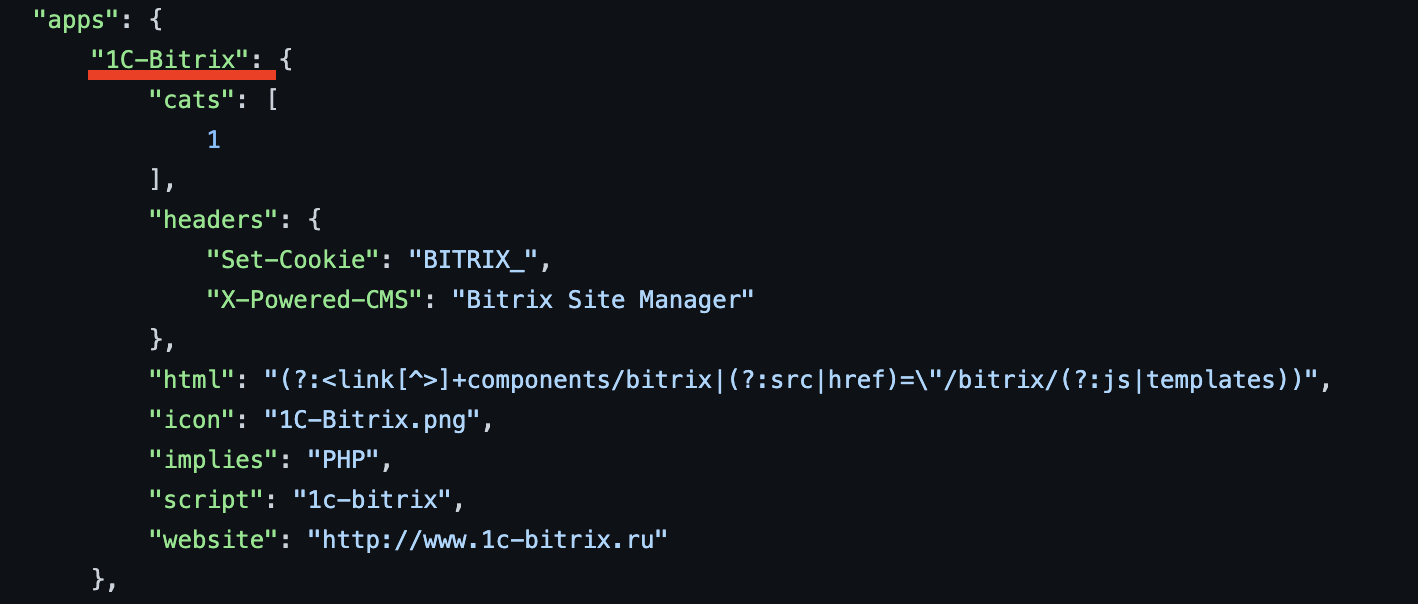
# Technology Specific Wordlists:

1C-Bitrix="~/.config/chameleon/wordlists/new_tech_wordlist.txt"
...
Chameleon 使用与检测到的技术相匹配的特征扩展名来生成字典。您可以像下面这样在配置文件中添加/修改扩展名:
# Technology specific Extensions

Microsoft_ASP_NET_ext="aspx,ashx,asmx,asp"
Java_ext="jsp"
CFML_ext="cfm"
Python_ext="py"
PHP_ext="php"
更新 wappalyzer crate 以支持 "implies" 功能,从而更好地进行技术检测。
添加用于过滤的自动校准
添加自定义标头的选项。
epi052 - https://github.com/epi052/feroxfuzz/