Svchost 在所谓的共享服务进程中至关重要,多个服务可以共享一个进程以减少资源消耗。将多个服务分组到单个进程中可以节省计算资源,这一考虑对 NT 设计者来说尤其重要,因为创建 Windows 进程比其他操作系统(例如 Unix 系列)需要更多时间和内存。1
简而言之:在 Windows 操作系统中,svchost.exe 管理服务,服务实际上作为线程在 svchost.exe 下运行。Phant0m 针对事件日志服务,找到负责事件日志服务的进程,检测并终止负责事件日志服务的线程。因此,虽然事件日志服务在系统中看似仍在运行(因为 Phant0m 没有终止进程),但实际上并未运行(因为 Phant0m 终止了线程),系统也不会再收集日志。
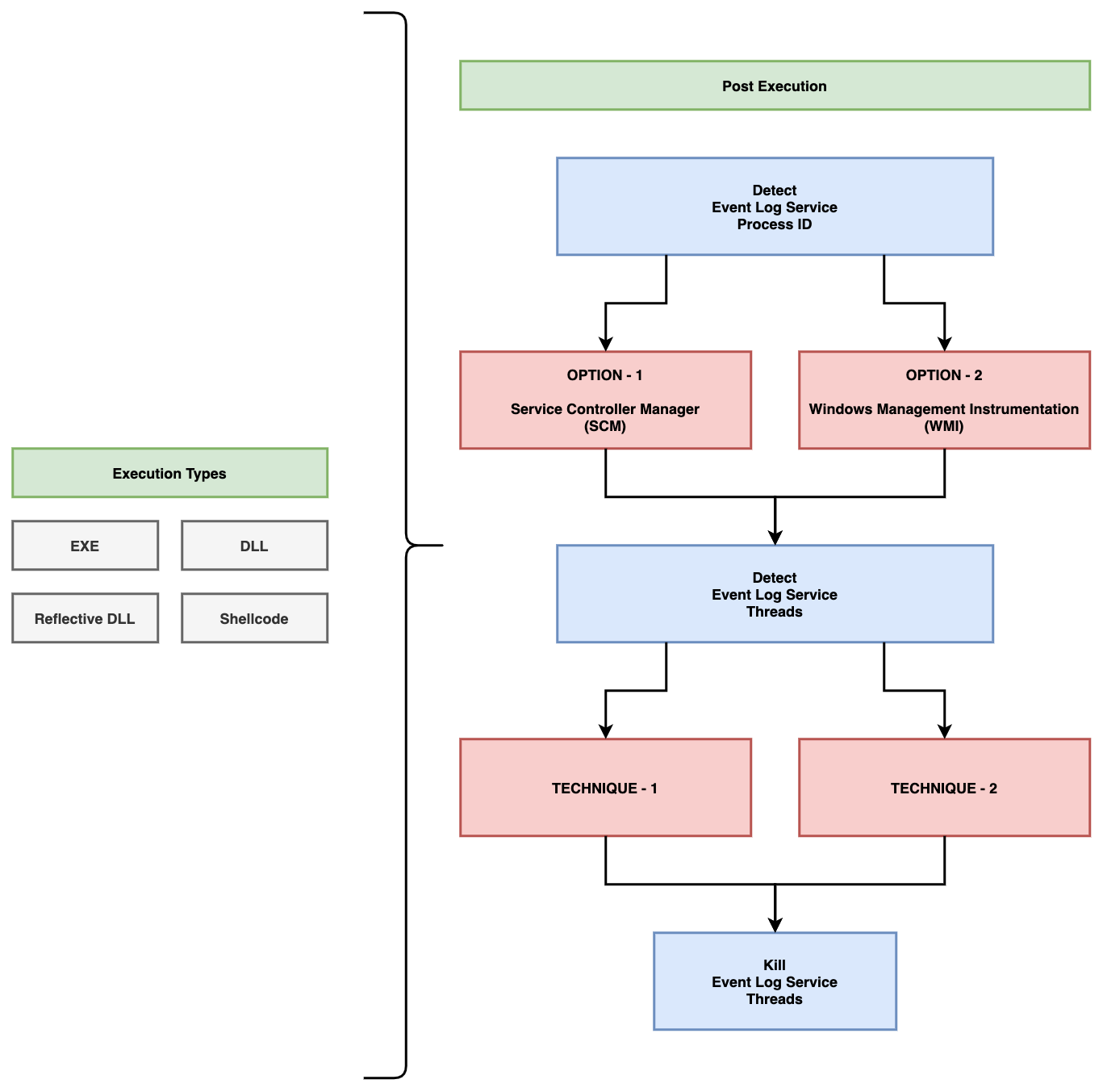
Phant0m 使用两种不同的选项来检测事件日志服务的进程 ID。第一种是通过 SCM(服务控制管理器)检测,第二种是通过 WMI(Windows Management Instrumentation)检测。您希望 Phant0m 使用哪种方法检测事件日志服务的进程 ID,请在 main.cpp 文件中修改以下行。
例如,如果您希望通过 SCM 检测进程 ID,应如下修改。(不要同时设置所有值,只设置您想要的技术。)
// PID detection techniques configuration section.
#define PID_FROM_SCM 1 // If you set it to 1, the PID of the Event Log service is obtained from the Service Manager.
#define PID_FROM_WMI 0 // If you set it to 1, the PID of the Event Log service is obtained from the WMI.
例如,如果您希望使用技术一来终止线程,应如下修改。(不要同时设置所有值,只设置您想要的技术。)
// TID detection and kill techniques configuration section.
#define KILL_WITH_T1 1 // If you set it to 1, Technique-1 will be use. For more information; https://github.com/hlldz/Phant0m
#define KILL_WITH_T2 0 // If you set it to 1, Technique-2 will be use. For more information; https://github.com/hlldz/Phant0m
Phant0m 使用两种不同的选项来检测并终止事件日志服务的线程。
当每个服务在运行 Windows Vista 或更高版本的计算机上注册时,服务控制管理器(SCM)会为该服务分配一个唯一的数字标签(按升序排列)。然后,在服务创建时,该标签被分配给主服务线程的 TEB。此后,该标签将传播到主服务线程创建的每个线程。例如,如果 Foo 服务线程创建一个 RPC 工作线程(注意:RPC 工作线程不使用线程池机制,稍后详述),则该线程将具有 Foo 服务的服务标签。2
因此,在这种技术中,Phant0m 使用 NtQueryInformationThread API 获取线程的 TEB 地址,并从 TEB 中读取 SubProcessTag,从而检测事件日志服务的线程。然后它终止与事件日志服务相关的线程。此技术的代码位于 technique_1.h 文件中。
在这种技术中,Phant0m 检测与线程关联的 DLL 名称。Windows 事件日志服务使用 wevtsvc.dll。完整路径是 %WinDir%\System32\wevtsvc.dll。如果线程使用了该 DLL,则它是 Windows 事件日志服务的线程,然后 Phant0m 终止该线程。此技术的代码位于 technique_2.h 文件中。
您可以将 Phant0m 作为独立的 EXE 和反射性 DLL 使用。在 Microsoft Visual Studio 中打开项目,进行设置(选择检测和终止技术),然后编译。您还可以将反射性 DLL 版本与 Cobalt Strike 一起使用,仓库中有一个 Aggressor Script 文件 (phant0m.cna)。
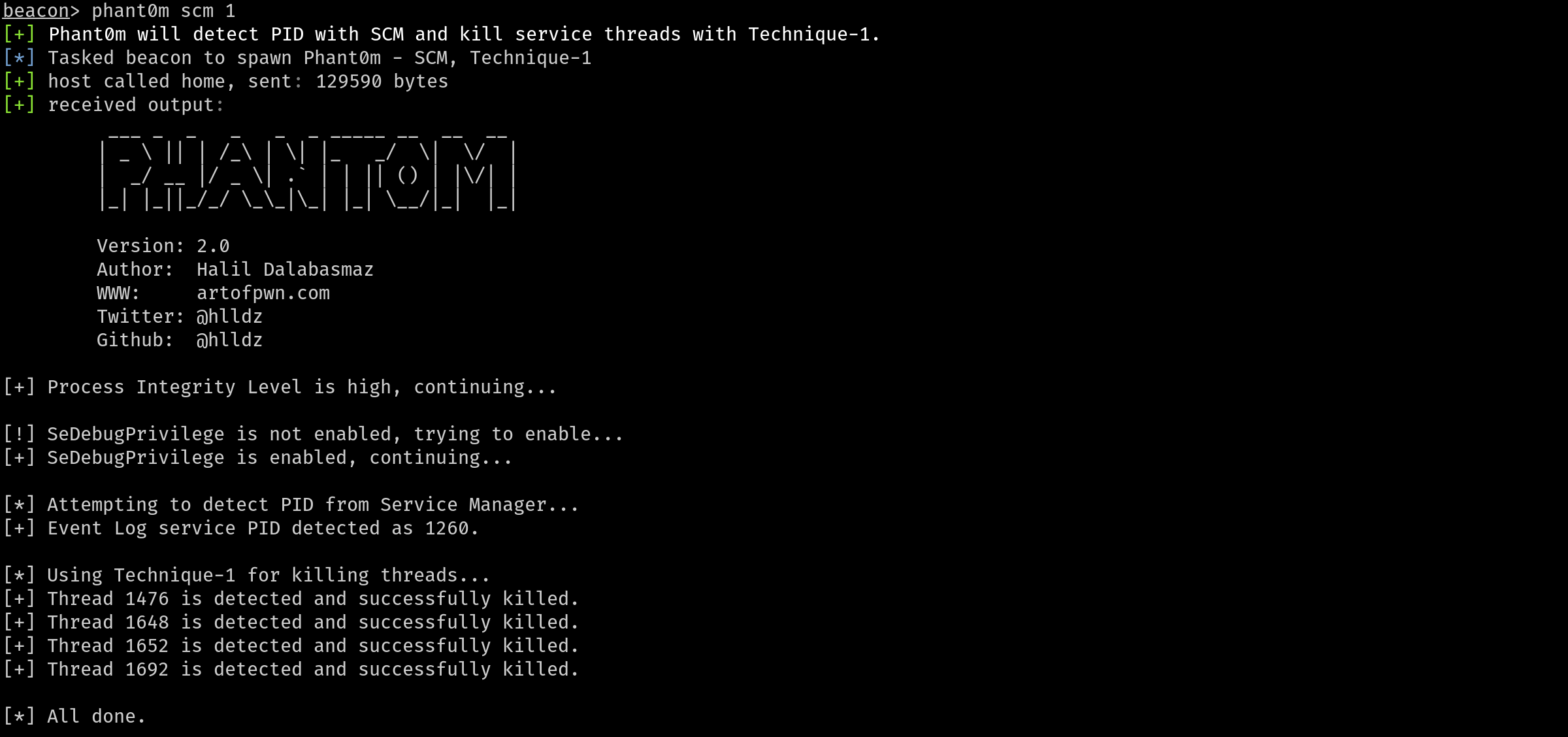
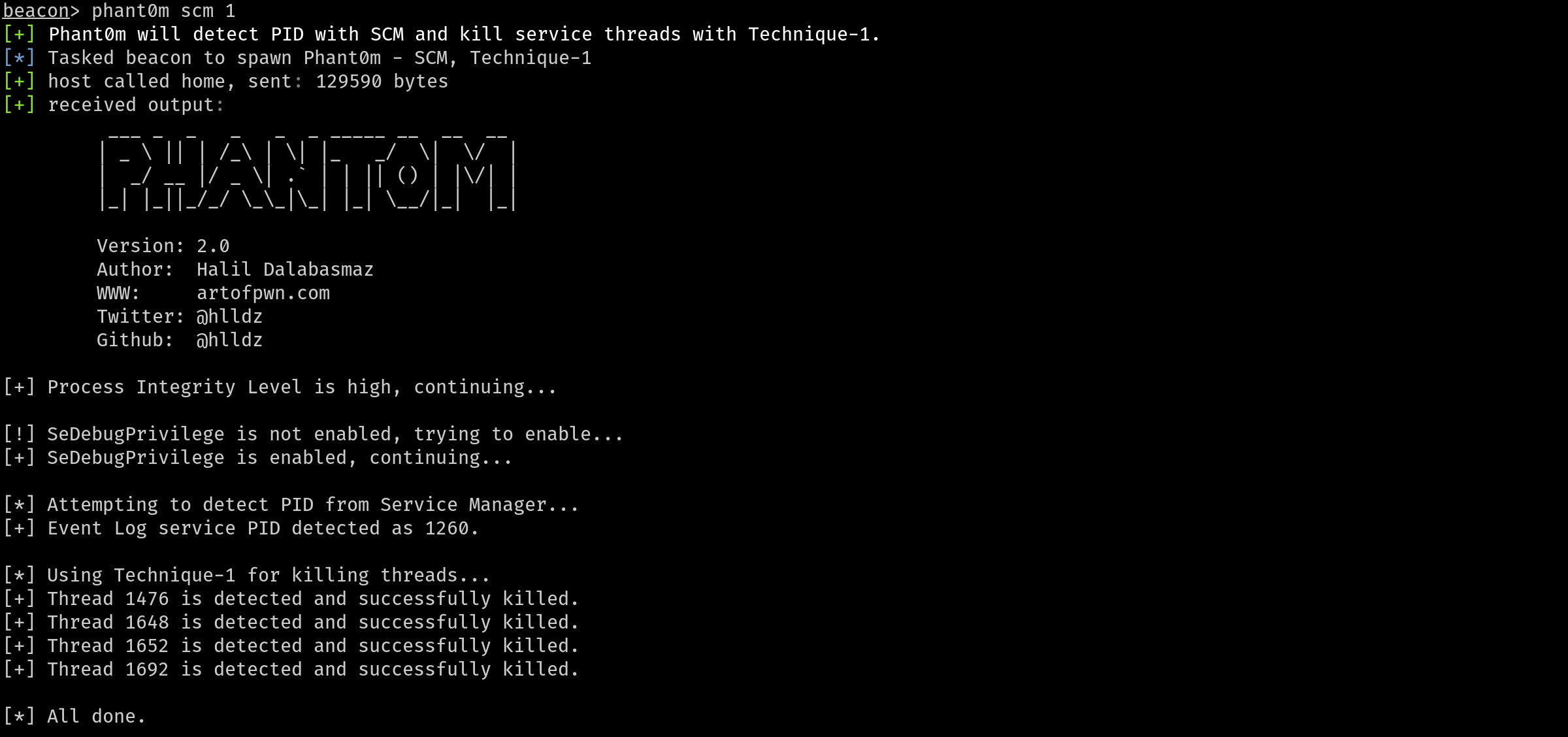
Cobalt Strike 的 Aggressor Script (phant0m.cna) 执行类型中使用了 Fork 和注入方法以及 bdllspawn。如果您想将 Phant0m 注入到现有进程中并运行,您可以查看此项目 (https://github.com/rxwx/cs-rdll-ipc-example),并且可以轻松完成。您还可以使用 Donut 将代码转换为 DLL,然后转换为 Shellcode。
注意:该项目仅支持 x64 架构。