从 OSINT 档案中提取 URL,助力安全洞察。




Urx 是一款命令行工具,专为从 OSINT 档案(如 Wayback Machine 和 Common Crawl)中收集 URL 而设计。它使用 Rust 构建以追求高效,利用异步处理快速查询多个数据源。该工具简化了为指定域名收集 URL 信息的过程,提供全面的数据集,可用于多种用途,包括安全测试和分析。
--cdx-endpoint URL 接入任何其他 CDX 索引服务器——国家网络档案、私有 pywb、OutbackCDX——无需修改代码-H、--cookie 和 --user-agent 应用于 urx 对目标发起的每个请求(--check-status、--extract-links、--extract-js-endpoints、--expand-specs),并且刻意从不发送到档案--match-regex / --filter-regex)--meta-*):在收集后,对所有提供者统一按首次/最后捕获日期、记录的 MIME 类型和记录的状态进行过滤urx example.com/shop 将范围推入 CDX 查询本身(url=example.com/shop*),因此大型站点的子树只需花费整个索引的一小部分成本,而不是在客户端被过滤掉--scope-file):直接使用项目自身的 *.example.com / !admin.example.com 列表,可重复并取并集,排除项始终优先--dedup-similar)wordlist——即目标所构建自的路径段和参数名,省略 id、哈希和日期--params(整个目标的参数清单)、--params-by-endpoint(哪个端点接受什么参数),以及 --fuzz-placeholder FUZZ(每个参数签名一个模板化 URL,可直接用于 ffuf 或 dalfox)first_seen、last_seen、mime、archive_status 和 digest,且无额外网络开销--stream):URL 在每个提供者报告时即被写出,因此管道可立即开始工作,而无需等待最慢的档案--archive-body),因此已不存在的页面仍能交出它们曾包含的链接——得益于 CDX 摘要去重,每个不同响应体仅需一次请求--extract-js-endpoints,还可挖掘已归档的 JavaScript:一个以构建哈希命名的 bundle 在站点重新部署的瞬间就会 404,而档案是其 API 表面仍然存在的唯一地方--archive-body-dir)作为语料库,用于 grep 任何链接提取器都不会寻找的内容——开发者注释、内联凭据、内部主机名——且无额外请求--expand-specs):OpenAPI 3.x、Swagger 2.0 和 GraphQL introspection 文档,JSON 或 YAML,转换为它们所描述的每条路由——一次请求即可获得整个已文档化的表面--check-status 还会记录 Location、Content-Length 和 Content-Type,而 --check-title 会添加 HTML <title>--archived-discovery):Wayback Machine 持有的每个不同版本,因此 2015 年的 Disallow: 仍会指出站点此后不再提及的路径urx cache 子命令用于检查和维护缓存:stats、list、prune、drop <domain>、clear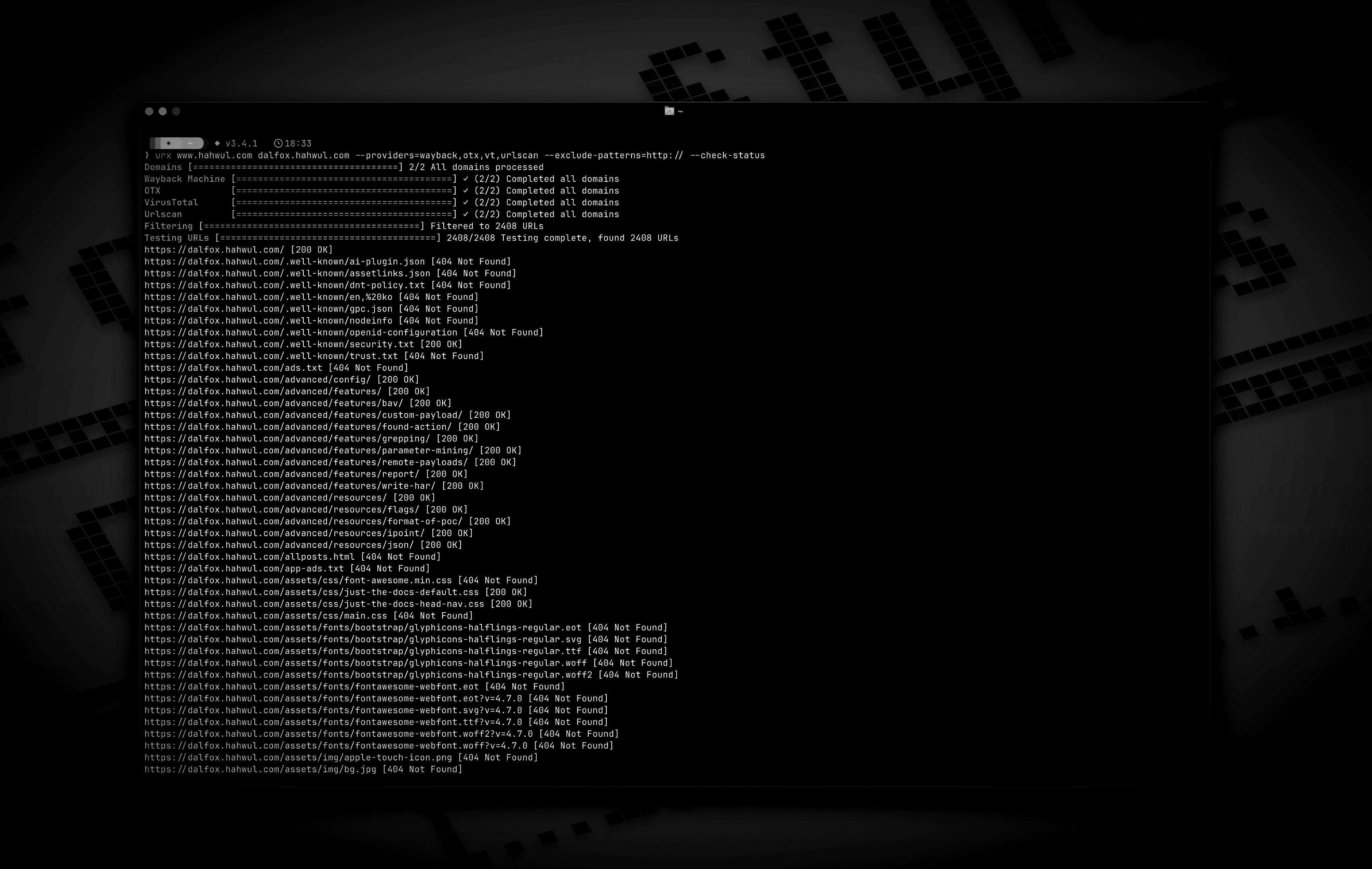
cargo install urx
### 通过 Homebrew 安装```bash
# https://formulae.brew.sh/formula/urx
brew install urx
git clone https://github.com/hahwul/urx.git cd urx cargo build --release
编译后的二进制文件将位于 `target/release/urx`。

### 通过 Docker

[ghcr.io/hahwul/urx](https://github.com/hahwul/urx/pkgs/container/urx)

### Shell 补全

`urx` 会生成自己的补全脚本,因此它始终与你实际安装的二进制文件的标志相匹配。```bash
# zsh — any directory on your $fpath works
urx --completions zsh > ~/.zfunc/_urx
# (make sure ~/.zfunc is on the fpath, then `compinit`)

# bash
urx --completions bash > ~/.local/share/bash-completion/completions/urx

# fish
urx --completions fish > ~/.config/fish/completions/urx.fish
powershell 和 elvish 也受支持。该标志无需目标域名。
urx --manpage > ~/.local/share/man/man1/urx.1 man urx
## 用法

### 基本用法```bash
# Scan a single domain
urx example.com

# Scan multiple domains
urx example.com example.org

# Scan domains from a file
cat domains.txt | urx
Usage: urx [OPTIONS] [DOMAINS]... [COMMAND]
Commands: cache Inspect and maintain the URL cache: stats, list, prune, drop ..., clear
Arguments: [DOMAINS]... Domains to fetch URLs for
Options: -c, --config Config file to load --provider-config Separate provider config file holding only API keys (default: $XDG_CONFIG_HOME/urx/provider-config.toml). CLI/env > provider-config > main config. --completions Print a shell completion script (bash, zsh, fish, powershell, elvish) to stdout and exit --manpage Print the roff man page to stdout and exit -h, --help Print help -V, --version Print version
Input Options:
--files ... Read URLs directly from files (supports WARC, URLTeam compressed, and text files)
--domain-list File of newline-separated domains to scan (repeatable; merged with positional DOMAINS and stdin; # comments allowed)
Output Options:
-o, --output Output file to write results
--output-dir Write one file per domain into this directory (extension matches --format). Coexists with --output / stdout.
-f, --format Output format: "plain", "json" (one array), "jsonl" (one JSON object per line), "csv", "wordlist" (path segments and parameter names, deduplicated and sorted) [default: plain]
--stream Write URLs as each provider reports them instead of once at the end (unsorted; bypasses cache; rejects options needing the full result set)
--merge-endpoint Merge endpoints with the same path and merge URL parameters
--normalize-url Normalize URLs for better deduplication (sorts query parameters, removes trailing slashes)
--dedup-similar Collapse URLs that differ only in variable data (numeric ids, UUIDs, hashes, dates, query values)
--params Replace the URL list with every query parameter name the run saw, once each
--params-by-endpoint
One line per endpoint: the endpoint and the comma-separated union of the parameter names seen on it (id-looking path segments collapse to {id})
--fuzz-placeholder
Replace every query parameter value with VALUE, keeping one URL per parameter signature — output you can feed straight to ffuf or dalfox