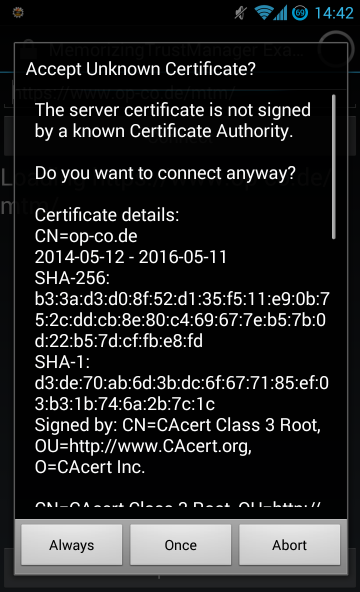
MemorizingTrustManager (MTM) 是一个旨在使 Android 上的 SSL 使用更智能、更安全的项目。当它遇到未知的 SSL 证书时,会询问用户是接受该证书一次、永久接受还是中止连接。这是防止盲目接受任何无效、自签名和/或过期证书而遭受中间人攻击的一个步骤。
MTM 旨在无缝集成到您的 Android 应用程序中,其源代码基于 MIT 许可证发布。
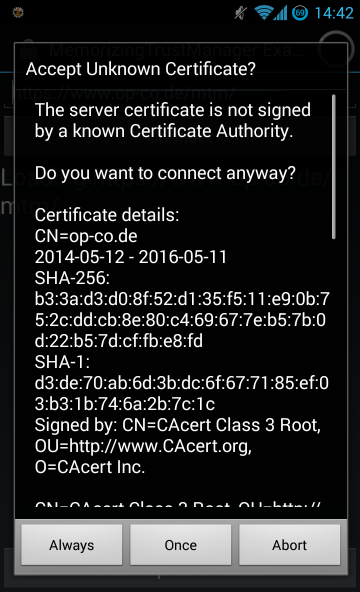
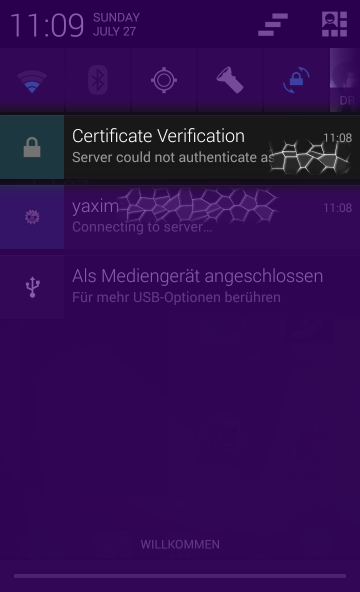
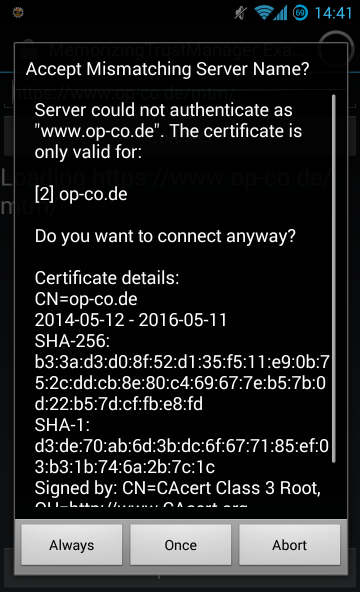
MemorizingTrustManager 已被 yaxim XMPP 客户端 在生产环境中使用。它易于使用且易于集成,但尚不支持主机名验证(Java API 使其很难集成)。
MTM 很容易集成到您自己的应用程序中。请按照以下步骤操作,或查看 example 目录中的演示应用程序。
从 GitHub 下载 MTM 源代码,或将其添加为 git 子模块:
# 普通下载:
git clone https://github.com/ge0rg/MemorizingTrustManager
# 子模块:
git submodule add https://github.com/ge0rg/MemorizingTrustManager
然后在 default.properties 中添加库项目依赖:
android.library.reference.1=MemorizingTrustManager
编辑您的 AndroidManifest.xml,并在结束的 </application> 标签之前添加 MTM activity 元素。
		...
		<activity android:name="de.duenndns.ssl.MemorizingActivity"
			android:theme="@android:style/Theme.Translucent.NoTitleBar"
			/>
	</application>
</manifest>
在 HTTPS 连接 中挂钩 MemorizingTrustManager:
// register MemorizingTrustManager for HTTPS
SSLContext sc = SSLContext.getInstance("TLS");
MemorizingTrustManager mtm = new MemorizingTrustManager(this);
sc.init(null, new X509TrustManager[] { mtm }, new java.security.SecureRandom());
HttpsURLConnection.setDefaultSSLSocketFactory(sc.getSocketFactory());
HttpsURLConnection.setDefaultHostnameVerifier(
	mtm.wrapHostnameVerifier(HttpsURLConnection.getDefaultHostnameVerifier()));
对于 SSLSocket,您应该执行以下操作:
// register MemorizingTrustManager for all SSLSockets
SSLContext sc = SSLContext.getInstance("TLS");
MemorizingTrustManager mtm = new MemorizingTrustManager(this);
HostnameVerifier hv = mtm.wrapHostnameVerifier(new org.apache.http.conn.ssl.StrictHostnameVerifier());
sc.init(null, new X509TrustManager[] { mtm }, new java.security.SecureRandom());
SSLContext.setDefault(sc);

// connect a socket
SSLSocket s = ...;
s.startHandshake();
if (!hv.verify(your_domain_name, sslSocket.getSession())) {
    throw new CertificateException("Server failed to authenticate as " + your_domain_name);
}
或者,对于 Smack,您可以使用 setCustomSSLContext():
org.jivesoftware.smack.ConnectionConfiguration connectionConfiguration = …
SSLContext sc = SSLContext.getInstance("TLS");
MemorizingTrustManager mtm = new MemorizingTrustManager(this);
sc.init(null, new X509TrustManager[] { mtm }, new java.security.SecureRandom());
connectionConfiguration.setCustomSSLContext(sc);
connectionConfiguration.setHostnameVerifier(
	mtm.wrapHostnameVerifier(new org.apache.http.conn.ssl.StrictHostnameVerifier()));
默认情况下,MTM 在询问用户之前会回退到系统 TrustManager。如果您不信任该机制,可以通过向构造函数提供 defaultTrustManager = null 参数来强制在每次新连接时显示对话框:
MemorizingTrustManager mtm = new MemorizingTrustManager(this, null);
如果您想使用不同的底层 TrustManager,例如 AndroidPinning,只需将其提供给 MTM 的构造函数:
X509TrustManager pinning = new PinningTrustManager(SystemKeyStore.getInstance(),
	new String[] {"f30012bbc18c231ac1a44b788e410ce754182513"}, 0);
MemorizingTrustManager mtm = new MemorizingTrustManager(this, pinning);
MTM 使用 java.util.logging (JUL) 进行日志记录。如果您尚未为 JUL 配置 Handler,Android 默认会记录所有 Level.INFO 或更高级别的消息。为了也获取调试日志消息(Level.FINE 或更低级别的消息),您需要相应地配置一个 Handler。MTM 示例项目包含 de.duenndns.mtmexample.JULHandler,它允许在运行时启用和禁用调试日志记录。
MemorizingTrustManager 并不是唯一的选择。
NetCipher 是一个由 Guardian Project 制作的 Android 库,旨在改善移动应用的网络安全性。它带有 StrongTrustManager 以进行更彻底的证书检查、独立的根 CA 存储,以及通过 Orbot 轻松将您的流量路由到 Tor 网络 的代码。
AndroidPinning 是另一个 Android 库,由 Moxie Marlinspike 编写,允许固定服务器证书,提高抵御国家级 MitM 攻击的安全性。如果您的应用被设计为与特定服务器通信,请使用它!