Aced 是一个用于解析和解析单个目标 Active Directory 主体的 DACL 的工具。Aced 将识别针对目标账户的允许入站访问权限中的感兴趣权限,解析入站权限的 SID,并将这些数据呈现给操作员。此外,pyldapsearch 的日志功能已集成到 Aced 中,可以在本地记录目标主体的 LDAP 属性,然后由 pyldapsearch 的配套工具 BOFHound 解析这些属性,以便将收集的数据导入 BloodHound。
我编写 Aced 仅仅是因为我想要一种更有针对性的方式来查询 ACL。Bloodhound 很棒,但它极其嘈杂。Bloodhound 收集所有东西,而 Aced 只收集单个东西,使操作员能够更好地控制如何以及收集哪些数据。通过只查询 LDAP 想要告诉你的内容,并且不执行所谓的 "昂贵 LDAP 查询",检测上的风险得以降低。Aced 可以选择放弃 SMB 连接进行主机名解析。你可以选择优先使用 LDAPS 而不是 LDAP。通过与 BloodHound 的额外集成,收集的数据可以以熟悉的格式存储,并与团队共享。通过从目标目标反向追溯,可以构建权限提升的攻击路径。
感谢以下人员提供了我抄袭的所有代码:
@_dirkjan
@fortaliceLLC
@eloygpz
@coffeegist
@tw1sm
└─# python3 aced.py -h


          _____
         |A .  | _____
         | /.\ ||A ^  | _____
         |(_._)|| / \ ||A _  | _____
         |  |  || \ / || ( ) ||A_ _ |
         |____V||  .  ||(_'_)||( v )|
                |____V||  |  || \ / |
                       |____V||  .  |
                              |____V|
                                     v1.0

        Parse and log a target principal's DACL.
                                    @garrfoster

usage: aced.py [-h] [-ldaps] [-dc-ip DC_IP] [-k] [-no-pass] [-hashes LMHASH:NTHASH] [-aes hex key] [-debug] [-no-smb] target

Tool to enumerate a single target's DACL in Active Directory

optional arguments:
  -h, --help            show this help message and exit

Authentication:
  target                [[domain/username[:password]@]<address>
  -ldaps                Use LDAPS isntead of LDAP

Optional Flags:
  -dc-ip DC_IP          IP address or FQDN of domain controller
  -k, --kerberos        Use Kerberos authentication. Grabs credentials from ccache file (KRB5CCNAME) based on target parameters. If valid
                        credentials cannot be found, it will use the ones specified in the command line
  -no-pass              don't ask for password (useful for -k)
  -hashes LMHASH:NTHASH
                        LM and NT hashes, format is LMHASH:NTHASH
  -aes hex key          AES key to use for Kerberos Authentication (128 or 256 bits)
  -debug                Enable verbose logging.
  -no-smb               Do not resolve DC hostname through SMB. Requires a FQDN with -dc-ip.
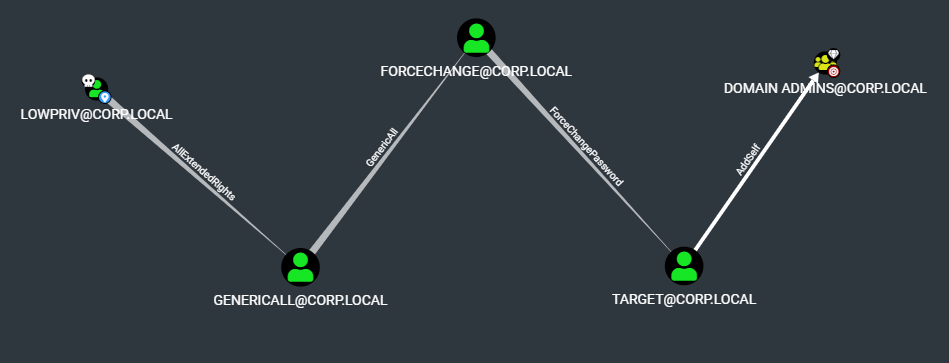
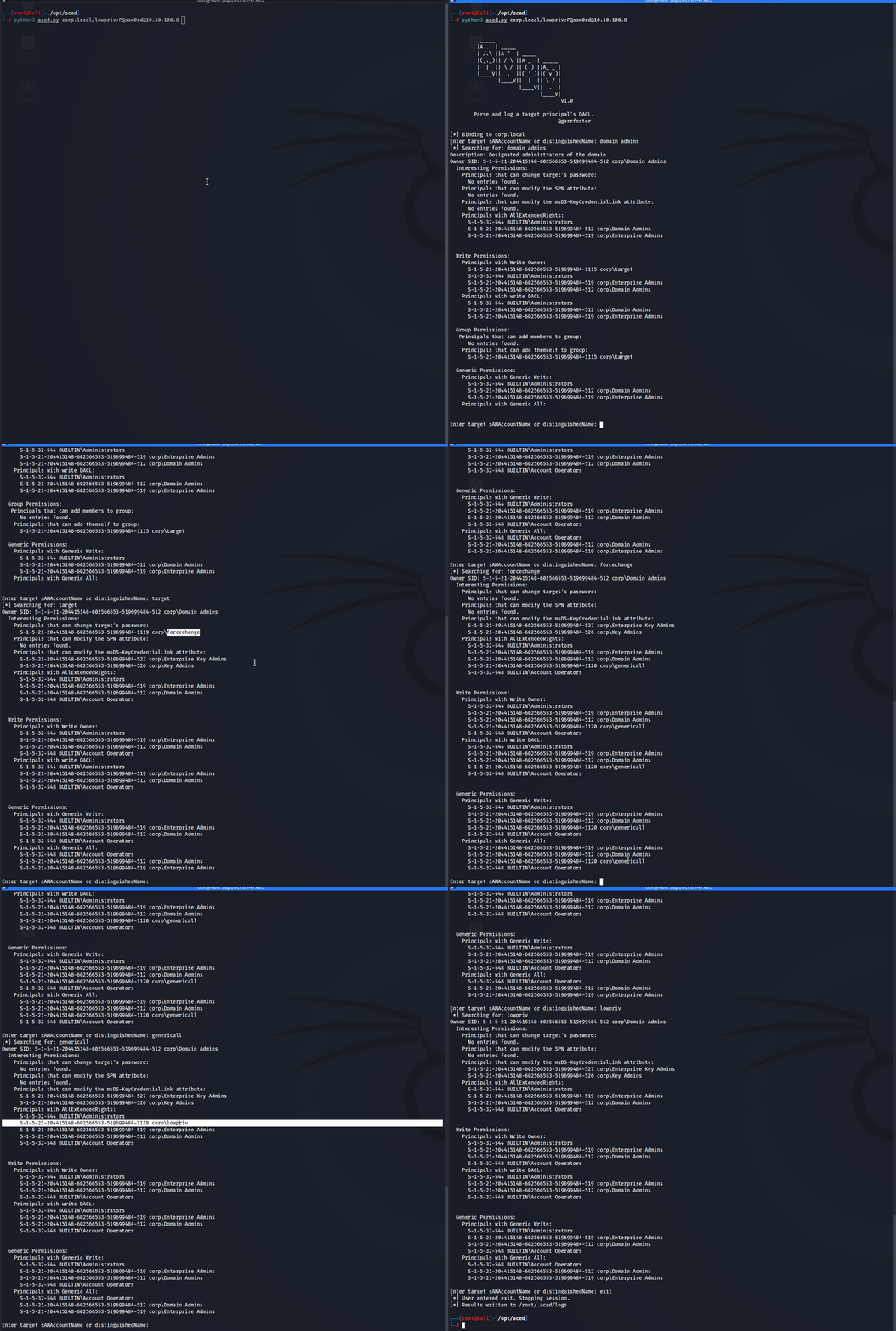
在下面的演示中,我们拥有 corp.local\lowpriv 账户的凭据。通过从 Domain Admins 开始枚举,通过从高价值目标反向追溯,识别出潜在的权限提升路径。
下面展示了这些数据经过 bofhound 转换并导入 BloodHound 后的样子。