免责声明:此工具专为合法的内部安全审计而设计。未经授权使用非您所有的系统属于违规行为。由 Gagaltotal666 - GhostGTR666 开发。
此工具识别并缓解 Linux 内核中的两个**本地权限提升(LPE)**漏洞:
f4c50a4034e6,日期为 2026-05-05)/etc/modprobe.d/ 将模块加入黑名单| 功能 | 描述 |
|---|---|
| 多主机扫描器 | 并行扫描整个子网(CIDR)或特定 IP 列表 |
| TCP Ping 发现 | 在 SSH 之前自动检测活跃主机(可通过 --skip-discovery 跳过) |
| 深度审计 | 分析内核版本、模块状态、上游补丁、权限级别 |
| 漏洞评估 | 自动分类状态:VULNERABLE、MITIGATED、LIKELY_PATCHED、POSSIBLY_SAFE、MODULE_NOT_LOADED |
| 自动化缓解 | 通过一次 --patch 将模块加入黑名单、卸载并刷新页缓存 |
| 零接触 Sudo 注入 | 通过 sudo -S 自动注入密码 — 无需配置 NOPASSWD |
| 智能认证检测 | 自动检测权限提升方式(root、sudo NOPASSWD、带密码的 sudo) |
| CLI 验证 | 预检查拼写错误、验证 SSH 密钥文件(防止伪造的 known_hosts) |
| 并行执行 | 用于扫描和 SSH 操作的线程池(默认 20 个工作线程) |
| JSON 报告 | 将完整审计结果导出为 JSON 格式 |
| 美观输出 | 彩色输出 + PrettyTable 摘要(库不可用时自动回退) |
| 信号处理 | 通过 SIGINT/SIGTERM 优雅关闭 |
Python 3.8 或更高版本
库:paramiko、colorama、prettytable
python3 -m venv .venv
source .venv/bin/activate
# 克隆仓库
git clone https://github.com/gagaltotal/dirtyfrag-scanner.git
cd dirtyfrag-scanner

# 安装依赖
pip install -r requirements.txt
# 或
pip install paramiko colorama prettytable
检测漏洞而不对目标服务器进行任何更改。
# 使用密码
python3 dirtyfrag_scanner.py --subnet 192.168.1.0/24 --user ghostgtr666 --password 'server@02!'

# 使用 SSH 密钥
python3 dirtyfrag_scanner.py --subnet 10.134.205.0/24 --user root --key ~/.ssh/id_rsa

# 同时使用两者(密钥失败时回退到密码)
python3 dirtyfrag_scanner.py --subnet 192.168.1.0/24 --user admin --password 'pass' --key ~/.ssh/id_rsa

# 扫描特定 IP(不进行发现)
python3 dirtyfrag_scanner.py --hosts 192.168.1.10,192.168.1.20 --user admin --password 'pass'
执行审计并立即对易受攻击的服务器应用缓解措施。
# 使用密码修补(自动注入 SUDO,无需 NOPASSWD)
python3 dirtyfrag_scanner.py --subnet 192.168.1.0/24 --user ghostgtr666 --password 'server@02!' --patch

# 使用 Root 登录修补
python3 dirtyfrag_scanner.py --subnet 192.168.1.0/24 --user root --key ~/.ssh/id_rsa --patch

# 使用自定义工作线程修补(更快的扫描)
python3 dirtyfrag_scanner.py --subnet 192.168.0.0/16 --user admin --password 'pass' --patch --workers 50
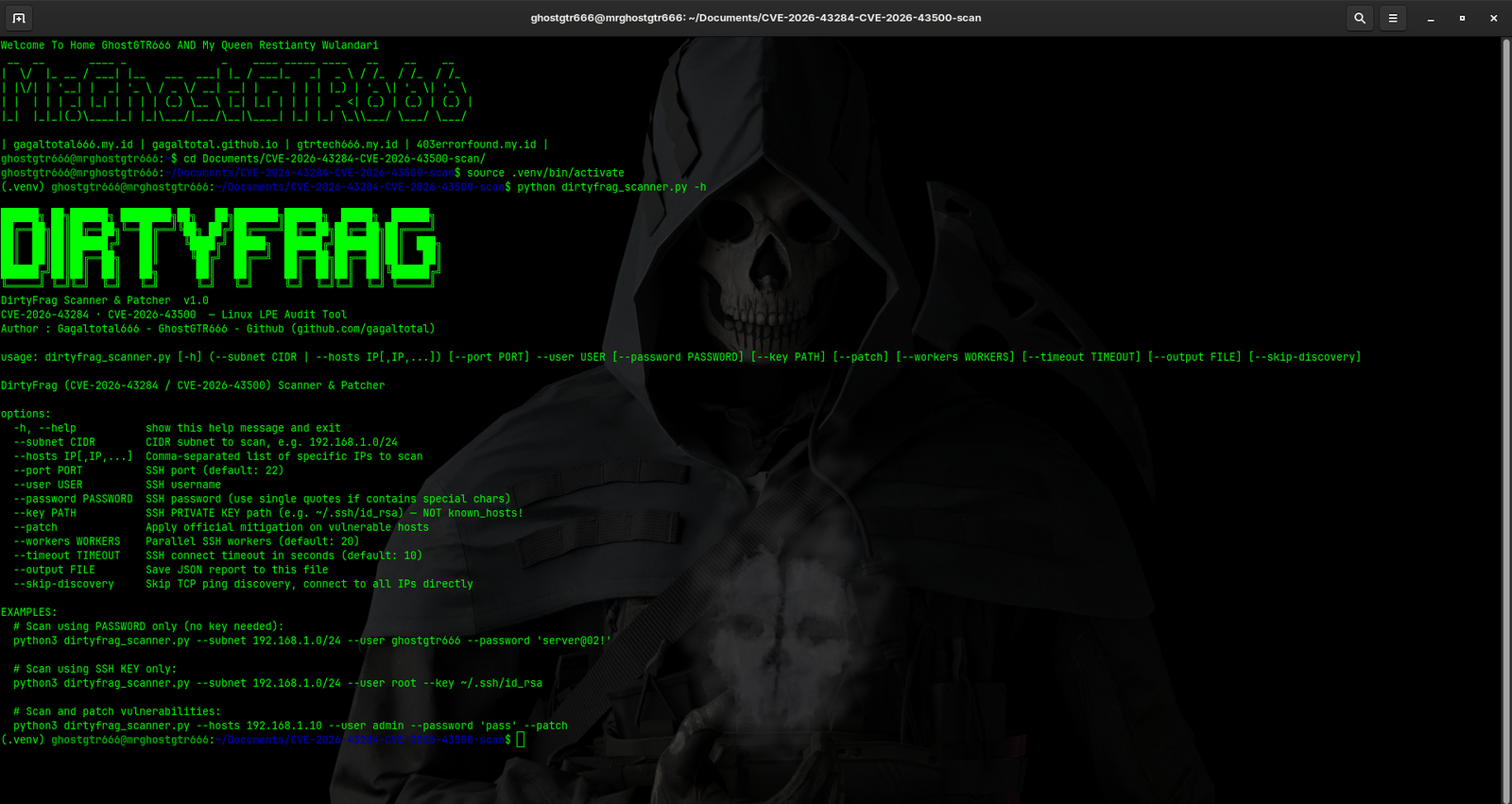
--subnet CIDR              扫描 CIDR 子网(例如,192.168.1.0/24)
--hosts IP[,IP,...]        扫描特定 IP(逗号分隔,无空格)
--user USERNAME            SSH 用户名(必填)
--password PASSWORD        SSH 密码(如有特殊字符请使用引号)
--key PATH                  SSH 私钥路径(例如,~/.ssh/id_rsa,不是 known_hosts!)
--port PORT                自定义 SSH 端口(默认:22)
--timeout SECONDS          SSH 连接超时(默认:10,最大:300)
--skip-discovery           跳过 TCP ping 发现,直接 SSH 到所有 IP
--workers NUM              并行 SSH 工作线程数(默认:20,最小:1,最大:100)
--patch                    对易受攻击的主机应用缓解措施
--output FILE              将审计结果保存到 JSON 文件
此工具设计用于在各种 SSH 服务器环境中工作,无需修改 sudoers:
直接 Root(推荐)
--user root --key ~/.ssh/id_rsa --patch
Sudo NOPASSWD
--user ubuntu --key ~/.ssh/id_rsa --patch
/etc/sudoers 已配置 NOPASSWDsudo -n带密码注入的 Sudo(零接触)⭐
--user ubuntu --password 'mypass' --patch
/etc/sudoers: ALL=(ALL) ALLsudo -S -p '' 自动注入密码混合模式(密钥 + 密码)
--user ubuntu --key ~/.ssh/id_rsa --password 'mypass' --patch
当使用 --patch 标志时,工具按顺序执行以下步骤:
/etc/modprobe.d/dirtyfrag.conf(如果存在)/etc/modprobe.d/dirtyfrag.conf:
install esp4 /bin/false
install esp6 /bin/false
install rxrpc /bin/false
chmod 644rmmod esp4(如果未加载则跳过)rmmod esp6(如果未加载则跳过)rmmod rxrpc(如果未加载则跳过)echo 3 > /proc/sys/vm/drop_caches注意:如果在 rmmod 后模块仍处于加载状态,将通知用户可能需要重启。
──────────────────────────────────────────────────────────
  主机 1/2: 10.134.205.163 (ubuntu-web-01)
──────────────────────────────────────────────────────────
  OS     : Ubuntu 22.04.4 LTS
  内核    : 6.8.0-111-generic
  权限    : user

  CVE-2026-43284 (xfrm-ESP)  [POSSIBLY_SAFE]
    esp4 已加载   : no
    esp6 已加载   : no
    缓解措施      : 未应用
    上游补丁      : 未包含(<6.15)

  CVE-2026-43500 (RxRPC)     [VULNERABLE]
    rxrpc 已加载  : YES
    缓解措施      : 未应用
    注意:尚不存在上游补丁 — 缓解是唯一的修复方式

  [✓] 缓解措施已成功应用!
    [权限检查] 正常(使用:sudo(自动密码))
    [清理目标路径] 正常
    [写入 modprobe 配置] 正常
    [验证配置已写入] 正常(3 条记录)
    [设置文件权限] 正常
    [卸载 esp4 模块] 已跳过(未加载或已移除)
    [卸载 esp6 模块] 已跳过(未加载或已移除)
    [卸载 rxrpc 模块] 已卸载
    [刷新页缓存] 正常
    [最终验证] 配置文件有效
    [最终验证] 所有易受攻击的模块已卸载
    [结果] 缓解措施已成功应用
════ 摘要 ════
+----------------+-------------------+------+------------+------------+----------+
| 主机           | 操作系统/内核      | 权限 | CVE-43284  | CVE-43500  | 已修补? |
+----------------+-------------------+------+------------+------------+----------+
| 10.134.205.163 | Ubuntu 22.04.4    | user | POSSIBLY_S | VULNERABLE | 是 ✓     |
| 10.134.205.164 | Ubuntu 22.04.4    | user | VULNERABLE| VULNERABLE | 失败 ✗   |
| 10.134.205.165 | Debian 12         | root | MITIGATED  | MITIGATED  | —        |
+----------------+-------------------+------+------------+------------+----------+
════ 统计信息 ════
  已扫描主机    : 3
  错误          : 0
  易受攻击 43284: 1
  易受攻击 43500: 2
  缓解成功      : 1
  缓解失败      : 1
    └─ 1 个因权限不足而失败
  持续时间      : 12.4s
使用 --output 标志保存完整审计结果:
python3 dirtyfrag_scanner.py --subnet 192.168.1.0/24 --user admin --password 'pass' --output report.json
{
  "scan_time": "2026-05-12 14:23:45",
  "tool": "DirtyFrag Scanner v1.0",
  "cves": ["CVE-2026-43284", "CVE-2026-43500"],
  "total_hosts": 3,
  "results": [
    {
      "host": "10.134.205.163",
      "hostname": "ubuntu-web-01",
      "os": "Ubuntu 22.04.4 LTS",
      "kernel": "6.8.0-111-generic",
      "kernel_v": [6, 8, 0],
      "is_root": false,
      "cve_43284": {
        "status": "POSSIBLY_SAFE",
        "esp4_loaded": false,
        "esp6_loaded": false,
        "mitigation_applied": false,
        "upstream_patched": false
      },
      "cve_43500": {
        "status": "VULNERABLE",
        "rxrpc_loaded": true,
        "mitigation_applied": false
      },
      "patch_applied": true,
      "patch_msg": "...",
      "error": null
    }
  ]
}
# 错误
python3 dirtyfrag_scanner.py --subnet 192.168.1.0/24 --user root --key ~/.ssh/id_rsa.pub

# 正确(使用私钥,而非 .pub)
python3 dirtyfrag_scanner.py --subnet 192.168.1.0/24 --user root --key ~/.ssh/id_rsa
您提供的文件不是私钥。请检查:
.pub 文件(公钥)known_hosts-----BEGIN PRIVATE KEY----- 或 -----BEGIN RSA PRIVATE KEY-----